ആമുഖം
ലോജിടെക് എച്ച്ഡി Webcam C310 is designed to provide clear and reliable video communication. Featuring HD 720p video calling and 5-megapixel snapshot capabilities, it's ideal for various applications. This manual provides essential information for setting up, operating, maintaining, and troubleshooting your webക്യാം
സജ്ജമാക്കുക
Follow these steps to set up your Logitech HD Webക്യാമറ C310:
- അൺപാക്ക് ചെയ്യുക Webക്യാം: ശ്രദ്ധാപൂർവ്വം നീക്കം ചെയ്യുക webഅതിന്റെ പാക്കേജിംഗിൽ നിന്ന് പുറത്തുകടക്കുക. ഉൾപ്പെടെ എല്ലാ ഘടകങ്ങളും ഉറപ്പാക്കുക webcam unit and its integrated USB cable, are present.
- സ്ഥാനം Webക്യാം: The C310 features a flexible clip/stand designed to securely attach to the top of your monitor or laptop screen. It can also be placed on a flat surface. Adjust the clip to fit snugly without obstructing your screen.
- നിങ്ങളുടെ കമ്പ്യൂട്ടറുമായി ബന്ധിപ്പിക്കുക: എന്നതിൽ നിന്ന് സംയോജിത USB കേബിൾ പ്ലഗ് ചെയ്യുക webനിങ്ങളുടെ കമ്പ്യൂട്ടറിലെ ലഭ്യമായ ഒരു USB പോർട്ടിലേക്ക് ക്യാമറ ബന്ധിപ്പിക്കുക. webcam is plug-and-play, meaning your operating system should automatically detect and install the necessary drivers.
- സോഫ്റ്റ്വെയർ ഇൻസ്റ്റാളേഷൻ (ഓപ്ഷണൽ): അതേസമയം webcam functions with standard drivers, for enhanced features like advanced settings and photo/video capture software, you may visit the official Logitech support website to download and install the latest software for your C310.
- ഇൻസ്റ്റാളേഷൻ പരിശോധിക്കുക: Open a video conferencing application (e.g., Skype, Zoom, Google Meet) or your computer's camera application to confirm the webcam തിരിച്ചറിഞ്ഞ് വീഡിയോ പ്രദർശിപ്പിക്കുന്നു.

ചിത്രം 1: മുൻഭാഗം view of the Logitech HD Webക്യാമറ C310.

Figure 2: The C310 webcam positioned on a computer monitor for video calls.

Figure 3: Operating system compatibility for the Logitech C310 webക്യാം
പ്രവർത്തിപ്പിക്കുന്നത് Webക്യാമറ
The Logitech C310 is designed for ease of use with various communication platforms. Here are its key operational features:
- HD 720p Video Calls: Enjoy high-definition video calls on most major instant messaging applications and Logitech Vid HD. The webcam provides fluid, widescreen HD 720p video for clear communication.
- 5-Megapixel Snapshots: Capture high-resolution still images at up to 5 megapixels (software enhanced).
- One-Click Upload to Social Media: Easily capture HD video (720p) and upload it to platforms like Facebook or YouTube with a single click (requires Logitech software).
- Built-in Microphone with RightSound™: The integrated microphone ensures clear conversations by reducing background noise.
- RightLight™ 2 Technology: This feature intelligently adjusts the camera's settings to produce the best possible image, even in dim or poorly backlit environments.
- Logitech Video Effects: Add fun and creativity to your video calls with various video effects, including neon splashes and fish-eye distortions (requires Logitech software).
- IM Compatibility: ദി webcam is compatible with popular instant messaging applications such as Skype, Windows Live Messenger, Yahoo! Messenger, and AOL Instant Messenger (AIM®).
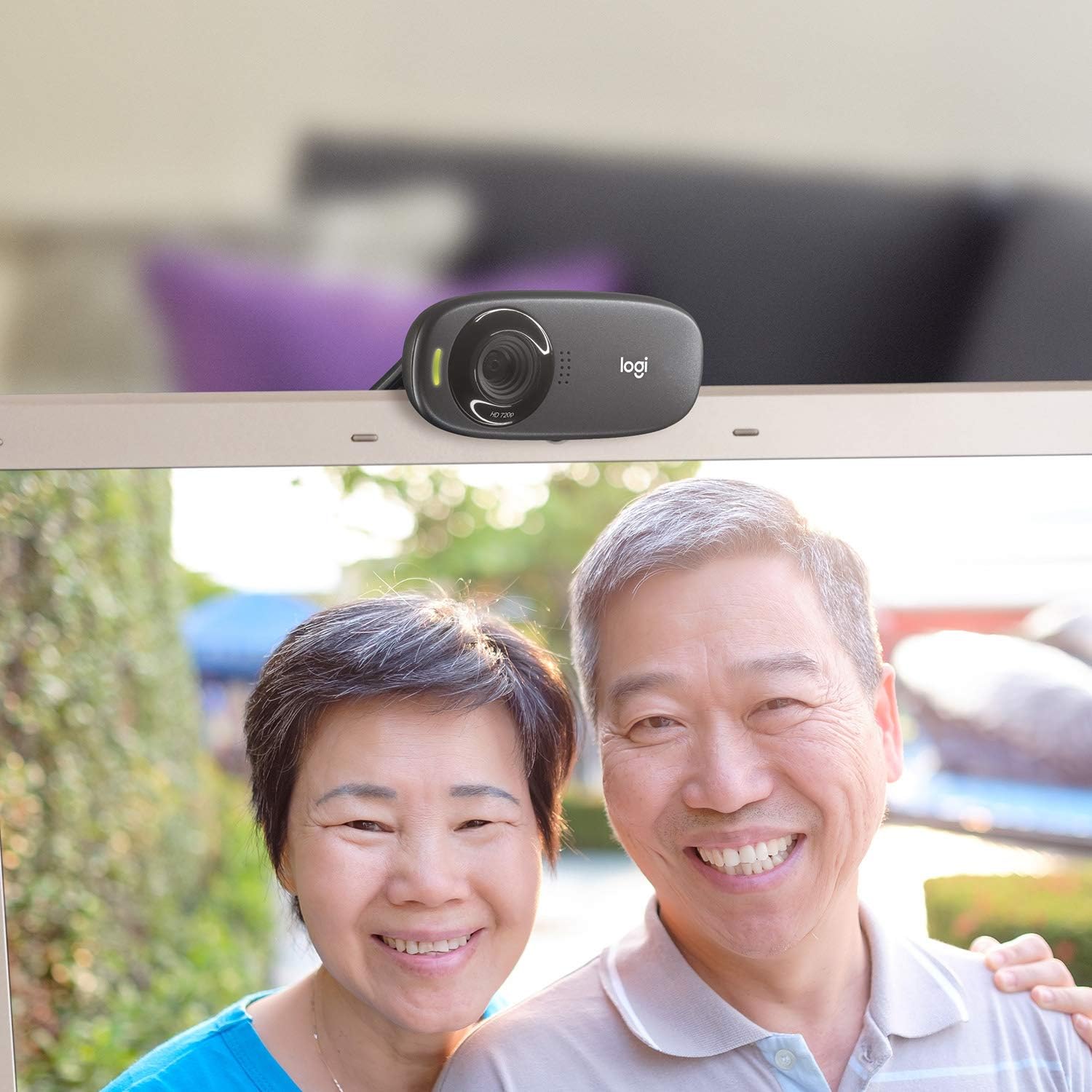
ചിത്രം 4: ഉദാample of a clear video call using the C310 webക്യാം
മെയിൻ്റനൻസ്
ശരിയായ അറ്റകുറ്റപ്പണി നിങ്ങളുടെ ഉപകരണത്തിന്റെ ദീർഘായുസ്സും മികച്ച പ്രകടനവും ഉറപ്പാക്കുന്നു webക്യാം:
- വൃത്തിയാക്കൽ: Use a soft, lint-free cloth to gently wipe the webക്യാം ലെൻസും ബോഡിയും. പ്രതലത്തിന് കേടുവരുത്തുന്ന അബ്രാസീവ് ക്ലീനറുകളോ ലായകങ്ങളോ ഒഴിവാക്കുക.
- സംഭരണം: ഉപയോഗത്തിലില്ലാത്തപ്പോൾ, സംഭരിക്കുക webനേരിട്ടുള്ള സൂര്യപ്രകാശത്തിൽ നിന്നും ഉയർന്ന താപനിലയിൽ നിന്നും മാറി വൃത്തിയുള്ളതും വരണ്ടതുമായ സ്ഥലത്ത് ക്യാം വയ്ക്കുക.
- കേബിൾ കെയർ: Do not excessively bend or pull the USB cable. This can damage the internal wires and affect connectivity.
ട്രബിൾഷൂട്ടിംഗ്
If you encounter issues with your Logitech HD Webcam C310, try the following solutions:
- Webക്യാമറ കണ്ടെത്തിയില്ല:
- പ്രവർത്തിക്കുന്ന ഒരു USB പോർട്ടിലേക്ക് USB കേബിൾ സുരക്ഷിതമായി പ്ലഗ് ചെയ്തിട്ടുണ്ടെന്ന് ഉറപ്പാക്കുക. മറ്റൊരു USB പോർട്ട് പരീക്ഷിക്കുക.
- നിങ്ങളുടെ കമ്പ്യൂട്ടർ പുനരാരംഭിക്കുക.
- നിങ്ങളുടെ കമ്പ്യൂട്ടറിന്റെ ഉപകരണ മാനേജർ (വിൻഡോസ്) അല്ലെങ്കിൽ സിസ്റ്റം വിവരങ്ങൾ (മാക്) പരിശോധിച്ച് webcam ലിസ്റ്റ് ചെയ്യുകയും അംഗീകരിക്കുകയും ചെയ്തു.
- നിങ്ങളുടെ കമ്പ്യൂട്ടറിന്റെ USB ഡ്രൈവറുകൾ അപ്ഡേറ്റ് ചെയ്യുക.
- മോശം വീഡിയോ നിലവാരം:
- Ensure adequate lighting in your environment. RightLight™ 2 technology helps, but sufficient ambient light is crucial.
- വൃത്തിയാക്കുക webമൃദുവായ തുണി ഉപയോഗിച്ച് ക്യാം ലെൻസ്.
- Check your internet connection speed, especially during video calls, as a slow connection can degrade video quality.
- Close other applications that might be using significant bandwidth or system resources.
- മൈക്രോഫോൺ പ്രശ്നങ്ങൾ:
- Verify that the Logitech C310 microphone is selected as the default input device in your operating system's sound settings and in your video conferencing application.
- നിങ്ങളുടെ സിസ്റ്റം ക്രമീകരണങ്ങളിൽ മൈക്രോഫോൺ വോളിയം ലെവലുകൾ പരിശോധിക്കുക.
- Ensure no physical obstructions are blocking the microphone holes on the webക്യാം
സ്പെസിഫിക്കേഷനുകൾ
| ഉൽപ്പന്ന അളവുകൾ | 8.27 x 2.99 x 5.98 ഇഞ്ച് |
| ഇനത്തിൻ്റെ ഭാരം | 8 ഔൺസ് |
| ഇനം മോഡൽ നമ്പർ | 960-000637 |
| വീഡിയോ ക്യാപ്ചർ റെസല്യൂഷൻ | 720p |
| ഫോട്ടോ സെൻസർ ടെക്നോളജി | CMOS |
| കണക്റ്റിവിറ്റി ടെക്നോളജി | USB |
| ബിൽറ്റ്-ഇൻ മൈക്രോഫോൺ | Yes, with RightSound™ noise reduction |
| Automatic Light Correction | Yes, with RightLight™ 2 technology |
| സ്റ്റിൽ ഇമേജ് ക്യാപ്ചർ | Up to 5 megapixels (software enhanced) |
| നിർമ്മാതാവ് | ലോജിടെക് |
| ആദ്യ തീയതി ലഭ്യമാണ് | നവംബർ 12, 2010 |
വാറൻ്റിയും പിന്തുണയും
ലോജിടെക് എച്ച്ഡി Webcam C310 typically comes with a 2-year limited hardware warranty. For detailed warranty information, technical support, or to access additional resources, please visit the official Logitech support webസൈറ്റ് അല്ലെങ്കിൽ നിങ്ങളുടെ ഉൽപ്പന്നത്തിൽ ഉൾപ്പെടുത്തിയിരിക്കുന്ന ഡോക്യുമെന്റേഷൻ പരിശോധിക്കുക.
നിങ്ങൾക്ക് വാങ്ങുന്നതും പരിഗണിക്കാവുന്നതാണ്asing അധിക കവറേജിനായുള്ള വിപുലീകൃത സംരക്ഷണ പദ്ധതികൾ:
- 2-വർഷ സംരക്ഷണ പദ്ധതി
- 3-വർഷ സംരക്ഷണ പദ്ധതി
- സമ്പൂർണ്ണ പരിരക്ഷ: ഒരു പ്ലാൻ യോഗ്യമായ എല്ലാ മുൻകാല, ഭാവി വാങ്ങലുകളും ഉൾക്കൊള്ളുന്നു (പ്രതിമാസ ബില്ലിംഗ് ഓപ്ഷൻ ലഭ്യമാണ്).
For further assistance, contact Logitech Customer Service.