ആമുഖം
This manual provides essential information for the safe and effective use of your Lexmark E360, E460, E462 Series High Yield Return Program Toner Cartridge (Part Number E360H11A). This genuine Lexmark product is designed to deliver consistent, high-quality monochrome laser prints with an estimated yield of 9,000 pages. Please read this manual thoroughly before installation and use.
സുരക്ഷാ വിവരങ്ങൾ
- ടോണർ കാട്രിഡ്ജുകൾ കുട്ടികൾക്ക് ലഭ്യമാകാതെ സൂക്ഷിക്കുക.
- Do not incinerate toner cartridges. Residual toner dust can ignite.
- Avoid inhaling toner dust. If toner gets on your skin or clothing, wash it off immediately with soap and cold water.
- Do not attempt to disassemble the toner cartridge.
- Store cartridges in their original packaging in a cool, dry place away from direct sunlight.
ബോക്സിൽ എന്താണുള്ളത്
നിങ്ങളുടെ പാക്കേജിൽ ഇനിപ്പറയുന്ന ഇനം അടങ്ങിയിരിക്കണം:
- One (1) Lexmark E360, E460, E462 Series High Yield Return Program Toner Cartridge (Part Number E360H11A)
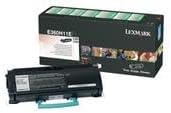
This image displays the Lexmark E360H11A High Yield Return Program Toner Cartridge alongside its retail packaging. The cartridge is black with a light blue handle, and the box features Lexmark branding and product details.
സജ്ജീകരണവും ഇൻസ്റ്റാളേഷനും
Follow these steps to properly install the toner cartridge in your Lexmark E360, E460, or E462 series printer:
- പ്രിന്റർ പവർ ഓഫ് ചെയ്യുക: ഇൻസ്റ്റലേഷൻ പ്രക്രിയ ആരംഭിക്കുന്നതിന് മുമ്പ് നിങ്ങളുടെ പ്രിന്റർ ഓഫാക്കിയിട്ടുണ്ടെന്നും പവർ ഔട്ട്ലെറ്റിൽ നിന്ന് അൺപ്ലഗ് ചെയ്തിട്ടുണ്ടെന്നും ഉറപ്പാക്കുക.
- മുൻ കവർ തുറക്കുക: Open the front cover of your Lexmark printer to access the toner cartridge compartment.
- പഴയ കാട്രിഡ്ജ് നീക്കം ചെയ്യുക (ബാധകമെങ്കിൽ): If replacing an old cartridge, carefully pull it straight out of the printer. Place it in a protective bag for recycling.
- പുതിയ കാട്രിഡ്ജ് അൺപാക്ക് ചെയ്യുക: Remove the new Lexmark E360H11A toner cartridge from its packaging. Avoid touching the green drum surface.
- ഷെയ്ക്ക് കാട്രിഡ്ജ്: Gently shake the new cartridge horizontally 5-6 times to distribute the toner evenly.
- സംരക്ഷണ മുദ്രകൾ നീക്കം ചെയ്യുക: Carefully remove any protective tapes or seals from the cartridge as indicated in your printer's specific manual.
- പുതിയ കാട്രിഡ്ജ് ഇടുക: പുതിയ കാട്രിഡ്ജ് പ്രിന്ററിനുള്ളിലെ ഗൈഡുകളുമായി വിന്യസിക്കുക, അത് സ്ഥലത്ത് ക്ലിക്ക് ചെയ്യുന്നത് വരെ ദൃഢമായി അമർത്തുക.
- മുൻ കവർ അടയ്ക്കുക: പ്രിന്ററിന്റെ മുൻ കവർ അടയ്ക്കുക.
- പവർ ഓൺ പ്രിന്റർ: Plug in and turn on your printer. The printer will typically perform a self-test and recognize the new cartridge.
Refer to your specific Lexmark printer's user manual for detailed instructions and illustrations.
പ്രവർത്തന നിർദ്ദേശങ്ങൾ
Once the Lexmark E360H11A toner cartridge is installed, your printer is ready for operation. The cartridge functions automatically as part of the printing process.
- അച്ചടി: Initiate print jobs from your computer or device as you normally would. The printer will draw toner from the cartridge to create monochrome prints.
- ടോണർ ലെവൽ മോണിറ്ററിംഗ്: Most Lexmark printers provide a way to monitor toner levels through the printer's control panel or software utility. Monitor these levels to know when a replacement cartridge will be needed.
- പ്രിന്റ് നിലവാരം: If print quality degrades (e.g., faded prints, streaks), it may indicate a low toner level or an issue with the cartridge. Refer to the Troubleshooting section.
മെയിൻ്റനൻസ്
Proper handling and storage can extend the life and performance of your toner cartridge:
- സംഭരണം: Store unused cartridges in their original sealed packaging in a cool, dry environment, away from direct sunlight and extreme temperatures.
- കൈകാര്യം ചെയ്യൽ: Always handle the cartridge by its designated handles or edges. Avoid touching the imaging drum.
- നീക്കംചെയ്യൽ/പുനഃചംക്രമണം: This is a Lexmark Return Program Toner Cartridge. Please return the empty cartridge to Lexmark for proper recycling. Instructions for return are typically included with the new cartridge or can be found on the official Lexmark website. Do not dispose of cartridges in regular waste.
ട്രബിൾഷൂട്ടിംഗ്
If you encounter issues with your toner cartridge, consider the following common solutions:
| പ്രശ്നം | സാധ്യമായ കാരണം | പരിഹാരം |
|---|---|---|
| മങ്ങിയതോ നേരിയതോ ആയ പ്രിന്റുകൾ | കുറഞ്ഞ ടോണർ നില; അസമമായ ടോണർ വിതരണം. | Gently shake the cartridge horizontally. If problem persists, replace the cartridge. |
| പ്രിന്റുകളിലെ വരകൾ അല്ലെങ്കിൽ വരകൾ | Dirty imaging drum; damaged cartridge. | Do not touch the drum. If the cartridge is new, ensure all seals are removed. If problem persists, replace the cartridge. |
| "ടോണർ ലോ" അല്ലെങ്കിൽ "കാട്രിഡ്ജ് മാറ്റിസ്ഥാപിക്കുക" സന്ദേശം | Toner is genuinely low; cartridge not seated correctly. | Reseat the cartridge firmly. If message persists, replace with a new cartridge. |
| Cartridge Not Recognized | Improper installation; faulty cartridge. | Remove and reinsert the cartridge, ensuring it clicks into place. Restart the printer. If issue continues, contact Lexmark support. |
For more complex issues, consult your printer's specific user manual or the Lexmark support webസൈറ്റ്.
സ്പെസിഫിക്കേഷനുകൾ
| ഫീച്ചർ | വിശദാംശങ്ങൾ |
|---|---|
| ഉൽപ്പന്ന തരം | ടോണർ കാട്രിഡ്ജ് |
| ബ്രാൻഡ് | ലെക്സ്മാർക്ക് |
| ഭാഗം നമ്പർ | E360H11A |
| അനുയോജ്യത | Lexmark E360, E460, E462 Series Monochrome Laser Printers |
| പ്രിന്റ് സാങ്കേതികവിദ്യ | മോണോക്രോം ലേസർ |
| പേജ് യീൽഡ് | 9,000 പേജുകൾ വരെ (ISO/IEC 19752) |
| പ്രത്യേക ഫീച്ചർ | High Yield, Return Program Cartridge |
| ഉൾപ്പെടുത്തിയ ഘടകങ്ങൾ | ടോണർ കാട്രിഡ്ജ് |
| ASIN | B00434R3GI |
| ആദ്യ തീയതി ലഭ്യമാണ് | സെപ്റ്റംബർ 15, 2010 |
വാറൻ്റി വിവരങ്ങൾ
Lexmark toner cartridges are manufactured to high quality standards. For specific warranty terms and conditions applicable to your Lexmark E360H11A toner cartridge, please refer to the documentation included with your printer or visit the official Lexmark webസൈറ്റ്. വാറന്റി കവറേജ് സാധാരണയായി സാധാരണ ഉപയോഗത്തിലുള്ള മെറ്റീരിയലുകളിലെയും ജോലിയിലെയും പിഴവുകൾ പരിഹരിക്കുന്നു.
പിന്തുണ
If you require further assistance or have questions regarding your Lexmark E360, E460, E462 Series High Yield Return Program Toner Cartridge, please contact Lexmark Customer Support:
- Lexmark Official Webസൈറ്റ്: www.lexmark.com/support
- ഓൺലൈൻ ഉറവിടങ്ങൾ: Access FAQs, drivers, and troubleshooting guides.
- ബന്ധപ്പെടാനുള്ള വിവരങ്ങൾ: Find phone numbers or chat options for direct support on the Lexmark support webസൈറ്റ്.
When contacting support, please have your printer model and toner cartridge part number (E360H11A) ready.


