ആമുഖം
This document provides comprehensive instructions for using the 1940-1948 Chrysler CD-ROM Repair Shop Manual. This CD-ROM contains detailed service and repair information for Chrysler vehicles manufactured between 1940 and 1948, serving as an essential resource for maintenance, diagnostics, and restoration.
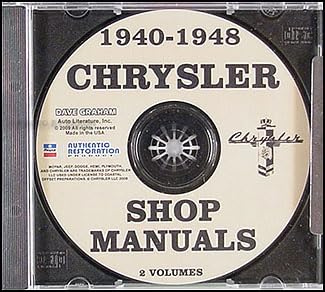
This image displays the physical CD-ROM for the 1940-1948 Chrysler Repair Shop Manual. The disc label clearly indicates '1940-1948 CHRYSLER SHOP MANUALS 2 VOLUMES' along with copyright information and the Chrysler logo.
സിസ്റ്റം ആവശ്യകതകൾ
To ensure proper functionality and access to the manual's content, your computer system should meet the following minimum requirements:
- ഓപ്പറേറ്റിംഗ് സിസ്റ്റം: Windows 98/ME/2000/XP/Vista/7/8/10 (or compatible operating system with CD-ROM drive support).
- പ്രോസസ്സർ: Pentium II 300 MHz or higher.
- റാം: 128 MB or more.
- സംഭരണം: CD-ROM drive and approximately 50 MB of free hard disk space for temporary files.
- ഡിസ്പ്ലേ: SVGA monitor with 800x600 resolution or higher.
- സോഫ്റ്റ്വെയർ: A PDF reader (e.g., Adobe Acrobat Reader) may be required to view certain documents on the CD.
Installation and Access
Follow these steps to access the repair manual content from the CD-ROM:
- Insert the CD-ROM: Gently insert the 1940-1948 Chrysler Repair Shop Manual CD into your computer's CD-ROM drive.
- Auto-run (if applicable): If the auto-run feature is enabled on your computer, a menu or file browser may appear automatically. Follow the on-screen prompts to open the manual.
- മാനുവൽ ആക്സസ്: If auto-run does not initiate, open "My Computer" or "This PC," locate your CD-ROM drive (e.g., D: or E:), and double-click on its icon. Browse the contents of the CD to find the main manual file (often an HTML file like "index.html" or a PDF file).
- Launch the Manual: Double-click the main manual file to open it. Ensure you have the necessary software (e.g., a web browser for HTML, Adobe Acrobat Reader for PDF) installed to view ദി files.
മാനുവൽ നാവിഗേറ്റ് ചെയ്യുന്നു
The CD-ROM manual is designed for easy navigation to help you quickly locate the information you need:
- Main Menu/Index: Most digital manuals include a main menu or an interactive index. Use this to browse major sections such as Engine, Transmission, Electrical System, Body, etc.
- തിരയൽ പ്രവർത്തനം: Utilize any built-in search functionality within the manual's interface or your PDF reader to find specific keywords, part numbers, or procedures.
- ഹൈപ്പർലിങ്കുകൾ: The manual may contain hyperlinks that allow you to jump between related sections, diagrams, or specifications.
- ബുക്ക്മാർക്കുകൾ: If viewed in a PDF reader, you can use the bookmark panel to quickly navigate through the document's structure.
ഉള്ളടക്കം കഴിഞ്ഞുview
This CD-ROM repair shop manual provides comprehensive coverage for 1940-1948 Chrysler vehicles, typically including, but not limited to, the following topics:
- പൊതുവിവരം: Vehicle identification, specifications, and maintenance schedules.
- എഞ്ചിൻ: Disassembly, inspection, repair, and assembly procedures for various engine components.
- ഇന്ധന സംവിധാനം: Carburetor adjustments, fuel pump service, and related components.
- തണുപ്പിക്കൽ സംവിധാനം: Radiator, water pump, thermostat, and hose service.
- വൈദ്യുത സംവിധാനം: Wiring diagrams, generator/alternator service, starter, lighting, and instrumentation.
- പകർച്ച: Manual and automatic transmission overhaul and adjustment procedures.
- Drive Axle: Differential service, axle shafts, and universal joints.
- സസ്പെൻഷനും സ്റ്റിയറിങ്ങും: Front and rear suspension, shock absorbers, steering gear, and linkage.
- ബ്രേക്കുകൾ: Drum brake service, master cylinder, wheel cylinders, and brake lines.
- Body and Chassis: Body panel removal and installation, interior trim, and frame repair.
ട്രബിൾഷൂട്ടിംഗ്
If you encounter issues while using the CD-ROM manual, consider the following troubleshooting steps:
- CD Not Reading:
- Ensure the CD is clean and free of scratches or smudges. Gently wipe with a soft, lint-free cloth.
- Try the CD in another computer's CD-ROM drive to rule out a drive issue.
- Verify your CD-ROM drive is functioning correctly and its drivers are up to date.
- Manual Not Launching:
- Confirm you have the necessary software (e.g., web browser, PDF reader) installed and updated.
- Check if your operating system's security settings are preventing the auto-run or execution of files from the CD.
- Manually navigate to the CD drive and attempt to open the main manual file നേരിട്ട്.
- Content Display Issues:
- If images or diagrams are not displaying, ensure your viewing software is up to date.
- For PDF files, try opening them with a different PDF reader.
സ്പെസിഫിക്കേഷനുകൾ
Key specifications for the 1940-1948 Chrysler CD-ROM Repair Shop Manual:
| ASIN | B00435KWXI |
| പ്രസാധകൻ | chrysler imperial |
| പ്രസിദ്ധീകരണ തീയതി | 1 ജനുവരി 1948 |
| ഇനത്തിൻ്റെ ഭാരം | 4.5 ഔൺസ് |
| അളവുകൾ | 4.55 x 5.5 x 0.44 ഇഞ്ച് |
| ഫോർമാറ്റ് | Multimedia CD |
പിന്തുണ
For further assistance or inquiries regarding the 1940-1948 Chrysler CD-ROM Repair Shop Manual, please refer to the contact information provided with your purchase or contact the seller directly. Ensure you have your purchase details and the product ASIN (B00435KWXI) available when seeking support.


