1. ആമുഖം
The Line 6 XD-V75/55 System Carry Case V70SC is a protective zippered case designed to safeguard your Line 6 XD-V75 or XD-V55 wireless microphone system. Constructed from sturdy EVA foam, this case provides secure storage for your receiver, microphone, and power supply. It features convenient access to the front and rear panels of the receiver and includes an antenna pass-through design, allowing the system to be operated while remaining securely housed within the case.
2 പ്രധാന സവിശേഷതകൾ
- നീണ്ടുനിൽക്കുന്ന നിർമ്മാണം: Made from robust EVA foam for enhanced protection against impacts and scratches.
- ഇഷ്ടാനുസൃത ഫിറ്റ്: Specifically designed to accommodate Line 6 XD-V75 and XD-V55 wireless microphone systems, including receiver, microphone, and power supply.
- Operational Access: Allows for easy access to the receiver's front and rear panels.
- Antenna Pass-Through: Enables the receiver to be used without removal from the case, with dedicated openings for antennas.
- സുരക്ഷിതമായ അടയ്ക്കൽ: Features reliable zippers to keep contents secure during transport.
- സംയോജിത ഹാൻഡിൽ: സൗകര്യപ്രദമായ ചുമക്കലിനായി.

Figure 2.1: The Line 6 V70SC Carry Case in its closed state, showcasing its compact and protective design. The Line 6 logo is visible on the front.
3. Setup and Equipment Placement
Follow these steps to properly place your Line 6 XD-V75/55 system components into the V70SC carry case:
- കേസ് തുറക്കുക: Unzip the main compartment of the carry case completely.
- റിസീവർ ചേർക്കുക: Carefully place your Line 6 XD-V75 or XD-V55 receiver into the designated custom-cut slot within the case. Ensure the front and rear panels align with the case's openings for access.
- മൈക്രോഫോൺ സ്ഥാനം: Place your handheld microphone into its dedicated round slot.
- Store Power Supply and Cables: Utilize the available space, typically in a separate compartment or pocket, to store the power supply unit and any necessary cables.
- ആന്റിന വിന്യാസം: If you intend to operate the system while in the case, guide the receiver's antennas through the provided pass-through openings.
- സുരക്ഷിതമായ അടയ്ക്കൽ: Zip the case closed, ensuring all components are securely contained.
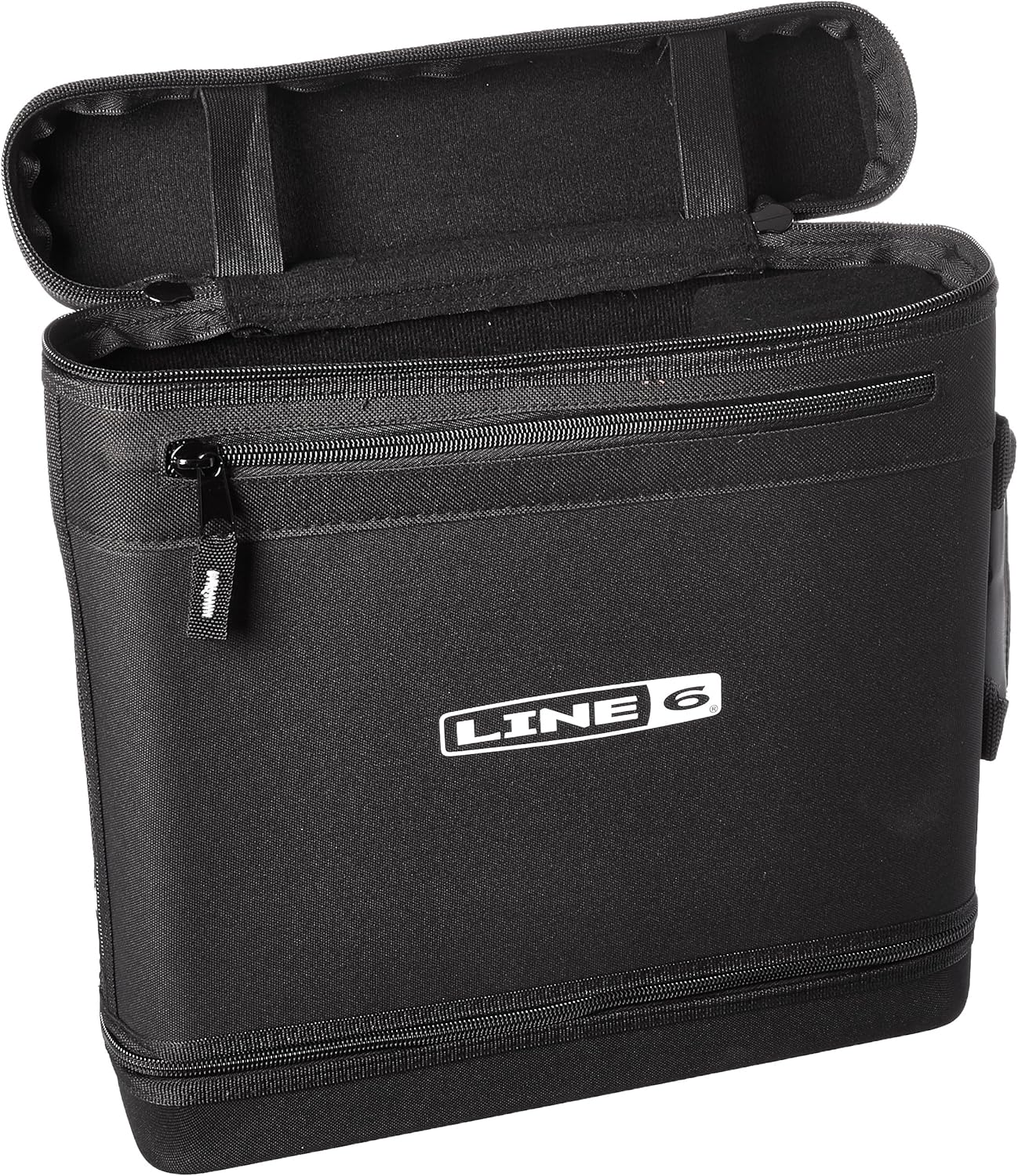
Figure 3.1: The Line 6 V70SC Carry Case with its main compartment open, revealing the interior layout designed to hold the wireless receiver, microphone, and accessories.
4. Operating with the Case
The V70SC case is designed for both transport and operation of your wireless system. To operate the Line 6 XD-V75/55 receiver while it remains in the case:
- Ensure the receiver is correctly seated with its antennas extended through the designated pass-through slots.
- Connect the power supply and audio output cables through the accessible rear panel openings.
- The front panel controls and display remain visible and accessible for monitoring and adjustments.
- For optimal wireless performance, ensure antennas are fully extended and unobstructed.
5. പരിപാലനവും പരിചരണവും
To ensure the longevity and continued protection offered by your V70SC carry case, follow these maintenance guidelines:
- വൃത്തിയാക്കൽ: ഒരു സോഫ്റ്റ്, ഡി ഉപയോഗിച്ച് പുറംഭാഗം തുടയ്ക്കുകamp തുണി. കഠിനമായ അഴുക്കിന്, ഒരു നേരിയ സോപ്പ് ലായനി ഉപയോഗിക്കാം, തുടർന്ന് വൃത്തിയുള്ള ഒരു തുണി ഉപയോഗിച്ച് തുടയ്ക്കാം, damp തുണി. കഠിനമായ രാസവസ്തുക്കളോ ഉരച്ചിലുകളുള്ള ക്ലീനറുകളോ ഒഴിവാക്കുക.
- ഉണക്കൽ: Allow the case to air dry completely before closing or storing equipment inside.
- സംഭരണം: ഉപയോഗത്തിലില്ലാത്തപ്പോൾ നേരിട്ടുള്ള സൂര്യപ്രകാശത്തിൽ നിന്നും കടുത്ത താപനിലയിൽ നിന്നും അകന്ന് തണുത്തതും വരണ്ടതുമായ സ്ഥലത്ത് കേസ് സൂക്ഷിക്കുക.
- സിപ്പർ കെയർ: Periodically check zippers for smooth operation. If they become stiff, a small amount of zipper lubricant can be applied.
- പരിശോധന: Regularly inspect the case for any signs of wear, tear, or damage to the EVA foam or stitching.
6. പ്രശ്നപരിഹാരം
Most issues with a carry case are minor. Here are some common concerns and their solutions:
- ഉപകരണങ്ങൾ അനുയോജ്യമല്ല: Ensure you are placing the correct Line 6 XD-V75/55 system components into the case. Verify that no cables or accessories are obstructing the fit.
- Stiff Zippers: Apply a small amount of zipper lubricant or a graphite pencil to the zipper teeth to improve movement.
- Antenna Obstruction: If experiencing signal issues while operating the receiver in the case, ensure the antennas are fully extended through the pass-through slots and are not bent or obstructed by other objects.
- Case Damage: If the EVA foam or fabric is significantly damaged, the protective capabilities of the case may be compromised. Consider replacing the case if structural integrity is affected.
7 സ്പെസിഫിക്കേഷനുകൾ
| ആട്രിബ്യൂട്ട് | വിശദാംശങ്ങൾ |
|---|---|
| ഉൽപ്പന്ന മോഡലിന്റെ പേര് | V70SC |
| നിർമ്മാതാവിന്റെ മോഡൽ നമ്പർ | 98-033-0020 |
| അനുയോജ്യത | Line 6 XD-V75 and XD-V55 Wireless Systems |
| മെറ്റീരിയൽ | Sturdy EVA Foam |
| അളവുകൾ (ഏകദേശം) | 14 inches (36 cm) in height (as shown in image) |

Figure 7.1: The Line 6 V70SC Carry Case displaying its approximate height of 14 inches (36 cm).
8 സുരക്ഷാ വിവരങ്ങൾ
ഇനിപ്പറയുന്ന സുരക്ഷാ മാർഗ്ഗനിർദ്ദേശങ്ങൾ പാലിക്കുക:
- Do not expose the case to open flames or extreme heat sources.
- Avoid placing excessively heavy objects on top of the case, as this may deform the EVA foam or damage contents.
- Keep out of reach of small children to prevent choking hazards from small parts or entanglement with zippers.
- Ensure the case is fully zipped when carrying to prevent items from falling out.


