1. ആമുഖവും അവസാനവുംview
This manual provides essential instructions for the safe and effective use of your Beurer 659.02 BC32 Wrist Blood Pressure Monitor. Please read it thoroughly before first use and keep it for future reference. This device is designed for fully automatic blood pressure and pulse measurement on the wrist.

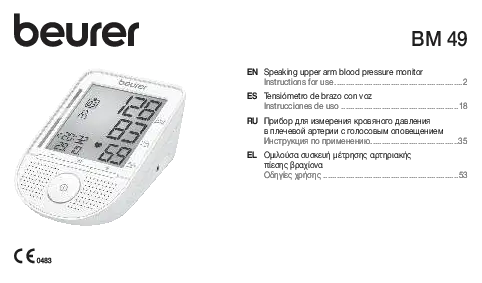
Image 1: The Beurer BC32 Wrist Blood Pressure Monitor. This device features a digital display showing systolic, diastolic, and pulse readings, along with a risk indicator and memory buttons.
പ്രധാന സവിശേഷതകൾ:
- Fully automatic blood pressure and pulse measurement on the wrist.
- Average of all saved measured values.
- Average of morning and evening blood pressure over the last 7 days.
- Automatic Pressure Preselection and deflation.
- Suitable for wrist circumferences from 13.5 to 19.5 cm.
- 2 x 60 memory spaces for two users.
- കുറഞ്ഞ ബാറ്ററി സൂചകം.
Important Considerations for Wrist Blood Pressure Monitors:
Wrist blood pressure monitors may not be suitable for everyone. Individuals with certain conditions, such as diabetes or vascular diseases, may have narrower wrist arteries, which could lead to inaccurate measurements. In such cases, an upper arm blood pressure monitor is recommended. Always consult your healthcare professional for advice on the most appropriate measurement method for your individual health needs.
Video 1: This video demonstrates the proper technique for measuring blood pressure on the wrist, including preparation, cuff placement, and body positioning for accurate readings.
2. സജ്ജീകരണം
2.1 ബാറ്ററി ഇൻസ്റ്റാളേഷൻ:
The device requires 2 AAA batteries, which are included. Open the battery compartment, insert the batteries according to the polarity markings, and close the compartment securely. A low battery indicator will appear on the display when replacement is needed.

Image 2: Close-up of the monitor's display, highlighting the battery compartment and memory features for two users.
2.2 Preparing for Measurement:
- വിശ്രമം: Ensure you are completely relaxed for at least 5 minutes before taking a measurement.
- Avoid Activity: In the 30 minutes leading up to the measurement, avoid vigorous physical activity, eating, drinking, smoking, or consuming caffeine.
- ഇരിക്കുന്ന സ്ഥാനം: Sit upright with your back supported and your feet flat on the floor, not crossed.
- തടസ്സങ്ങൾ നീക്കം ചെയ്യുക: Remove any clothing or accessories from your wrist that might constrict blood flow.
3. പ്രവർത്തന നിർദ്ദേശങ്ങൾ
3.1 Cuff Placement:
Place the cuff on your left wrist, approximately 1 to 1.5 cm below the heel of your hand. Ensure the device is positioned on the inside of your wrist. The cuff should be snug but not too tight, allowing one finger to fit comfortably underneath.

Image 3: Diagram illustrating the various parts of the Beurer BC32 monitor, including the display for date, time, hypertension/hypotension indicators, pulse, function, memory, and power buttons.
3.2 Taking a Measurement:
- Once the cuff is correctly positioned, rest your elbow on a stable surface to bring your wrist to heart height.
- Press the power button to start the measurement. The device will automatically inflate the cuff.
- നിശ്ചലമായിരിക്കുക, അളക്കുന്ന സമയത്ത് സംസാരിക്കുകയോ ചലിക്കുകയോ ചെയ്യുന്നത് ഒഴിവാക്കുക.
- The measurement will complete automatically, and your systolic, diastolic, and pulse readings will be displayed.
3.3 Interpreting Results:
The monitor includes a risk indicator (color-coded scale) to help you interpret your blood pressure values according to WHO (World Health Organization) guidelines. Green indicates normal, yellow indicates elevated, orange indicates mild hypertension, and red indicates moderate to severe hypertension. The device can also identify irregular heart rhythms, indicated by a specific symbol on the display. If this symbol appears frequently, consult your doctor.
3.4 Memory Function:
The device stores up to 60 measurements for two users. Use the 'M' button to access stored readings. If taking multiple measurements consecutively, allow a 1-minute break between each measurement.
3.5 Connecting to Beurer HealthManager:
For models with Bluetooth or USB interface, you can connect your monitor to the Beurer HealthManager app to document and track your measurements over time. Refer to the app's instructions for pairing and data transfer.
4. പരിപാലനം
To ensure the longevity and accuracy of your blood pressure monitor, follow these maintenance guidelines:
- വൃത്തിയാക്കൽ: അല്പം d ഉപയോഗിച്ച് ഉപകരണവും കഫും വൃത്തിയാക്കുക.amp തുണി. അബ്രാസീവ് ക്ലീനറുകൾ ഉപയോഗിക്കരുത് അല്ലെങ്കിൽ ഉപകരണം വെള്ളത്തിൽ മുക്കരുത്.
- സംഭരണം: Store the monitor in its protective case in a cool, dry place, away from direct sunlight and extreme temperatures.
- ബാറ്ററി മാറ്റിസ്ഥാപിക്കൽ: Replace batteries promptly when the low battery indicator appears to avoid data loss or device malfunction.
5. പ്രശ്നപരിഹാരം
If you encounter issues with your Beurer BC32 monitor, refer to the following common solutions:
- കൃത്യമല്ലാത്ത വായനകൾ: Ensure correct cuff placement, proper body posture, and relaxation before measurement. Avoid talking or moving during measurement.
- പിശക് സന്ദേശങ്ങൾ: Consult the full user manual for specific error codes and their meanings. Often, re-cuffing and re-measuring can resolve temporary errors.
- ഉപകരണം പവർ ചെയ്യുന്നില്ല: ബാറ്ററി ഇൻസ്റ്റാളേഷൻ പരിശോധിച്ച് ബാറ്ററികൾ തീർന്നിട്ടില്ലെന്ന് ഉറപ്പാക്കുക. ആവശ്യമെങ്കിൽ മാറ്റിസ്ഥാപിക്കുക.
If problems persist, contact Beurer customer support or your retailer.
6 സ്പെസിഫിക്കേഷനുകൾ
| നിർമ്മാതാവ് | ബ്യൂറർ |
| ഇനം മോഡൽ നമ്പർ | 659.02 |
| ഉൽപ്പന്ന അളവുകൾ | 7.2 x 6.9 x 2.92 സെ.മീ |
| ഇനത്തിൻ്റെ ഭാരം | 136.08 ഗ്രാം |
| പവർ ഉറവിടം | ബാറ്ററി പവർഡ് (2 AAA ബാറ്ററികൾ ഉൾപ്പെടുന്നു) |
| ഡിസ്പ്ലേ തരം | എൽസിഡി |
| ഉൾപ്പെടുത്തിയ ഘടകങ്ങൾ | കഫ് |
7. വാറൻ്റിയും പിന്തുണയും
For warranty information, technical support, or service inquiries, please refer to the warranty card included with your product or visit the official Beurer website. You may also contact Beurer India Pvt Ltd at support@beurerindia.com or 01244477111.