ഉൽപ്പന്നം കഴിഞ്ഞുview
The TC Electronic VoiceTone H1 is a compact and robust vocal effects processor designed to add natural-sounding harmonies to your voice. It is engineered for ease of use, making professional vocal harmonies accessible to both seasoned professionals and hobbyists. This pedal enhances vocal performances by providing one or two additional voices, creating a fuller and richer sound.
പ്രധാന സവിശേഷതകൾ
- Adds one or two voices of realistic harmony to your voice.
- Mic-Control offers remote on/off via TC-Helicon MP-75 microphone (sold separately).
- Connects seamlessly between your microphone and mixer.
ബോക്സിൽ എന്താണുള്ളത്
- VoiceTone H1 Vocal Harmonizer
- വൈദ്യുതി വിതരണം

Image: The TC Electronic VoiceTone H1 pedal, showcasing അതിന്റെ ഒതുക്കമുള്ള രൂപകൽപ്പനയും പ്രാഥമിക നിയന്ത്രണങ്ങളും.
സജ്ജീകരണ ഗൈഡ്
Connecting Your VoiceTone H1
The VoiceTone H1 is designed for straightforward integration into your audio setup. Follow these steps for proper connection:
- മൈക്രോഫോൺ ഇൻപുട്ട്: Connect your dynamic microphone to the 'MIC' XLR input on the rear of the VoiceTone H1. Note that this unit does not provide phantom power, so condenser microphones requiring phantom power are not compatible without an external power source.
- ഉപകരണ ഇൻപുട്ട്: Connect your guitar or other instrument to the 'INST IN' 1/4-inch jack. This input is crucial for the H1's intelligent harmony generation, as it uses the instrument's chords to determine the correct harmony notes.
- ഓഡിയോ ഔട്ട്പുട്ട്: Connect the 'OUT' XLR output to your mixer or audio interface. This sends your processed vocal signal, including harmonies, to your sound system.
- Thru Output (Optional): The 'THRU' 1/4-inch jack allows you to send an unprocessed signal of your instrument directly to an amplifier or another effects pedal, bypassing the H1's internal processing for the instrument signal.
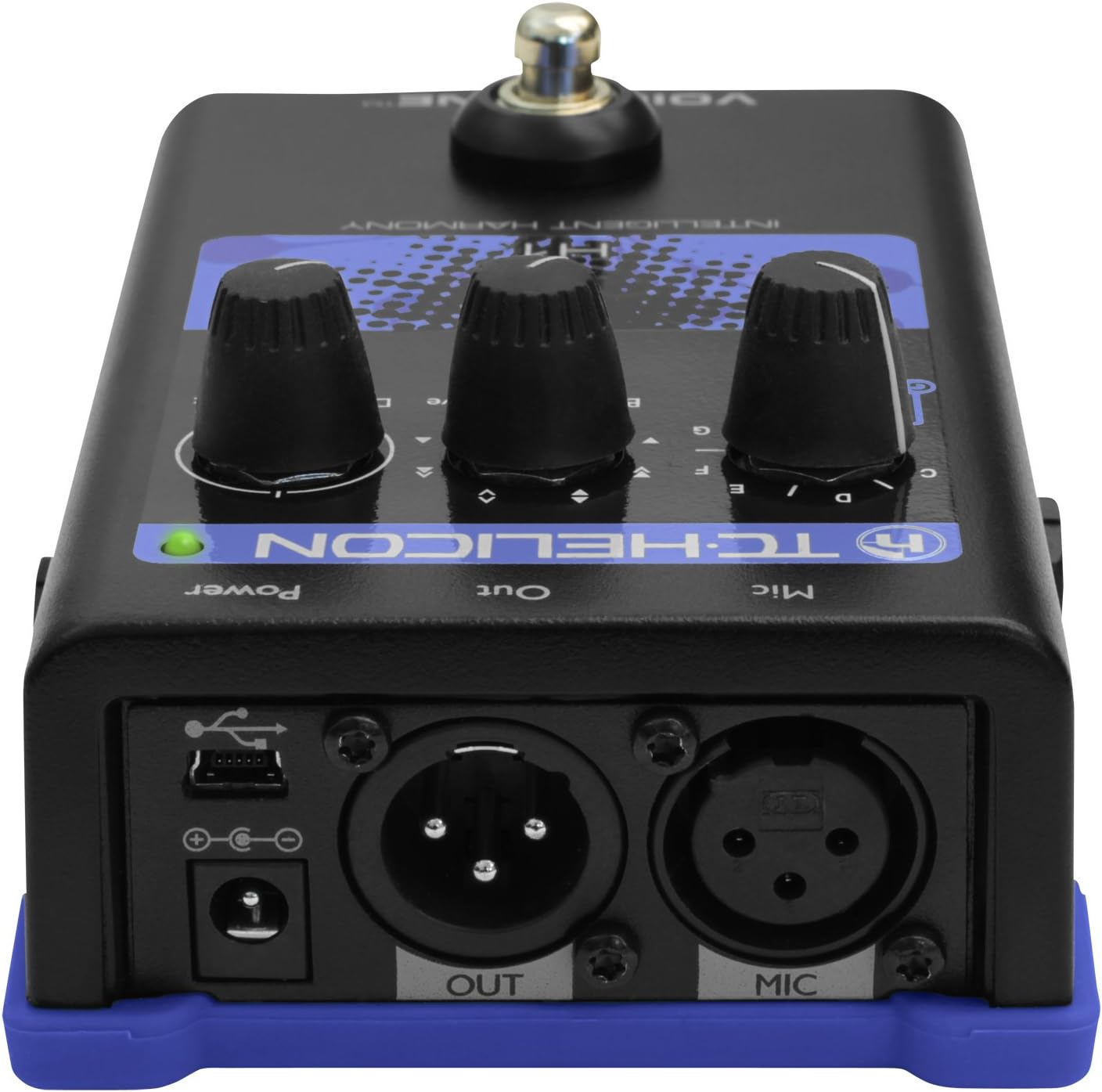
ചിത്രം: പിൻഭാഗം view of the VoiceTone H1, highlighting the microphone input, instrument input, and audio output connections.
പവർ ചെയ്യുന്നു
Connect the included power supply to the '9V DC' input on the rear of the unit. Once connected, the unit will power on. Ensure all connections are secure before activating your sound system.
Operating Your VoiceTone H1
The VoiceTone H1 features intuitive controls for shaping your vocal harmonies.
Harmony Control
The primary controls are located on the top panel:
- Guitar Knob: This knob selects the key for the harmonies. When connected to a guitar, the H1 intelligently detects the chords being played and generates harmonies in the correct key. You can also manually set the key (A, B, C, D, E, F, G) if not using a guitar input.
- Voices Knob: This knob allows you to select the type of harmony. Options typically include harmonies 'Below' your voice, 'Above' your voice, or a combination.
- Dry/Wet Mix Knob: This controls the balance between your original (dry) vocal signal and the added harmony (wet) signal. Adjust to achieve the desired blend.
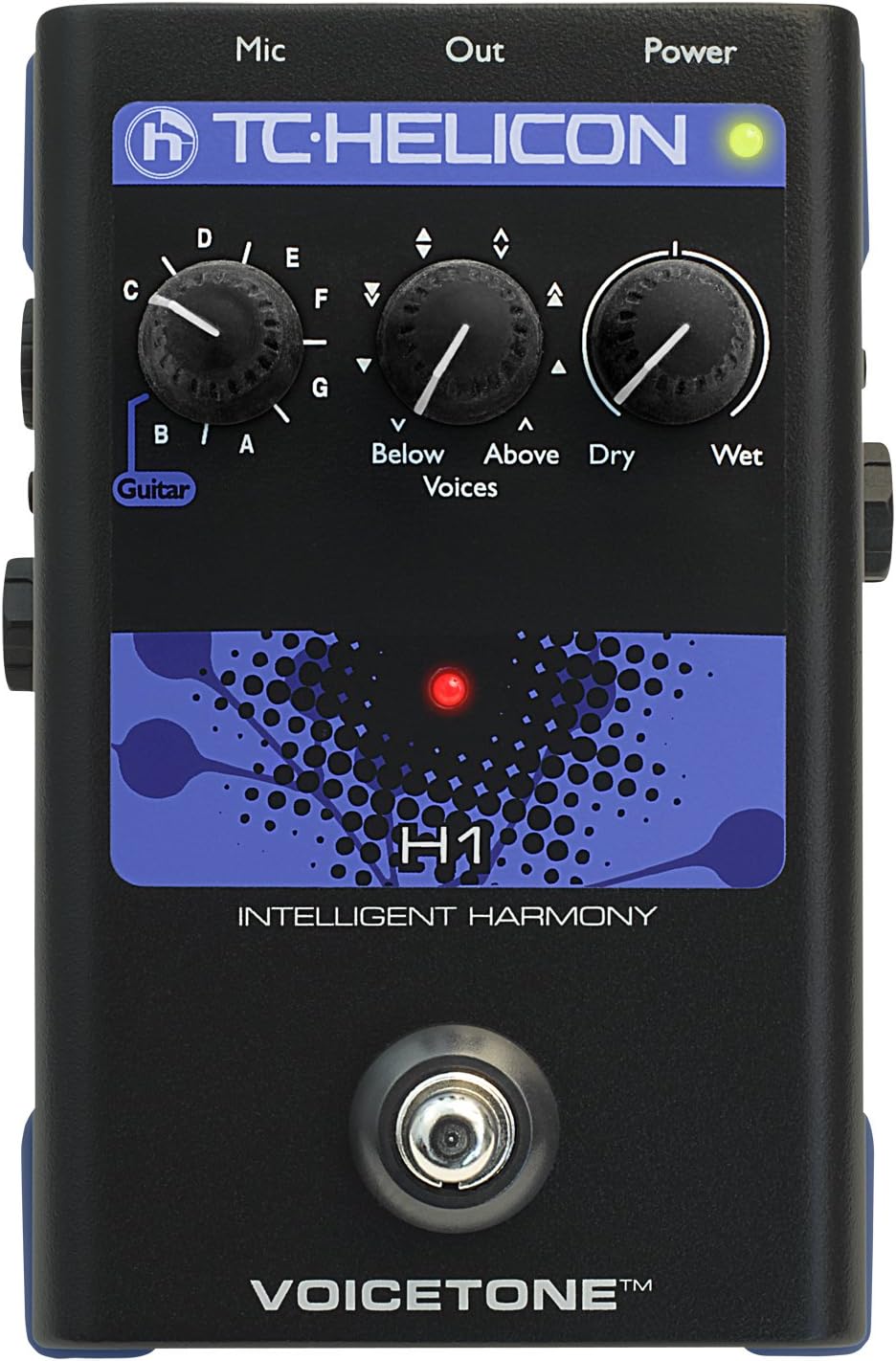
ചിത്രം: മുകളിൽ view of the VoiceTone H1, illustrating the Guitar, Voices, and Dry/Wet control knobs.
Mic-Control Feature
The VoiceTone H1 supports TC-Helicon's Mic-Control feature. If you are using a compatible TC-Helicon MP-75 microphone, you can remotely toggle the harmony effect on and off directly from the microphone, providing convenient control during live performances.
മെയിൻ്റനൻസ്
To ensure the longevity and optimal performance of your VoiceTone H1, follow these maintenance guidelines:
- വൃത്തിയാക്കൽ: യൂണിറ്റിന്റെ പുറംഭാഗം വൃത്തിയാക്കാൻ മൃദുവായതും ഉണങ്ങിയതുമായ തുണി ഉപയോഗിക്കുക. അബ്രസിവ് ക്ലീനറുകൾ, ലായകങ്ങൾ അല്ലെങ്കിൽ മെഴുക് എന്നിവ ഒഴിവാക്കുക.
- സംഭരണം: നേരിട്ടുള്ള സൂര്യപ്രകാശത്തിൽ നിന്നും തീവ്രമായ താപനിലയിൽ നിന്നും മാറി തണുത്തതും വരണ്ടതുമായ സ്ഥലത്ത് യൂണിറ്റ് സൂക്ഷിക്കുക.
- കൈകാര്യം ചെയ്യൽ: While the VoiceTone H1 is built to be sturdy, avoid dropping or subjecting it to excessive force.
- കണക്ഷനുകൾ: Periodically check all cable connections for wear and tear. Ensure they are securely plugged in during use.
ട്രബിൾഷൂട്ടിംഗ്
If you encounter issues with your VoiceTone H1, refer to the following common problems and solutions:
| പ്രശ്നം | സാധ്യമായ കാരണം / പരിഹാരം |
|---|---|
| ശബ്ദമോ കുറഞ്ഞ ശബ്ദമോ ഇല്ല |
|
| Incorrect or Unstable Harmonies |
|
| അനാവശ്യമായ ശബ്ദം അല്ലെങ്കിൽ മൂളൽ |
|
സാങ്കേതിക സവിശേഷതകൾ
| ഫീച്ചർ | സ്പെസിഫിക്കേഷൻ |
|---|---|
| ബ്രാൻഡ് | ടിസി ഇലക്ട്രോണിക് |
| മോഡൽ നമ്പർ | 996012005 |
| ഇനത്തിൻ്റെ ഭാരം | 1.63 പൗണ്ട് |
| ഉൽപ്പന്ന അളവുകൾ | 6 x 7 x 3.5 ഇഞ്ച് |
| കണക്റ്റർ തരം | 3.5mm audio jack, USB |
| ഹാർഡ്വെയർ ഇന്റർഫേസ് | 3.5 എംഎം ഓഡിയോ, യുഎസ്ബി |
| സിഗ്നൽ ഫോർമാറ്റ് | അനലോഗ് |
| പവർ ഉറവിടം | ബാറ്ററി പവർ |
| വാല്യംtage | 9 വോൾട്ട് |
| ഓഡിയോ ഔട്ട്പുട്ട് ഇഫക്റ്റുകൾ | ഹാർമണി |
വാറൻ്റിയും പിന്തുണയും
TC Electronic products are manufactured to high standards and come with a limited warranty. For detailed warranty information, product registration, and technical support, please visit the official TC Electronic website or their authorized support channels.
സന്ദർശിക്കുന്നതിലൂടെ നിങ്ങൾക്ക് കൂടുതൽ വിവരങ്ങളും പിന്തുണാ ഉറവിടങ്ങളും കണ്ടെത്താൻ കഴിയും TC Electronic Store on Amazon.


