ആമുഖം
Thank you for choosing the Maxell 2.4 GHz Wireless Optical Touch Mouse. This manual provides essential information for setting up, operating, and maintaining your new device. Please read these instructions carefully before use to ensure optimal performance and longevity of your mouse.
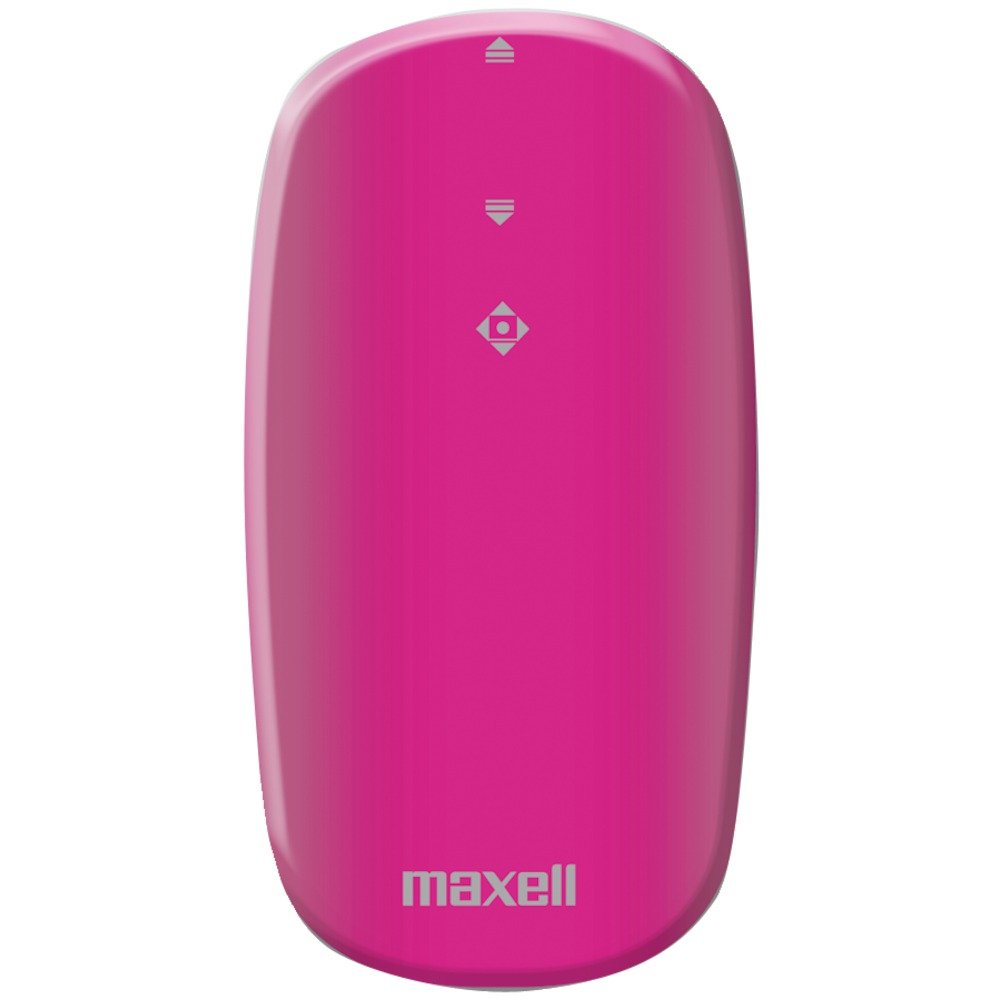
Image: Maxell 2.4 GHz Wireless Optical Touch Mouse in purple. This compact and sleek mouse is designed for portability and ease of use.
പ്രധാന സവിശേഷതകൾ
- അംബിഡെക്സ്ട്രസ് ഡിസൈൻ: Comfortable for both right and left-handed users.
- Button-less Touch Scrolling: Innovative touch-sensitive surface for smooth navigation.
- Flat, Slim, and Portable: യാത്രയ്ക്കും യാത്രയ്ക്കിടയിലും ഉപയോഗിക്കുന്നതിന് അനുയോജ്യം.
- 2.4 GHz വയർലെസ് കണക്റ്റിവിറ്റി: Ensures less signal loss and reliable performance.
- ഒപ്റ്റിക്കൽ മൂവ്മെൻ്റ് ഡിറ്റക്ഷൻ: Precise tracking on various surfaces.
- വിശാലമായ അനുയോജ്യത: Works with Windows 7, Vista, XP, and Mac OS 9 or above.
സജ്ജീകരണ ഗൈഡ്
1. ബാറ്ററി ഇൻസ്റ്റാളേഷൻ
- മൗസിന്റെ അടിഭാഗത്ത് ബാറ്ററി കമ്പാർട്ട്മെന്റ് കണ്ടെത്തുക.
- ബാറ്ററി കവർ പതുക്കെ സ്ലൈഡ് ചെയ്ത് തുറക്കുക.
- ശരിയായ പോളാരിറ്റി (+/-) ഉറപ്പാക്കിക്കൊണ്ട് രണ്ട് (2) AAA ബാറ്ററികൾ ഇടുക.
- ബാറ്ററി കമ്പാർട്ട്മെൻ്റ് കവർ സുരക്ഷിതമായി അടയ്ക്കുക.
2. വയർലെസ് റിസീവർ ബന്ധിപ്പിക്കുന്നു
- Locate the USB wireless receiver, typically stored within the battery compartment or packaged separately.
- Plug the USB receiver into an available USB port on your computer (desktop, laptop, or compatible device).
- ഓപ്പറേറ്റിംഗ് സിസ്റ്റം ആവശ്യമായ ഡ്രൈവറുകൾ സ്വയമേവ കണ്ടെത്തി ഇൻസ്റ്റാൾ ചെയ്യണം. ഇതിന് കുറച്ച് നിമിഷങ്ങൾ എടുത്തേക്കാം.
- Turn on the mouse using the On/Off switch, usually located on the underside.
- Once the drivers are installed, the mouse should be ready for use.
പ്രവർത്തന നിർദ്ദേശങ്ങൾ
അടിസ്ഥാന പ്രവർത്തനങ്ങൾ
- പ്രസ്ഥാനം: നിങ്ങളുടെ സ്ക്രീനിലെ കഴ്സർ നിയന്ത്രിക്കാൻ ഒരു പരന്ന പ്രതലത്തിലൂടെ മൗസ് നീക്കുക. ഒപ്റ്റിക്കൽ സെൻസർ കൃത്യമായ ട്രാക്കിംഗ് നൽകുന്നു.
- ഇടത് ക്ലിക്ക്: Press the left side of the mouse button to select items or activate functions.
- വലത് ക്ലിക്കിൽ: Press the right side of the mouse button to access context menus or secondary functions.
- Touch Scrolling: Glide your finger up or down the central touch-sensitive area for smooth vertical scrolling.
Ambidextrous Use
The symmetrical design of the Maxell Optical Touch Mouse allows for comfortable use by both right-handed and left-handed individuals. Simply adjust your grip as preferred.
മെയിൻ്റനൻസ്
- വൃത്തിയാക്കൽ: മൗസിന്റെ ഉപരിതലം വൃത്തിയാക്കാൻ മൃദുവായതും ഉണങ്ങിയതുമായ തുണി ഉപയോഗിക്കുക. ഒപ്റ്റിക്കൽ സെൻസറിന്, ഒരു കോട്ടൺ സ്വാബ് ചെറുതായി ഉപയോഗിക്കുക dampened with rubbing alcohol. Avoid excessive moisture.
- ബാറ്ററി മാറ്റിസ്ഥാപിക്കൽ: Replace batteries when the mouse becomes unresponsive or the indicator light (if present) signals low power. Always use fresh AAA batteries.
- സംഭരണം: When not in use for extended periods, turn off the mouse to conserve battery life. Store the USB receiver inside the mouse's battery compartment to prevent loss.
ട്രബിൾഷൂട്ടിംഗ്
മൗസ് പ്രതികരിക്കുന്നില്ല
- മൗസ് തിരിച്ചിട്ടുണ്ടെന്ന് ഉറപ്പാക്കുക ON.
- ബാറ്ററികൾ ശരിയായി ഇൻസ്റ്റാൾ ചെയ്തിട്ടുണ്ടോ എന്നും ആവശ്യത്തിന് ചാർജ് ഉണ്ടോ എന്നും പരിശോധിക്കുക. ആവശ്യമെങ്കിൽ മാറ്റിസ്ഥാപിക്കുക.
- നിങ്ങളുടെ കമ്പ്യൂട്ടറിലെ പ്രവർത്തിക്കുന്ന ഒരു USB പോർട്ടിലേക്ക് USB റിസീവർ സുരക്ഷിതമായി പ്ലഗ് ചെയ്തിട്ടുണ്ടെന്ന് ഉറപ്പാക്കുക. മറ്റൊരു USB പോർട്ട് പരീക്ഷിക്കുക.
- നിങ്ങളുടെ കമ്പ്യൂട്ടർ പുനരാരംഭിക്കുക.
Erratic Cursor Movement
- മൗസിന്റെ അടിവശത്തുള്ള ഒപ്റ്റിക്കൽ സെൻസർ വൃത്തിയാക്കുക.
- അനുയോജ്യമായ ഒരു പ്രതലത്തിലാണ് മൗസ് ഉപയോഗിക്കുന്നതെന്ന് ഉറപ്പാക്കുക. ഉയർന്ന പ്രതിഫലനശേഷിയുള്ളതോ സുതാര്യമായതോ ആയ പ്രതലങ്ങൾ ട്രാക്കിംഗിനെ ബാധിച്ചേക്കാം. ഒരു മൗസ് പാഡ് ശുപാർശ ചെയ്യുന്നു.
Scrolling Issues
- Ensure your finger is making proper contact with the touch-sensitive scrolling area.
- Clean the touch scrolling area to remove any debris.
സ്പെസിഫിക്കേഷനുകൾ
| ബ്രാൻഡ് | മാക്സൽ |
| മോഡൽ നമ്പർ | 191124 |
| ഓപ്പറേറ്റിംഗ് സിസ്റ്റം അനുയോജ്യത | Mac OS 9, Windows 7, Windows Vista, Windows XP |
| ഇനത്തിൻ്റെ ഭാരം | 1.6 ഔൺസ് |
| ഉൽപ്പന്ന അളവുകൾ (LxWxH) | 4 x 6 x 1 ഇഞ്ച് |
| പവർ ഉറവിടം | ബാറ്ററി പവർ (2 AAA ബാറ്ററികൾ ആവശ്യമാണ്) |
| കണക്റ്റിവിറ്റി ടെക്നോളജി | വയർലെസ് (2.4 GHz) |
| മൂവ്മെന്റ് ഡിറ്റക്ഷൻ ടെക്നോളജി | ഒപ്റ്റിക്കൽ |
വാറൻ്റിയും പിന്തുണയും
For warranty information and customer support, please refer to the documentation included with your product packaging or visit the official Maxell webസൈറ്റ്. ഏതെങ്കിലും വാറന്റി ക്ലെയിമുകൾക്ക് വാങ്ങിയതിന്റെ തെളിവായി നിങ്ങളുടെ വാങ്ങൽ രസീത് സൂക്ഷിക്കുക.
പ്രധാനപ്പെട്ട കുറിപ്പുകൾ
No official product videos from the seller were available for embedding in this manual. Please refer to the text instructions and images for guidance.


