1. ആമുഖവും അവസാനവുംview
The EPOS PC 7 USB is a lightweight, single-sided wired headset designed for clear communication and audio. It connects via USB, offering plug-and-play functionality for various computer systems. Its noise-cancelling microphone ensures clear conversations, making it suitable for online calls, gaming, and listening to audio while remaining aware of your surroundings.

Figure 1: EPOS PC 7 USB Wired Headset
2. ഉൽപ്പന്ന സവിശേഷതകൾ
- നോയ്സ്-കാൻസിലിംഗ് മൈക്രോഫോൺ: Provides clear audio transmission by filtering out background noise.
- USB പ്ലഗ്-ആൻഡ്-പ്ലേ: Simple connection to your computer's USB port for immediate use without additional software installation.
- Single-Sided Wearing Style: Allows you to keep one ear free to stay aware of your environment.
- ഭാരം കുറഞ്ഞതും സൗകര്യപ്രദവുമായ ഡിസൈൻ: Engineered for extended periods of use without discomfort.
- വൈഡ്ബാൻഡ് ഓഡിയോ: Delivers high-quality sound for both listening and speaking.

Figure 2: Key features of the EPOS PC 7 USB Headset including noise-cancelling microphone, lightweight design, and plug-and-play simplicity.
3. സജ്ജീകരണം
- USB പോർട്ടിലേക്ക് കണക്റ്റുചെയ്യുക: Locate an available USB-A port on your computer (Windows, macOS, or Chromebook). Insert the headset's USB connector firmly into the port.
- യാന്ത്രിക തിരിച്ചറിയൽ: Your operating system should automatically detect and install the necessary drivers for the headset. This process typically takes a few moments.
- ഓഡിയോ ക്രമീകരണങ്ങൾ പരിശോധിക്കുക: After connection, check your computer's sound settings to ensure the EPOS PC 7 USB is selected as the default input (microphone) and output (speaker) device.
The headset is designed for immediate plug-and-play functionality, requiring no complex installation steps.

Figure 3: Close-up of the single-sided USB headset, highlighting the plug-and-play USB connection and noise-cancelling microphone.
4. പ്രവർത്തന നിർദ്ദേശങ്ങൾ
4.1 Microphone Adjustment
- സ്ഥാനനിർണ്ണയം: Gently adjust the flexible boom arm to position the microphone approximately 1-2 inches from your mouth for optimal voice pickup.
- ശബ്ദം റദ്ദാക്കൽ: The microphone features noise-cancelling technology to reduce ambient sounds, ensuring your voice is heard clearly.
4.2 ഇൻലൈൻ നിയന്ത്രണങ്ങൾ
The headset features an inline control unit for convenient management of calls and audio.
- വോളിയം നിയന്ത്രണം: Use the '+' and '-' buttons to increase or decrease the listening volume.
- മൈക്രോഫോൺ നിശബ്ദമാക്കുക: Press the microphone icon button to mute or unmute your microphone.
- കോൾ മാനേജ്മെൻ്റ്: Use the call button (phone icon) to answer or end calls in compatible applications (e.g., Skype, Zoom, Teams).

Figure 4: Detail of the earcup and microphone, designed for clear audio and comfortable fit.
5. സുഖവും രൂപകൽപ്പനയും
The EPOS PC 7 USB is engineered for user comfort during prolonged use.
- ഭാരം കുറഞ്ഞ നിർമ്മാണം: The headset's minimal weight reduces pressure on the head and ears.
- On-Ear Earpad: The single earpad rests comfortably on one ear, allowing for situational awareness.
- ക്രമീകരിക്കാവുന്ന ഹെഡ്ബാൻഡ്: The headband can be adjusted to fit various head sizes securely.

Figure 5: User demonstrating the comfortable fit of the EPOS PC 7 USB Headset during a call.
6 സ്പെസിഫിക്കേഷനുകൾ
| ഫീച്ചർ | വിശദാംശങ്ങൾ |
|---|---|
| മോഡലിൻ്റെ പേര് | PC 7 USB |
| ബ്രാൻഡ് | EPOS |
| കണക്റ്റിവിറ്റി ടെക്നോളജി | വയേർഡ് (USB-A) |
| ചെവി പ്ലേസ്മെൻ്റ് | On Ear (Mono) |
| ഫോം ഫാക്ടർ | ചെവിയിൽ |
| ശബ്ദ നിയന്ത്രണം | ആക്ടീവ് നോയ്സ് റദ്ദാക്കൽ (മൈക്രോഫോൺ) |
| ഫ്രീക്വൻസി പ്രതികരണം | 42 - 17000 ഹെർട്സ് |
| പ്രതിരോധം | 32 ഓം |
| ഇനത്തിൻ്റെ ഭാരം | 2.19 ഔൺസ് |
| മെറ്റീരിയൽ | പ്ലാസ്റ്റിക് |
| നിറം | കറുപ്പ് |
| അനുയോജ്യമായ ഉപകരണങ്ങൾ | Computers (Windows, macOS, Chromebook) |
7. പരിപാലനം
- വൃത്തിയാക്കൽ: ഹെഡ്സെറ്റ് വൃത്തിയാക്കാൻ മൃദുവായതും ഉണങ്ങിയതുമായ തുണി ഉപയോഗിക്കുക. കഠിനമായ രാസവസ്തുക്കളോ ഉരച്ചിലുകളോ ഉള്ള വസ്തുക്കൾ ഉപയോഗിക്കുന്നത് ഒഴിവാക്കുക.
- സംഭരണം: ഉപയോഗിക്കാത്തപ്പോൾ തണുത്തതും വരണ്ടതുമായ സ്ഥലത്ത് ഹെഡ്സെറ്റ് സൂക്ഷിക്കുക. ഉയർന്ന താപനിലയും നേരിട്ടുള്ള സൂര്യപ്രകാശവും ഒഴിവാക്കുക.
- കേബിൾ കെയർ: Do not excessively bend or pull the cable to prevent damage.
8. പ്രശ്നപരിഹാരം
- ശബ്ദമില്ല/മൈക്രോഫോൺ പ്രവർത്തിക്കുന്നില്ല:
- യുഎസ്ബി കണക്റ്റർ പോർട്ടിൽ പൂർണ്ണമായും ചേർത്തിട്ടുണ്ടെന്ന് ഉറപ്പാക്കുക.
- Check your computer's audio settings to confirm the EPOS PC 7 USB is selected as the default input/output device.
- Verify that the microphone is not muted via the inline control unit or your computer's software.
- Try connecting the headset to a different USB port or another computer to rule out port or system issues.
- മോശം ഓഡിയോ നിലവാരം:
- Adjust the microphone boom arm closer to your mouth.
- Ensure the earpad is properly positioned on your ear.
- Check for any software conflicts or outdated audio drivers on your computer.
9. ഔദ്യോഗിക ഉൽപ്പന്ന വീഡിയോ
Video 1: EPOS PC7 USB Mono Headset for Clear Office Calls. This video provides a visual overview of the headset's features and benefits for office communication.
10. വാറൻ്റിയും പിന്തുണയും
The EPOS PC 7 USB Headset comes with a 2-year warranty, as indicated on the product packaging. For further support, product registration, or warranty claims, please visit the official EPOS webസൈറ്റ് അല്ലെങ്കിൽ അവരുടെ ഉപഭോക്തൃ സേവനവുമായി ബന്ധപ്പെടുക.
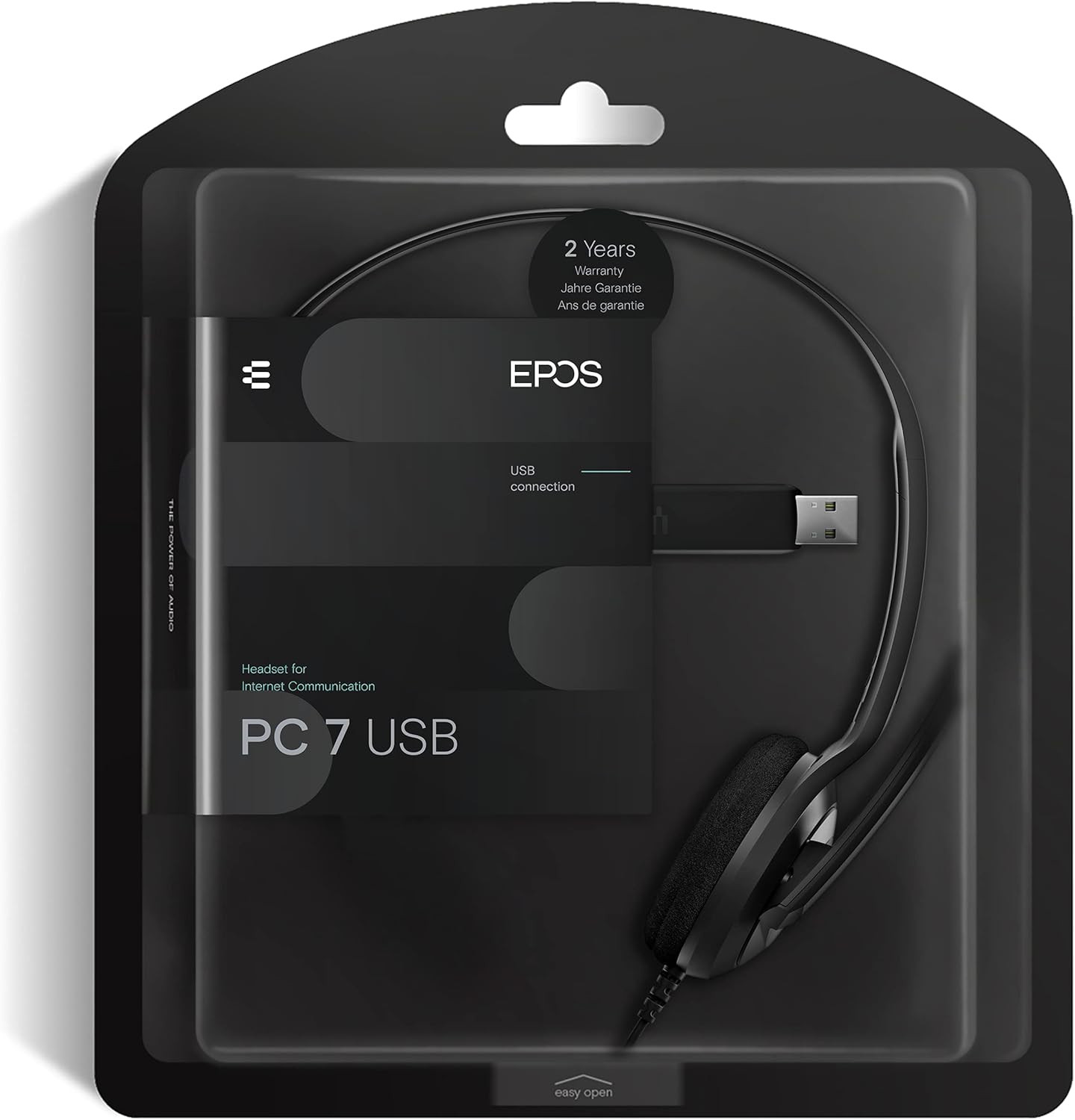
Figure 6: Product packaging highlighting the 2-year warranty information.


