ആമുഖം
This manual provides comprehensive instructions for the setup, operation, maintenance, and troubleshooting of your Fujitsu KB410 USB Black BE Keyboard. Please read this manual carefully to ensure proper use and to maximize the lifespan of your device. This keyboard is designed for standard computer input, offering reliable performance for daily tasks.
സജ്ജമാക്കുക
Follow these steps to set up your Fujitsu KB410 USB keyboard:
- അൺപാക്ക് ചെയ്യുന്നു: Carefully remove the keyboard from its packaging. Ensure all components are present and undamaged.
- കീബോർഡ് ബന്ധിപ്പിക്കുന്നു: നിങ്ങളുടെ കമ്പ്യൂട്ടറിൽ ലഭ്യമായ ഒരു USB പോർട്ട് കണ്ടെത്തുക. കീബോർഡിന്റെ USB കണക്റ്റർ USB പോർട്ടിൽ ദൃഢമായി തിരുകുക.
- ഡ്രൈവർ ഇൻസ്റ്റാളേഷൻ: The Fujitsu KB410 USB keyboard is a plug-and-play device. Your operating system (Windows, macOS, Linux) should automatically detect and install the necessary drivers. No manual driver installation is typically required.
- പ്ലേസ്മെൻ്റ്: Position the keyboard on a stable, flat surface at a comfortable distance from your monitor. Ensure adequate space for wrist rest if desired.
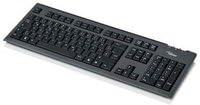
Figure 1: The Fujitsu KB410 USB Black BE Keyboard. This image shows the full layout of the keyboard, including the main alphanumeric keys, function keys, navigation cluster, and numeric keypad, all in a black finish.
കീബോർഡ് പ്രവർത്തിപ്പിക്കുന്നു
The Fujitsu KB410 USB keyboard functions as a standard input device. Here are some key operational aspects:
- അടിസ്ഥാന ടൈപ്പിംഗ്: Use the alphanumeric keys for text input. The layout follows a standard QWERTY configuration.
- ഫംഗ്ഷൻ കീകൾ (F1-F12): These keys, located at the top of the keyboard, perform various functions depending on the application or operating system. Some may have secondary functions accessible via the 'Fn' key (if present on your specific model, though typically not on standard wired keyboards like this).
- സംഖ്യാ കീപാഡ്: The dedicated numeric keypad on the right side allows for quick entry of numbers and mathematical operations. Ensure 'Num Lock' is active for its use.
- നാവിഗേഷൻ കീകൾ: Arrow keys, Home, End, Page Up, Page Down, Insert, and Delete keys are provided for cursor control and document navigation.
- പ്രത്യേക കീകൾ:
- വിൻഡോസ് കീ: Opens the Start Menu in Windows operating systems.
- Context Menu Key: (Often located near the right Ctrl key) Functions like a right-click for the selected item.
മെയിൻ്റനൻസ്
Proper maintenance will extend the life of your keyboard:
- വൃത്തിയാക്കൽ:
- പൊടി: Regularly use compressed air to remove dust and debris from between the keys.
- ഉപരിതലം: കീബോർഡിന്റെ ഉപരിതലം മൃദുവായ, ചെറുതായി ഡി-ടച്ച് ഉപയോഗിച്ച് തുടയ്ക്കുക.amp, lint-free cloth. Avoid harsh chemicals, abrasive cleaners, or excessive moisture.
- ചോർച്ച: In case of a liquid spill, immediately disconnect the keyboard from the computer. Invert the keyboard to drain liquid and allow it to dry completely before reconnecting. Do not attempt to use the keyboard while wet.
- സംഭരണം: ദീർഘനേരം ഉപയോഗിക്കാത്തപ്പോൾ, നേരിട്ടുള്ള സൂര്യപ്രകാശവും കടുത്ത താപനിലയും ഏൽക്കാത്ത വൃത്തിയുള്ളതും വരണ്ടതുമായ അന്തരീക്ഷത്തിൽ കീബോർഡ് സൂക്ഷിക്കുക.
ട്രബിൾഷൂട്ടിംഗ്
നിങ്ങളുടെ കീബോർഡിൽ പ്രശ്നങ്ങൾ നേരിടുകയാണെങ്കിൽ, ഇനിപ്പറയുന്ന പരിഹാരങ്ങൾ പരീക്ഷിക്കുക:
| പ്രശ്നം | സാധ്യമായ കാരണം | പരിഹാരം |
|---|---|---|
| കീബോർഡ് പ്രതികരിക്കുന്നില്ല | അയഞ്ഞ യുഎസ്ബി കണക്ഷൻ, തകരാറുള്ള യുഎസ്ബി പോർട്ട്, ഡ്രൈവർ പ്രശ്നം. |
|
| പ്രത്യേക കീകൾ പ്രവർത്തിക്കുന്നില്ല | Debris under the key, physical damage. |
|
| Typing incorrect characters | Incorrect keyboard layout setting in OS, 'Num Lock' or 'Caps Lock' status. |
|
സ്പെസിഫിക്കേഷനുകൾ
Technical specifications for the Fujitsu KB410 USB Black BE Keyboard:
- ഉൽപ്പന്ന അളവുകൾ: 20.43 x 7.64 x 2.05 ഇഞ്ച്
- ഇനത്തിൻ്റെ ഭാരം: 2.2 പൗണ്ട്
- നിർമ്മാതാവ്: ഫുജിത്സു
- ASIN: B007RHTMAS
- ഇനം മോഡൽ നമ്പർ: S26381-K510-L430
- ആദ്യം ലഭ്യമായ തീയതി: മെയ് 1, 2014
- ബ്രാൻഡ്: ഫുജിത്സു
- കീകളുടെ എണ്ണം: 105
- ബട്ടണുകളുടെ എണ്ണം: 105
- കണക്റ്റിവിറ്റി: വയർഡ് യുഎസ്ബി
- നിറം: കറുപ്പ്
വാറൻ്റി വിവരങ്ങൾ
Fujitsu products typically come with a manufacturer's limited warranty. For specific details regarding the warranty period and terms for your KB410 USB keyboard, please refer to the warranty card included with your product or visit the official Fujitsu support webസൈറ്റ്. വാറന്റി ക്ലെയിമുകൾക്കായി നിങ്ങളുടെ വാങ്ങലിന്റെ തെളിവ് സൂക്ഷിക്കുക.
പിന്തുണ
For further assistance, technical support, or to inquire about replacement parts, please contact Fujitsu customer service or visit their official support portal:
- ഫുജിറ്റ്സു ഒഫീഷ്യൽ Webസൈറ്റ്: www.fujitsu.com
- Refer to the contact information provided on the Fujitsu webനിങ്ങളുടെ പ്രദേശത്തിനായുള്ള സൈറ്റ്.


