ആമുഖം
This manual provides essential instructions for the PWR+ 12V AC Power Adapter, designed to supply power to compatible Bmax MaxMini Mini PCs. Please read this manual carefully before use to ensure proper installation and safe operation.

Image: The PWR+ 12V AC Power Adapter shown in its retail box, highlighting the product and its packaging.
സുരക്ഷാ വിവരങ്ങൾ
The PWR+ 12V AC Power Adapter is designed with multiple safety features to protect your devices and ensure reliable operation. Adhere to the following safety guidelines:
- UL ലിസ്റ്റുചെയ്തത്: This product has been tested, approved, and certified by UL, an authorized US Federal Agency (OSHA) for safety standards.
- അന്തർനിർമ്മിത സുരക്ഷാ പരിരക്ഷകൾ: The adapter incorporates Short Circuit Protection (SCP), Over Current Protection (OCP), Over Voltage Protection (OVP), and Over Temperature Protection (OPT) to prevent damage from electrical irregularities.
- അഡാപ്റ്ററിനെ വെള്ളം, ഈർപ്പം അല്ലെങ്കിൽ ഉയർന്ന താപനില എന്നിവയിൽ തുറന്നുകാട്ടരുത്.
- അഡാപ്റ്റർ താഴെയിടുകയോ ശക്തമായ ആഘാതങ്ങൾക്ക് വിധേയമാക്കുകയോ ചെയ്യുന്നത് ഒഴിവാക്കുക.
- അമിതമായി ചൂടാകുന്നത് തടയാൻ ഉപയോഗിക്കുമ്പോൾ അഡാപ്റ്ററിന് ചുറ്റും ശരിയായ വായുസഞ്ചാരം ഉറപ്പാക്കുക.
- അഡാപ്റ്റർ ഡിസ്അസംബ്ലിംഗ് ചെയ്യാനോ പരിഷ്ക്കരിക്കാനോ ശ്രമിക്കരുത്.
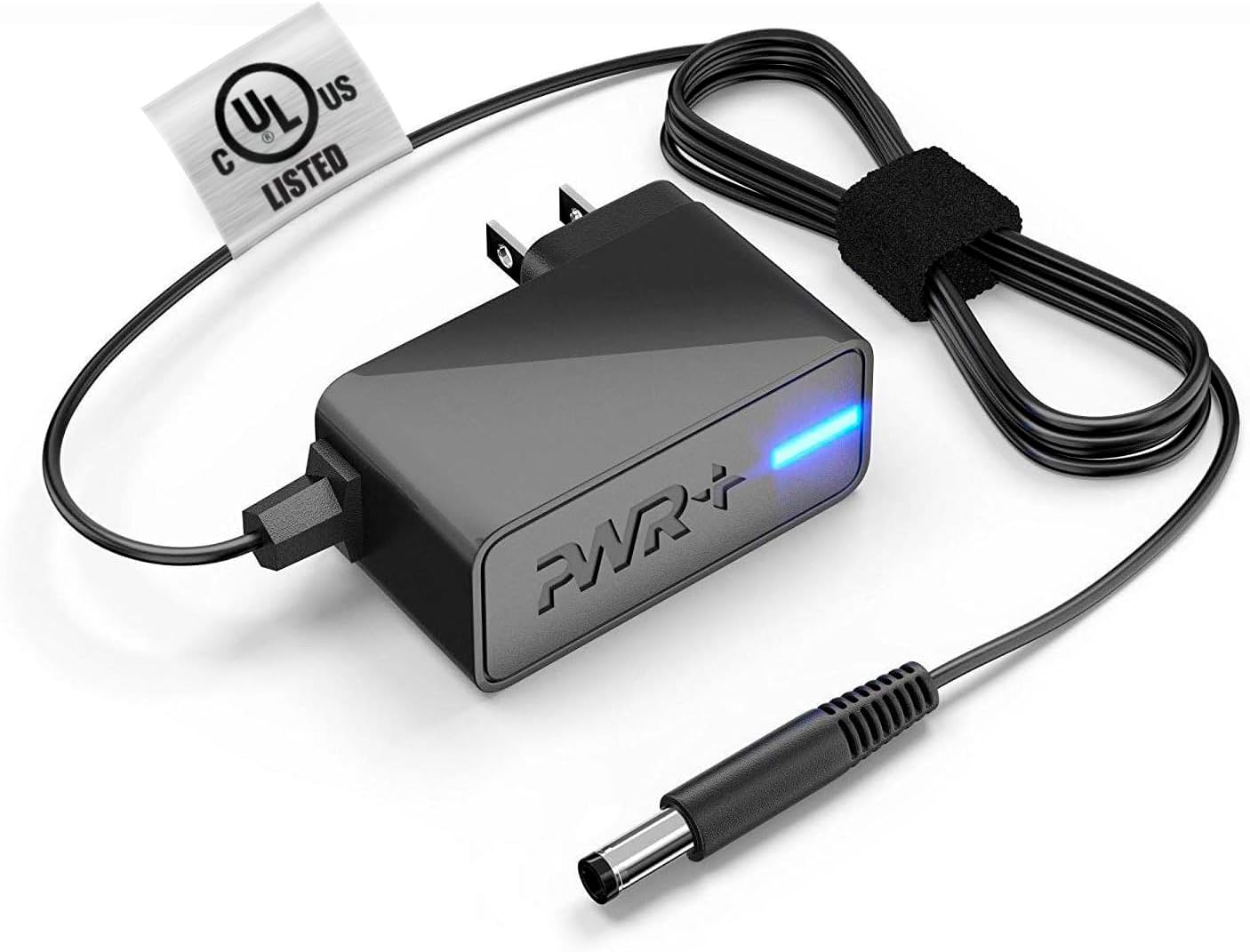
Image: The PWR+ 12V AC Power Adapter, featuring its main unit, power cord, and the attached UL safety certification tag.

ചിത്രം: വിശദമായ ഒരു ഡയഗ്രം ഷോasing the internal construction of the PWR+ power cord, highlighting high-grade copper, aluminum foil shield, and protective tinned copper braid. It also illustrates reinforced stress points and lists built-in safety protections: Short Circuit Protection (SCP), Over Current Protection (OCP), Over Voltage Protection (OVP), and Over Temperature Protection (OPT).
സജ്ജമാക്കുക
Follow these steps to correctly set up your PWR+ 12V AC Power Adapter:
- ഘടകങ്ങൾ തിരിച്ചറിയുക: Unpack the PWR+ 12V AC Power Adapter. It includes the main adapter unit, an integrated 6.5 ft AC/DC cord, and a barrel connector.
- ഉപകരണത്തിലേക്ക് കണക്റ്റുചെയ്യുക: Locate the power input port on your compatible Bmax MaxMini Mini PC. Gently insert the barrel connector of the PWR+ adapter into this port. Ensure a snug and secure fit.
- പവർ ഔട്ട്ലെറ്റിലേക്ക് ബന്ധിപ്പിക്കുക: Plug the AC power cord into a standard 100-240V electrical wall outlet.
- പവർ പരിശോധിക്കുക: The adapter features an indicator light (typically blue) that illuminates when power is being supplied. Confirm this light is on.
പ്രവർത്തിക്കുന്നു
Once properly connected as described in the Setup section, the PWR+ AC Power Adapter will automatically supply the necessary 12V 2A 24W power to your Bmax MaxMini Mini PC, allowing it to function. No further operational steps are required for the adapter itself.
- Ensure the adapter is placed in a location with adequate airflow to prevent heat buildup.
- Avoid covering the adapter with cloths or other materials during operation.
മെയിൻ്റനൻസ്
Proper maintenance helps extend the lifespan of your PWR+ AC Power Adapter:
- വൃത്തിയാക്കൽ: Keep the adapter and its cables clean and free from dust. Use a dry, soft cloth for cleaning. Do not use liquid cleaners.
- കേബിൾ കെയർ: Avoid sharp bends, kinks, or excessive pulling on the power cord, especially at the connection points. The cord features reinforced stress points, but proper handling is still recommended.
- സംഭരണം: ഉപയോഗത്തിലില്ലാത്തപ്പോൾ, അഡാപ്റ്റർ തണുത്തതും വരണ്ടതുമായ സ്ഥലത്ത് സൂക്ഷിക്കുക, നേരിട്ടുള്ള സൂര്യപ്രകാശത്തിൽ നിന്നും കടുത്ത താപനിലയിൽ നിന്നും അകറ്റി നിർത്തുക.
- പരിശോധന: Periodically inspect the adapter and cable for any signs of damage, such as frayed wires or cracked casing. കേടുപാടുകൾ കണ്ടെത്തിയാൽ, ഉടനടി ഉപയോഗം നിർത്തുക.
ട്രബിൾഷൂട്ടിംഗ്
If you encounter issues with your PWR+ AC Power Adapter, refer to the following troubleshooting steps:
- ഉപകരണത്തിന് വൈദ്യുതിയില്ല:
- Ensure the adapter's barrel connector is fully inserted into your Mini PC's power port.
- Verify that the AC power cord is securely plugged into a functional wall outlet. Test the outlet with another device if unsure.
- Check if the adapter's indicator light is illuminated. If not, try a different wall outlet.
- ഇടവിട്ടുള്ള ശക്തി:
- എല്ലാ കണക്ഷനുകളും അയഞ്ഞതാണോ എന്ന് പരിശോധിക്കുക.
- പവർ കോർഡ് കേടായിട്ടില്ലെന്ന് ഉറപ്പാക്കുക.
- അഡാപ്റ്റർ അമിത ചൂടാക്കൽ:
- അഡാപ്റ്റർ നന്നായി വായുസഞ്ചാരമുള്ള സ്ഥലത്താണെന്നും അത് മൂടിയിട്ടില്ലെന്നും ഉറപ്പാക്കുക.
- അമിതമായി ചൂടാകുന്നത് തുടരുകയാണെങ്കിൽ, ഉപയോഗം നിർത്തി പിന്തുണയുമായി ബന്ധപ്പെടുക.
- അനുയോജ്യത പരിശോധന: Confirm that your specific Bmax MaxMini Mini PC model is listed as compatible with this adapter (B1 Pro, B2 Pro, B4 Turbo, B4 Plus, B6 Power, B5 Mini PC).
If the issue persists after following these steps, please contact PWR+ customer support for further assistance.
സ്പെസിഫിക്കേഷനുകൾ
| ഫീച്ചർ | സ്പെസിഫിക്കേഷൻ |
|---|---|
| മോഡൽ നമ്പർ | PWR-TAH12020N |
| ഇൻപുട്ട് വോളിയംtage | 100-240V |
| Putട്ട്പുട്ട് വോളിയംtage | 12V |
| ഔട്ട്പുട്ട് കറൻ്റ് | 2A |
| ഔട്ട്പുട്ട് വാട്ട്tage | 24W |
| ചരട് നീളം | 6.5 അടി (ഏകദേശം 1.98 മീറ്റർ) |
| കണക്റ്റർ തരം | ബാരൽ കണക്റ്റർ |
| സുരക്ഷാ സർട്ടിഫിക്കേഷൻ | UL ലിസ്റ്റുചെയ്തു |
| പ്രത്യേക സവിശേഷതകൾ | ഷോർട്ട് സർക്യൂട്ട് പ്രൊട്ടക്ഷൻ, ഓവർ കറൻ്റ് പ്രൊട്ടക്ഷൻ, ഓവർ വോളിയംtage Protection, Over Temperature Protection, Extra Long Cord |
| അനുയോജ്യമായ ഉപകരണങ്ങൾ | Bmax MaxMini B1 Pro Mini PC, Bmax MaxMini B2 Pro Mini PC, Bmax MaxMini B4 Turbo Mini PC, Bmax MaxMini B4 Plus Mini PC, Bmax MaxMini B6 Power Mini PC, Bmax MaxMini B5 Mini PC |
വാറൻ്റിയും പിന്തുണയും
PWR+ stands behind the quality of its products. This power adapter comes with the following:
- വാറൻ്റി: A 24-month exchange warranty from the date of purchase.
- റീഫണ്ട് നയം: A 30-day refund policy is available.
For technical assistance, warranty claims, or any product-related inquiries, please contact PWR+ customer support. Refer to your purchase documentation or the PWR+ official webനിലവിലെ ബന്ധപ്പെടാനുള്ള വിവരങ്ങൾക്കായി സൈറ്റ്.


