1. ഉൽപ്പന്നം കഴിഞ്ഞുview
The TDK 8mm High Standard Video Cassette Tape is designed for recording and playback in compatible 8mm camcorders. This blank storage media provides 120 minutes of recording time, making it suitable for capturing extended video footage.
പ്രധാന അനുയോജ്യതാ കുറിപ്പ്: This 8mm video cassette tape is specifically for use with 8mm cameras and camcorders. It is അനുയോജ്യമല്ല with VHS-C, MiniDV, or other video formats and their respective recording devices.
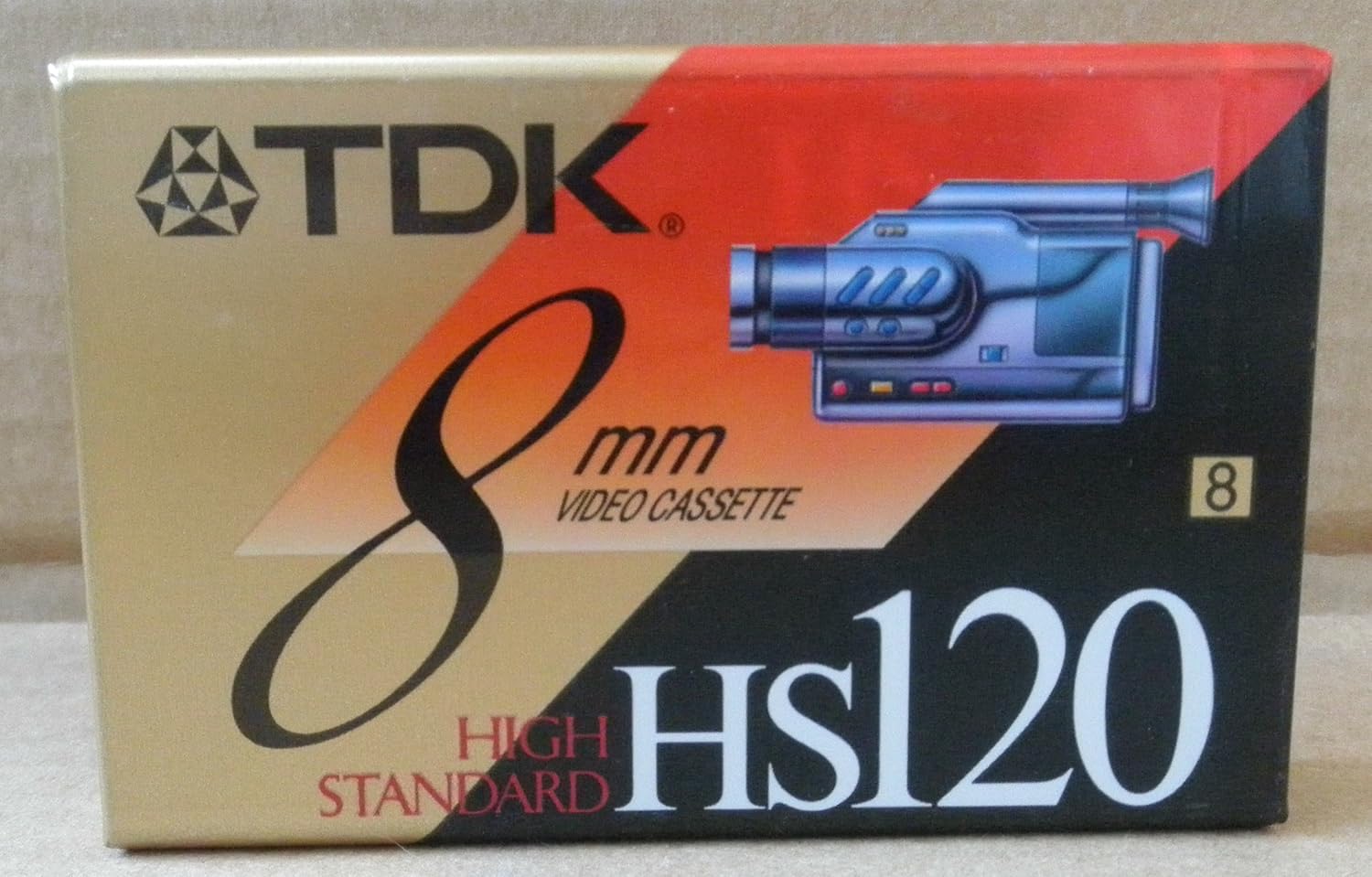
Figure 1: TDK 8mm High Standard Video Cassette Tape packaging. The image displays the product box, featuring the TDK logo, "8mm VIDEO CASSETTE," "HIGH STANDARD," and "HS120" branding, along with an illustration of an 8mm camcorder.
2. സജ്ജീകരണവും ലോഡിംഗും
To begin using your TDK 8mm video cassette tape, ensure you have a compatible 8mm camcorder or video recorder. Follow these general steps for loading the tape:
- പവർ ഓഫ്: Ensure your 8mm camcorder is powered off before inserting or removing any media.
- Open Cassette Compartment: Locate and open the cassette compartment on your 8mm camcorder. This is typically a door or lid that swings open.
- ടേപ്പ് തിരുകുക: Gently insert the TDK 8mm video cassette tape into the compartment with the tape window facing outwards (or as indicated by your camcorder's specific instructions). Ensure it slides in smoothly and clicks into place. Do not force the tape.
- കമ്പാർട്ട്മെന്റ് അടയ്ക്കുക: Close the cassette compartment door firmly until it latches.
- പവർ ഓൺ: You may now power on your camcorder. The device should recognize the tape.
Refer to your specific 8mm camcorder's user manual for detailed loading instructions, as procedures may vary slightly between models.
3. പ്രവർത്തന നിർദ്ദേശങ്ങൾ
Once the TDK 8mm tape is loaded, you can proceed with recording or playback functions. The operation is primarily controlled by your 8mm camcorder.
3.1 റെക്കോർഡിംഗ്
- റെക്കോർഡിംഗ് മോഡ് തിരഞ്ഞെടുക്കുക: Set your camcorder to recording mode (usually indicated by a camera icon or "REC").
- റെക്കോർഡിംഗ് ആരംഭിക്കുക: Press the "Record" button to begin capturing video and audio onto the tape. A recording indicator (e.g., a red dot or "REC" on screen) should appear.
- Pause/Stop Recording: Press the "Pause" or "Stop" button to temporarily halt or end recording.
- റിവൈൻഡ്/ഫാസ്റ്റ് ഫോർവേഡ്: Use the rewind (REW) and fast forward (FF) buttons to navigate through the tape.
3.2 പ്ലേബാക്ക്
- പ്ലേബാക്ക് മോഡ് തിരഞ്ഞെടുക്കുക: Switch your camcorder to playback mode (often indicated by a play arrow icon).
- പ്ലേബാക്ക് ആരംഭിക്കുക: Press the "Play" button to view രേഖപ്പെടുത്തിയ ഉള്ളടക്കം.
- Adjust Volume/Tracking: Use your camcorder's controls to adjust audio volume or tracking if the picture quality is poor during playback.
Always refer to your camcorder's manual for specific button functions and advanced recording/playback features.
4. പരിപാലനവും പരിചരണവും
Proper care of your TDK 8mm video cassette tape will help preserve your recordings and extend the life of the tape.
- സംഭരണം: Store tapes in their original cases or suitable storage boxes to protect them from dust, dirt, and physical damage.
- താപനിലയും ഈർപ്പവും: Keep tapes away from extreme temperatures, direct sunlight, and high humidity. Ideal storage conditions are cool, dry environments.
- കാന്തിക മണ്ഡലങ്ങൾ: Avoid exposing tapes to strong magnetic fields, which can erase or distort recordings. Keep them away from speakers, televisions, and other electronic devices that generate magnetic fields.
- കൈകാര്യം ചെയ്യൽ: Handle tapes by their edges. Avoid touching the exposed tape surface, as oils from your skin can degrade recording quality.
- Rewind After Use: It is good practice to fully rewind the tape to the beginning after each use before storing it.
- വൃത്തിയാക്കൽ: Do not attempt to clean the tape itself. If your camcorder requires head cleaning, use a specialized 8mm head cleaning cassette according to your camcorder's instructions.
5. പ്രശ്നപരിഹാരം
If you encounter issues while using your TDK 8mm video cassette tape, consider the following common troubleshooting steps:
| പ്രശ്നം | സാധ്യമായ കാരണം | പരിഹാരം |
|---|---|---|
| ടേപ്പ് ലോഡ് ചെയ്യുന്നില്ല/പുറന്തള്ളുന്നില്ല | Incorrect insertion; mechanical issue with camcorder. | Ensure tape is inserted correctly. Do not force. Check camcorder for obstructions. If issue persists, consult camcorder manual or service. |
| മോശം ചിത്രം/ശബ്ദ നിലവാരം | Dirty camcorder heads; tape damage; tracking issues. | Use an 8mm head cleaning cassette. Adjust camcorder's tracking control during playback. Try a different tape to rule out tape damage. |
| Tape jam/snag | Improper handling; worn camcorder mechanism. | Do not pull tape if jammed. Gently try to eject. If tape is visibly damaged, do not reinsert. Seek professional repair for camcorder if frequent. |
| No recording taking place | Tape write-protect tab engaged; camcorder not in record mode. | Check the small write-protect tab on the tape (slide to record position). Ensure camcorder is set to record mode. |
For persistent issues, refer to your 8mm camcorder's user manual or contact the camcorder manufacturer's support.
6 സ്പെസിഫിക്കേഷനുകൾ
Key specifications for the TDK 8mm High Standard Video Cassette Tape (Model: 5268058):
- ബ്രാൻഡ്: ടി.ഡി.കെ
- മോഡൽ നമ്പർ: 5268058
- ഫോർമാറ്റ്: 8mm Video Cassette
- റെക്കോർഡിംഗ് ശേഷി: 120 minutes (Standard Play)
- നിറം: Black (referring to the tape housing)
- ഇനത്തിൻ്റെ ഭാരം: ഏകദേശം 3.2 ഔൺസ് (90.7 ഗ്രാം)
- പാക്കേജ് അളവുകൾ: ഏകദേശം 4 x 2.7 x 0.8 ഇഞ്ച് (10.16 x 6.86 x 2.03 സെ.മീ)
- അനുയോജ്യത: Designed for 8mm camcorders only. Not compatible with VHS-C, MiniDV, or other formats.
7. വാറൻ്റിയും പിന്തുണയും
This product is a blank recording media. For specific warranty information regarding manufacturing defects, please refer to the packaging or contact TDK customer support directly. General support for usage and compatibility should be directed to the manufacturer of your 8mm camcorder.
For further assistance or inquiries, please visit the official TDK webസൈറ്റ് അല്ലെങ്കിൽ അവരുടെ ഉപഭോക്തൃ സേവന വിഭാഗവുമായി ബന്ധപ്പെടുക.


