1. ആമുഖവും അവസാനവുംview
The TRENDnet 8-Port Gigabit GREENnet Switch, model TEG-S82G, is designed to provide high bandwidth performance, ease of use, and reliability for your network. This switch incorporates GREENnet technology, which automatically adjusts power consumption to reduce energy usage by up to 70% without requiring any management. It offers 8 Gigabit Ethernet ports, supporting a total switching capacity of 16 Gbps in full-duplex mode, ensuring smooth data traffic and reducing network bottlenecks. Its compact, lightweight metal housing and fanless design make it suitable for desktop installations and quiet environments.
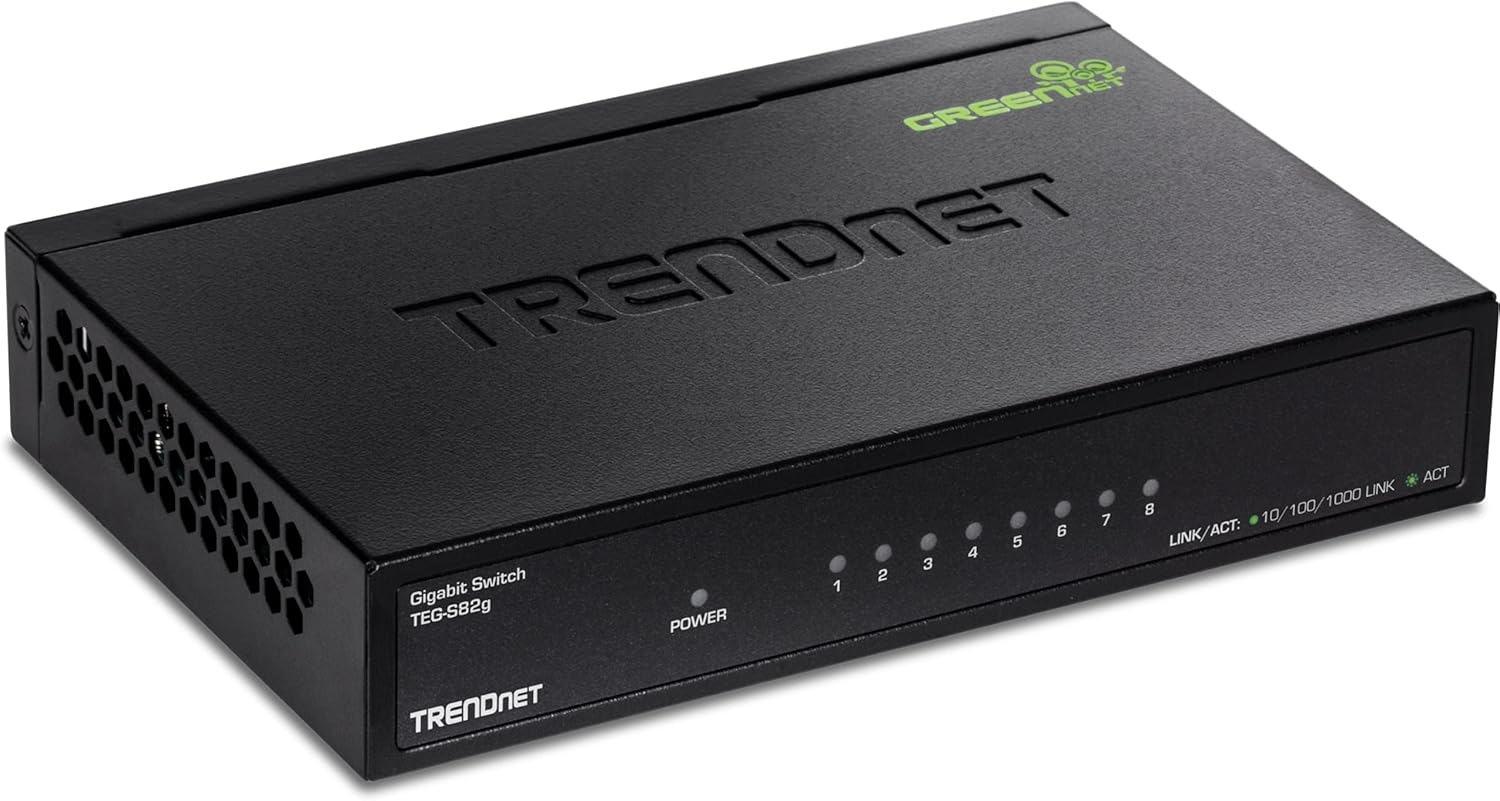
Figure 1: The TRENDnet 8-Port Gigabit GREENnet Switch (TEG-S82G).
2. പാക്കേജ് ഉള്ളടക്കം
നിങ്ങളുടെ പാക്കേജിൽ ഇനിപ്പറയുന്ന ഇനങ്ങൾ അടങ്ങിയിട്ടുണ്ടെന്ന് പരിശോധിക്കുക:
- TRENDnet 8-Port Gigabit GREENnet Switch (TEG-S82G)
- പവർ അഡാപ്റ്റർ (5V DC, 1A)
- ദ്രുത ഇൻസ്റ്റലേഷൻ ഗൈഡ്

Figure 2: Included items: TEG-S82G switch, power adapter, and quick installation guide.
3. ഉൽപ്പന്ന സവിശേഷതകൾ
- 8 Gigabit RJ-45 Ports: Provides high-speed network connections to devices.
- 16 Gbps Switching Capacity: Allows data traffic to flow smoothly, reducing bottlenecks.
- GREENnet Technology: Reduces power consumption by up to 70% by automatically adjusting power as needed.
- Compact and Lightweight Metal Housing: Durable design suitable for desktop installations.
- ഫാനില്ലാത്ത ഡിസൈൻ: Ensures quiet operation, ideal for noise-sensitive environments.
- പ്ലഗ് ആൻഡ് പ്ലേ: Easy setup with no software configuration required.
- വാൾ മൗണ്ടബിൾ: Offers flexible placement options.
- NDAA + TAA Compliant: Meets U.S. integrity and supply chain standards for government contracts (U.S. and Canada Only).
4. സജ്ജീകരണം
The TEG-S82G switch is designed for simple plug-and-play installation. No software configuration is required.
- പവർ അഡാപ്റ്റർ ബന്ധിപ്പിക്കുക: Plug the included power adapter into the DC IN port on the rear of the switch and then into a power outlet. The Power LED on the front panel will illuminate.
- Connect Ethernet Devices: Connect your network devices (e.g., computers, network-attached storage, routers) to any of the 8 Gigabit RJ-45 ports using standard Ethernet cables.
- കണക്ഷൻ സ്ഥിരീകരിക്കുക: The Link/ACT LED for each connected port will illuminate to indicate an active connection. If the LED is blinking, it signifies data activity.

ചിത്രം 3: പിൻഭാഗം view of the TEG-S82G switch showing Gigabit ports and DC IN.

ചിത്രം 4: മുൻഭാഗം view of the TEG-S82G switch showing Power and Link/ACT LEDs.
5. പ്രവർത്തിക്കുന്നു
The TEG-S82G operates automatically once connected. Its GREENnet technology optimizes power usage, and LED indicators provide real-time status updates.
LED സൂചകങ്ങൾ
- പവർ എൽഇഡി: Illuminates when the switch is powered on.
- Link/ACT LED (per port):
- Solid Green: Indicates a valid network link at 1000 Mbps (Gigabit speed).
- Solid Amber: Indicates a valid network link at 10/100 Mbps.
- Blinking: Indicates data activity on the port.
- Off: No network link detected.
GREENnet Technology
This embedded technology automatically detects the length of the connected Ethernet cable and adjusts power usage accordingly. It also reduces power consumption for inactive ports, contributing to significant energy savings without compromising performance.

Figure 5: GREENnet technology saves up to 70% on energy costs.
6. പരിപാലനം
The TEG-S82G is designed for minimal maintenance. Its fanless operation ensures silent performance and reduces potential points of failure. The sturdy metal housing provides durability and helps dissipate heat efficiently.
- Keep the device in a well-ventilated area to ensure optimal heat dissipation.
- സ്വിച്ചിന് മുകളിൽ ഭാരമുള്ള വസ്തുക്കൾ വയ്ക്കുന്നത് ഒഴിവാക്കുക.
- Clean the exterior with a soft, dry cloth as needed.
7. പ്രശ്നപരിഹാരം
Most issues with the TEG-S82G can be resolved by checking basic connections and power.
- ശക്തിയില്ല: പവർ അഡാപ്റ്റർ സ്വിച്ചിലേക്കും പ്രവർത്തിക്കുന്ന ഒരു പവർ ഔട്ട്ലെറ്റിലേക്കും സുരക്ഷിതമായി ബന്ധിപ്പിച്ചിട്ടുണ്ടെന്ന് ഉറപ്പാക്കുക. പവർ എൽഇഡി പ്രകാശിച്ചിട്ടുണ്ടോയെന്ന് പരിശോധിക്കുക.
- ലിങ്ക് ലൈറ്റ് ഇല്ല: Verify that the Ethernet cables are securely connected to both the switch port and the network device. Try using a different Ethernet cable or port. Ensure the connected device is powered on and functioning correctly.
- മന്ദഗതിയിലുള്ള കണക്ഷൻ: Ensure all connected devices and cables support Gigabit Ethernet (Cat5e or higher cables are recommended for Gigabit speeds). Check for excessive network traffic or issues with your internet service provider.
As a plug-and-play device, the switch requires no software configuration, simplifying troubleshooting to physical connections and power status.
8 സ്പെസിഫിക്കേഷനുകൾ
| ഉൽപ്പന്ന അളവുകൾ | 5.9"L x 3.8"W x 1.1"H |
| ഇനത്തിൻ്റെ ഭാരം | 13.4 ഔൺസ് (380 ഗ്രാം) |
| വാല്യംtage | 5 വോൾട്ട് |
| കേസ് മെറ്റീരിയൽ | ലോഹം |
| പ്രവർത്തന താപനില | 32 to 104 Degrees Fahrenheit |
| ഇൻ്റർഫേസ് തരം | RJ45 |
| ഡാറ്റ കൈമാറ്റ നിരക്ക് | 2000 Megabits Per Second (Full Duplex) |
| നിലവിലെ റേറ്റിംഗ് | 1 Amps |
| തുറമുഖങ്ങളുടെ എണ്ണം | 8 |
| മോഡൽ നമ്പർ | TEG-S82G |
9. ഔദ്യോഗിക ഉൽപ്പന്ന വീഡിയോകൾ
Watch these official videos from TRENDnet for more information on the TEG-S82G switch.
ഉൽപ്പന്നം കഴിഞ്ഞുview വീഡിയോ
ഈ വീഡിയോ ഒരു പൊതു വിശദീകരണം നൽകുന്നുview of the TRENDnet 8-Port Gigabit GREENnet Switch, highlighting its key features and benefits.
TRENDnet 8-Port Gigabit GREENnet Switch, TEG-S82G, Ethernet Splitter, Ethernet/Network Switch, 8...
A detailed look at the TRENDnet TEG-S82G, showcasing its functionality as an Ethernet splitter and network switch.
10. വാറൻ്റിയും പിന്തുണയും
- Lifetime Manufacturer Protection: The TEG-S82G 8-Port Gigabit GREENnet Switch is secured with Lifetime Manufacturer Protection from TRENDnet (U.S. and Canada Only).
- Reliable Tech Support: Our team of English-speaking advisors, support, and tech experts are available for all your needs during normal business hours.


