1. ആമുഖം
This manual provides detailed instructions for the proper setup, operation, maintenance, and troubleshooting of your Polycom SoundStation 2201-03308-001-F audio conferencing unit. Please read this manual thoroughly before using the device to ensure optimal performance and safety.
The Polycom SoundStation is designed to provide clear, high-quality audio for conference calls, making it an essential tool for business communication. Its intuitive design allows for easy integration into various office environments.
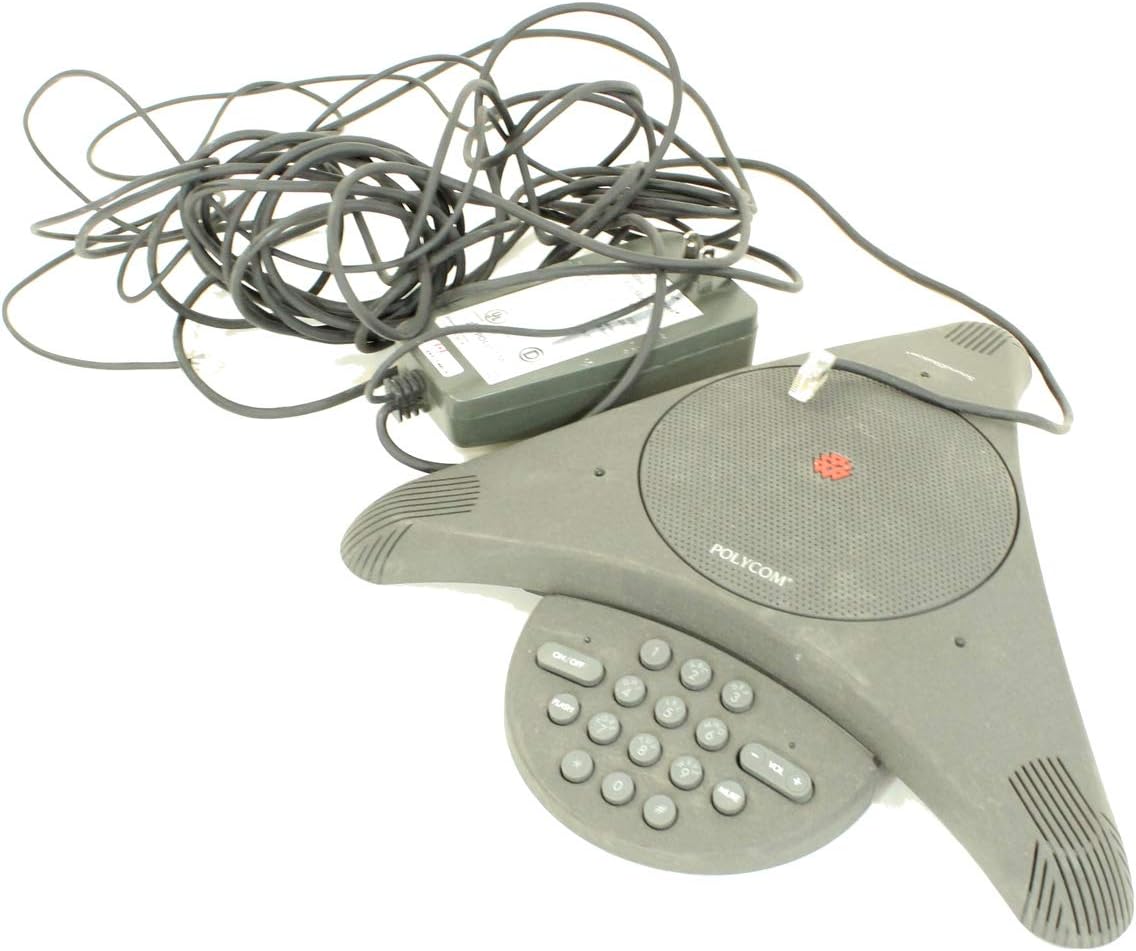
Figure 1: Polycom SoundStation 2201-03308-001-F unit, showing the triangular conference phone, its attached power adapter, and coiled cables.
2. സജ്ജീകരണം
Follow these steps to set up your Polycom SoundStation for the first time:
- യൂണിറ്റ് അൺപാക്ക് ചെയ്യുക: Carefully remove all components from the packaging. Verify that you have the SoundStation unit, the power adapter, and any necessary cables.
- പവർ ബന്ധിപ്പിക്കുക: Plug the power adapter cable into the power input port on the SoundStation unit. Then, plug the power adapter into a standard electrical outlet.
- ഫോൺ ലൈനിലേക്ക് കണക്റ്റുചെയ്യുക: Locate the RJ-11 phone jack on the SoundStation unit. Connect one end of a standard telephone line cord (not included) to this jack and the other end to a wall phone jack.
- പ്ലേസ്മെൻ്റ്: Place the SoundStation unit on a flat, stable surface in the center of your conference table for optimal microphone pickup. Ensure it is away from sources of electrical interference.

Figure 2: The power adapter and associated cables for the Polycom SoundStation, shown coiled and ready for connection.
3. പ്രവർത്തന നിർദ്ദേശങ്ങൾ
The Polycom SoundStation is designed for ease of use. Here are the basic operating procedures:
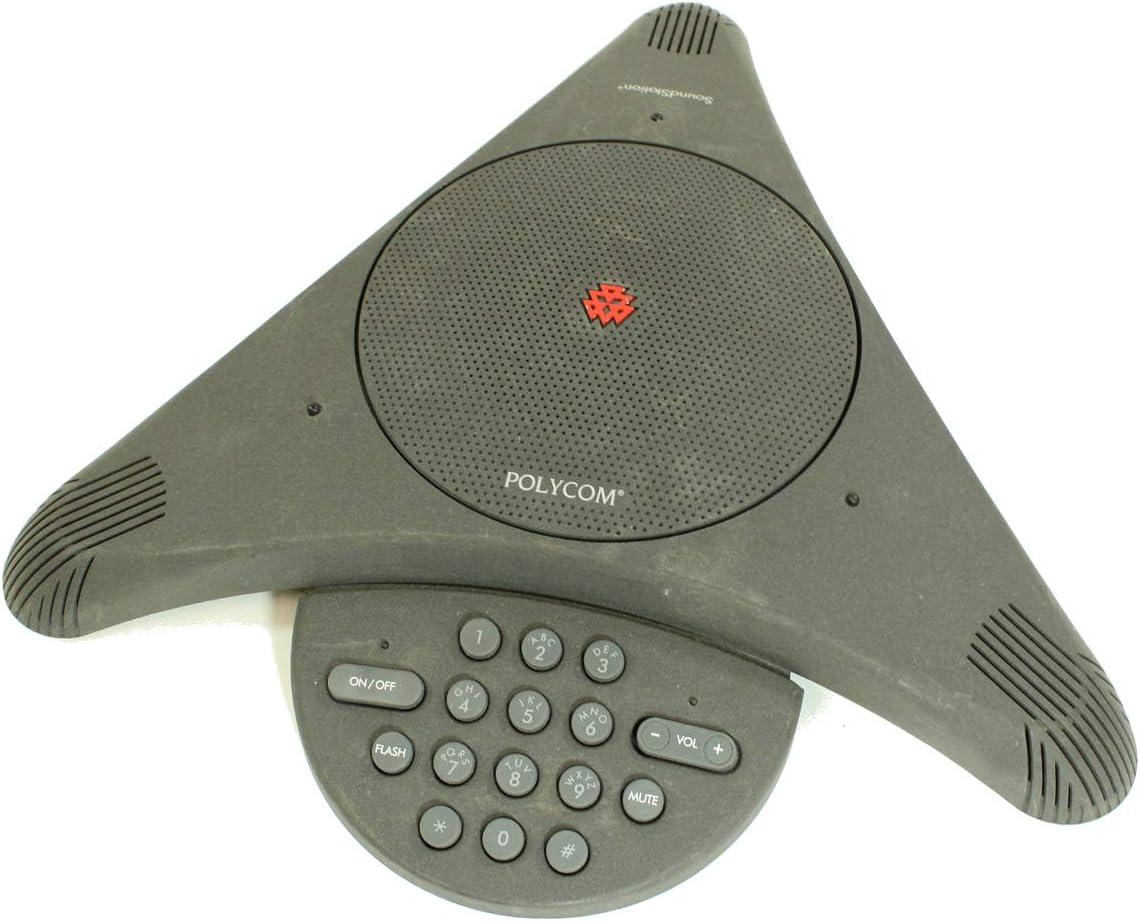
ചിത്രം 3: മുകളിൽ നിന്ന് താഴേക്ക് view of the Polycom SoundStation, highlighting the central speaker grille and the integrated keypad with various function buttons.
- പവർ ഓൺ/ഓഫ്: അമർത്തുക ഓൺ/ഓഫ് യൂണിറ്റ് ഓണാക്കാനോ ഓഫാക്കാനോ ഉള്ള ബട്ടൺ.
- ഒരു കോൾ ചെയ്യുന്നു:
- യൂണിറ്റ് ഓണാണെന്ന് ഉറപ്പാക്കുക.
- സംഖ്യാ കീപാഡ് ഉപയോഗിച്ച് ആവശ്യമുള്ള ഫോൺ നമ്പർ ഡയൽ ചെയ്യുക.
- The call will automatically connect once the number is dialed.
- ഒരു കോളിന് മറുപടി നൽകുന്നു: When the phone rings, press any key on the keypad (except നിശബ്ദമാക്കുക) or simply pick up the handset if connected to an external phone.
- ഒരു കോൾ അവസാനിപ്പിക്കുന്നു: അമർത്തുക ഓൺ/ഓഫ് button to disconnect the call.
- വോളിയം നിയന്ത്രണം: ഉപയോഗിക്കുക VOL+ ഒപ്പം വോളിയം - buttons to adjust the speaker volume during a call.
- നിശബ്ദ പ്രവർത്തനം: അമർത്തുക നിശബ്ദമാക്കുക button to temporarily disable the microphones. The mute indicator light will illuminate when active. Press again to unmute.
- ഫ്ലാഷ് ബട്ടൺ: ദി ഫ്ലാഷ് button is used for accessing features provided by your telephone service provider, such as call waiting or transferring calls. Consult your phone service provider's documentation for specific flash functions.
4. പരിപാലനം
Proper maintenance ensures the longevity and performance of your SoundStation:
- വൃത്തിയാക്കൽ: Use a soft, dry, lint-free cloth to clean the exterior of the unit. Do not use abrasive cleaners, waxes, or solvents.
- സംഭരണം: ദീർഘനേരം ഉപയോഗിക്കാത്തപ്പോൾ, യൂണിറ്റ് തണുത്തതും വരണ്ടതുമായ സ്ഥലത്ത് സൂക്ഷിക്കുക, നേരിട്ടുള്ള സൂര്യപ്രകാശത്തിൽ നിന്നും കടുത്ത താപനിലയിൽ നിന്നും അകറ്റി നിർത്തുക.
- കേബിൾ മാനേജുമെന്റ്: കേബിളുകൾ വളയുകയോ പിഞ്ച് ചെയ്യുകയോ ചെയ്തിട്ടില്ലെന്ന് ഉറപ്പാക്കുക, കാരണം ഇത് കേടുപാടുകൾക്ക് കാരണമാകും.
5. പ്രശ്നപരിഹാരം
If you encounter issues with your SoundStation, refer to the following common problems and solutions:
| പ്രശ്നം | സാധ്യമായ കാരണം | പരിഹാരം |
|---|---|---|
| ഡയൽ ടോൺ ഇല്ല | Power adapter not connected; Phone line not connected; Faulty phone line. | Ensure power adapter is securely plugged in. Verify phone line connection to unit and wall jack. Test with a different phone line or outlet. |
| മോശം ഓഡിയോ നിലവാരം (എക്കോ, സ്റ്റാറ്റിക്) | Unit too close to other electronic devices; Room acoustics; Faulty phone line. | Move unit away from other electronics. Consider room treatment (e.g., curtains, carpet) to reduce echo. Check phone line connection. |
| യൂണിറ്റ് പവർ ഓണാക്കുന്നില്ല | Power adapter not connected; Power outlet not working; Faulty power adapter. | Check power connections. Test power outlet with another device. Contact support if power adapter is suspected faulty. |
| കീപാഡ് പ്രതികരിക്കുന്നില്ല | Unit frozen; Internal malfunction. | Unplug the power adapter, wait 10 seconds, then plug it back in to reset the unit. If problem persists, contact support. |
If the problem persists after attempting these solutions, please contact Polycom customer support or a qualified service technician.
6 സ്പെസിഫിക്കേഷനുകൾ
Key specifications for the Polycom SoundStation 2201-03308-001-F:
- മോഡൽ നമ്പർ: 2201-03308-001-എഫ്
- നിർമ്മാതാവ്: പോളികോം ഇൻക്.
- ഇനത്തിൻ്റെ ഭാരം: 3.67 പൗണ്ട്
- പാക്കേജ് അളവുകൾ: 13.58 x 11.26 x 5.39 ഇഞ്ച്
- ASIN: B00C3O6BPO
- ആദ്യം ലഭ്യമായ തീയതി: ഒക്ടോബർ 14, 2015
7. വാറൻ്റിയും പിന്തുണയും
Specific warranty details for the Polycom SoundStation 2201-03308-001-F are not provided in this document. For information regarding warranty coverage, technical support, or service, please refer to the official Polycom website or contact Polycom customer service directly.
You may find additional resources and contact information on the official Polycom support page: www.polycom.com/support


