1. ആമുഖം
This manual provides detailed instructions for the proper setup, operation, and maintenance of your Grundig 72847 Azerty USB Keyboard. Please read this manual thoroughly before using the product to ensure optimal performance and longevity.
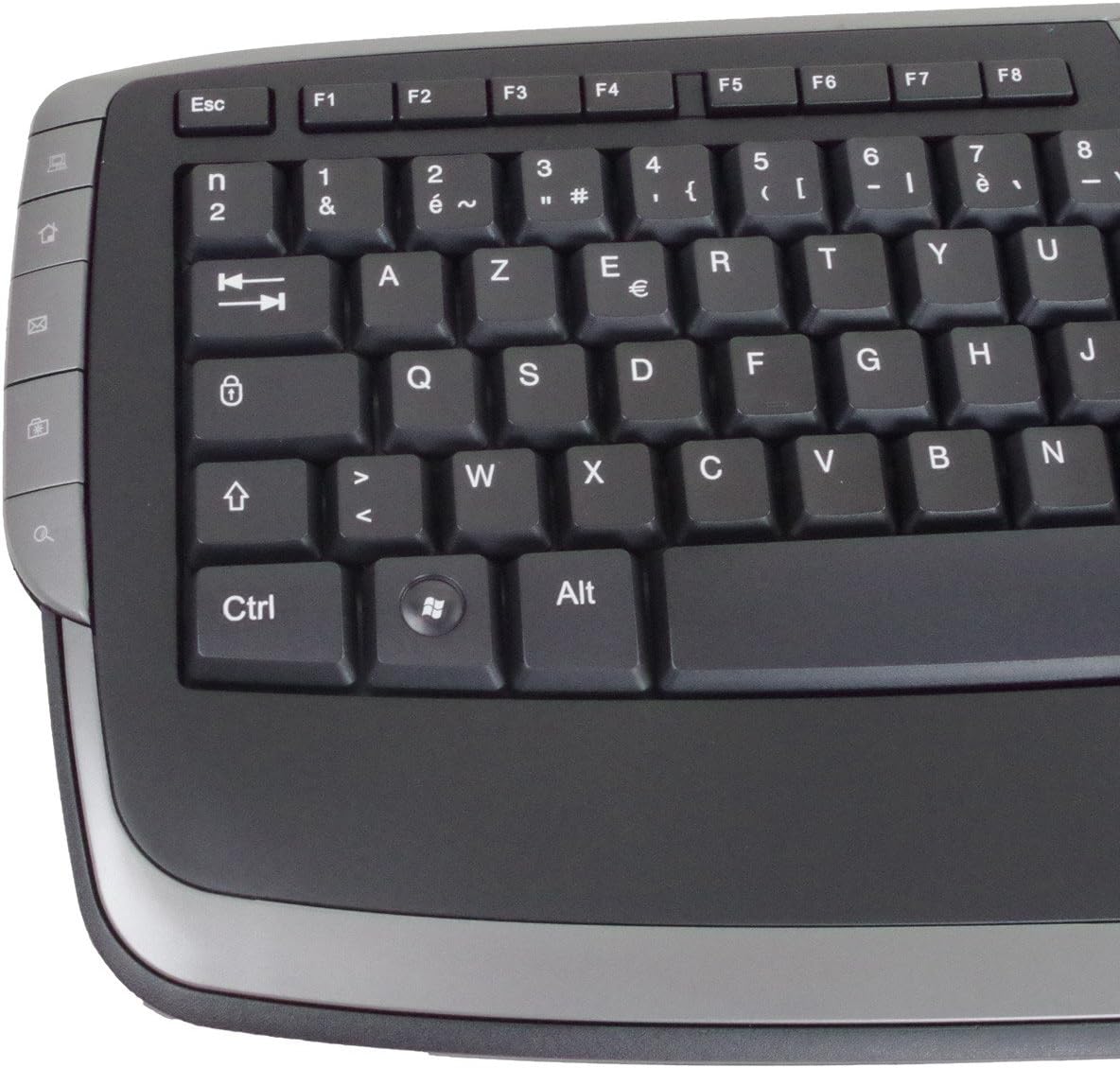
The Grundig 72847 keyboard features an Azerty layout, a wired USB connection, and an ergonomic design. It includes dedicated multimedia and office direct keys for enhanced functionality and supports both Windows and Mac operating systems.
2. ഉൽപ്പന്നം കഴിഞ്ഞുview
The Grundig 72847 keyboard is designed for comfortable and efficient typing. It features a standard Azerty key layout, along with additional function keys.
2.1 പ്രധാന സവിശേഷതകൾ
- Azerty Layout: Standard key arrangement primarily used in French-speaking regions.
- വയർഡ് യുഎസ്ബി കണക്ഷൻ: Ensures stable and reliable connectivity.
- എർഗണോമിക് ഡിസൈൻ: Contoured shape for comfortable use and reduced strain.
- മൾട്ടിമീഡിയ കീകൾ: 8 dedicated keys for quick access to media controls (volume, play/pause, etc.).
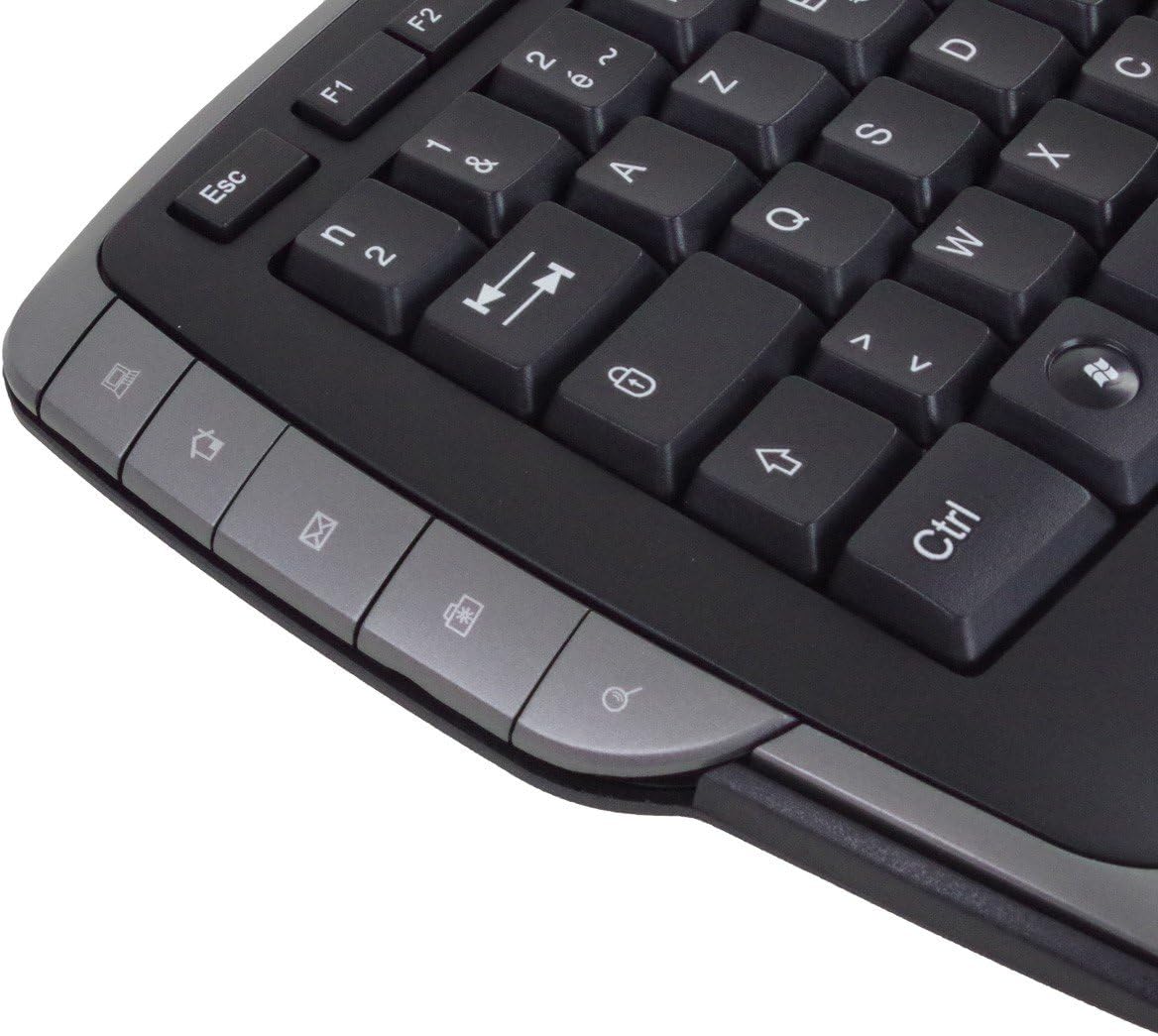
- Office Direct Keys: 17 additional keys for common office functions, enhancing productivity.
- നീല LED സൂചകങ്ങൾ: Signal illumination for various functions.
- വിശാലമായ അനുയോജ്യത: വിൻഡോസ്, മാക് ഓപ്പറേറ്റിംഗ് സിസ്റ്റങ്ങളെ പിന്തുണയ്ക്കുന്നു.
2.2 കീബോർഡ് ഘടകങ്ങൾ
Familiarize yourself with the main components of your Grundig 72847 keyboard:

- Standard Azerty Keys: Alphanumeric, symbol, and function keys (F1-F12).
- സംഖ്യാ കീപാഡ്: Located on the right side for data entry.
- Multimedia Control Keys: Located above the function keys and on the left/right sides.
- Office Direct Keys: Additional shortcut keys for common office applications.
- യൂഎസ്ബി കേബിൾ: For connecting the keyboard to your computer.

3. സജ്ജീകരണം
Follow these steps to connect your Grundig 72847 keyboard to your computer.
- കീബോർഡ് അൺപാക്ക് ചെയ്യുക: കീബോർഡ് അതിന്റെ പാക്കേജിംഗിൽ നിന്ന് ശ്രദ്ധാപൂർവ്വം നീക്കം ചെയ്യുക.
- ഒരു യുഎസ്ബി പോർട്ട് കണ്ടെത്തുക: Identify an available USB port on your computer (PC or Mac).
- USB കേബിൾ ബന്ധിപ്പിക്കുക: Insert the USB connector of the keyboard cable into the USB port on your computer.
- ഡ്രൈവർ ഇൻസ്റ്റാളേഷൻ (ഓട്ടോമാറ്റിക്): Your operating system (Windows or Mac) should automatically detect and install the necessary drivers. This process may take a few moments.
- പ്രവർത്തനക്ഷമത പരിശോധിക്കുക: Once installed, test the keyboard by typing in a text editor or browser to ensure all keys are responsive.
No additional software or drivers are typically required for basic functionality.
4. പ്രവർത്തന നിർദ്ദേശങ്ങൾ
The Grundig 72847 keyboard offers standard typing functionality along with convenient multimedia and office shortcut keys.
4.1 സ്റ്റാൻഡേർഡ് ടൈപ്പിംഗ്
Use the alphanumeric and symbol keys for text input. The Azerty layout is standard for regions like France and Belgium.
4.2 മൾട്ടിമീഡിയ കീകൾ
The keyboard includes 8 dedicated multimedia keys for quick control of media playback and volume. These are typically located above the function keys (F1-F12) or on the side bezels.
- Volume Up/Down/Mute: ഓഡിയോ ലെവലുകൾ ക്രമീകരിക്കുക.
- പ്ലേ/താൽക്കാലികമായി നിർത്തുക: മീഡിയ പ്ലേബാക്ക് നിയന്ത്രിക്കുക.
- മുമ്പത്തെ/അടുത്ത ട്രാക്ക്: Navigate through media files.
- നിർത്തുക: Halt media playback.
4.3 Office Direct Keys
The 17 office direct keys provide shortcuts to frequently used functions, improving workflow efficiency. Refer to the key labels for specific functions, which may include:
- ഇമെയിൽ: നിങ്ങളുടെ ഡിഫോൾട്ട് ഇമെയിൽ ക്ലയന്റ് തുറക്കുക.
- Web ബ്രൗസർ: Launch your default web ബ്രൗസർ.
- എന്റെ കമ്പ്യൂട്ടർ: തുറക്കുക file പര്യവേക്ഷകൻ.
- തിരയുക: Activate the system search function.
- കാൽക്കുലേറ്റർ: കാൽക്കുലേറ്റർ ആപ്ലിക്കേഷൻ തുറക്കുക.
- ഉറക്കം: Put the computer into sleep mode.
The exact functionality of these keys may depend on your operating system and installed software.
5. പരിപാലനം
Proper care and maintenance will help extend the life of your keyboard.
- വൃത്തിയാക്കൽ:
- വൃത്തിയാക്കുന്നതിനുമുമ്പ് നിങ്ങളുടെ കമ്പ്യൂട്ടറിൽ നിന്ന് കീബോർഡ് വിച്ഛേദിക്കുക.
- മൃദുവായ, ലിൻ്റ് രഹിത തുണി ഉപയോഗിക്കുകampഉപരിതലം തുടയ്ക്കാൻ വെള്ളമോ നേരിയ ക്ലീനിംഗ് ലായനിയോ ഉപയോഗിച്ച് നനയ്ക്കുക.
- കഠിനമായ രാസവസ്തുക്കൾ, അബ്രസീവ് ക്ലീനറുകൾ, അല്ലെങ്കിൽ ലായകങ്ങൾ എന്നിവ ഉപയോഗിക്കുന്നത് ഒഴിവാക്കുക.
- താക്കോലുകൾക്കിടയിൽ നിന്ന് പൊടിയും അവശിഷ്ടങ്ങളും നീക്കം ചെയ്യാൻ കംപ്രസ് ചെയ്ത വായു ഉപയോഗിക്കുക.
- സംഭരണം: തീവ്രമായ താപനിലയിൽ നിന്നും നേരിട്ടുള്ള സൂര്യപ്രകാശത്തിൽ നിന്നും മാറി വൃത്തിയുള്ളതും വരണ്ടതുമായ അന്തരീക്ഷത്തിൽ കീബോർഡ് സൂക്ഷിക്കുക.
- ചോർച്ച ഒഴിവാക്കുക: ആന്തരിക ഘടകങ്ങൾക്ക് കേടുപാടുകൾ സംഭവിക്കാതിരിക്കാൻ കീബോർഡിൽ നിന്ന് ദ്രാവകങ്ങൾ അകറ്റി നിർത്തുക.
6. പ്രശ്നപരിഹാരം
If you encounter issues with your Grundig 72847 keyboard, try the following solutions:
- കീബോർഡ് പ്രതികരിക്കുന്നില്ല:
- യുഎസ്ബി കേബിൾ കീബോർഡിലേക്കും കമ്പ്യൂട്ടറിലേക്കും സുരക്ഷിതമായി ബന്ധിപ്പിച്ചിട്ടുണ്ടെന്ന് ഉറപ്പാക്കുക.
- നിങ്ങളുടെ കമ്പ്യൂട്ടറിലെ മറ്റൊരു USB പോർട്ടിലേക്ക് കീബോർഡ് ബന്ധിപ്പിക്കാൻ ശ്രമിക്കുക.
- നിങ്ങളുടെ കമ്പ്യൂട്ടർ പുനരാരംഭിക്കുക.
- പ്രശ്നം കീബോർഡിലാണോ അതോ യഥാർത്ഥ കമ്പ്യൂട്ടറിലാണോ എന്ന് നിർണ്ണയിക്കാൻ മറ്റൊരു കമ്പ്യൂട്ടറിൽ കീബോർഡ് പരിശോധിക്കുക.
- പ്രവർത്തിക്കാത്ത പ്രത്യേക കീകൾ:
- താക്കോലിനടിയിൽ എന്തെങ്കിലും ഭൗതിക തടസ്സങ്ങളോ അവശിഷ്ടങ്ങളോ ഉണ്ടോയെന്ന് പരിശോധിക്കുക.
- മെയിന്റനൻസ് വിഭാഗത്തിൽ വിവരിച്ചിരിക്കുന്നതുപോലെ കീബോർഡ് വൃത്തിയാക്കുക.
- Multimedia/Office Keys Not Functioning:
- Ensure your operating system and applications are up to date.
- Some functions may require specific software or settings within your operating system.
ഈ ഘട്ടങ്ങൾ പരീക്ഷിച്ചതിനുശേഷവും പ്രശ്നം നിലനിൽക്കുകയാണെങ്കിൽ, ദയവായി ഉപഭോക്തൃ പിന്തുണയുമായി ബന്ധപ്പെടുക.
7 സ്പെസിഫിക്കേഷനുകൾ
| ഫീച്ചർ | വിശദാംശങ്ങൾ |
|---|---|
| മോഡൽ നമ്പർ | 72847 |
| ഡിസൈൻ | Azerty |
| നിറം | മാറ്റ് ബ്ലാക്ക് |
| കണക്ഷൻ തരം | USB (വയർഡ്) |
| കേബിൾ നീളം | ഏകദേശം 1.4 മീ |
| അളവുകൾ (W x D x H) | Approx. 47.5 x 19.5 x 2.7 / 3.8 cm |
| ഭാരം | ഏകദേശം 910 ഗ്രാം |
| പ്രധാന ജീവിതം | 8,000,000 പ്രവർത്തനങ്ങൾ |
| ജീവിതം മാറുക | 8,000,000 പ്രവർത്തനങ്ങൾ |
| പ്രവർത്തന താപനില | -5 മുതൽ 40 ഡിഗ്രി സെൽഷ്യസ് വരെ |
| പ്രവർത്തന ഹ്യുമിഡിറ്റി | 20% മുതൽ 90% വരെ |
| LED സൂചകങ്ങൾ | നീല |
| അനുയോജ്യമായ സിസ്റ്റങ്ങൾ | വിൻഡോസ്, മാക് |
| മൾട്ടിമീഡിയ കീകളുടെ എണ്ണം | 8 |
| Number of Office Direct Keys | 17 |
8. വാറൻ്റിയും പിന്തുണയും
For warranty information and customer support, please refer to the documentation provided with your purchase or contact your retailer. You may also visit the official Grundig webകൂടുതൽ സഹായത്തിനുള്ള സൈറ്റ്.
വാറൻ്റി ക്ലെയിമുകൾക്കായി നിങ്ങളുടെ വാങ്ങിയതിൻ്റെ തെളിവ് സൂക്ഷിക്കുക.


