ആമുഖം
The WD Elements portable hard drive provides reliable, high-capacity storage for your digital files. Designed for portability, it offers fast data transfer rates through USB 3.0 and is backward compatible with USB 2.0 devices. This drive is ideal for backing up photos, videos, and other important documents on the go. It is compatible with both PC and Mac systems, though reformatting may be required for Mac use.
ബോക്സിൽ എന്താണുള്ളത്
- WD Elements Portable Hard Drive (500GB)
- യുഎസ്ബി 3.0 കേബിൾ
- ദ്രുത ആരംഭ ഗൈഡ്
സജ്ജമാക്കുക
Follow these steps to set up your WD Elements portable hard drive:
- ഡ്രൈവ് ബന്ധിപ്പിക്കുക: Plug the small end of the included USB 3.0 cable into the USB port on the WD Elements drive.
- കമ്പ്യൂട്ടറുമായി ബന്ധിപ്പിക്കുക: Plug the larger end of the USB 3.0 cable into an available USB port on your computer. For optimal performance, use a USB 3.0 port (often blue). The drive is also compatible with USB 2.0 ports.
- പ്രാരംഭ അംഗീകാരം: Your computer should automatically detect the drive. For Windows operating systems (Windows 8, 7, Vista, XP), the drive is pre-formatted and ready for use.
- Mac അനുയോജ്യത: If you are using a Mac, the drive will need to be reformatted for full compatibility. Refer to your Mac's operating system documentation for instructions on how to reformat an external drive using Disk Utility. Note: Reformatting will erase all data on the drive.
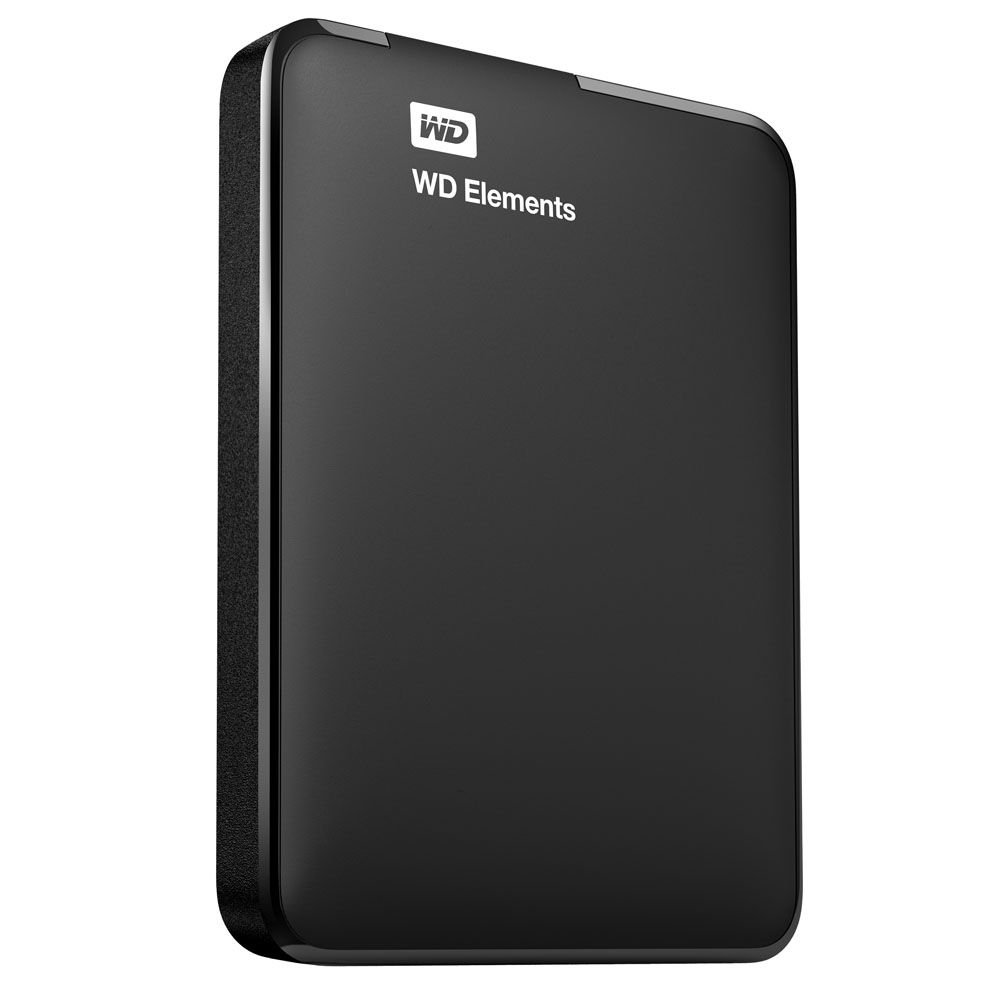
Image: The WD Elements portable hard drive with its USB 3.0 cable, ready for connection to a computer. This illustrates the compact size and simple connection method.
പ്രവർത്തന നിർദ്ദേശങ്ങൾ
Once connected and recognized by your computer, the WD Elements drive functions like any other storage device.
- കൈമാറുന്നു Files: നിങ്ങൾക്ക് വലിച്ചിടാം files and folders directly to and from the WD Elements drive using your computer's file explorer (Windows) or Finder (Mac).
- ബാക്കപ്പ്: Use your operating system's built-in backup features or third-party backup software to regularly back up your important data to the drive.
- സുരക്ഷിതമായ നീക്കം: Always safely eject or unmount the drive before disconnecting it from your computer to prevent data corruption.
- വിൻഡോസ്: Click the "Safely Remove Hardware and Eject Media" icon in the system tray, then select the WD Elements drive.
- മാക്: Drag the drive icon from the desktop to the Trash, or right-click (Control-click) the drive icon and select "Eject".
മെയിൻ്റനൻസ്
Proper care ensures the longevity and reliability of your hard drive:
- ശാരീരിക സംരക്ഷണം: Avoid dropping or subjecting the drive to physical shocks, as this can damage internal components.
- പരിസ്ഥിതി വ്യവസ്ഥകൾ: ഉയർന്ന താപനില, നേരിട്ടുള്ള സൂര്യപ്രകാശം, ഉയർന്ന ഈർപ്പം എന്നിവയിൽ നിന്ന് ഡ്രൈവ് അകറ്റി നിർത്തുക.
- വൃത്തിയാക്കൽ: Use a soft, dry cloth to clean the exterior of the drive. Do not use liquid cleaners.
- പതിവ് ബാക്കപ്പുകൾ: While the drive is designed for reliability, it is good practice to maintain backups of critical data on multiple storage devices.
ട്രബിൾഷൂട്ടിംഗ്
If you encounter issues with your WD Elements drive, consider the following:
- ഡ്രൈവ് കണ്ടെത്തിയില്ല:
- യുഎസ്ബി കേബിൾ ഡ്രൈവിലേക്കും കമ്പ്യൂട്ടറിലേക്കും സുരക്ഷിതമായി ബന്ധിപ്പിച്ചിട്ടുണ്ടെന്ന് ഉറപ്പാക്കുക.
- നിങ്ങളുടെ കമ്പ്യൂട്ടറിലെ മറ്റൊരു USB പോർട്ടിലേക്ക് ഡ്രൈവ് ബന്ധിപ്പിക്കാൻ ശ്രമിക്കുക.
- ലഭ്യമാണെങ്കിൽ, മറ്റൊരു USB കേബിൾ ഉപയോഗിച്ച് ഡ്രൈവ് പരിശോധിക്കുക.
- For Mac users, ensure the drive has been correctly reformatted for macOS.
- മന്ദഗതിയിലുള്ള ട്രാൻസ്ഫർ വേഗത:
- Verify that you are connected to a USB 3.0 port on your computer for maximum speed. USB 2.0 ports will result in slower transfer rates.
- നിങ്ങളുടെ കമ്പ്യൂട്ടറിലെ ഡ്രൈവറുകൾ കാലികമാണെന്ന് ഉറപ്പാക്കുക.
- Drive Goes to Sleep / Delays:
- The drive may enter a low-power sleep mode after a period of inactivity. This is normal behavior to conserve energy.
- There might be a slight delay when accessing the drive after it has entered sleep mode as it wakes up.
- ഡാറ്റ അഴിമതി:
- Always use the "Safely Remove Hardware" (Windows) or "Eject" (Mac) function before disconnecting the drive.
- If data corruption occurs, you may need to reformat the drive, which will erase all data.
സ്പെസിഫിക്കേഷനുകൾ
| മോഡൽ നമ്പർ | WDBUZG5000ABK-NESN |
| സംഭരണ ശേഷി | 500 ജിബി |
| ഇൻ്റർഫേസ് | USB 3.0 (യുഎസ്ബി 2.0-ന് പിന്നിലേക്ക് അനുയോജ്യം) |
| ഫോം ഫാക്ടർ | 2.5 Inches (Portable) |
| അളവുകൾ (LxWxH) | 4.4 x 3.2 x 0.6 ഇഞ്ച് (11.18 x 8.13 x 1.52 സെ.മീ) |
| ഭാരം | 4.8 ഔൺസ് (136 ഗ്രാം) |
| ഓപ്പറേറ്റിംഗ് സിസ്റ്റം അനുയോജ്യത | Formatted for Windows (8, 7, Vista, XP). Reformatting required for Mac. |
| നിറം | കറുപ്പ് |
| നിർമ്മാതാവ് | വെസ്റ്റേൺ ഡിജിറ്റൽ |
വാറൻ്റി വിവരങ്ങൾ
Western Digital products are manufactured to the highest standards of quality and reliability. This product is covered by a limited warranty. For detailed information regarding the warranty period, terms, and conditions applicable to your region, please refer to the warranty statement included with your product or visit the official Western Digital webസൈറ്റ്.
പിന്തുണ
For technical support, product registration, or additional resources, please visit the official Western Digital support website. You can find FAQs, troubleshooting guides, software downloads, and contact information for customer service.
വെസ്റ്റേൺ ഡിജിറ്റൽ പിന്തുണ Webസൈറ്റ്: support.wdc.com


