1. ആമുഖം
This manual provides essential information for the safe and efficient operation of your TCL L32E3005/G 32-inch LED HD-Ready Television. Please read this manual thoroughly before using the television and retain it for future reference. It covers setup, operation, maintenance, and troubleshooting to ensure you get the best experience from your device.
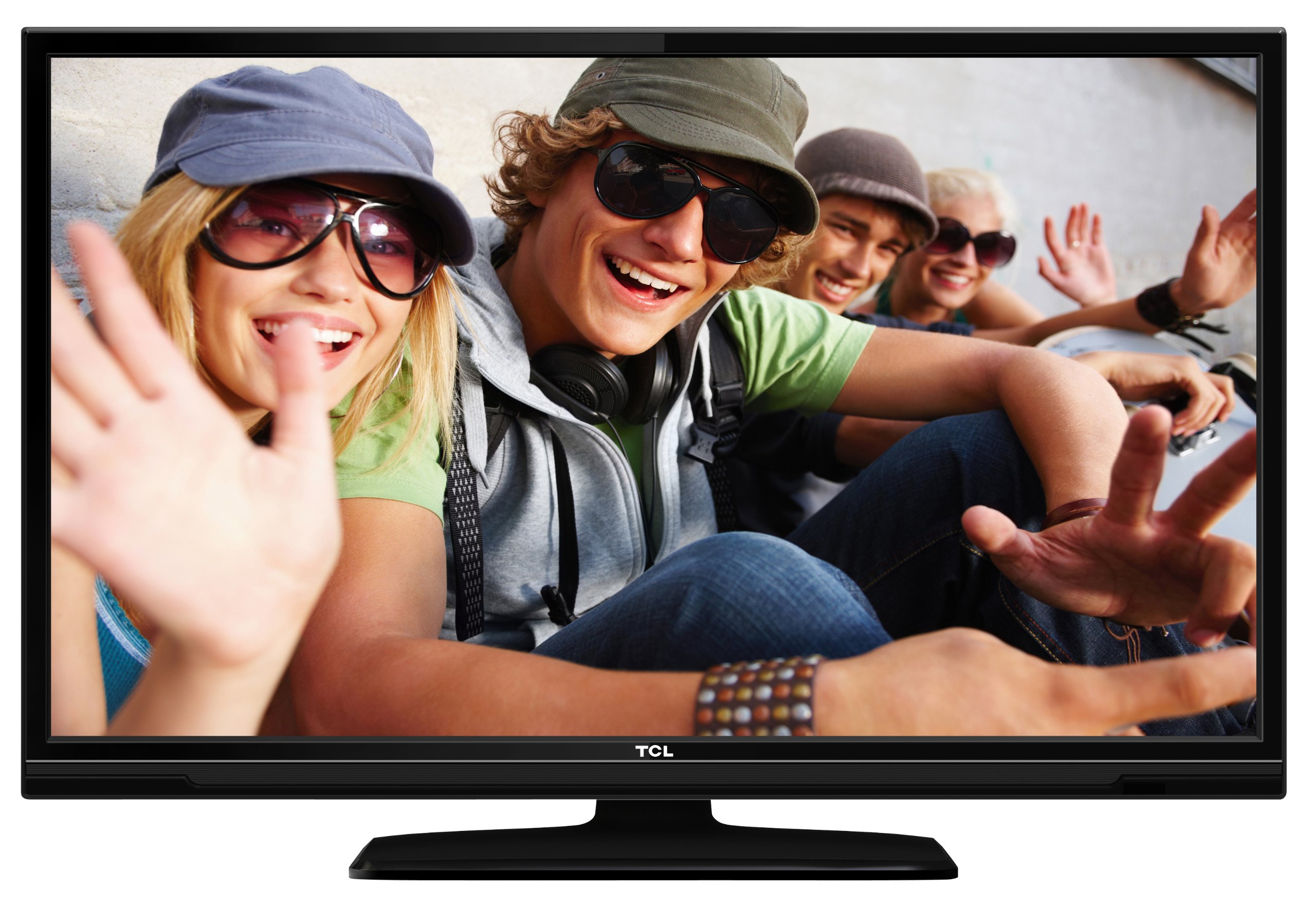
This image shows the TCL L32E3005/G television from a slight angle, highlighting its slim black bezel and the stand. The screen displays a colorful image of people, demonstrating its visual capabilities.
2 സുരക്ഷാ വിവരങ്ങൾ
വൈദ്യുതാഘാതം, തീപിടുത്തം അല്ലെങ്കിൽ ടെലിവിഷന് കേടുപാടുകൾ എന്നിവ തടയാൻ ഇനിപ്പറയുന്ന സുരക്ഷാ മുൻകരുതലുകൾ എപ്പോഴും പാലിക്കുക:
- ടെലിവിഷൻ മഴയിലോ ഈർപ്പത്തിലോ തുറന്നുവെക്കരുത്.
- കാബിനറ്റ് തുറക്കരുത്; എല്ലാ സേവനങ്ങളും യോഗ്യതയുള്ള ഉദ്യോഗസ്ഥരെ ഏൽപ്പിക്കുക.
- ടെലിവിഷന് ചുറ്റും ശരിയായ വായുസഞ്ചാരം ഉറപ്പാക്കുക.
- ടെലിവിഷൻ താപ സ്രോതസ്സുകൾക്ക് സമീപമോ നേരിട്ടുള്ള സൂര്യപ്രകാശത്തിലോ വയ്ക്കുന്നത് ഒഴിവാക്കുക.
- Use only the power adapter supplied with the television.
- ബാറ്ററികൾ കുട്ടികൾക്ക് ലഭ്യമാകാതെ സൂക്ഷിക്കുക.
3. പാക്കേജ് ഉള്ളടക്കം
പാക്കേജിൽ എല്ലാ ഇനങ്ങളും ഉണ്ടെന്ന് ഉറപ്പാക്കുക:
- TCL L32E3005/G LED-backlight Television
- പവർ അഡാപ്റ്റർ
- സ്റ്റാൻഡ് ബേസ്
- റിമോട്ട് കൺട്രോൾ (2 AAA ബാറ്ററികൾ ആവശ്യമാണ്, ഉൾപ്പെടുത്തിയിരിക്കുന്നു)
- ഉപയോക്തൃ മാനുവൽ (ഈ പ്രമാണം)
4. സജ്ജീകരണം
4.1 അൺപാക്കിംഗ്
ടെലിവിഷനും എല്ലാ അനുബന്ധ ഉപകരണങ്ങളും പാക്കേജിംഗിൽ നിന്ന് ശ്രദ്ധാപൂർവ്വം നീക്കം ചെയ്യുക. ഭാവിയിലെ ഗതാഗതത്തിനോ സംഭരണത്തിനോ വേണ്ടി പാക്കേജിംഗ് വസ്തുക്കൾ സൂക്ഷിക്കുക.
4.2 Stand Installation (Table Mounting)
സ്റ്റാൻഡ് ബേസ് ഇൻസ്റ്റാൾ ചെയ്യാൻ:
- Place the television face down on a soft, flat surface to prevent screen damage.
- Align the stand base with the mounting holes on the bottom of the television.
- Secure the stand base using the provided screws. Ensure it is firmly attached.
- Carefully lift the television and place it on a stable, level surface suitable for table mounting.
4.3 ഉപകരണങ്ങൾ ബന്ധിപ്പിക്കുന്നു
Connect your external devices to the television using the appropriate ports:
- എച്ച്ഡിഎംഐ: For high-definition video and audio from devices like Blu-ray players, game consoles, or set-top boxes. Your TV has 2 HDMI ports.
- USB: മീഡിയ പ്ലേ ചെയ്യുന്നതിന് USB സംഭരണ ഉപകരണങ്ങൾ ബന്ധിപ്പിക്കുന്നതിന് files. Your TV has 1 USB 2.0 port.
- Antenna/Cable (DVB-C/-S2/-T): Connect an antenna or cable for digital terrestrial (DVB-T), cable (DVB-C), or satellite (DVB-S2) broadcasts.
- വി.ജി.എ: ഒരു കമ്പ്യൂട്ടർ ബന്ധിപ്പിക്കുന്നതിന്.
- CI+: For conditional access modules (CAM) to decrypt encrypted channels.
4.4 പവർ കണക്ഷൻ
After all connections are made, plug the power adapter into the television's power input, then plug the power adapter into a wall outlet.
5. പ്രവർത്തിക്കുന്നു
5.1 പവർ ഓൺ/ഓഫ്
അമർത്തുക പവർ button on the remote control or on the television to turn the TV on or off.
5.2 പ്രാരംഭ സജ്ജീകരണം
The first time you turn on the television, an initial setup wizard will guide you through basic settings such as language, country, and channel scanning.
5.3 ചാനൽ ട്യൂണിംഗ്
After connecting your antenna or cable, perform an automatic channel scan through the TV's menu to find available DVB-C, DVB-S2, or DVB-T channels.
5.4 ഇലക്ട്രോണിക് പ്രോഗ്രാം ഗൈഡ് (ഇപിജി)
ഇതിലേക്ക് ഇലക്ട്രോണിക് പ്രോഗ്രാം ഗൈഡ് (ഇപിജി) ആക്സസ് ചെയ്യുക view program schedules and information for digital channels. This feature helps you plan your viewing.
5.5 ഇൻപുട്ട് തിരഞ്ഞെടുക്കൽ
ഉപയോഗിക്കുക ഉറവിടം or ഇൻപുട്ട് button on your remote control to switch between connected devices (e.g., HDMI 1, HDMI 2, USB, DVB-T).
5.6 യുഎസ്ബി മീഡിയ പ്ലേബാക്ക്
Insert a USB storage device into the USB port. The TV will typically prompt you to access the media browser, allowing you to play photos, music, or videos stored on the device.
5.7 ഹോട്ടൽ മോഡ്
This television includes a Hotel Mode feature, which allows for customization of settings suitable for hotel environments, such as limiting volume, setting a default channel, or disabling certain functions. Consult the advanced settings menu for Hotel Mode configuration.
6. പരിപാലനം
6.1 സ്ക്രീൻ വൃത്തിയാക്കൽ
മൃദുവായ, ലിന്റ് രഹിത തുണി ഉപയോഗിച്ച് സ്ക്രീൻ സൌമ്യമായി തുടയ്ക്കുക. കഠിനമായ പാടുകൾക്ക്, ചെറുതായി dampതുണിയിൽ വെള്ളം അല്ലെങ്കിൽ ഒരു പ്രത്യേക സ്ക്രീൻ ക്ലീനർ ഉപയോഗിക്കുക. സ്ക്രീനിലേക്ക് നേരിട്ട് ദ്രാവകം സ്പ്രേ ചെയ്യരുത്.
6.2 കാബിനറ്റ് വൃത്തിയാക്കൽ
Use a soft, dry cloth to wipe the television cabinet. Avoid using abrasive cleaners or solvents.
6.3 റിമോട്ട് കൺട്രോൾ ബാറ്ററികൾ
Replace the remote control batteries (2x AAA) when the remote's range decreases or it stops responding. Ensure correct polarity when inserting new batteries.
7. പ്രശ്നപരിഹാരം
നിങ്ങളുടെ ടെലിവിഷനിൽ പ്രശ്നങ്ങൾ നേരിടുകയാണെങ്കിൽ, ഇനിപ്പറയുന്ന പൊതുവായ പ്രശ്നങ്ങളും പരിഹാരങ്ങളും പരിശോധിക്കുക:
- ശക്തിയില്ല: Check if the power adapter is securely connected to both the TV and the wall outlet. Ensure the outlet is functional.
- ചിത്രമില്ല, പക്ഷേ ശബ്ദം: Verify the input source is correctly selected. Check cable connections to external devices.
- ശബ്ദമില്ല, പക്ഷേ ചിത്രം: വോളിയം ലെവലും മ്യൂട്ട് സ്റ്റാറ്റസും പരിശോധിക്കുക. ബാഹ്യ ഉപകരണങ്ങൾക്കായി ഓഡിയോ കേബിളുകൾ ശരിയായി ബന്ധിപ്പിച്ചിട്ടുണ്ടെന്ന് ഉറപ്പാക്കുക.
- മോശം ചിത്ര നിലവാരം: Check antenna/cable connections. If using an external device, try a different HDMI cable or port. Adjust picture settings in the TV menu.
- റിമോട്ട് കൺട്രോൾ പ്രവർത്തിക്കുന്നില്ല: Ensure there are no obstructions between the remote and the TV. Replace batteries if necessary.
പ്രശ്നം നിലനിൽക്കുകയാണെങ്കിൽ, ഉപഭോക്തൃ പിന്തുണയുമായി ബന്ധപ്പെടുക.
8 സ്പെസിഫിക്കേഷനുകൾ
| മോഡൽ | L32E3005/G |
| സ്ക്രീൻ വലിപ്പം | 80 സെ.മീ (32 ഇഞ്ച്) |
| ഡിസ്പ്ലേ ടെക്നോളജി | എൽഇഡി |
| റെസലൂഷൻ | 720p (1366 x 768 Pixels) |
| പുതുക്കിയ നിരക്ക് | 50 Hz |
| ട്യൂണർ ടെക്നോളജി | DVB-C, DVB-S2, DVB-T |
| കണക്റ്റിവിറ്റി | 2x HDMI, 1x USB 2.0, VGA, CI+ |
| ഓഡിയോ ഔട്ട്പുട്ട് | 8 Watt (2.0 Channel) |
| പ്രത്യേക സവിശേഷതകൾ | Electronic Program Guide (EPG), Hotel Mode |
| അളവുകൾ (W x H x D) | 74 x 49.4 x 18.9 സെ.മീ (സ്റ്റാൻഡോടുകൂടി) |
| ഭാരം | 7.22 കി.ഗ്രാം |
| പവർ ഉറവിടം | അഡാപ്റ്റർ |
| വിദൂര ബാറ്ററികൾ | 2x AAA (included) |
9. വാറൻ്റിയും പിന്തുണയും
വാറന്റി വിവരങ്ങൾക്കും സാങ്കേതിക പിന്തുണയ്ക്കും, ദയവായി നിങ്ങളുടെ ഉൽപ്പന്നത്തിനൊപ്പം ഉൾപ്പെടുത്തിയിരിക്കുന്ന വാറന്റി കാർഡ് പരിശോധിക്കുക അല്ലെങ്കിൽ ഔദ്യോഗിക TCL സന്ദർശിക്കുക. webവാറന്റി ക്ലെയിമുകൾക്കുള്ള വാങ്ങലിന്റെ തെളിവായി നിങ്ങളുടെ വാങ്ങൽ രസീത് സൂക്ഷിക്കുക.


