ആമുഖം
The ZAGG Folio Case with Backlit Bluetooth Keyboard is designed to enhance your iPad Air experience by providing both robust protection and a comfortable, efficient typing solution. This manual provides essential instructions for the proper setup, operation, and maintenance of your device, ensuring optimal performance and longevity.
എന്താണ് ഉൾപ്പെടുത്തിയിരിക്കുന്നത്
- ZAGG Folio Case with Integrated Bluetooth Keyboard
- യുഎസ്ബി ചാർജിംഗ് കേബിൾ
സജ്ജമാക്കുക
1. Inserting Your iPad Air
Carefully align your iPad Air with the protective shell of the ZAGG Folio case. Gently press the iPad into the case until it is securely seated. Ensure all ports, buttons, and the camera cutout are correctly aligned and accessible.
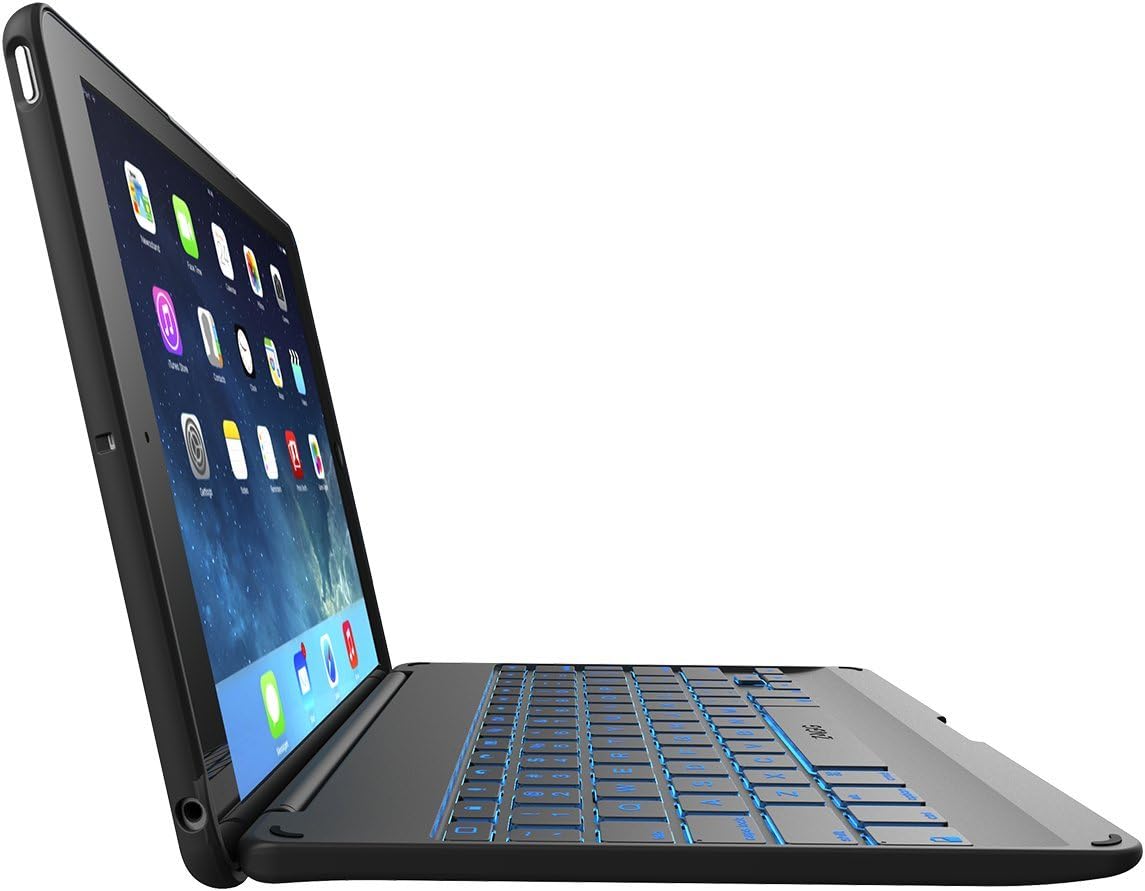
ചിത്രം: സൈഡ് പ്രോfile of the ZAGG Folio Case with iPad Air, demonstrating its thin design when open.
2. കീബോർഡ് ചാർജ് ചെയ്യുന്നു
Before initial use, fully charge the keyboard. Connect the included USB cable to the keyboard's charging port and to a powered USB port or a wall adapter. The charging indicator light will illuminate. A full charge provides up to three months of regular use (based on two hours per day without backlight activation).

ചിത്രം: വശം view of the ZAGG Folio Case with iPad Air, showing the charging port and other side controls.
3. ബ്ലൂടൂത്തുമായി ജോടിയാക്കൽ
- പവർ സ്വിച്ച് ഓൺ സ്ഥാനത്തേക്ക് സ്ലൈഡ് ചെയ്തുകൊണ്ട് കീബോർഡ് ഓണാക്കുക.
- On your iPad Air, navigate to ക്രമീകരണങ്ങൾ > ബ്ലൂടൂത്ത് and ensure Bluetooth is enabled.
- Press the Bluetooth pairing button on the keyboard (typically indicated by a Bluetooth icon). The indicator light will flash, signifying that the keyboard is in pairing mode.
- On your iPad Air, select 'ZAGG Folio' from the list of available devices.
- Follow any on-screen prompts to complete the pairing process. Once successfully paired, the indicator light on the keyboard will stop flashing.
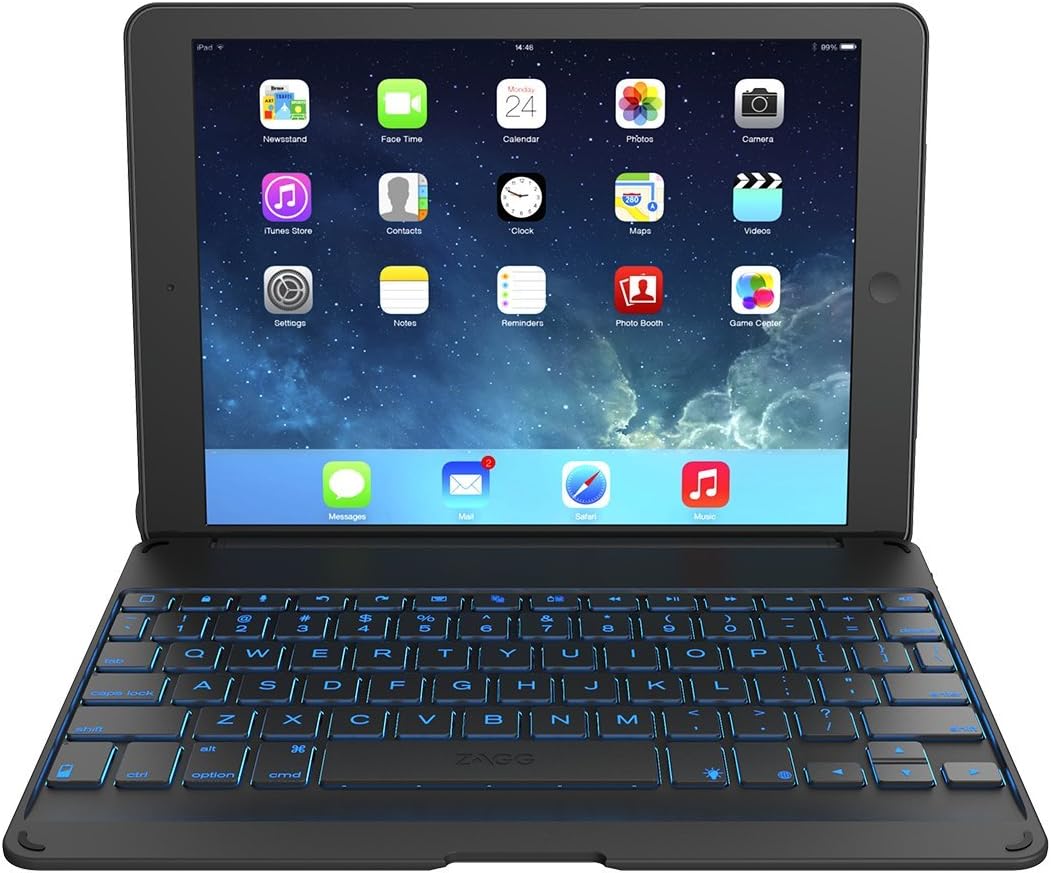
Image: ZAGG Folio Case with Backlit Bluetooth Keyboard for iPad Air, open with iPad screen displaying apps and keyboard illuminated.
പ്രവർത്തന നിർദ്ദേശങ്ങൾ
1. ക്രമീകരിക്കൽ Viewing കോണുകൾ
The ZAGG Folio features a unique hinge design that allows you to position your iPad Air at various viewing angles, up to 135 degrees. Gently adjust the screen to your preferred angle for comfortable typing, viewing, or media consumption.

Image: ZAGG Folio Case with iPad Air, shown at an angled view, highlighting the adjustable hinge and backlit keyboard.
2. Backlit Keys
The keyboard is equipped with backlit keys, enabling comfortable typing in low-light environments. Press the backlight key (often marked with a sun or lightbulb icon) to cycle through different brightness levels and color options. Be aware that using the backlight feature will increase battery consumption.
3. പ്രത്യേക ഫംഗ്ഷൻ കീകൾ
The top row of the keyboard includes dedicated function keys for quick access to common iPad features. These include controls for Home, Lock, Siri, volume adjustment, media playback, and more. Refer to the key legends printed on the keyboard for specific functions.
4. Sleep/Wake Function
Cleverly placed magnets within the folio case automatically activate your iPad Air's sleep/wake function when the case is opened or closed. This feature helps conserve your iPad's battery life.

Image: ZAGG Folio Case closed, protecting the iPad Air, displaying its compact and portable form factor.
മെയിൻ്റനൻസ്
1. വൃത്തിയാക്കൽ
To clean the ZAGG Folio case and keyboard, use a soft, slightly damp, lint-free cloth. Avoid using harsh chemicals, abrasive cleaners, or excessive moisture, as these can damage the device. Ensure no liquid enters the keyboard or iPad ports.
2. ബാറ്ററി മാനേജ്മെന്റ്
To maximize the keyboard's battery life, turn off the keyboard when it is not in use. The automatic sleep/wake function of the iPad, activated by closing the case, also contributes to battery conservation. Recharge the keyboard promptly when the battery indicator signals low power.
ട്രബിൾഷൂട്ടിംഗ്
1. Keyboard Not Pairing
- Ensure the keyboard is fully charged and powered on.
- Toggle your iPad's Bluetooth off and then back on.
- In your iPad's Bluetooth settings, 'Forget This Device' for the ZAGG Folio and attempt to re-pair.
- Confirm the keyboard is in pairing mode (indicator light flashing).
2. കീകൾ പ്രതികരിക്കുന്നില്ല.
- Verify that the keyboard is properly paired and connected to your iPad.
- കീബോർഡ് ബാറ്ററി റീചാർജ് ചെയ്യുക.
- നിങ്ങളുടെ ഐപാഡ് എയർ പുനരാരംഭിക്കുക.
3. ബാക്ക്ലൈറ്റ് പ്രവർത്തിക്കുന്നില്ല
- കീബോർഡ് ഓണാണെന്ന് ഉറപ്പാക്കുക.
- Press the backlight key to cycle through brightness levels and confirm it is not set to off.
- Check the keyboard's battery level; low battery may disable backlighting to conserve power.
സ്പെസിഫിക്കേഷനുകൾ
| മോഡൽ നമ്പർ | ID5ZFK-BB0 |
| അനുയോജ്യമായ ഉപകരണങ്ങൾ | ഐപാഡ് എയർ |
| കണക്റ്റിവിറ്റി | ബ്ലൂടൂത്ത് |
| ഉൽപ്പന്ന അളവുകൾ (LxWxH) | 10.4 x 1.2 x 7.2 ഇഞ്ച് |
| ഇനത്തിൻ്റെ ഭാരം | 1.15 പൗണ്ട് |
| ബാറ്ററി | 1 ലിഥിയം അയോൺ (ഉൾപ്പെടുത്തിയിരിക്കുന്നു) |
| പ്രത്യേക സവിശേഷതകൾ | Backlit keys, Multi-angle hinge, Sleep/Wake function |
| നിറം | കറുപ്പ് |
വാറന്റി വിവരങ്ങളും പിന്തുണയും
For detailed warranty information, product registration, and technical support, please visit the official ZAGG website or contact their customer service department. It is recommended to retain your proof of purchase for any warranty claims.
Official ZAGG Webസൈറ്റ്: zagg.com


