ആമുഖം
The Cambridge Audio Minx Air 200 V2 is a sophisticated wireless music system designed to deliver high-quality audio with versatile connectivity options. This manual provides essential information for setting up, operating, maintaining, and troubleshooting your Minx Air 200 V2 system, ensuring optimal performance and longevity.
The Minx Air 200 V2 features a powerful amplifier and a built-in subwoofer, providing rich, room-filling sound. It supports AirPlay, Bluetooth, and Internet Radio, allowing you to stream music from various sources, including over 20,000 internet radio stations. Control is made easy through dedicated smartphone applications for Android and Apple devices, which allow adjustment of stations, volume, bass, and EQ settings.
ഉൽപ്പന്നം കഴിഞ്ഞുview
The Minx Air 200 V2 is a compact yet powerful unit, measuring approximately 45 x 22 x 17.4 cm and weighing 5.1 kg. Its sleek black design with rounded corners ensures it blends seamlessly into any living space. Key features include:
- Wireless connectivity for flexible placement.
- Bluetooth for direct device pairing.
- സംയോജിപ്പിച്ചത് amplifier for robust sound output.
- AirPlay support for Apple devices.
- Access to Internet Radio stations.
- Control via smartphone apps (Android and Apple).
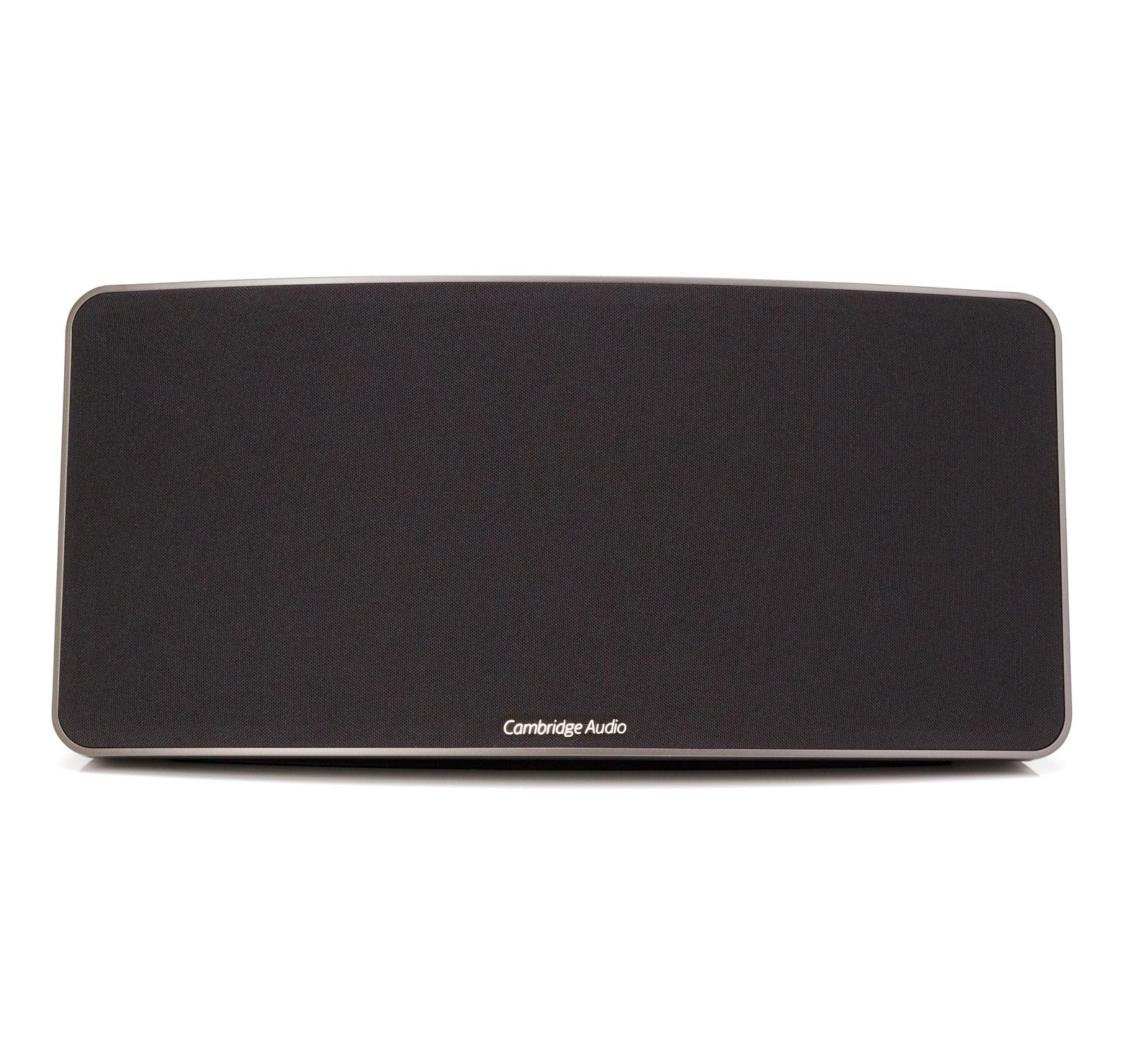
ഒരു മുന്നണി view of the Cambridge Audio Minx Air 200 V2 Wireless Music System, featuring a black speaker grille and a sleek, rectangular design with rounded corners. The Cambridge Audio logo is visible at the bottom center of the grille.
സജ്ജമാക്കുക
- അൺപാക്ക് ചെയ്യുന്നു: Carefully remove the Minx Air 200 V2 from its packaging. Ensure all components, including the speaker unit and remote control, are present.
- പവർ കണക്ഷൻ: Connect the power cable to the rear of the unit and plug it into a suitable wall outlet.
- ആപ്പ് ഡൗൺലോഡ്: Download the official "Minx Air" application from your device's app store (available for Android and Apple). This app is essential for initial setup and advanced control.
- നെറ്റ്വർക്ക് കണക്ഷൻ (വൈ-ഫൈ):
- Open the Minx Air app on your smartphone or tablet.
- Follow the on-screen instructions within the app to connect your Minx Air 200 V2 to your home Wi-Fi network. This typically involves selecting your network and entering the password.
- ബ്ലൂടൂത്ത് ജോടിയാക്കൽ:
- Press the Bluetooth button on the Minx Air 200 V2 or select Bluetooth mode via the app.
- On your device (smartphone, tablet, computer), go to Bluetooth settings and select "Minx Air 200" from the list of available devices to pair.
പ്രവർത്തിക്കുന്നു
The Minx Air 200 V2 offers multiple ways to enjoy your music:
- എയർപ്ലേ: For Apple devices, select the Minx Air 200 V2 as your audio output device from the AirPlay menu within your music application.
- ബ്ലൂടൂത്ത്: Once paired, simply play audio from your Bluetooth-enabled device, and it will stream wirelessly to the Minx Air 200 V2.
- ഇൻ്റർനെറ്റ് റേഡിയോ: Use the Minx Air app to browse and select from thousands of internet radio stations. You can save your favorite stations as presets for quick access.
- സഹായ ഇൻപുട്ടുകൾ: The unit includes RCA (cinch) and 3.5mm auxiliary inputs for connecting external audio sources like CD players or PCs. Note that if both inputs receive a signal simultaneously, both will be played.
നിയന്ത്രണങ്ങൾ:
- സ്മാർട്ട്ഫോൺ ആപ്പ്: The Minx Air app provides comprehensive control over volume, bass, EQ settings, source selection, and internet radio station management.
- റിമോട്ട് കൺട്രോൾ: A dedicated remote control is included for basic functions such as power, volume, and source selection.
- On-Unit Buttons: The unit itself features physical buttons for essential controls.
മെയിൻ്റനൻസ്
Proper maintenance ensures the longevity and optimal performance of your Minx Air 200 V2:
- വൃത്തിയാക്കൽ: Use a soft, dry cloth to wipe the exterior surfaces. Avoid abrasive cleaners, waxes, or solvents as they may damage the finish. Do not spray liquids directly onto the unit.
- വെൻ്റിലേഷൻ: Ensure the unit has adequate ventilation. Do not block any ventilation openings.
- പ്ലേസ്മെൻ്റ്: നേരിട്ടുള്ള സൂര്യപ്രകാശം, താപ സ്രോതസ്സുകൾ, അമിതമായ ഈർപ്പം എന്നിവയിൽ നിന്ന് അകലെ സ്ഥിരതയുള്ളതും നിരപ്പായതുമായ ഒരു പ്രതലത്തിൽ യൂണിറ്റ് സ്ഥാപിക്കുക.
- ശക്തി: യൂണിറ്റ് ദീർഘനേരം ഉപയോഗിക്കുന്നില്ലെങ്കിൽ, മതിൽ ഔട്ട്ലെറ്റിൽ നിന്ന് പവർ കേബിൾ വിച്ഛേദിക്കുക.
ട്രബിൾഷൂട്ടിംഗ്
If you encounter issues with your Minx Air 200 V2, refer to the following common problems and solutions:
- ശബ്ദമില്ല:
- Check if the unit is powered on and the volume is not muted or set too low.
- Ensure the correct input source is selected (AirPlay, Bluetooth, Aux).
- Verify that the audio source device is playing and its volume is up.
- ബ്ലൂടൂത്ത് കണക്റ്റിവിറ്റി പ്രശ്നങ്ങൾ:
- Ensure the Minx Air 200 V2 is in Bluetooth pairing mode.
- Move your device closer to the speaker to reduce interference.
- ഉപകരണം ജോടി മാറ്റി വീണ്ടും ജോടിയാക്കാൻ ശ്രമിക്കുക.
- Restart both the Minx Air 200 V2 and your Bluetooth device.
- Wi-Fi/Internet Radio Connection Problems:
- നിങ്ങളുടെ വൈഫൈ നെറ്റ്വർക്ക് സജീവവും സ്ഥിരതയുള്ളതുമാണെന്ന് ഉറപ്പാക്കുക.
- Check your Wi-Fi password if re-entering it during setup.
- Restart your Wi-Fi router and the Minx Air 200 V2.
- Verify that the Minx Air app is up to date.
- App Not Responding/Poor Performance:
- Close and reopen the Minx Air app.
- Ensure your smartphone/tablet's operating system is up to date.
- നിങ്ങളുടെ ഉപകരണത്തിന്റെ ആപ്പ് സ്റ്റോറിൽ ആപ്പ് അപ്ഡേറ്റുകൾക്കായി പരിശോധിക്കുക.
- വികലമായ ശബ്ദം:
- Reduce the volume on both the speaker and the source device.
- Check audio cables if using auxiliary inputs for secure connection.
- Adjust bass and EQ settings via the app.
If problems persist, consult the Cambridge Audio support webകൂടുതൽ സഹായത്തിന് അവരുടെ സൈറ്റ് സന്ദർശിക്കുക അല്ലെങ്കിൽ അവരുടെ ഉപഭോക്തൃ സേവനവുമായി ബന്ധപ്പെടുക.
സ്പെസിഫിക്കേഷനുകൾ
| ഫീച്ചർ | സ്പെസിഫിക്കേഷൻ |
|---|---|
| മോഡലിൻ്റെ പേര് | വായു 200 |
| മോഡൽ നമ്പർ | C10617 |
| സ്പീക്കർ തരം | ബുക്ക് ഷെൽഫ് |
| പ്രത്യേക സവിശേഷതകൾ | Amplifier, Bluetooth, Wireless |
| ശുപാർശ ചെയ്യുന്ന ഉപയോഗങ്ങൾ | സംഗീതം |
| അനുയോജ്യമായ ഉപകരണങ്ങൾ | സ്മാർട്ട്ഫോൺ |
| യൂണിറ്റ് എണ്ണം | 1.0 എണ്ണം |
| കൺട്രോളർ തരം | Android, App Control, Button |
| സറൗണ്ട് സൗണ്ട് ചാനൽ കോൺഫിഗറേഷൻ | 2.0 |
| ഉൾപ്പെടുത്തിയ ഘടകങ്ങൾ | Speaker unit, Remote Control/App |
| ഇനത്തിൻ്റെ ഭാരം | 5.1 കിലോഗ്രാം |
| വാട്ടർപ്രൂഫ് ആണ് | തെറ്റായ |
| നിർമ്മാതാവ് | കേംബ്രിഡ്ജ് ഓഡിയോ |
| ഭാഗം നമ്പർ | 5055300407610 |
| ഹാർഡ്വെയർ ഇന്റർഫേസ് | ബ്ലൂടൂത്ത് |
| ട്യൂണർ ടെക്നോളജി | ഇൻ്റർനെറ്റ് റേഡിയോ |
| വാട്ട്tage | 200 വാട്ട്സ് |
| പവർ സോഴ്സ് തരം | ബാറ്ററി പവർ |
| ബാറ്ററികൾ ഉൾപ്പെടുത്തിയിട്ടുണ്ട് | ഇല്ല |
| ബാറ്ററികൾ ആവശ്യമാണ് | ഇല്ല |
| വയർലെസ് സ്റ്റാൻഡേർഡ് | 802.11 ബി, 802.11 ഗ്രാം |
| ആവൃത്തി | 0.02 MHz |
| Has Audio Recording Capabilities | ഇല്ല |
| റീചാർജ് ചെയ്യാവുന്ന ബാറ്ററി ഉൾപ്പെടുന്നു | ഇല്ല |
| റിമോട്ട് ഉൾപ്പെടുന്നു | ഇല്ല |
| മൗണ്ടിംഗ് തരം | ടേബിൾടോപ്പ് |
| ഓഡിയോ put ട്ട്പുട്ട് മോഡ് | സ്റ്റീരിയോ |
| കണക്റ്റിവിറ്റി ടെക്നോളജി | ബ്ലൂടൂത്ത് |
| സ്പീക്കർ പരമാവധി ഔട്ട്പുട്ട് പവർ | 200 വാട്ട്സ് |
വാറൻ്റിയും പിന്തുണയും
For information regarding the warranty of your Cambridge Audio Minx Air 200 V2, please refer to the documentation provided at the time of purchase or visit the official Cambridge Audio webസൈറ്റ്. വാറന്റി നിബന്ധനകളും വ്യവസ്ഥകളും പ്രദേശത്തിനനുസരിച്ച് വ്യത്യാസപ്പെടാം.
For technical support, product registration, or service inquiries, please contact Cambridge Audio customer support directly through their official website or the contact information provided in your product packaging. Keeping your purchase receipt is recommended for any warranty claims.


