Claber Aquauno Video-2 Instruction Manual
മോഡൽ: 8428
ഉൽപ്പന്നം കഴിഞ്ഞുview
The Claber Aquauno Video-2 is a reliable one-way tap programmer designed to automate your garden watering. It features a user-friendly interface with three programming buttons and a large format LCD display, making it easy to set up and manage your irrigation schedules. This device is capable of performing up to two distinct irrigation cycles per day.
പ്രധാന സവിശേഷതകളിൽ ഇവ ഉൾപ്പെടുന്നു:
- One-way automatic tap programmer
- Three programming buttons and large format display for clear communication
- Two settable daily programs
- Manual function for immediate watering
- Operates on one 9V alkaline battery (not included)
- Working pressure range: 0.5 - 10 bar

ചിത്രം: മുൻഭാഗം view of the Claber Aquauno Video-2 tap programmer, showing its black and teal casing, LCD screen, and orange control buttons.
വീഡിയോ: ഒരു ഉൽപ്പന്ന സംഗ്രഹ വീഡിയോ ഷോasing the Claber Aquauno Video-2, highlighting its features and design. This video provides a visual overview of the product's appearance and basic functionalities.
സജ്ജീകരണവും ഇൻസ്റ്റാളേഷനും
1. ബാറ്ററി ഇൻസ്റ്റാളേഷൻ
The Aquauno Video-2 operates on one 9V alkaline battery (not included). To install the battery:
- Open the battery compartment cover, usually located on the back or side of the unit.
- ശരിയായ പോളാരിറ്റി ഉറപ്പാക്കിക്കൊണ്ട് ഒരു പുതിയ 9V ആൽക്കലൈൻ ബാറ്ററി ഇടുക.
- ജല പ്രതിരോധം ഉറപ്പാക്കാൻ ബാറ്ററി കമ്പാർട്ട്മെന്റ് കവർ സുരക്ഷിതമായി അടയ്ക്കുക.
2. Connecting to the Tap
Attach the programmer directly to your outdoor tap. Ensure the connection is tight to prevent leaks. The unit is designed for outdoor use and should not be placed in valve boxes or areas prone to freezing.

Image: The Claber Aquauno Video-2 attached to a standard outdoor water tap, demonstrating its typical installation setup.
3. പ്രാരംഭ സജ്ജീകരണം
Upon battery installation, the display will activate. You will need to set the current time and day before programming irrigation cycles. Use the designated buttons (TIME, DAY, and arrow buttons) to navigate and adjust settings.
പ്രവർത്തന നിർദ്ദേശങ്ങൾ
Programming Irrigation Cycles
The Aquauno Video-2 allows for up to two daily irrigation programs. Use the SELECT button to choose between program 1 and program 2. The large LCD display provides clear feedback during programming.
- ആരംഭ സമയം സജ്ജമാക്കുക: Use the arrow buttons to adjust the start time for each program. Press ENTER to confirm.
- ദൈർഘ്യം സജ്ജമാക്കുക: Specify the watering duration for each program, from 1 minute up to 23 hours and 59 minutes. Press ENTER to confirm.
- Select Watering Days: Choose the specific days of the week you want the irrigation to occur. Press ENTER to confirm your selection.

ചിത്രം: വിശദമായ ഒരു ചിത്രം view of the Claber Aquauno Video-2's LCD screen and control buttons, including SELECT, RUNNING, LOW OK, ENTER, TIME, and DAY.
മാനുവൽ പ്രവർത്തനം
To initiate watering immediately, independent of the programmed cycles, use the manual function. This is useful for quick, on-demand watering. Refer to the display and buttons for activating and deactivating manual mode.
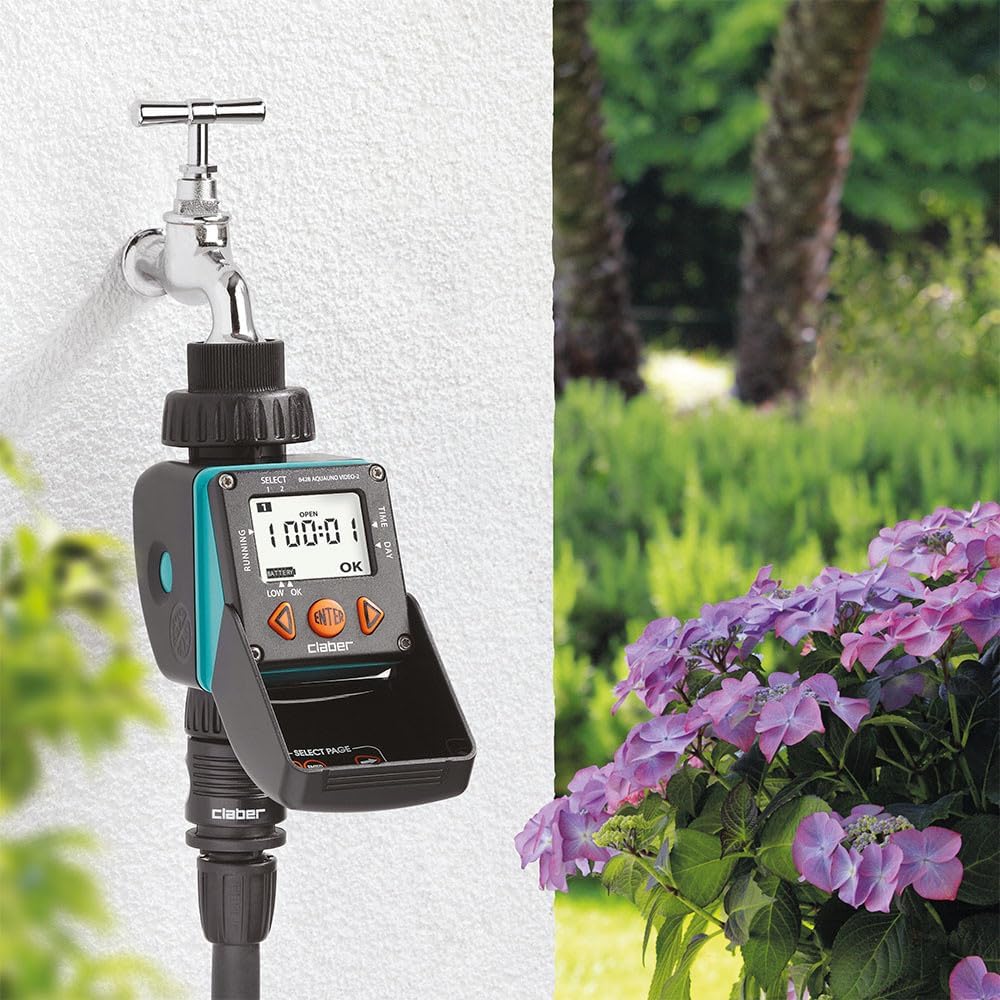
Image: The Claber Aquauno Video-2 installed on a tap in a lush garden environment, demonstrating its practical application for automated watering.
മെയിൻ്റനൻസ്
ബാറ്ററി മാറ്റിസ്ഥാപിക്കൽ
When the 'LOW OK' indicator appears on the display, it's time to replace the 9V alkaline battery. Prompt replacement ensures continuous operation and prevents loss of programming.
ഫിൽട്ടർ വൃത്തിയാക്കുന്നു
The programmer includes an internal filter to prevent debris from entering the unit. Periodically check and clean this filter to ensure optimal water flow and prevent blockages.
ശീതകാലം
Before the first frost, it is crucial to remove the programmer from the tap and store it in a dry, frost-free location. This prevents damage to the internal components caused by freezing water.

Image: A page from the multi-language instruction manual, showing diagrams for battery installation, filter cleaning, and proper winter storage of the unit.
ട്രബിൾഷൂട്ടിംഗ്
- ജലപ്രവാഹമില്ല: Check if the tap is fully open. Ensure the internal filter is clean and not blocked. Verify that the working pressure is within the specified range (0.5 - 10 bar).
- ഡിസ്പ്ലേ പ്രവർത്തിക്കുന്നില്ല: Check the 9V battery. Replace it if the 'LOW OK' indicator is on or if the display is blank.
- Incorrect watering times: Re-check your programmed settings for start times, durations, and selected watering days. Ensure the current time and day are set correctly on the unit.
- Unit not responding: Try removing and re-inserting the battery to reset the unit. If issues persist, consult the full manual or contact customer support.
സ്പെസിഫിക്കേഷനുകൾ
| ഫീച്ചർ | സ്പെസിഫിക്കേഷൻ |
|---|---|
| മോഡൽ നമ്പർ | 8428 |
| ഇനത്തിൻ്റെ ഭാരം | 13 ഔൺസ് (368 ഗ്രാം) |
| ഉൽപ്പന്ന അളവുകൾ | 2.68"L x 4.41"W x 6.3"H |
| മെറ്റീരിയൽ | പ്ലാസ്റ്റിക് |
| ഡിസ്പ്ലേ തരം | എൽസിഡി |
| പ്രവർത്തന താപനില | 15 Degrees Celsius (approx. 59°F) |
| വാല്യംtage | 9 Volts (requires 9V alkaline battery) |
| പ്രവർത്തന സമ്മർദ്ദം | 0.5 - 10 ബാർ |
| യു.പി.സി | 798256204715 |
| നിർമ്മാതാവ് | Claber |
വാറൻ്റിയും പിന്തുണയും
For detailed warranty information and customer support, please refer to the official Claber website or the documentation included with your product. You can also find additional resources and tutorials online.
For further assistance, visit the official Claber webസൈറ്റ്: Claber Support


