1. ആമുഖം
This manual provides comprehensive instructions for the safe and efficient operation, setup, and maintenance of your HSM Classic 90.2 Cross Cut Paper Shredder. Please read this manual thoroughly before using the device and retain it for future reference.
2. പ്രധാന സുരക്ഷാ നിർദ്ദേശങ്ങൾ
To reduce the risk of injury or damage, always follow basic safety precautions when using this product.
- പേപ്പർ എൻട്രി സ്ലോട്ടിൽ നിന്ന് കൈകൾ, മുടി, അയഞ്ഞ വസ്ത്രങ്ങൾ, ടൈകൾ, ആഭരണങ്ങൾ എന്നിവ അകറ്റി നിർത്തുക.
- ഷ്രെഡറിന് സമീപം കുട്ടികളെയോ വളർത്തുമൃഗങ്ങളെയോ അനുവദിക്കരുത്.
- ഉപയോഗത്തിലില്ലാത്തപ്പോഴോ മാലിന്യ ബിൻ വൃത്തിയാക്കുന്നതിനോ, നീക്കുന്നതിനോ, കാലിയാക്കുന്നതിനോ മുമ്പോ ഷ്രെഡർ അൺപ്ലഗ് ചെയ്യുക.
- Do not shred metal objects, large paper clips, or adhesive labels. Small staples and paper clips may be shredded, but it is recommended to remove them to prolong blade life.
- ഷ്രെഡറിലേക്ക് എയറോസോളുകളോ ലൂബ്രിക്കന്റുകളോ തളിക്കരുത്.
- പരന്നതും സ്ഥിരതയുള്ളതുമായ ഒരു പ്രതലത്തിൽ ഷ്രെഡർ പ്രവർത്തിപ്പിക്കുക.
- പവർ കോർഡ് കേടായെങ്കിൽ പ്രവർത്തിപ്പിക്കരുത്.
3. പാക്കേജ് ഉള്ളടക്കം
പാക്കേജിൽ എല്ലാ ഇനങ്ങളും ഉണ്ടെന്ന് ഉറപ്പാക്കുക:
- HSM Classic 90.2 Shredder Unit
- വേസ്റ്റ് ബിൻ
- പവർ കോർഡ്
- ഉപയോക്തൃ മാനുവൽ (ഈ പ്രമാണം)
4. സജ്ജീകരണം
- ഷ്രെഡർ അൺപാക്ക് ചെയ്യുക: പാക്കേജിംഗിൽ നിന്ന് എല്ലാ ഘടകങ്ങളും ശ്രദ്ധാപൂർവ്വം നീക്കം ചെയ്യുക. ഭാവിയിലെ ഗതാഗതത്തിനോ സംഭരണത്തിനോ വേണ്ടി പാക്കേജിംഗ് സൂക്ഷിക്കുക.
- Position the Waste Bin: Place the shredder head securely onto the provided waste bin. Ensure it is seated correctly to activate the safety switch (if applicable).
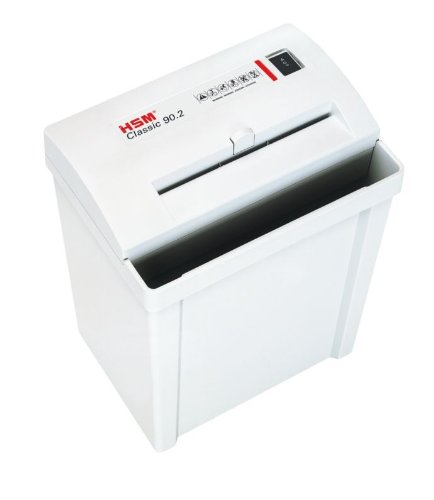
Image 1: HSM Classic 90.2 shredder with head properly seated on the waste bin. This shows the complete unit ready for operation.
- പവർ ബന്ധിപ്പിക്കുക: Plug the power cord into the shredder's power inlet, then into a standard electrical outlet.
5. പ്രവർത്തന നിർദ്ദേശങ്ങൾ
- പവർ ഓൺ: Locate the power switch on the shredder head. Set it to the "ON" or "AUTO" position. The shredder is now ready for use.
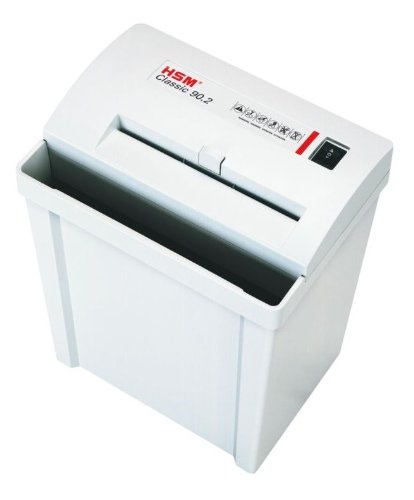
ചിത്രം 2: മുകളിൽ view of the shredder, highlighting the paper entry and control switch. The switch is typically located near the paper entry.
- കീറിമുറിക്കൽ രേഖകൾ: Insert paper into the paper entry slot. The shredder will automatically start when paper is detected and stop once shredding is complete. Do not exceed the maximum sheet capacity (refer to specifications).
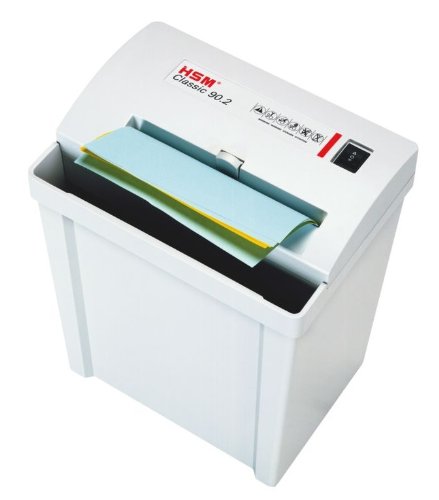
Image 3: Paper being fed into the shredder. This illustrates the correct method for inserting documents for shredding.
- വേസ്റ്റ് ബിൻ ശൂന്യമാക്കൽ: When the waste bin is full, the shredder may stop operating. Unplug the shredder, carefully lift the shredder head off the bin, empty the shredded material, and then replace the head securely.
- പവർ ഓഫ്: When finished shredding, set the power switch to the "OFF" position and unplug the unit from the power outlet.
6. പരിപാലനം
- Shredder Oiling: For optimal performance and longevity of cross-cut shredders, regular oiling is recommended. Apply shredder oil (specifically designed for paper shredders) across the paper entry slot. Run a few sheets of paper through the shredder immediately after oiling to distribute the lubricant. Refer to the shredder oil product instructions for frequency.
- വൃത്തിയാക്കൽ: Unplug the shredder before cleaning. Use a soft, dry cloth to wipe the exterior surfaces. Do not use abrasive cleaners or solvents.
- പേപ്പർ ജാമുകൾ മായ്ക്കൽ: If a paper jam occurs, switch the shredder to the "REV" (reverse) position to attempt to clear the paper. If unsuccessful, unplug the shredder and carefully remove the jammed paper manually. Exercise extreme caution to avoid injury.
7. പ്രശ്നപരിഹാരം
| പ്രശ്നം | സാധ്യമായ കാരണം | പരിഹാരം |
|---|---|---|
| ഷ്രെഡർ ഓണാകുന്നില്ല. |
|
|
| പേപ്പർ ജാം. |
|
|
| ഷ്രെഡർ തുടർച്ചയായി പ്രവർത്തിക്കുന്നു. |
|
|
8 സ്പെസിഫിക്കേഷനുകൾ
- ബ്രാൻഡ്: എച്ച്.എസ്.എം
- മോഡൽ: ക്ലാസിക് 90.2
- മോഡൽ നമ്പർ: SHDESM90CC
- കട്ട് തരം: ക്രോസ് കട്ട്
- സുരക്ഷാ നില: P-4 & F-1 (according to DIN 66399)
- പ്രവർത്തന രീതി: ഓട്ടോമാറ്റിക്
- ഉൽപ്പന്ന അളവുകൾ (LxWxH): 30.5 x 23.5 x 41.9 സെ.മീ (ഏകദേശം 12 x 9.25 x 16.5 ഇഞ്ച്)
- UPC: 633726615823
9. വാറൻ്റിയും പിന്തുണയും
For warranty information, technical support, or service inquiries, please refer to the official HSM webനിങ്ങളുടെ സൈറ്റിൽ രജിസ്റ്റർ ചെയ്യുക അല്ലെങ്കിൽ നിങ്ങളുടെ പ്രാദേശിക അംഗീകൃത ഡീലറെ ബന്ധപ്പെടുക. വാങ്ങിയതിന്റെ തെളിവായി നിങ്ങളുടെ വാങ്ങൽ രസീത് സൂക്ഷിക്കുക.