ആമുഖം
This manual provides essential instructions for the setup, operation, and maintenance of your Sharper Image Digital 6-Piece Electronic Drum Set, Model Sha-1955. Please read this guide thoroughly before using the product to ensure proper function and longevity.
ഉൽപ്പന്നം കഴിഞ്ഞുview
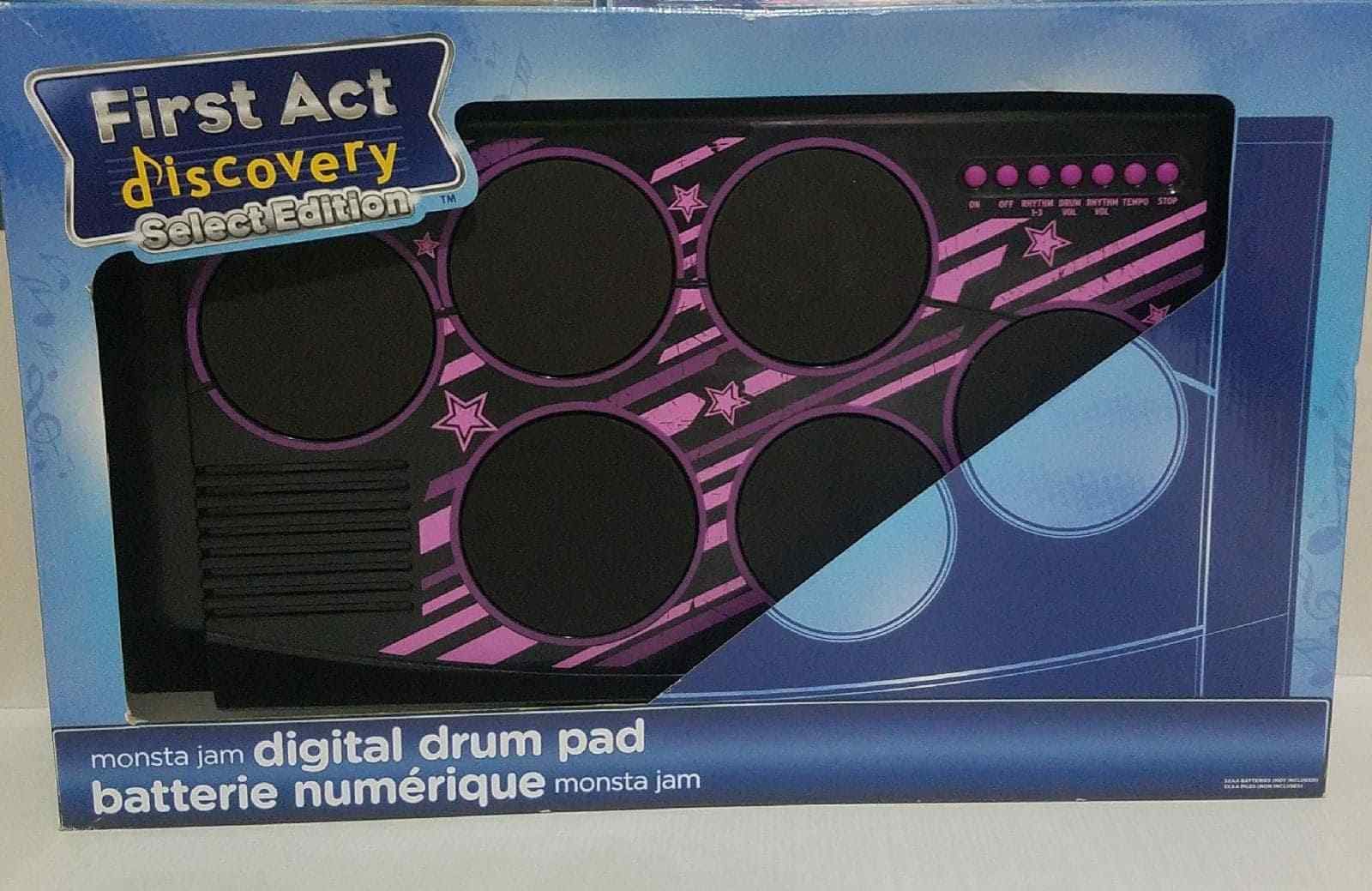
Figure 1: Sharper Image Digital 6-Piece Electronic Drum Set. This image displays the Sharper Image Digital 6-Piece Electronic Drum Set within its retail packaging. The drum set features six circular drum pads with blue accents, a control panel with buttons, and includes a pair of drumsticks. The packaging highlights features such as built-in rhythms, rhythm and volume controls, tempo control, and included drumsticks.
The Sharper Image Digital 6-Piece Electronic Drum Set is designed to provide an engaging musical experience. It includes multiple drum pads and a control panel for various functions.
ഫീച്ചറുകൾ
- Jam along to built-in rhythms.
- Rhythm and volume controls for customized sound.
- Tempo control to adjust the speed of rhythms.
- Includes a pair of drumsticks.
സജ്ജമാക്കുക
- അൺബോക്സിംഗ്: Carefully remove all components from the packaging. Ensure all parts, including the drum set and drumsticks, are present.
- ഊർജ്ജ സ്രോതസ്സ്: Insert the required batteries (not included) into the battery compartment, typically located on the underside of the unit. Ensure correct polarity. Alternatively, if an AC adapter port is present, connect a compatible adapter (sold separately) to a power outlet.
- പ്ലേസ്മെൻ്റ്: Place the drum set on a stable, flat surface.
- മുരിങ്ങ: Prepare the included drumsticks for use.
പ്രവർത്തന നിർദ്ദേശങ്ങൾ
- പവർ ഓൺ/ഓഫ്: Locate the power switch (usually labeled "ON/OFF") on the control panel and slide it to the "ON" position to power on the device. Slide to "OFF" when not in use.
- വോളിയം നിയന്ത്രണം: Use the volume control buttons or knob (labeled "VOL" or with '+' and '-' symbols) to adjust the sound output level.
- താളം തിരഞ്ഞെടുക്കൽ: Press the "RHYTHM" button to cycle through the available built-in rhythms.
- ടെമ്പോ അഡ്ജസ്റ്റ്മെന്റ്: Use the "TEMPO" control buttons or knob to increase or decrease the speed of the selected rhythm.
- Playing the Drums: Strike the drum pads with the included drumsticks to produce drum sounds. Each pad may correspond to a different drum sound (e.g., snare, bass, cymbal).
- Stop Rhythm: Press the "STOP" button to halt any playing rhythm.
മെയിൻ്റനൻസ്
- വൃത്തിയാക്കൽ: Wipe the surface of the drum set with a soft, dry cloth. Do not use abrasive cleaners or solvents.
- സംഭരണം: Store the drum set in a cool, dry place away from direct sunlight and extreme temperatures. If storing for an extended period, remove batteries to prevent leakage.
- കൈകാര്യം ചെയ്യൽ: യൂണിറ്റ് താഴെയിടുകയോ ശക്തമായ ആഘാതങ്ങൾക്ക് വിധേയമാക്കുകയോ ചെയ്യുന്നത് ഒഴിവാക്കുക.
ട്രബിൾഷൂട്ടിംഗ്
- ശബ്ദമില്ല:
- യൂണിറ്റ് ഓണാണെന്ന് ഉറപ്പാക്കുക.
- Check battery installation or AC adapter connection.
- വോളിയം ലെവൽ വർദ്ധിപ്പിക്കുക.
- Pads Unresponsive:
- യൂണിറ്റ് ഓണാണെന്ന് ഉറപ്പാക്കുക.
- Check for any debris on the drum pads.
- Rhythm Not Playing:
- Ensure a rhythm has been selected using the "RHYTHM" button.
- Check if the "STOP" button is engaged.
സ്പെസിഫിക്കേഷനുകൾ
| മോഡൽ നമ്പർ: | Sha-1955 |
| ഉൽപ്പന്ന ഭാരം: | 2.86 കിലോഗ്രാം |
| പാക്കേജ് അളവുകൾ: | 54.86 x 44.96 x 13.97 സെ.മീ |
| ശുപാർശ ചെയ്യുന്ന പ്രായം: | പ്രായം 4+ |
വാറൻ്റി വിവരങ്ങൾ
This product is covered by a manufacturer's warranty. Please refer to the warranty card included with your purchase or visit the official Sharper Image webവിശദമായ വാറന്റി നിബന്ധനകൾക്കും വ്യവസ്ഥകൾക്കും സൈറ്റ് സന്ദർശിക്കുക. വാറന്റി ക്ലെയിമുകൾക്കായി നിങ്ങളുടെ വാങ്ങലിന്റെ തെളിവ് സൂക്ഷിക്കുക.
ഉപഭോക്തൃ പിന്തുണ
For technical assistance, replacement parts, or any questions regarding your Sharper Image Digital 6-Piece Electronic Drum Set, please contact Sharper Image customer support. Refer to the product packaging or the official Sharper Image webനിലവിലെ ബന്ധപ്പെടാനുള്ള വിവരങ്ങൾക്കായി സൈറ്റ്.