1. ആമുഖം
This manual provides detailed instructions for the installation, operation, and maintenance of the Enerlites MWOS-W Motion Sensor Switch. This device integrates both Passive Infrared (PIR) and Ultrasonic sensing technologies to detect occupancy and control lighting automatically. Proper installation and configuration are essential for optimal performance.
2 സുരക്ഷാ വിവരങ്ങൾ
മുന്നറിയിപ്പ്: വൈദ്യുതാഘാത സാധ്യത. അനുചിതമായ ഇൻസ്റ്റാളേഷൻ ഗുരുതരമായ പരിക്കോ മരണമോ ഉണ്ടാക്കിയേക്കാം.
- Turn OFF power at the circuit breaker or fuse before installation.
- Installation must be performed by a qualified electrician or trained personnel.
- എല്ലാ വയറിംഗ് കണക്ഷനുകളും സുരക്ഷിതമാണെന്നും പ്രാദേശിക ഇലക്ട്രിക്കൽ കോഡുകൾ പാലിക്കുന്നുണ്ടെന്നും ഉറപ്പാക്കുക.
- This device requires a neutral wire for operation.
- Do not use with loads exceeding the specified ratings.
3. പാക്കേജ് ഉള്ളടക്കം
- Enerlites MWOS-W Motion Sensor Switch
- വയർ പരിപ്പ്
- വാൾ പ്ലേറ്റ്
- ഇൻസ്ട്രക്ഷൻ മാനുവൽ
4. ഉൽപ്പന്ന സവിശേഷതകൾ
- Dual Technology Sensing: Combines Passive Infrared (PIR) and Ultrasonic sensors for enhanced accuracy in detecting occupancy and fine motion.
- Reduced False Triggers: The dual technology minimizes instances of lights turning off while a room is still occupied.
- ഇഷ്ടാനുസൃതമാക്കാവുന്ന ക്രമീകരണങ്ങൾ: Adjustable time delay, detection range, and light level.
- ഒന്നിലധികം ഓപ്പറേറ്റിംഗ് മോഡുകൾ: Supports Occupancy (Auto ON/Auto OFF) and Vacancy (Manual ON/Auto OFF) modes.
- വാക്ക്-ത്രൂ മോഡ്: Automatically turns lights off after 3 minutes if no activity is detected after 30 seconds following an occupancy detection.
- പകൽ വിളവെടുപ്പ്: Integrated light level sensor keeps the load OFF if sufficient natural light is present.
- കവറേജ്: Up to 1200 sq. ft. for major movement (PIR) and 400 sq. ft. for minor movement (Ultrasonic).
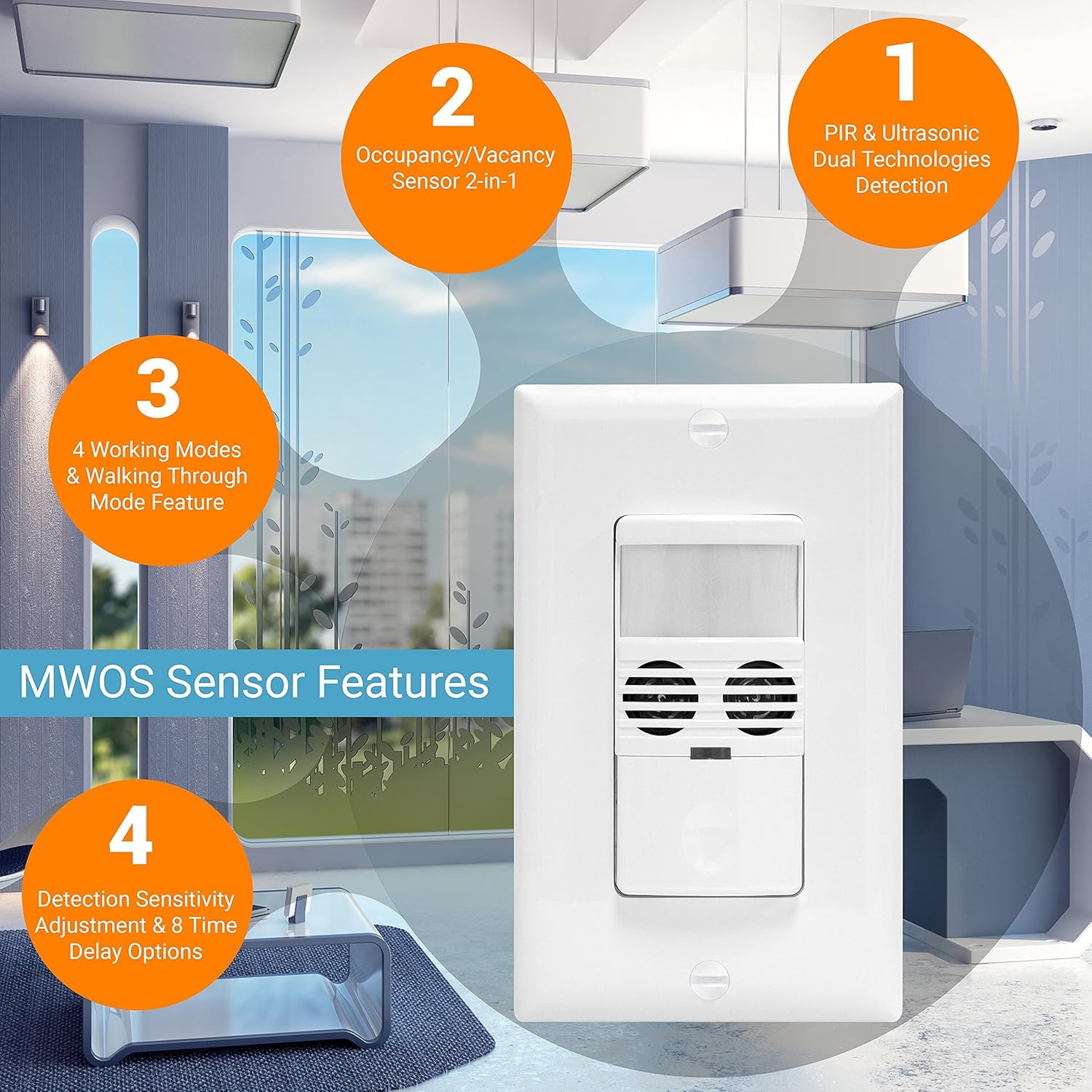
ചിത്രം: കഴിഞ്ഞുview of the MWOS-W sensor's key features, including dual technology detection, occupancy/vacancy modes, working modes, and adjustable sensitivity/time delay options.
5. ഇൻസ്റ്റലേഷൻ
5.1 വയറിംഗ് ഡയഗ്രം
The MWOS-W requires a neutral wire for proper operation. Ensure the circuit breaker is OFF before proceeding with wiring.

Image: Wiring diagram showing the required neutral wire connection (black, red, green, white wires) and an illustration of the PIR and Ultrasonic detection ranges. Installation height is recommended between 4-5 feet.
5.2 ഇൻസ്റ്റലേഷൻ ഘട്ടങ്ങൾ
- പവർ ഓഫ് ചെയ്യുക: Locate the circuit breaker controlling the switch location and turn it OFF. Verify power is off using a voltagഇ ടെസ്റ്റർ.
- നിലവിലുള്ള സ്വിച്ച് നീക്കംചെയ്യുക: നിലവിലുള്ള വാൾ പ്ലേറ്റ് ശ്രദ്ധാപൂർവ്വം നീക്കം ചെയ്ത് ഇലക്ട്രിക്കൽ ബോക്സിൽ നിന്ന് സ്വിച്ച് ചെയ്യുക.
- വയറുകൾ തിരിച്ചറിയുക: Identify the Line (hot), Load, Neutral, and Ground wires. The MWOS-W requires a neutral wire.
- വയർ കണക്ഷനുകൾ: Connect the wires from the MWOS-W to the corresponding wires in the electrical box using wire nuts:
- Black wire (MWOS-W) to Line (hot) wire.
- Red wire (MWOS-W) to Load wire.
- White wire (MWOS-W) to Neutral wire.
- Green wire (MWOS-W) to Ground wire.
- മൗണ്ട് സ്വിച്ച്: Carefully fold the wires and insert the switch into the electrical box. Secure it with the provided screws.
- വാൾ പ്ലേറ്റ് ഇൻസ്റ്റാൾ ചെയ്യുക: അലങ്കാര വാൾ പ്ലേറ്റ് ഘടിപ്പിക്കുക.
- പവർ പുന ore സ്ഥാപിക്കുക: സർക്യൂട്ട് ബ്രേക്കറിൽ വീണ്ടും പവർ ഓൺ ചെയ്യുക.
6. പ്രവർത്തനവും ക്രമീകരണങ്ങളും
The MWOS-W features adjustable settings to customize its performance. These settings are accessed by removing the movable face cover on the front of the switch.

ചിത്രം: ക്ലോസ്-അപ്പ് view of the MWOS-W sensor switch with its movable face cover removed, revealing the Fresnel lens, indicator lights, mode selection/time delay DIP switches, ultrasonic setting, light setting, and Off/Occupancy/Vacancy mode switch.
6.1 Mode Selection / Time Delay (DIP Switches)
The DIP switches allow configuration of the time delay and trigger modes. Refer to the diagram on the device for specific switch positions and their corresponding settings.
- സമയ കാലതാമസം: Options include 5-second test, 30 seconds, 5, 10, 15, 20, 25, and 30 minutes.
- ട്രിഗർ മോഡുകൾ: Set the triggering condition among:
- Either PIR or Ultrasonic sensor detects motion.
- Only PIR sensor detects motion.
- Only Ultrasonic sensor detects motion.
- Both PIR and Ultrasonic sensors detect motion.
6.2 Occupancy/Vacancy Mode Switch
This switch determines how the light turns ON:
- OCC (Occupancy): Lights turn ON automatically when motion is detected and turn OFF automatically after the set time delay when no motion is detected.
- VAC (Vacancy): Lights must be turned ON manually (by pressing the button) but will turn OFF automatically after the set time delay when no motion is detected.
- ഓഫാണ്: Keeps the load off regardless of motion.
6.3 Ultrasonic Setting
Adjusts the sensitivity of the ultrasonic sensor. Higher sensitivity detects finer movements but may also increase false triggers in certain environments.
6.4 Light Setting (Daylight Harvesting)
This setting determines the ambient light level at which the sensor will keep the lights OFF, even if motion is detected. This feature saves energy by preventing lights from turning on when natural light is sufficient. There are 4 adjustable daylight saving levels.
6.5 Walk-Through Mode
This mode can be enabled or disabled via DIP switch settings. When enabled, if no activity is detected after 30 seconds following an initial occupancy detection, the lights will automatically turn off after only 3 minutes, overriding the main time delay setting.
7. Detection Coverage
The MWOS-W provides comprehensive coverage due to its dual technology:
- PIR (Passive Infrared): Detects major movements up to 40 feet in front and 20 feet on the sides, covering approximately 1200 sq. ft.
- അൾട്രാസോണിക്: Detects minor movements up to 40 feet in front and 20 feet on the sides, covering approximately 400 sq. ft. This is particularly useful for detecting subtle motions like typing or reading.
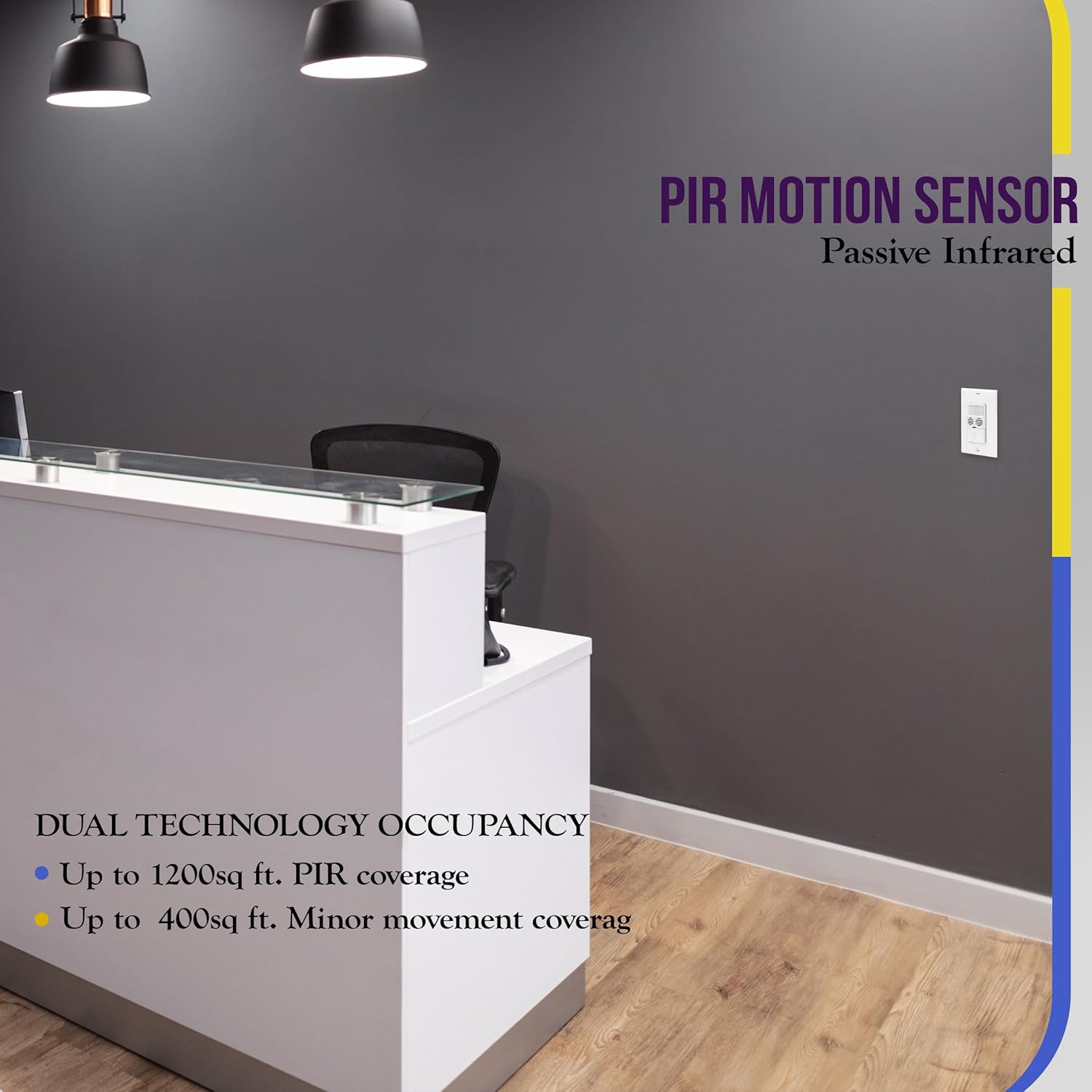
Image: Illustration of PIR motion sensor coverage, indicating its effectiveness for detecting movement in larger areas like an office reception desk.
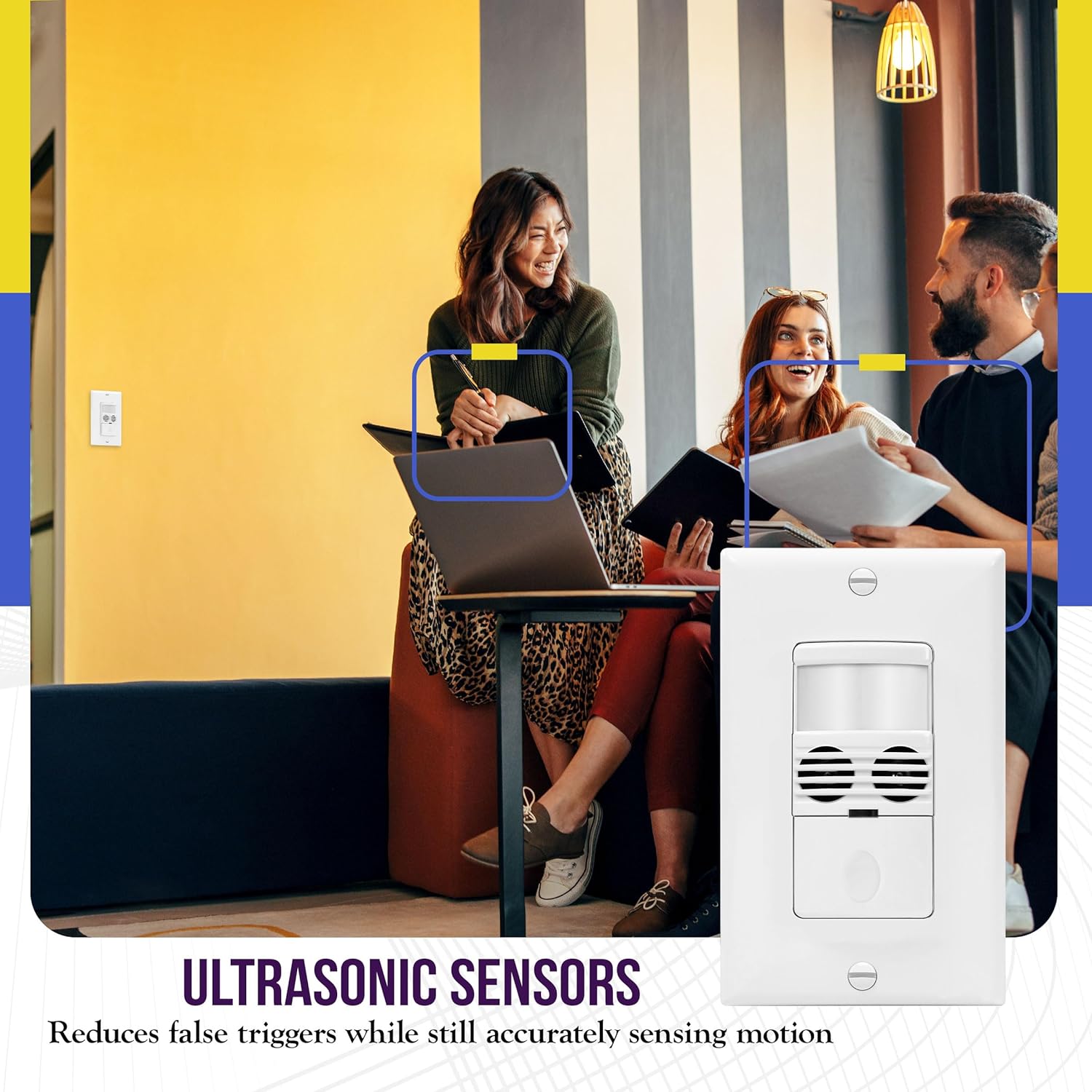
Image: Depiction of ultrasonic sensors at work, showing how they reduce false triggers while accurately sensing motion, even subtle movements in an office setting.
8. പരിപാലനം
The Enerlites MWOS-W Motion Sensor Switch requires minimal maintenance.
- വൃത്തിയാക്കൽ: To clean the surface of the switch, use a soft, damp തുണി. അബ്രാസീവ് ക്ലീനറുകളോ ലായകങ്ങളോ ഉപയോഗിക്കരുത്, കാരണം ഇവ ഫിനിഷിനോ ആന്തരിക ഘടകങ്ങൾക്കോ കേടുവരുത്തും.
- സെൻസർ തടസ്സം: Ensure the sensor lens is not obstructed by furniture, decorations, or dust, as this can impair detection performance.
9. പ്രശ്നപരിഹാരം
If the sensor switch is not functioning as expected, refer to the following common issues and solutions:
| പ്രശ്നം | സാധ്യമായ കാരണം | പരിഹാരം |
|---|---|---|
| Lights do not turn ON automatically. |
|
|
| Lights turn OFF while room is occupied. |
|
|
| Lights turn ON unexpectedly. |
|
|
| സ്വിച്ചിലേക്ക് വൈദ്യുതിയില്ല. |
|
|
10 സ്പെസിഫിക്കേഷനുകൾ
- മോഡൽ നമ്പർ: MWOS-W
- വാല്യംtage: 120/277VAC
- ഇൻകാൻഡസെന്റ് ലോഡ്: 800W
- സാങ്കേതികവിദ്യ: Passive Infrared (PIR) and Ultrasonic
- മൗണ്ടിംഗ് തരം: Embedded (Wall)
- നിറം: വെള്ള
- ന്യൂട്രൽ വയർ: ആവശ്യമാണ്
- കവറേജ്: Major movement up to 1200 sq. ft., Minor movement up to 400 sq. ft.
- Time Delay Settings: 5-sec test, 30 seconds, 5, 10, 15, 20, 25, 30 minutes
- പ്രവർത്തന രീതികൾ: Occupancy (Auto ON/Auto OFF), Vacancy (Manual ON/Auto OFF)
- സർട്ടിഫിക്കേഷനുകൾ: UL ലിസ്റ്റുചെയ്തു
- പാക്കേജ് അളവുകൾ: 5 x 2 x 2 ഇഞ്ച്
- ഇനത്തിൻ്റെ ഭാരം: 0.81 ഔൺസ്
11. വാറൻ്റിയും പിന്തുണയും
ENERLITES products are designed for quality and reliability. For warranty information or technical support, please refer to the contact details provided with your purchase or visit the official ENERLITES webസൈറ്റ്. വാറൻ്റി ക്ലെയിമുകൾക്കായി നിങ്ങളുടെ വാങ്ങൽ രസീത് സൂക്ഷിക്കുക.


