1. ആമുഖം
This manual provides essential information for the proper installation, operation, and maintenance of your Lenovo ThinkPad 2.5-inch Solid State Drive (SSD), model 4XB0F86403. This internal storage device is designed to enhance the performance and storage capacity of compatible systems. Please read this manual thoroughly before proceeding with installation or use.
2 സുരക്ഷാ വിവരങ്ങൾ
SSD-ക്കോ നിങ്ങളുടെ സിസ്റ്റത്തിനോ കേടുപാടുകൾ സംഭവിക്കാതിരിക്കാനും വ്യക്തിഗത സുരക്ഷ ഉറപ്പാക്കാനും ഇനിപ്പറയുന്ന സുരക്ഷാ മുൻകരുതലുകൾ പാലിക്കുക:
- ഇലക്ട്രോസ്റ്റാറ്റിക് ഡിസ്ചാർജ് (ESD) മുൻകരുതലുകൾ: Always wear an anti-static wrist strap or frequently touch a grounded metal object before handling the SSD to prevent ESD damage.
- വൈദ്യുതി വിച്ഛേദിക്കൽ: Ensure your computer system is completely powered off and unplugged from the electrical outlet before installing or removing the SSD.
- ശ്രദ്ധയോടെ കൈകാര്യം ചെയ്യുക: എസ്എസ്ഡി താഴെയിടുകയോ ശാരീരിക ആഘാതത്തിന് വിധേയമാക്കുകയോ ചെയ്യുന്നത് ഒഴിവാക്കുക.
- പരിസ്ഥിതി വ്യവസ്ഥകൾ: Do not expose the SSD to extreme temperatures, humidity, or direct sunlight.
- യോഗ്യതയുള്ള ഉദ്യോഗസ്ഥർ: If you are unsure about any installation steps, consult a qualified technician or refer to your system's service manual.
3. പാക്കേജ് ഉള്ളടക്കം
നിങ്ങളുടെ പാക്കേജിൽ ഇനിപ്പറയുന്ന ഇനങ്ങൾ അടങ്ങിയിട്ടുണ്ടെന്ന് പരിശോധിക്കുക:
- Lenovo ThinkPad 2.5-inch Solid State Drive (Model: 4XB0F86403)
- മൌണ്ടിംഗ് ബ്രാക്കറ്റ്
- ഡോക്യുമെന്റേഷൻ (ഈ ഉപയോക്തൃ മാനുവൽ)
4. സജ്ജീകരണവും ഇൻസ്റ്റാളേഷനും
This section outlines the general steps for installing the Lenovo ThinkPad SSD. Specific steps may vary depending on your computer model. Always refer to your system's service manual for detailed instructions on accessing internal components.
4.1 നിങ്ങൾ ആരംഭിക്കുന്നതിന് മുമ്പ്
- Back up all important data from your existing storage drive.
- Gather necessary tools (e.g., screwdriver, anti-static wrist strap).
- Ensure your system is powered off and disconnected from all power sources.
4.2 ഇൻസ്റ്റലേഷൻ ഘട്ടങ്ങൾ
- കമ്പ്യൂട്ടർ കേസ് തുറക്കുക: Carefully open your computer's case or access panel to expose the internal drive bays. Refer to your system's manual for specific instructions.
- ഒരു ഡ്രൈവ് ബേ കണ്ടെത്തുക: Identify an available 2.5-inch drive bay. If replacing an existing drive, carefully remove the old drive.
- മൗണ്ടിംഗ് ബ്രാക്കറ്റ് ഘടിപ്പിക്കുക: Secure the provided mounting bracket to the Lenovo SSD, if necessary, to fit it into a larger 3.5-inch bay or for specific system mounting.
- SSD ഇൻസ്റ്റാൾ ചെയ്യുക: Slide the SSD into the drive bay and secure it with screws or the system's tool-less retention mechanism.
- കേബിളുകൾ ബന്ധിപ്പിക്കുക: Connect a SATA data cable from the SSD to an available SATA port on your motherboard. Connect a SATA power cable from your power supply unit to the SSD.
- കമ്പ്യൂട്ടർ കേസ് അടയ്ക്കുക: Once the SSD is securely installed and connected, close the computer case or access panel.
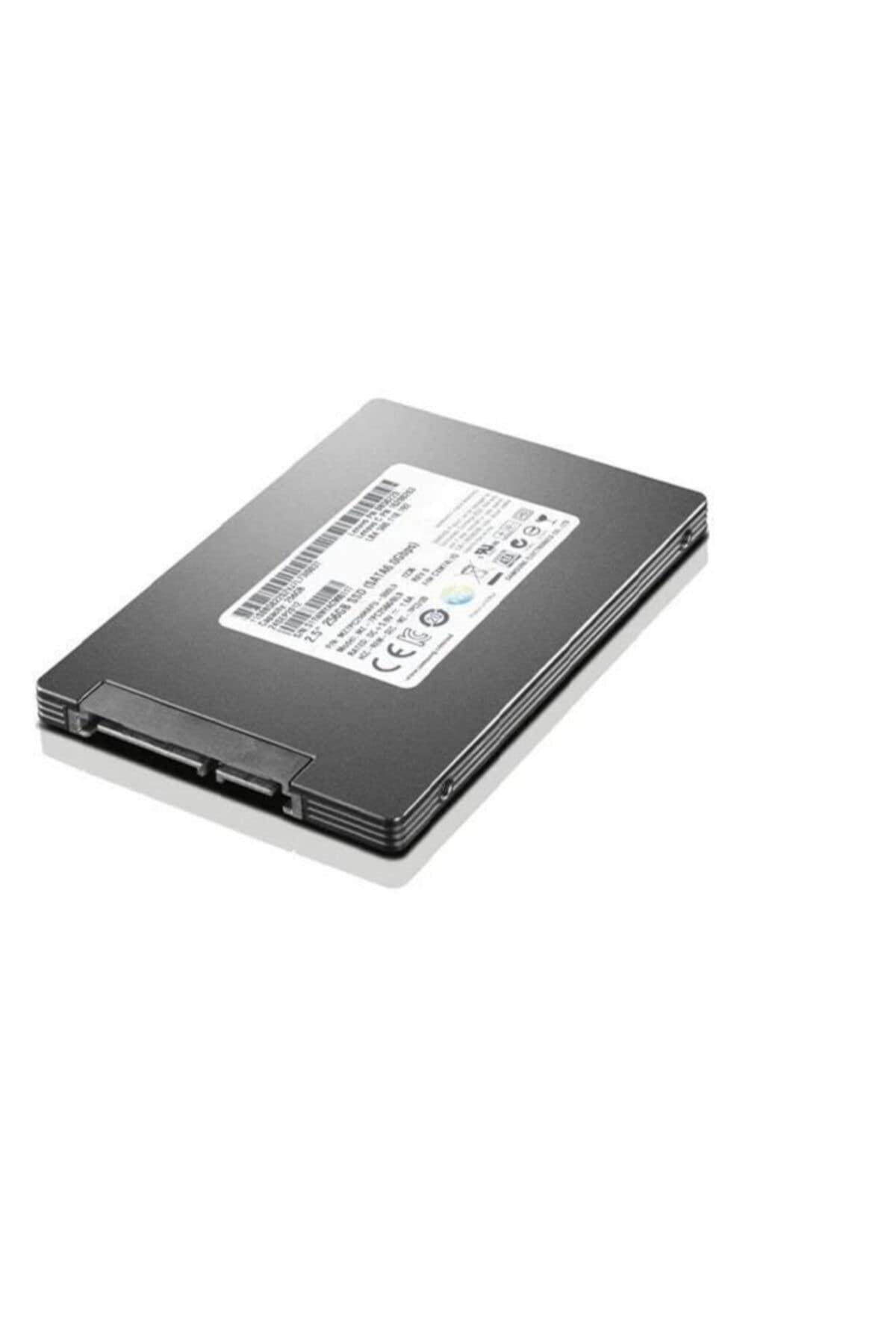
Image 1: Lenovo ThinkPad 2.5-inch Solid State Drive. This image shows the top view of the solid state drive, highlighting its compact 2.5-inch form factor and the label with product information.
4.3 SSD ആരംഭിക്കലും ഫോർമാറ്റിംഗും
After physical installation, you may need to initialize and format the SSD before it can be used by your operating system. This process typically involves:
- Booting your computer and accessing Disk Management (Windows) or Disk Utility (macOS).
- Initializing the new drive (e.g., MBR or GPT partition style).
- Creating a new volume and formatting it with a suitable file സിസ്റ്റം (ഉദാ. വിൻഡോസിനുള്ള NTFS, macOS-നുള്ള APFS).
- Installing your operating system or migrating data to the new SSD.
5. SSD പ്രവർത്തിപ്പിക്കൽ
Once installed, initialized, and formatted, your Lenovo ThinkPad SSD operates like any other internal storage device. It will be recognized by your operating system and applications for storing and retrieving data. SSDs offer faster boot times, quicker application loading, and improved overall system responsiveness compared to traditional hard disk drives.
- ഡാറ്റ സംഭരണം: Use the SSD for storing your operating system, applications, and frequently accessed fileഒപ്റ്റിമൽ പ്രകടനത്തിന് എസ്.
- File മാനേജ്മെൻ്റ്: കൈകാര്യം ചെയ്യുക files and folders as you would with any other drive through your operating system's file പര്യവേക്ഷകൻ.
- TRIM പിന്തുണ: Ensure your operating system has TRIM enabled (usually by default) to maintain the SSD's performance over time.
6. പരിപാലനം
Solid State Drives generally require less maintenance than traditional hard drives. However, following these practices can help ensure optimal performance and longevity:
- ഓപ്പറേറ്റിംഗ് സിസ്റ്റം അപ്ഡേറ്റുകൾ: Keep your operating system updated to ensure the latest drivers and SSD optimizations are applied.
- ഫേംവെയർ അപ്ഡേറ്റുകൾ: Periodically check the Lenovo support webനിങ്ങളുടെ SSD മോഡലിന് ലഭ്യമായ ഏതെങ്കിലും ഫേംവെയർ അപ്ഡേറ്റുകൾക്കായി സൈറ്റ്. ഫേംവെയർ അപ്ഡേറ്റുകൾക്ക് പ്രകടനം, സ്ഥിരത, അനുയോജ്യത എന്നിവ മെച്ചപ്പെടുത്താൻ കഴിയും.
- പൂർണ്ണ ശേഷി ഒഴിവാക്കുക: While SSDs perform well even when nearly full, leaving some free space (e.g., 10-15%) can help maintain performance and extend lifespan.
- ശരിയായ ഷട്ട്ഡൗൺ: Always shut down your computer properly to prevent data corruption.
- ഡീഫ്രാഗ്മെന്റേഷൻ ഇല്ല: ഒരു SSD ഡീഫ്രാഗ്മെന്റ് ചെയ്യരുത്. SSD-കൾക്ക് ഡീഫ്രാഗ്മെന്റേഷൻ ആവശ്യമില്ല, മാത്രമല്ല അവയുടെ ആയുസ്സ് കുറയ്ക്കുകയും ചെയ്യും.
7. പ്രശ്നപരിഹാരം
If you encounter issues with your Lenovo ThinkPad SSD, consider the following troubleshooting steps:
- SSD കണ്ടെത്തിയില്ല:
- എല്ലാ SATA ഡാറ്റയും പവർ കേബിൾ കണക്ഷനുകളും സുരക്ഷിതമാണെന്ന് ഉറപ്പാക്കാൻ പരിശോധിക്കുക.
- Verify that the SATA port on the motherboard is enabled in the system's BIOS/UEFI settings.
- മറ്റൊരു SATA പോർട്ടിലേക്കോ വ്യത്യസ്ത കേബിളുകളിലേക്കോ SSD ബന്ധിപ്പിക്കാൻ ശ്രമിക്കുക.
- Ensure the SSD is properly initialized and formatted in Disk Management (Windows) or Disk Utility (macOS).
- മന്ദഗതിയിലുള്ള പ്രകടനം:
- Ensure your operating system is configured to use AHCI mode for SATA controllers in BIOS/UEFI.
- Verify that TRIM is enabled for your SSD.
- Check for available SSD firmware updates from Lenovo.
- SSD അമിതമായി നിറഞ്ഞിട്ടില്ലെന്ന് ഉറപ്പാക്കുക.
- Operating System Fails to Boot:
- Confirm that the SSD is set as the primary boot device in your system's BIOS/UEFI settings.
- If you migrated your OS, ensure the migration process was completed successfully.
If these steps do not resolve the issue, please contact Lenovo support for further assistance.
8 സ്പെസിഫിക്കേഷനുകൾ
| മോഡൽ നമ്പർ | 4XB0F86403 |
| ബ്രാൻഡ് | ലെനോവോ |
| പരമ്പര | HDD_BO TP 2.5 512G SSD |
| ഡിജിറ്റൽ സ്റ്റോറേജ് കപ്പാസിറ്റി | 512 ജിബി |
| ഹാർഡ് ഡിസ്ക് ഇന്റർഫേസ് | സീരിയൽ ATA-600 (SATA III) |
| കണക്റ്റിവിറ്റി ടെക്നോളജി | SATA |
| ഹാർഡ് ഡിസ്ക് ഫോം ഫാക്ടർ | 2.5 ഇഞ്ച് |
| ഇൻസ്റ്റലേഷൻ തരം | ആന്തരിക ഹാർഡ് ഡ്രൈവ് |
| അനുയോജ്യമായ ഉപകരണങ്ങൾ | PC (Desktop, ThinkPad systems) |
| ഇനത്തിൻ്റെ ഭാരം | 6.1 ഔൺസ് |
| ഉൽപ്പന്ന അളവുകൾ (LxWxH) | 6.25 x 0.75 x 4.5 ഇഞ്ച് |
| വാല്യംtage | 240 വോൾട്ട് (Note: This specification may refer to system power requirements, not direct SSD voltage. SSDs typically use 5V.) |
| നിർമ്മാതാവ് | ലെനോവോ (യുണൈറ്റഡ് സ്റ്റേറ്റ്സ്), Inc. |
9. വാറൻ്റി വിവരങ്ങൾ
This Lenovo ThinkPad Solid State Drive is covered by Lenovo's standard limited warranty. The specific terms and duration of the warranty may vary by region and purchase date. Please retain your proof of purchase for warranty claims.
For detailed warranty information, including coverage, limitations, and the process for making a claim, please visit the official Lenovo support website or refer to the warranty documentation included with your original system or purchase.
10. പിന്തുണ
For technical assistance, driver downloads, firmware updates, or additional product information, please visit the official Lenovo Support webസൈറ്റ്:
ലെനോവോ പിന്തുണ Webസൈറ്റ്: support.lenovo.com
When contacting support, please have your product model number (4XB0F86403) and serial number readily available.