1. ആമുഖം
This manual provides essential information for the proper setup, operation, and maintenance of your D-Link 2K Pan & Tilt Wi-Fi Camera (DCS-6501LH). Please read these instructions carefully to ensure optimal performance and safety.
പ്രധാന സവിശേഷതകൾ:
- Crisp 2K Resolution: 2K 1296p for sharp, detailed video.
- Pan & Tilt Coverage: 360-ഡിഗ്രി view റിമോട്ട് കൺട്രോൾ ഉപയോഗിച്ച്.
- ശക്തമായ രാത്രി കാഴ്ച: IR night vision up to 8 meters (26 feet).
- Auto Motion Tracking: കണ്ടെത്തിയ ചലനത്തെ യാന്ത്രികമായി പിന്തുടരുന്നു.
- Sound & Motion Detection: Receive alerts for detected activity.
- ടു-വേ ഓഡിയോ: ആശയവിനിമയത്തിനായി ബിൽറ്റ്-ഇൻ മൈക്രോഫോണും സ്പീക്കറും.
- Cloud & Local Recording: Supports cloud storage and local microSD card recording.
- സ്മാർട്ട് ഹോം ഇൻ്റഗ്രേഷൻ: Google Assistant, Amazon Alexa എന്നിവയുമായി പൊരുത്തപ്പെടുന്നു.
- Enhanced Wi-Fi Security: Supports WPA3 encryption.
പാക്കേജ് ഉള്ളടക്കം:
- D-Link 2K Pan & Tilt Wi-Fi Camera (DCS-6501LH)
- പവർ അഡാപ്റ്റർ
- ദ്രുത ഇൻസ്റ്റലേഷൻ ഗൈഡ്

ചിത്രം 1.1: മുൻഭാഗം view of the D-Link 2K Pan & Tilt Wi-Fi Camera (DCS-6501LH).
2. സജ്ജീകരണം
Follow these steps to set up your D-Link DCS-6501LH camera.
2.1 അപ്ലിക്കേഷൻ ഇൻസ്റ്റാളേഷൻ
- സൗജന്യമായി ഡൗൺലോഡ് ചെയ്യുക mydlink app from the App Store (for iOS devices) or Google Play (for Android devices).
- നിങ്ങളുടെ സ്മാർട്ട്ഫോണിലോ ടാബ്ലെറ്റിലോ ആപ്പ് ഇൻസ്റ്റാൾ ചെയ്യുക.
- Launch the mydlink app and follow the on-screen instructions to create an account or log in.
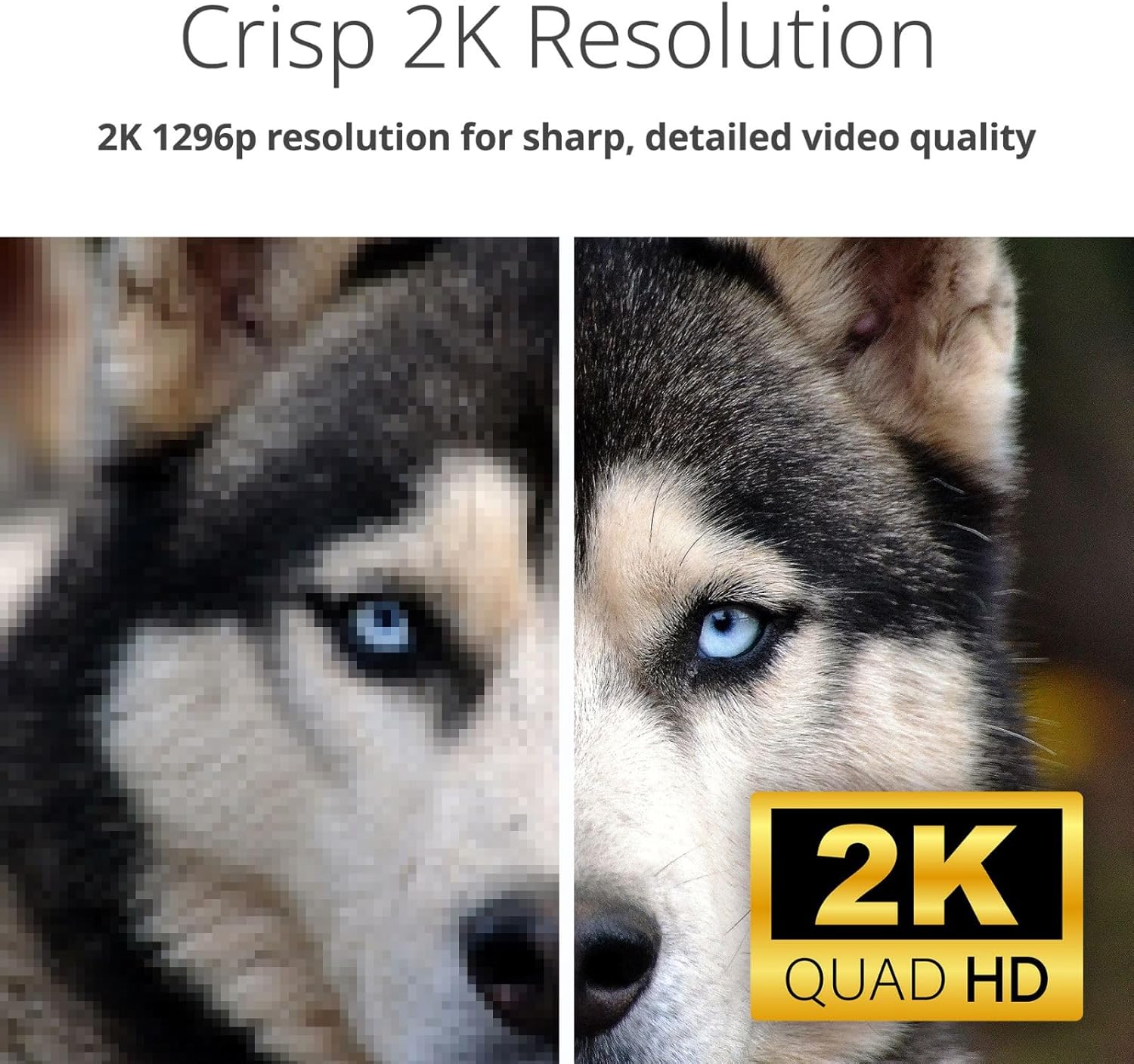
Image 2.1: Screenshot of the mydlink app interface on a smartphone, showing camera listings and app store download options.
2.2 പവർ ഓണും പ്രാരംഭ കണക്ഷനും
- Connect the provided power adapter to the camera's power port (located at the back/bottom of the camera).
- Plug the power adapter into a wall outlet. The camera's LED indicator will light up.
- Within the mydlink app, tap the '+' icon to add a new device and follow the guided setup process to connect your camera to your home Wi-Fi network.

ചിത്രം 2.2: പിൻഭാഗം view of the D-Link camera, highlighting the power port and speaker grille.
2.3 ക്യാമറ മൗണ്ടിംഗ്
The DCS-6501LH camera is designed for indoor use and can be placed on a flat surface or mounted on a wall.
- ടാബ്ലെറ്റ് പ്ലേസ്മെൻ്റ്: ക്യാമറ ഒരു സ്ഥിരതയുള്ളതും പരന്നതുമായ പ്രതലത്തിൽ വ്യക്തമായ ഒരു സ്ഥലത്ത് സ്ഥാപിക്കുക. view നിങ്ങൾ നിരീക്ഷിക്കാൻ ആഗ്രഹിക്കുന്ന പ്രദേശത്തിന്റെ.
- വാൾ മൗണ്ട്: Use the included mounting kit (if applicable) to securely attach the camera to a wall. Ensure the camera is positioned at an optimal height and angle for desired coverage.

Image 2.3: The D-Link camera discreetly placed on a shelf, demonstrating typical indoor placement.
3. ക്യാമറ പ്രവർത്തിപ്പിക്കുക
Understand the various functions and features of your DCS-6501LH camera.
3.1 പാൻ & ടിൽറ്റ് പ്രവർത്തനം
The camera offers a 360-degree panoramic view. Use the mydlink app to remotely control the camera's pan (horizontal) and tilt (vertical) movements. Tap on a specific area in the panorama view to quickly move the camera to that spot.

Image 3.1: Visual representation of the camera's pan and tilt capabilities, showing multiple camera angles.
3.2 2K Video Resolution
The camera records and streams video in 2K 1296p resolution, providing clear and detailed images for enhanced monitoring.
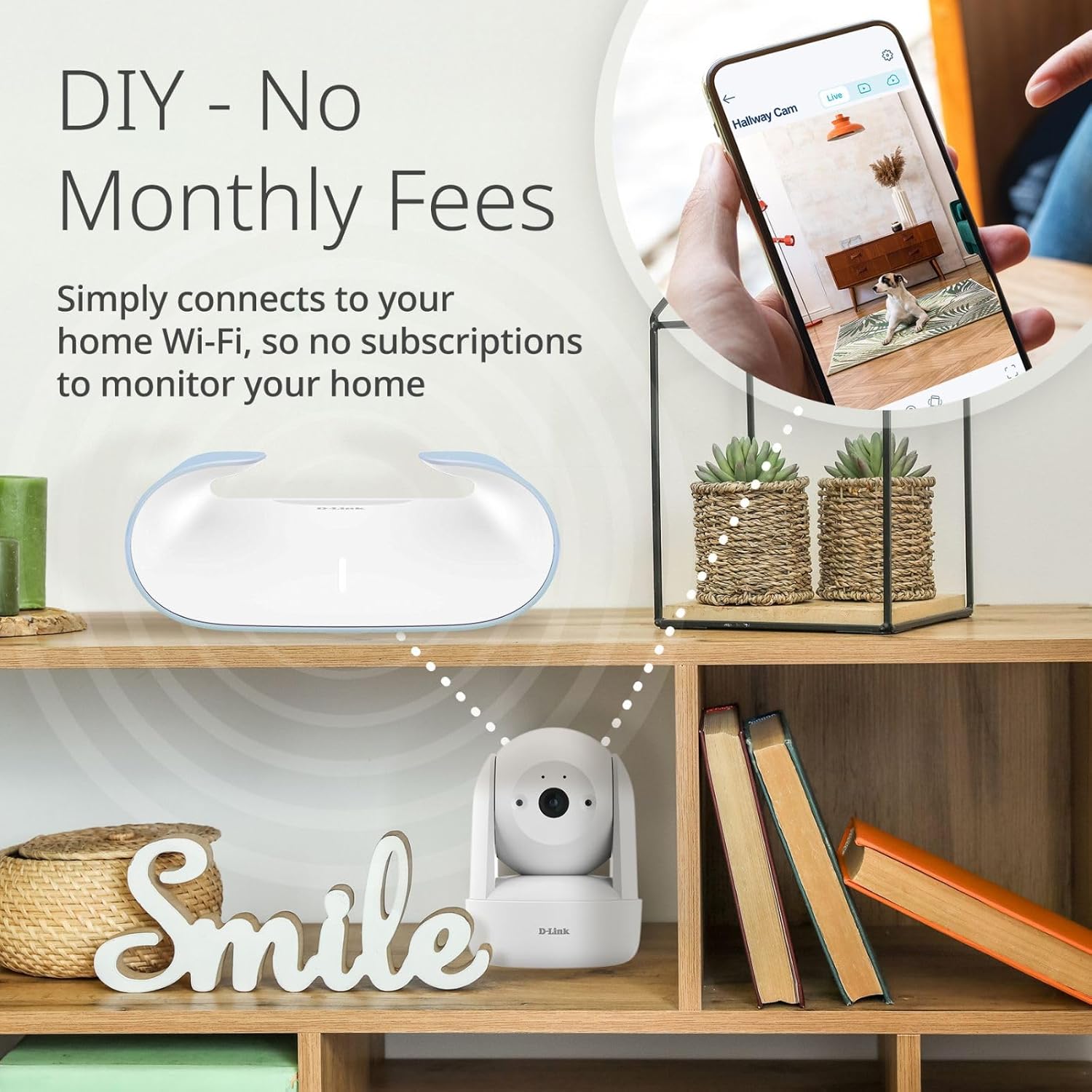
Image 3.2: A side-by-side comparison demonstrating the superior clarity of 2K resolution compared to a lower resolution image.
3.3 നൈറ്റ് വിഷൻ
Equipped with infrared (IR) LEDs, the camera provides clear night vision up to 8 meters (26 feet), allowing you to monitor your space even in complete darkness.

Image 3.3: A split image showing the difference between a well-lit day view and a clear infrared night view of an indoor space.
3.4 ടു-വേ ഓഡിയോ
The built-in microphone and speaker enable two-way communication. You can listen to what's happening in the camera's vicinity and speak through the camera using the mydlink app.

Image 3.4: An illustration of the two-way audio feature, depicting a user speaking through the camera to a pet.
3.5 Motion and Sound Detection with Auto Tracking
The camera can detect motion and sound, sending instant alerts to your mydlink app. With auto motion tracking, the camera will automatically follow detected movement within its field of view.

Image 3.5: A visual demonstrating sound and motion detection alerts, along with the auto-motion tracking feature following a person.
3.6 Video Recording (Cloud & Local)
The DCS-6501LH supports both cloud recording (subscription may be required) and local recording to a microSD/SDHC/SDXC card (up to 256 GB, not included). This allows for flexible video storage and playback options.
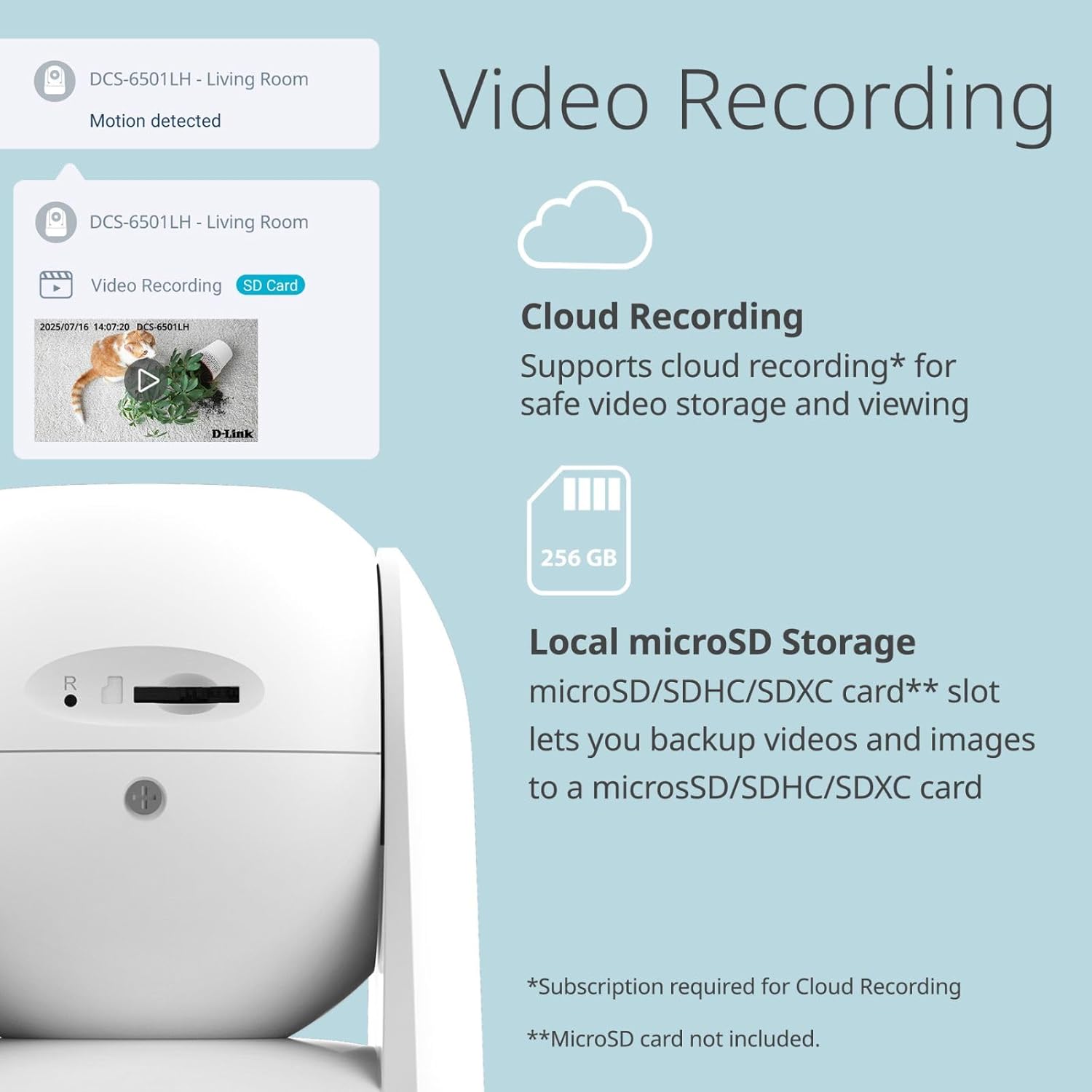
Image 3.6: The camera's side view revealing the microSD card slot, alongside icons for cloud and local storage options.
3.7 സ്മാർട്ട് ഹോം ഇന്റഗ്രേഷൻ
Integrate your camera with Google Assistant and Amazon Alexa for voice control and smart home automation. For example, you can ask your smart assistant to display the camera feed on compatible devices.

ചിത്രം 3.7: ഉദാamples of smart home integration, showing a user interacting with Google Assistant and an Alexa-enabled device displaying camera footage.
3.8 Enhanced Wi-Fi Security
The camera supports WPA3 encryption, providing a more secure connection to your Wi-Fi network and protecting your privacy.

Image 3.8: The D-Link camera accompanied by a security shield icon, representing enhanced Wi-Fi security features.
4. പരിപാലനം
നിങ്ങളുടെ ക്യാമറയുടെ ദീർഘായുസ്സും മികച്ച പ്രകടനവും ഉറപ്പാക്കാൻ പതിവ് അറ്റകുറ്റപ്പണികൾ സഹായിക്കുന്നു.
4.1 വൃത്തിയാക്കൽ
- മൃദുവായതും ഉണങ്ങിയതും ലിന്റ് രഹിതവുമായ ഒരു തുണി ഉപയോഗിച്ച് ക്യാമറ ലെൻസും ബോഡിയും സൌമ്യമായി തുടയ്ക്കുക.
- Do not use liquid cleaners, aerosols, or abrasive solvents, as these can damage the camera.
4.2 ഫേംവെയർ അപ്ഡേറ്റുകൾ
D-Link periodically releases firmware updates to improve performance, add features, and enhance security. Check the mydlink app or the D-Link support website for available updates and follow the instructions to install them.
4.3 മൈക്രോ എസ്ഡി കാർഡ് മാനേജ്മെന്റ്
If using a microSD card for local storage, periodically check its status in the mydlink app. Format the card as needed to maintain optimal recording performance. Ensure the camera is powered off before inserting or removing the microSD card.
5. പ്രശ്നപരിഹാരം
This section addresses common issues you might encounter with your D-Link DCS-6501LH camera.
5.1 ക്യാമറ വൈഫൈയിലേക്ക് കണക്റ്റ് ചെയ്യുന്നില്ല.
- Ensure your Wi-Fi network is 2.4 GHz, as the camera may not support 5 GHz networks.
- Verify that the Wi-Fi password entered in the mydlink app is correct.
- സിഗ്നൽ ശക്തി മെച്ചപ്പെടുത്താൻ ക്യാമറ നിങ്ങളുടെ വൈഫൈ റൂട്ടറിന് അടുത്തേക്ക് നീക്കുക.
- നിങ്ങളുടെ റൂട്ടറും ക്യാമറയും പുനരാരംഭിക്കുക.
5.2 മോശം വീഡിയോ നിലവാരം
- നിങ്ങളുടെ ഇന്റർനെറ്റ് കണക്ഷൻ വേഗത പരിശോധിക്കുക. 2K സ്ട്രീമിംഗിന് സ്ഥിരവും വേഗതയേറിയതുമായ ഒരു കണക്ഷൻ ആവശ്യമാണ്.
- ക്യാമറ ലെൻസ് വൃത്തിയുള്ളതും പൊടിയോ അഴുക്കോ ഇല്ലാത്തതുമാണെന്ന് ഉറപ്പാക്കുക.
- Adjust the camera's position to avoid direct glare or backlighting.
5.3 Motion/Sound Alerts Not Working
- Verify that motion and sound detection are enabled in the mydlink app settings for your camera.
- Check the sensitivity settings for motion and sound detection; adjust them as needed.
- Ensure app notifications are enabled on your smartphone or tablet.
5.4 Camera Not Responding
- Unplug the power adapter from the camera, wait 10 seconds, and then plug it back in to restart the device.
- If the issue persists, perform a factory reset (refer to the Quick Installation Guide for specific instructions). Note that a factory reset will erase all settings and require re-setup.
6 സ്പെസിഫിക്കേഷനുകൾ
Detailed technical specifications for the D-Link 2K Pan & Tilt Wi-Fi Camera (DCS-6501LH).
| ഫീച്ചർ | സ്പെസിഫിക്കേഷൻ |
|---|---|
| മോഡലിൻ്റെ പേര് | DCS-6501LH |
| വീഡിയോ ക്യാപ്ചർ റെസല്യൂഷൻ | 1296p (2K) |
| ഫ്രെയിം റേറ്റ് | സെക്കൻഡിൽ 30 ഫ്രെയിമുകൾ |
| Viewing ആംഗിൾ | 89 Degrees (Lens) |
| നൈറ്റ് വിഷൻ റേഞ്ച് | 8 മീറ്റർ വരെ (26 അടി) |
| കണക്റ്റിവിറ്റി ടെക്നോളജി | വയർലെസ് (വൈ-ഫൈ, ബ്ലൂടൂത്ത്) |
| വയർലെസ് കമ്മ്യൂണിക്കേഷൻ | വൈ-ഫൈ (2.4 GHz), ബ്ലൂടൂത്ത് |
| പ്രത്യേക സവിശേഷതകൾ | 2-Way Audio, Motion Detection, Night Vision, Pan & Tilt, Auto Motion Tracking |
| ഇൻഡോർ/ഔട്ട്ഡോർ ഉപയോഗം | ഇൻഡോർ |
| അനുയോജ്യമായ ഉപകരണങ്ങൾ | സ്മാർട്ട്ഫോൺ, ആമസോൺ അലക്സ, ഗൂഗിൾ അസിസ്റ്റന്റ് |
| പവർ ഉറവിടം | കോർഡഡ് ഇലക്ട്രിക് |
| സ്റ്റോറേജ് ഓപ്ഷനുകൾ | Cloud, Local (microSD/SDHC/SDXC up to 256 GB) |
| മൗണ്ടിംഗ് തരം | വാൾ മൗണ്ട്, ടേബിൾടോപ്പ് |
| ഉൽപ്പന്ന അളവുകൾ (L x W x H) | 8.61 x 8.61 x 11.4 സെ.മീ |
| ഇനത്തിൻ്റെ ഭാരം | 273.97 ഗ്രാം |
7. വാറൻ്റിയും പിന്തുണയും
For warranty information, please refer to the warranty card included with your product or visit the official D-Link website. D-Link provides technical support for its products.
7.1 സാങ്കേതിക പിന്തുണ
If you encounter issues that cannot be resolved using this manual, please contact D-Link technical support through their official website or the contact information provided in your product packaging. Have your model number (DCS-6501LH) and serial number ready when contacting support.
Visit the D-Link support page for FAQs, firmware downloads, and further assistance: www.dlink.com/support


