1. ആമുഖം
The Master & Dynamic MH40 Over-Ear Headphones are engineered for a superior audio experience, combining high-quality sound with premium design and comfort. These headphones feature noise isolation, making them suitable for various environments, from studio recording to casual listening. Constructed with durable materials such as aluminum, stainless steel, cowhide, and lambskin leathers, the MH40 headphones are designed for longevity and aesthetic appeal.
Equipped with custom 45mm neodymium high-performance drivers, interchangeable lambskin ear pads, and oxygen-free copper cables, the MH40 delivers a rich, warm sound profile. They support both wired and wireless Bluetooth connectivity, featuring an omni-directional microphone and an easy-to-use mute button for communication.
2. പാക്കേജ് ഉള്ളടക്കം
നിങ്ങളുടെ പാക്കേജിൽ എല്ലാ ഇനങ്ങളും ഉണ്ടെന്ന് ഉറപ്പാക്കുക:
- Master & Dynamic MH40 Over-Ear Headphones
- 1.25m Audio Cable with Remote and Microphone
- 2.00m Standard Audio Cable
- Leather Cable Box
- Canvas Carrying Case
3. ഉൽപ്പന്നം കഴിഞ്ഞുview
Familiarize yourself with the components of your MH40 headphones.
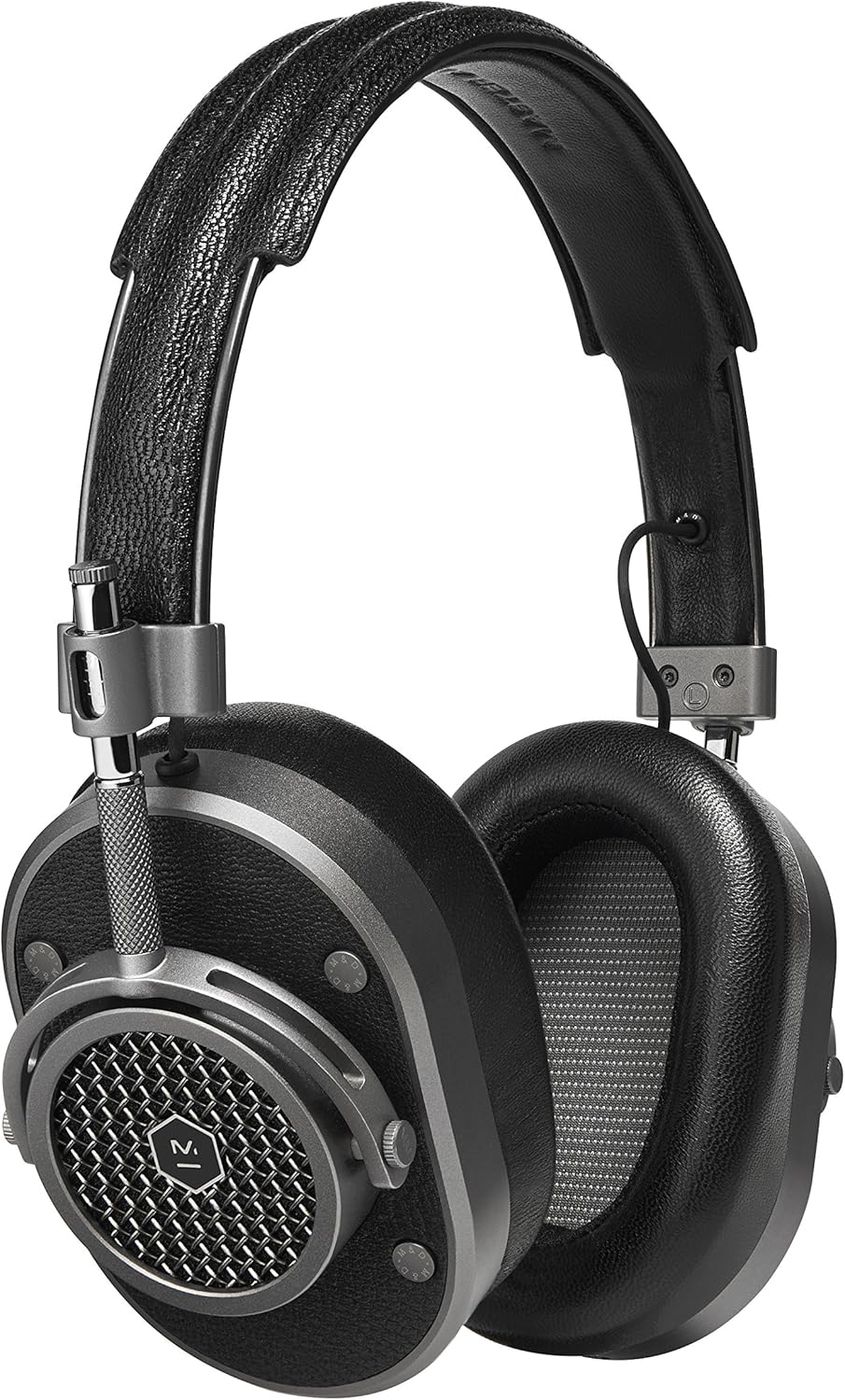
ചിത്രം 1: മൊത്തത്തിൽ view of the Master & Dynamic MH40 Over-Ear Headphones. This image displays the headphones in a gunmetal and black leather finish, highlighting the premium materials and design.

ചിത്രം 2: ക്ലോസപ്പ് view of an MH40 earcup, showcasing the distinctive grille design and the durable metal construction. The earcups are designed for comfort and sound isolation.
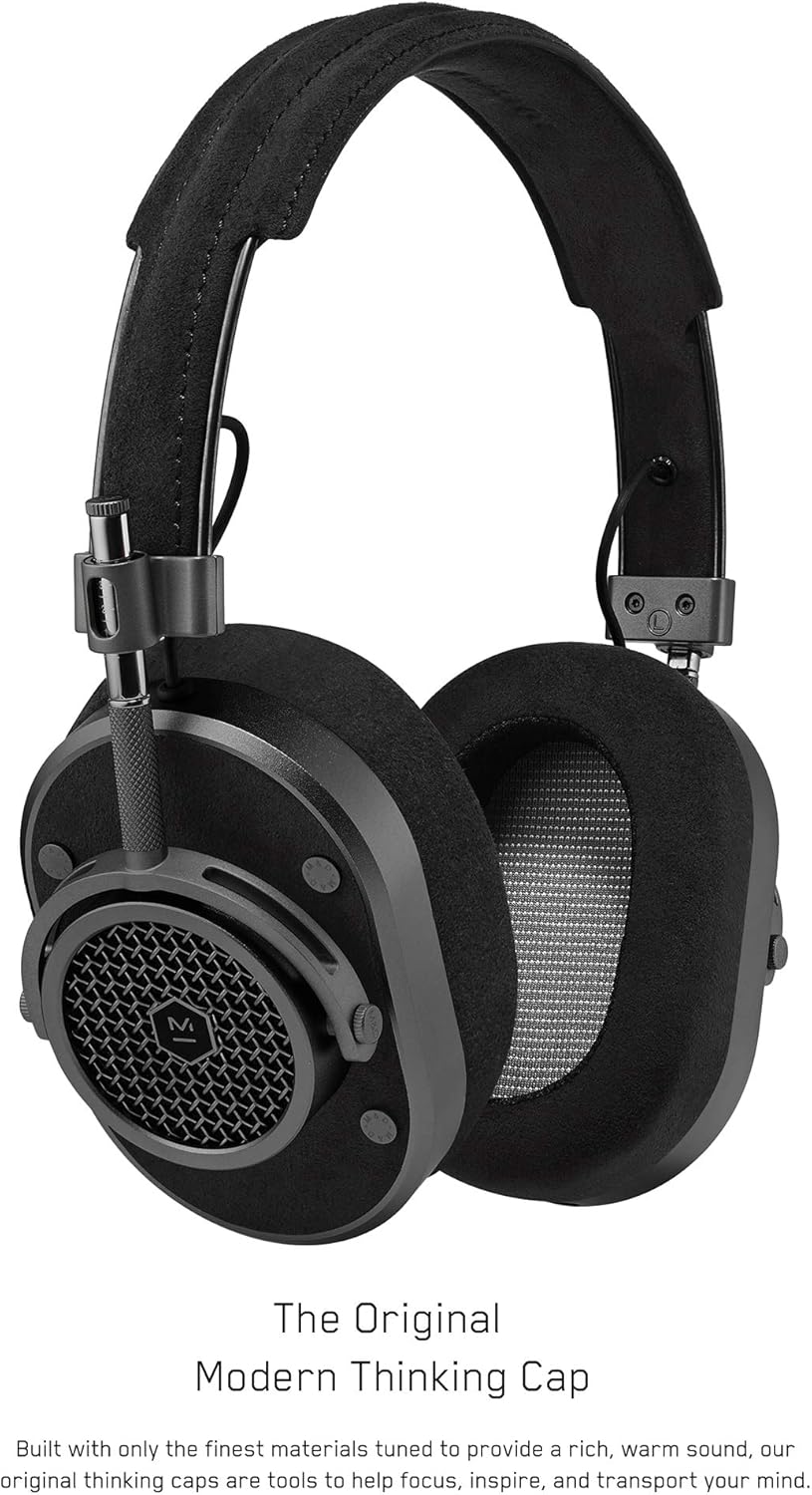
ചിത്രം 3: സൈഡ് പ്രോfile of the MH40 headphones, illustrating the adjustable headband mechanism and the connection points for the audio cables. The design emphasizes both functionality and robust construction.
4. സജ്ജീകരണം
4.1 വയർഡ് കണക്ഷൻ
- Identify the audio input jack on either earcup of your MH40 headphones.
- Select either the 1.25m cable with remote and mic or the 2.00m standard cable.
- Insert one end of the chosen audio cable firmly into the headphone jack.
- Connect the other end of the cable to your audio source (e.g., smartphone, computer, audio interface).
4.2 ബ്ലൂടൂത്ത് ജോടിയാക്കൽ
The MH40 headphones also support wireless Bluetooth connectivity (Bluetooth Version 5.2).
- ഹെഡ്ഫോണുകൾ ചാർജ്ജ് ചെയ്തിട്ടുണ്ടെന്ന് ഉറപ്പാക്കുക.
- Press and hold the power/pairing button (refer to Figure 3 for location) on the earcup until the indicator light begins to flash, indicating pairing mode.
- നിങ്ങളുടെ ഉപകരണത്തിൽ (സ്മാർട്ട്ഫോൺ, ടാബ്ലെറ്റ്, കമ്പ്യൂട്ടർ), ബ്ലൂടൂത്ത് ക്രമീകരണങ്ങളിലേക്ക് നാവിഗേറ്റ് ചെയ്യുക.
- Select "MH40" from the list of available devices.
- Once connected, the indicator light on the headphones will turn solid.
4.3 ഫിറ്റ് ക്രമീകരിക്കൽ
For optimal comfort and sound performance, adjust the headphones to fit your head:
- Gently slide the earcups up or down along the headband until they rest comfortably over your ears.
- Ensure the ear pads fully enclose your ears to maximize noise isolation and sound quality.
- The headband should rest lightly on the top of your head without excessive pressure.
5. പ്രവർത്തന നിർദ്ദേശങ്ങൾ
5.1 Audio Playback (Wired & Bluetooth)
- പ്ലേ/താൽക്കാലികമായി നിർത്തുക: Press the multi-function button (on the remote for wired cable, or designated button on earcup for Bluetooth) once.
- അടുത്ത ട്രാക്ക്: മൾട്ടി-ഫംഗ്ഷൻ ബട്ടൺ രണ്ടുതവണ അമർത്തുക.
- മുമ്പത്തെ ട്രാക്ക്: മൾട്ടി-ഫംഗ്ഷൻ ബട്ടൺ മൂന്ന് തവണ അമർത്തുക.
- വോളിയം നിയന്ത്രണം: Use the volume up/down buttons on the remote (wired) or the dedicated volume control on the earcup (Bluetooth).
5.2 Phone Calls (Wired & Bluetooth)
- ഉത്തരം/അവസാന കോൾ: മൾട്ടി-ഫംഗ്ഷൻ ബട്ടൺ ഒരിക്കൽ അമർത്തുക.
- കോൾ നിരസിക്കുക: മൾട്ടി-ഫംഗ്ഷൻ ബട്ടൺ 2 സെക്കൻഡ് അമർത്തിപ്പിടിക്കുക.
- മൈക്രോഫോൺ നിശബ്ദമാക്കുക: Use the dedicated mute button on the earcup or remote.
6. പരിപാലനം
Proper care will ensure the longevity and performance of your MH40 headphones.
- വൃത്തിയാക്കൽ: Use a soft, dry cloth to clean the earcups and headband. For leather parts, use a specialized leather cleaner or conditioner as needed. Avoid harsh chemicals or abrasive materials.
- സംഭരണം: When not in use, store your headphones in the provided canvas carrying case to protect them from dust and damage.
- ഇയർ പാഡുകൾ: The lambskin ear pads are interchangeable. If replacement is needed, contact Master & Dynamic support for genuine parts and instructions.
- കേബിളുകൾ: Handle audio cables with care. Avoid sharp bends or excessive pulling. Store them neatly in the leather cable box.
7. പ്രശ്നപരിഹാരം
If you encounter issues with your MH40 headphones, refer to the following common solutions:
- ശബ്ദമില്ല:
- ഓഡിയോ കേബിൾ ഹെഡ്ഫോണുകളിലേക്കും ഓഡിയോ ഉറവിടത്തിലേക്കും സുരക്ഷിതമായി ബന്ധിപ്പിച്ചിട്ടുണ്ടെന്ന് ഉറപ്പാക്കുക.
- Check the volume levels on both the headphones and your audio source.
- If using Bluetooth, ensure the headphones are paired and connected, and the device's volume is up.
- Try a different audio cable or audio source to rule out component failure.
- ബ്ലൂടൂത്ത് ജോടിയാക്കൽ പ്രശ്നങ്ങൾ:
- Make sure the headphones are in pairing mode (flashing indicator light).
- നിങ്ങളുടെ ഉപകരണത്തിൽ ബ്ലൂടൂത്ത് പ്രവർത്തനരഹിതമാക്കി വീണ്ടും പ്രവർത്തനക്ഷമമാക്കുക.
- Move the headphones closer to your device (within 100 feet Bluetooth range).
- Forget the "MH40" device in your device's Bluetooth settings and attempt to re-pair.
- മോശം ഓഡിയോ നിലവാരം:
- Ensure ear pads are properly seated and creating a good seal around your ears.
- If wired, check the cable for damage or loose connections.
- If Bluetooth, ensure there are no obstructions between the headphones and your device, and that you are within range.
- Try playing audio from a different source or with a different file ഗുണനിലവാരം.
8 സ്പെസിഫിക്കേഷനുകൾ
| ഫീച്ചർ | വിശദാംശങ്ങൾ |
|---|---|
| മോഡലിൻ്റെ പേര് | MH40G1 |
| കണക്റ്റിവിറ്റി ടെക്നോളജി | വയേർഡ്, ബ്ലൂടൂത്ത് |
| വയർലെസ് കമ്മ്യൂണിക്കേഷൻ ടെക്നോളജി | ബ്ലൂടൂത്ത് 5.2 |
| ബ്ലൂടൂത്ത് ശ്രേണി | 100 അടി |
| ശബ്ദ നിയന്ത്രണം | സൗണ്ട് ഐസൊലേഷൻ |
| ഹെഡ്ഫോണുകൾ ജാക്ക് | 3.5 mm ജാക്ക് |
| ഓഡിയോ ഡ്രൈവർ തരം | ഡൈനാമിക് ഡ്രൈവർ |
| ഓഡിയോ ഡ്രൈവർ വലിപ്പം | 45 മില്ലിമീറ്റർ |
| പ്രതിരോധം | 32 ഓം |
| മെറ്റീരിയൽ | Aluminum, Stainless Steel, Cowhide, Lambskin |
| ഇനത്തിൻ്റെ ഭാരം | 0.36 കിലോഗ്രാം (12.7 ഔൺസ്) |
| ഉൽപ്പന്ന അളവുകൾ | 9.76 x 8.86 x 3.66 ഇഞ്ച് |
| ഉൾപ്പെടുത്തിയ ഘടകങ്ങൾ | Headphone, Leather Cable Box, Canvas Carrying Case |
| നിയന്ത്രണ തരം | വോളിയം നിയന്ത്രണം, മ്യൂട്ട് ബട്ടൺ |
| ജല പ്രതിരോധ നില | വാട്ടർ റെസിസ്റ്റൻ്റ് അല്ല |
9. വാറൻ്റിയും പിന്തുണയും
The Master & Dynamic MH40 Over-Ear Headphones come with a 2 വർഷത്തെ പരിമിതമായ വാറന്റി വാങ്ങിയ തീയതി മുതൽ. സാധാരണ ഉപയോഗത്തിലുള്ള നിർമ്മാണ വൈകല്യങ്ങളും പ്രവർത്തനക്ഷമതയും ഈ വാറന്റി ഉൾക്കൊള്ളുന്നു.
For warranty claims, technical support, or inquiries regarding replacement parts (such as ear pads or cables), please visit the official Master & Dynamic webസൈറ്റിൽ ബന്ധപ്പെടുക അല്ലെങ്കിൽ അവരുടെ ഉപഭോക്തൃ സേവന വിഭാഗവുമായി ബന്ധപ്പെടുക. വാറന്റി സാധൂകരണത്തിനായി നിങ്ങളുടെ വാങ്ങിയതിന്റെ തെളിവ് സൂക്ഷിക്കുക.
കൂടുതൽ വിവരങ്ങൾക്ക്, നിങ്ങൾക്ക് സന്ദർശിക്കാവുന്നതാണ് Master & Dynamic Store on Amazon.


