1. ആമുഖം
വാങ്ങിയതിന് നന്ദി.asing the Chauvet DJ SlimPar 64 LED RGB Lighting Fixture. This manual provides essential information for the safe and optimal use of your new lighting equipment. Please read these instructions thoroughly before installation and operation.

Image 1.1: Four Chauvet DJ SlimPar 64 LED RGB lighting fixtures and accompanying DMX cables. Each fixture is a slim, round LED par can, and the cables are black with 3-pin XLR connectors.
2. പാക്കേജ് ഉള്ളടക്കം
നിങ്ങളുടെ പാക്കേജിൽ ഇനിപ്പറയുന്ന ഇനങ്ങൾ ഉണ്ടെന്ന് ഉറപ്പാക്കുക:
- Chauvet DJ SlimPar 64 LED RGB Lighting Fixture (Quantity: 4)
- Chauvet DMX Cable (3-pin, 25ft) (Quantity: 1)
- Chauvet DMX Cable (3-pin, 10ft) (Quantity: 3)
- ഈ ഇൻസ്ട്രക്ഷൻ മാനുവൽ

ചിത്രം 2.1: മുൻഭാഗം view of a single SlimPar 64 fixture, showcasing the array of red, green, and blue LEDs.

Image 2.2: A 3-pin DMX cable, illustrating the male and female XLR connectors used for signal transmission.
3 സുരക്ഷാ വിവരങ്ങൾ
For safe operation, please observe the following precautions:
- ഫിക്സ്ചർ എപ്പോഴും ഒരു ഗ്രൗണ്ടഡ് സർക്യൂട്ടുമായി ബന്ധിപ്പിക്കുക.
- അമിതമായി ചൂടാകുന്നത് തടയാൻ ഫിക്ചറിന് ചുറ്റും ശരിയായ വായുസഞ്ചാരം ഉറപ്പാക്കുക.
- പവർ കോർഡ് കേടായെങ്കിൽ ഫിക്സ്ചർ പ്രവർത്തിപ്പിക്കരുത്.
- പ്രകാശ സ്രോതസ്സിലേക്ക് നേരിട്ട് കണ്ണ് എക്സ്പോഷർ ചെയ്യുന്നത് ഒഴിവാക്കുക.
- ഏതെങ്കിലും അറ്റകുറ്റപ്പണികൾ അല്ലെങ്കിൽ വൃത്തിയാക്കൽ നടത്തുന്നതിന് മുമ്പ് വൈദ്യുതി വിച്ഛേദിക്കുക.
- ഈ ഉപകരണം ഇൻഡോർ ഉപയോഗത്തിനായി മാത്രം രൂപകൽപ്പന ചെയ്തിട്ടുള്ളതാണ്.
4. ഉൽപ്പന്ന സവിശേഷതകൾ
- Slim housing design (2.5 inches thick) for versatile placement.
- Equipped with 180 Red, Green, and Blue (RGB) LEDs.
- Multiple DMX channel modes (3-channel or 7-channel).
- Integrated automatic sound activation programs.
- Variable speed-pulse effect.
- Static color and RGB color mixing capabilities.
- Integrated power input and output for daisy-chaining multiple units.
5. സജ്ജീകരണം
5.1 മൗണ്ടിംഗ്
The SlimPar 64 features a dual-bracket yoke for flexible mounting options. It can be mounted on a truss, placed on the floor, or attached to a stand.
- Ensure the mounting surface or structure can support the weight of the fixture.
- ഉചിതമായ cl ഉപയോഗിക്കുകamps and safety cables when mounting overhead.
- Adjust the angle of the fixture using the side knobs on the yoke.
ചിത്രം 5.1: വശം view of the SlimPar 64, highlighting its compact design and adjustable mounting bracket.
5.2 DMX കണക്ഷൻ
To control the SlimPar 64 using a DMX controller, connect the DMX cables as follows:
- Connect the DMX output of your controller to the DMX IN port of the first fixture.
- Connect the DMX OUT port of the first fixture to the DMX IN port of the next fixture in the chain.
- Continue this daisy-chain connection for all fixtures.
- For optimal signal integrity, terminate the last fixture in the DMX chain with a 120-ohm DMX terminator (not included).

Image 5.2: Rear panel of the SlimPar 64, displaying the DMX In/Out ports, power In/Out, and the digital display with control buttons.
5.3 പവർ കണക്ഷൻ
Connect the power cord to the power input on the rear of the fixture. Multiple fixtures can be daisy-chained for power using the power output port, up to the maximum current draw specified in the specifications section.
6 ഓപ്പറേറ്റിംഗ് മോഡുകൾ
The SlimPar 64 offers several operating modes:
6.1 സ്വതന്ത്ര മോഡ്
In standalone mode, the fixture operates without an external DMX controller.
- ഓട്ടോ പ്രോഗ്രാമുകൾ: Select from pre-programmed light shows.
- ശബ്ദ-സജീവമാക്കിയ മോഡ്: The fixture reacts to ambient sound via its built-in microphone.
- സ്റ്റാറ്റിക് കളർ മോഡ്: Choose a single static color or mix RGB values to create custom colors.
6.2 DMX നിയന്ത്രണ മോഡ്
This mode allows precise control over the fixture's functions using a DMX controller.
- Set the DMX address for each fixture using the control panel.
- Select either 3-channel or 7-channel DMX mode based on your controller and desired level of control.
- Refer to your DMX controller's manual for programming instructions.
6.3 മാസ്റ്റർ/സ്ലേവ് മോഡ്
Connect multiple SlimPar 64 fixtures to synchronize their operation without a DMX controller.
- Designate one fixture as the "Master" and set it to an auto or sound-activated program.
- Connect the DMX OUT of the Master fixture to the DMX IN of the first "Slave" fixture.
- Connect subsequent Slave fixtures in a daisy chain.
- Set all Slave fixtures to "Slave" mode.
7. നിയന്ത്രണ പാനൽ ഓവർview
The control panel on the rear of the fixture features a digital display and several buttons for navigation and setting adjustments.
- മെനു: Access the main menu and navigate through options.
- UP / DOWN: മെനു ഓപ്ഷനുകളിലൂടെ സ്ക്രോൾ ചെയ്യുക അല്ലെങ്കിൽ മൂല്യങ്ങൾ ക്രമീകരിക്കുക.
- നൽകുക: Confirm selections or save settings.
Specific menu options will vary depending on the selected operating mode.
8. DMX Channel Assignments
The SlimPar 64 supports 3-channel and 7-channel DMX modes. Below is a general overview of typical channel assignments. Refer to the full product manual for detailed DMX charts.
8.1 3-Channel Mode
- Channel 1: Red Intensity
- Channel 2: Green Intensity
- Channel 3: Blue Intensity
8.2 7-Channel Mode
- Channel 1: Master Dimmer
- Channel 2: Red Intensity
- Channel 3: Green Intensity
- Channel 4: Blue Intensity
- Channel 5: Strobe Effect
- Channel 6: Auto Programs / Sound Active
- Channel 7: Program Speed / Sound Sensitivity
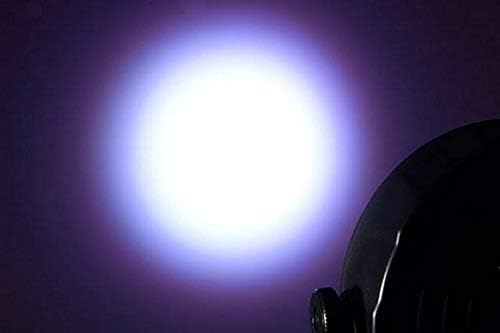
ചിത്രം 8.1: ഉദാample of a white light beam produced by the SlimPar 64.
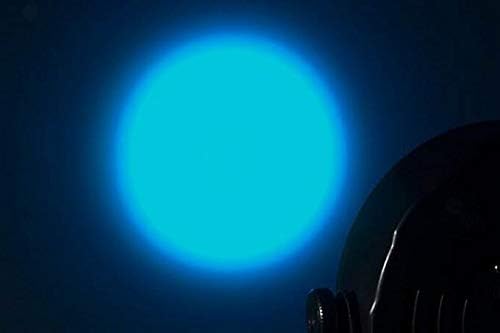
ചിത്രം 8.2: ഉദാample of a blue light beam produced by the SlimPar 64.
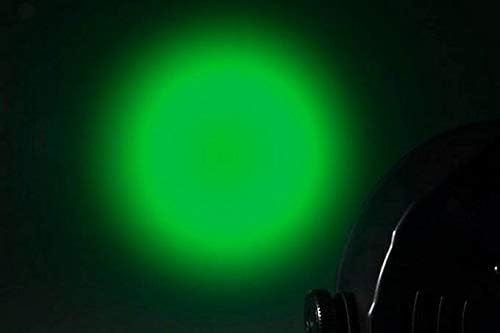
ചിത്രം 8.3: ഉദാample of a green light beam produced by the SlimPar 64.
9. പരിപാലനം
പതിവ് അറ്റകുറ്റപ്പണികൾ നിങ്ങളുടെ ഫിക്സ്ചറിന്റെ ദീർഘായുസ്സും മികച്ച പ്രകടനവും ഉറപ്പാക്കുന്നു.
- വൃത്തിയാക്കൽ: Periodically clean the lens and exterior with a soft, lint-free cloth. Do not use abrasive cleaners.
- പരിശോധന: Regularly check power cables and DMX cables for any signs of damage.
- സംഭരണം: Store the fixture in a dry, dust-free environment when not in use.
10. പ്രശ്നപരിഹാരം
| പ്രശ്നം | സാധ്യമായ കാരണം | പരിഹാരം |
|---|---|---|
| ഫിക്സ്ചർ പവർ ഓൺ ആകുന്നില്ല. | No power supply; damaged power cable. | Check power connection; replace damaged cable. |
| DMX നിയന്ത്രണമില്ല. | Incorrect DMX address; faulty DMX cable; missing terminator. | Verify DMX address; check cable connections; add DMX terminator. |
| Fixture not responding to sound. | Sound-activated mode not selected; low sound sensitivity. | Ensure sound-activated mode is active; adjust sound sensitivity. |
11 സ്പെസിഫിക്കേഷനുകൾ
| പരാമീറ്റർ | മൂല്യം |
|---|---|
| ബ്രാൻഡ് | ചൗവെറ്റ് ഡിജെ |
| മോഡലിൻ്റെ പേര് | സ്ലിംപാർ 64 |
| മോഡൽ നമ്പർ | 4334418763 |
| പ്രകാശ സ്രോതസ്സ് തരം | LED (ലൈറ്റ് എമിറ്റിംഗ് ഡയോഡ്) |
| LED നിറങ്ങൾ | Red, Green, Blue (RGB) |
| DMX ചാനലുകൾ | 3 അല്ലെങ്കിൽ 7 |
| വാല്യംtage | 230 വോൾട്ട് |
| വാട്ട്tage | 27 വാട്ട്സ് |
| ഇനത്തിൻ്റെ ഭാരം | 19.06 pounds (for the package of 4 lights and cables) |
| യു.പി.സി | 708594653212 |
12. വാറൻ്റിയും പിന്തുണയും
വാറന്റി വിവരങ്ങൾക്കും സാങ്കേതിക പിന്തുണയ്ക്കും, ദയവായി ഔദ്യോഗിക CHAUVET DJ കാണുക. webസൈറ്റിൽ ബന്ധപ്പെടുക അല്ലെങ്കിൽ അവരുടെ ഉപഭോക്തൃ സേവന വിഭാഗവുമായി ബന്ധപ്പെടുക. വാങ്ങിയതിന്റെ തെളിവായി നിങ്ങളുടെ വാങ്ങൽ രസീത് സൂക്ഷിക്കുക.
CHAUVET DJ Official Webസൈറ്റ്: www.chauvetdj.com


