1. ആമുഖം
This manual provides comprehensive instructions for the proper use, setup, and maintenance of your Seenda IS11-BT05 Mini Bluetooth Keyboard with Touchpad. Please read this manual thoroughly before operating the device to ensure optimal performance and longevity.
പ്രധാന സവിശേഷതകൾ:
- Stylish design with a slim 10mm thickness.
- Fast Bluetooth 3.0 connectivity, compatible with all Bluetooth-enabled devices.
- Built-in high-sensitive smart touchpad with 360-degree flip design.
- Portable and elegant form factor.
- Compatible with PC, Pad, Android TV Box, Google TV Box, Xbox 360, PS3, HTPC, IPTV, Amazon Fire TV, and Fire TV Stick.
2. ഉൽപ്പന്നം കഴിഞ്ഞുview
The Seenda IS11-BT05 is a compact wireless keyboard featuring 77 keys and an integrated touchpad, designed for versatile use across various devices.
പാക്കേജ് ഉള്ളടക്കം:
- 1 x Seenda IS11-BT05 Mini Bluetooth Keyboard
- 1 x ചാർജിംഗ് കേബിൾ (80cm)
- 1 x User Manual (Chinese / English)
ഘടകം തിരിച്ചറിയൽ:
Below are images illustrating the key components and overall design of the keyboard.
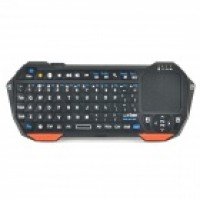
ചിത്രം 1: ഫ്രണ്ട് view of the Seenda IS11-BT05 Mini Bluetooth Keyboard, showcasing the 77-key layout and the integrated touchpad on the right side. The keyboard features an orange and black color scheme.
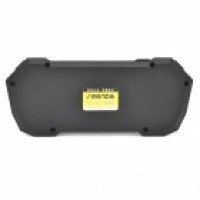
ചിത്രം 2: തിരികെ view of the Seenda IS11-BT05 Mini Bluetooth Keyboard, showing the smooth, black casing and a product label in the center.
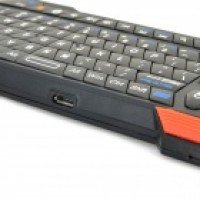
ചിത്രം 3: വശം view of the Seenda IS11-BT05 Mini Bluetooth Keyboard, highlighting the micro USB charging port located on the side of the device.
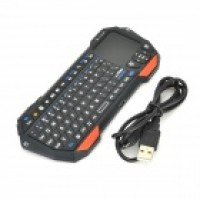
ചിത്രം 4: The Seenda IS11-BT05 Mini Bluetooth Keyboard displayed alongside its included USB charging cable, ready for use.
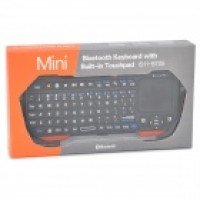
ചിത്രം 5: The retail packaging for the Seenda IS11-BT05 Mini Bluetooth Keyboard, featuring the product image and branding.
3. സജ്ജീകരണം
3.1 കീബോർഡ് ചാർജ് ചെയ്യുന്നു
Before initial use, fully charge the keyboard's built-in battery. Use the provided USB charging cable to connect the keyboard to a USB power source (e.g., computer USB port, USB wall adapter).
- ചാർജിംഗ് സമയം: ഫുൾ ചാർജിനായി ഏകദേശം 2.5 മണിക്കൂർ.
- An indicator light will typically show charging status and turn off or change color when fully charged. Refer to the device's specific LED indicators for details.
3.2 ബ്ലൂടൂത്ത് ജോടിയാക്കൽ
നിങ്ങളുടെ ഉപകരണത്തിലേക്ക് കീബോർഡ് ബന്ധിപ്പിക്കാൻ, ഈ ഘട്ടങ്ങൾ പാലിക്കുക:
- കീബോർഡ് ആവശ്യത്തിന് ചാർജ്ജ് ചെയ്തിട്ടുണ്ടെന്ന് ഉറപ്പാക്കുക.
- Turn on the keyboard using its power switch (location may vary, typically on the side or back).
- Activate Bluetooth on your host device (e.g., PC, smartphone, tablet, smart TV).
- Put the keyboard into pairing mode. This usually involves pressing a dedicated Bluetooth pairing button or a combination of keys (e.g., Fn + Bluetooth icon key). The Bluetooth indicator light on the keyboard will typically flash rapidly.
- On your host device, search for available Bluetooth devices. The keyboard should appear as "Seenda IS11-BT05" or a similar name.
- Select the keyboard from the list to initiate the pairing process. Your device may prompt you to enter a code displayed on the screen using the keyboard, then press Enter.
- Once paired, the Bluetooth indicator light on the keyboard will stop flashing and remain solid or turn off, indicating a successful connection.
The keyboard supports Bluetooth V3.0 and is compatible with operating systems such as iOS, Android 2.x, Android 4.x, Win7 32, and Win7 64.
4. പ്രവർത്തന നിർദ്ദേശങ്ങൾ
4.1 കീബോർഡ് പ്രവർത്തനങ്ങൾ
The keyboard features 77 keys, providing a comprehensive typing experience for its compact size. Standard QWERTY layout is generally followed, with additional function keys accessible via the 'Fn' key.
- ടൈപ്പിംഗ്: ടെക്സ്റ്റ് ഇൻപുട്ടിനായി ആൽഫാന്യൂമെറിക് കീകൾ ഉപയോഗിക്കുക.
- ഫംഗ്ഷൻ കീകൾ (Fn): Press and hold the 'Fn' key, then press a corresponding key to access secondary functions (e.g., media controls, volume adjustment, backlight control if available).
4.2 Touchpad Functions
The integrated touchpad allows for mouse-like navigation and gesture control.
- ഒറ്റ വിരൽ ടാപ്പ്: ഇടത് ക്ലിക്ക്.
- രണ്ട് വിരലുകൾ കൊണ്ട് ടാപ്പ് ചെയ്യുക: വലത് ക്ലിക്കിൽ.
- Single Finger Drag: കഴ്സർ നീക്കുക.
- രണ്ട് വിരലുകളുടെ സ്ക്രോൾ: Scroll vertically or horizontally (application dependent).
- The touchpad features a 360-degree flip design, allowing for comfortable use in various orientations.
4.3 ഉപകരണ അനുയോജ്യത
This keyboard is designed to work with a wide range of devices, including:
- പേഴ്സണൽ കമ്പ്യൂട്ടറുകൾ (പിസി)
- Tablets (Pad)
- ആൻഡ്രോയിഡ് ടിവി ബോക്സുകൾ
- Google TV Boxes
- Xbox 360
- പ്ലേസ്റ്റേഷൻ 3 (PS3)
- Home Theater Personal Computers (HTPC)
- Internet Protocol Television (IPTV) systems
- Amazon Fire TV and Fire TV Stick
Ensure your device has a functional Bluetooth driver for proper connectivity.
5. പരിപാലനം
Proper care and maintenance will extend the life of your keyboard.
- വൃത്തിയാക്കൽ: കീബോർഡിന്റെ ഉപരിതലം തുടയ്ക്കാൻ മൃദുവായതും ഉണങ്ങിയതുമായ തുണി ഉപയോഗിക്കുക. കഠിനമായ അഴുക്കിന്, ചെറുതായി dampവെള്ളം അല്ലെങ്കിൽ നേരിയതും ഉരച്ചിലുകൾ ഇല്ലാത്തതുമായ ഒരു ക്ലീനർ ഉപയോഗിച്ച് തുണി തുടയ്ക്കുക. അമിതമായ ഈർപ്പം ഒഴിവാക്കുക.
- സംഭരണം: നേരിട്ടുള്ള സൂര്യപ്രകാശവും കടുത്ത താപനിലയും ഏൽക്കാത്ത തണുത്തതും വരണ്ടതുമായ സ്ഥലത്ത് കീബോർഡ് സൂക്ഷിക്കുക.
- ബാറ്ററി കെയർ: To maintain battery health, avoid fully discharging the battery frequently. If storing for an extended period, charge the battery to about 50% and recharge every few months.
- ദ്രാവകങ്ങൾ ഒഴിവാക്കുക: Do not expose the keyboard to liquids, as this can cause internal damage.
6. പ്രശ്നപരിഹാരം
If you encounter issues with your Seenda IS11-BT05 keyboard, refer to the following common solutions:
6.1 Keyboard Not Connecting/Pairing:
- പവർ പരിശോധിക്കുക: കീബോർഡ് ഓണാക്കിയിട്ടുണ്ടെന്നും പൂർണ്ണമായും ചാർജ് ചെയ്തിട്ടുണ്ടെന്നും ഉറപ്പാക്കുക.
- ബ്ലൂടൂത്ത് ഓൺ: Verify that Bluetooth is enabled on your host device.
- വീണ്ടും ജോടി: Delete the keyboard from your device's Bluetooth list and attempt to pair it again following the instructions in Section 3.2.
- ദൂരം: കീബോർഡ് നിങ്ങളുടെ ഉപകരണത്തിന്റെ 10 മീറ്റർ പ്രവർത്തന പരിധിക്കുള്ളിലാണെന്ന് ഉറപ്പാക്കുക.
- ഇടപെടൽ: തടസ്സം സൃഷ്ടിച്ചേക്കാവുന്ന മറ്റ് വയർലെസ് ഉപകരണങ്ങളിൽ നിന്ന് മാറുക.
- ഉപകരണ അനുയോജ്യത: Confirm your device's operating system is supported.
6.2 Keyboard Not Responding:
- റീചാർജ്: The battery might be low. Connect the keyboard to a charger.
- പുനരാരംഭിക്കുക: കീബോർഡ് ഓഫാക്കി വീണ്ടും ഓണാക്കുക.
- കണക്ഷൻ പുനഃസ്ഥാപിക്കുക: Disconnect and reconnect the Bluetooth connection on your host device.
6.3 Touchpad Not Working:
- ടച്ച്പാഡ് വൃത്തിയാക്കുക: ടച്ച്പാഡ് പ്രതലം വൃത്തിയുള്ളതും അവശിഷ്ടങ്ങൾ ഇല്ലാത്തതുമാണെന്ന് ഉറപ്പാക്കുക.
- പുനരാരംഭിക്കുക: കീബോർഡ് ഓഫാക്കി ഓണാക്കുക.
- വീണ്ടും ജോടി: If the issue persists, try re-pairing the keyboard.
7 സ്പെസിഫിക്കേഷനുകൾ
| ഫീച്ചർ | സ്പെസിഫിക്കേഷൻ |
|---|---|
| ബ്രാൻഡ് | സീൻഡ |
| മോഡൽ | IS11-BT05 |
| മെറ്റീരിയൽ | എബിഎസ് |
| നിറം | Orange + Black |
| കണക്റ്റിവിറ്റി | ബ്ലൂടൂത്ത് V3.0 |
| ഇൻ്റർഫേസ് | USB 2.0 (for charging) |
| കീകളുടെ എണ്ണം | 77 |
| പ്രവർത്തന ശ്രേണി | 10 മീറ്റർ വരെ |
| പവർ ഉറവിടം | ബിൽറ്റ്-ഇൻ 250mAh ബാറ്ററി |
| ചാർജിംഗ് സമയം | ഏകദേശം 2.5 മണിക്കൂർ |
| പിന്തുണയ്ക്കുന്ന സിസ്റ്റങ്ങൾ | iOS, Android 2.x, Android 4.x, Win7 32, Win7 64 |
| അളവുകൾ (L x W x H) | 16 cm x 6.8 cm x 1.3 cm (6.3 in x 2.68 in x 0.51 in) |
| ഭാരം | 81 ഗ്രാം (2.86 ഔൺസ്) |
8. വാറൻ്റിയും പിന്തുണയും
വാറന്റി വിവരങ്ങൾക്കും സാങ്കേതിക പിന്തുണയ്ക്കും, വാങ്ങുന്ന സമയത്ത് നൽകിയിട്ടുള്ള ഡോക്യുമെന്റേഷൻ പരിശോധിക്കുകയോ നിങ്ങളുടെ റീട്ടെയിലറെ ബന്ധപ്പെടുകയോ ചെയ്യുക. ഏതെങ്കിലും വാറന്റി ക്ലെയിമുകൾക്കായി നിങ്ങളുടെ വാങ്ങിയതിന്റെ തെളിവ് സൂക്ഷിക്കുക.


