1. ആമുഖം
The Monacor WAP-200 is a versatile internet radio receiver designed to provide access to a vast array of global radio stations, as well as traditional FM RDS and DAB+ digital radio broadcasts. It also functions as a network MP3 player, allowing playback of media files from your local network or via a USB host connection. This manual provides detailed instructions for the setup, operation, and maintenance of your WAP-200 unit.
2. സുരക്ഷാ നിർദ്ദേശങ്ങൾ
- ഉപകരണം പ്രവർത്തിപ്പിക്കുന്നതിന് മുമ്പ് എല്ലാ നിർദ്ദേശങ്ങളും ശ്രദ്ധാപൂർവ്വം വായിക്കുക.
- ഭാവി റഫറൻസിനായി ഈ മാനുവൽ സൂക്ഷിക്കുക.
- തീയോ വൈദ്യുതാഘാതമോ തടയാൻ യൂണിറ്റ് മഴയിലോ ഈർപ്പത്തിലോ തുറന്നുകാട്ടരുത്.
- ശരിയായ വായുസഞ്ചാരം ഉറപ്പാക്കുക; വായുസഞ്ചാര ദ്വാരങ്ങൾ അടയ്ക്കരുത്.
- നിർമ്മാതാവ് വ്യക്തമാക്കിയ അറ്റാച്ച്മെൻ്റുകൾ/ആക്സസറികൾ മാത്രം ഉപയോഗിക്കുക.
- Disconnect the unit from the mains during lightning storms or when unused for long periods.
- എല്ലാ സേവനങ്ങളും യോഗ്യതയുള്ള സേവന ഉദ്യോഗസ്ഥർക്ക് റഫർ ചെയ്യുക.
3. പാക്കേജ് ഉള്ളടക്കം
എല്ലാ ഇനങ്ങളും നിലവിലുണ്ടോ എന്നും നല്ല നിലയിലാണെന്നും ദയവായി പരിശോധിക്കുക:
- Monacor WAP-200 Internet Radio Unit
- ഇൻഫ്രാറെഡ് വിദൂര നിയന്ത്രണം
- WLAN ആന്റിന
- എഫ്എം ആൻ്റിന
- പവർ കേബിൾ
- നിർദ്ദേശ മാനുവൽ (ഈ പ്രമാണം)
4. ഉൽപ്പന്നം കഴിഞ്ഞുview
4.1 ഫ്രണ്ട് പാനൽ
The front panel features the main display, control buttons, and a jog dial for easy navigation. It also includes a USB host input and an auxiliary input jack.
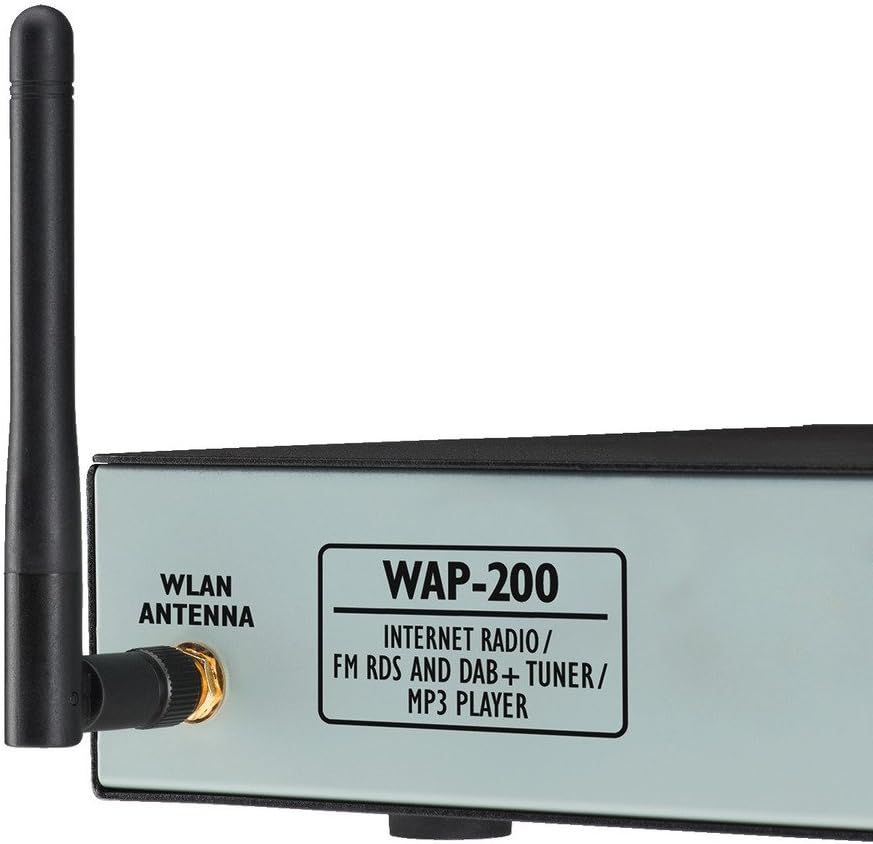
ചിത്രം 1: മുന്നിലും വശത്തും view of the Monacor WAP-200, showing the WLAN antenna connection and the model designation.
- ഡിസ്പ്ലേ: Large illuminated matrix display for information.
- ജോഗ് ഡയൽ: മെനു നാവിഗേഷനും തിരഞ്ഞെടുപ്പിനും.
- USB Host Input: For direct playback of MP3, AAC, AAC+, WMA, Wave, and FLAC fileഒരു USB ഡ്രൈവിൽ നിന്നുള്ള എസ്.
- Auxiliary Input (Jack): ബാഹ്യ ഓഡിയോ സ്രോതസ്സുകളെ ബന്ധിപ്പിക്കുന്നതിന്.
- Headphone Output (3.5mm Stereo Jack): സ്വകാര്യ ശ്രവണത്തിനായി.
4.2 പിൻ പാനൽ
The rear panel provides all necessary connections for power, network, and audio output.

ചിത്രം 2: Rear panel of the Monacor WAP-200, illustrating the various input and output ports.
- WLAN Antenna Connector: RP-SMA connector for the included WLAN antenna.
- LAN (RJ45) Port: വയർഡ് നെറ്റ്വർക്ക് കണക്ഷനായി.
- Line Output (RCA L/R): Stereo audio output for connecting to an ampലൈഫയർ അല്ലെങ്കിൽ സജീവ സ്പീക്കറുകൾ.
- എഫ്എം ആന്റിന ഇൻപുട്ട്: Coaxial 75 Ohm connector for the included FM antenna.
- പവർ ഇൻപുട്ട്: For connecting the main power cable (230 V~/50 Hz).
4.3 വിദൂര നിയന്ത്രണം
The included infrared remote control allows convenient operation of all functions from a distance.

ചിത്രം 3: The infrared remote control for the Monacor WAP-200, showing various control buttons.
Key functions include power, numeric input, menu navigation, volume control, playback controls (play/pause, skip, repeat, shuffle), preset access, sleep timer, alarm, and mode selection.
5. സജ്ജീകരണം
5.1 ഭൗതിക ബന്ധങ്ങൾ
- ആന്റിനകൾ ബന്ധിപ്പിക്കുക:
- Screw the supplied WLAN antenna onto the RP-SMA connector on the rear panel.
- Connect the supplied FM antenna to the 75 Ohm coaxial FM antenna input.
- ഓഡിയോ ഔട്ട്പുട്ട്: Connect the Line Output (RCA L/R) to your amplifier or active speakers using appropriate audio cables.
- നെറ്റ്വർക്ക് കണക്ഷൻ (ഓപ്ഷണൽ):
- For a wired connection, connect an Ethernet cable from your router to the LAN (RJ45) port on the rear panel.
- For a wireless connection, ensure the WLAN antenna is connected. You will configure Wi-Fi settings during initial setup.
- പവർ കണക്ഷൻ: Connect the power cable to the unit's power input and then to a suitable mains outlet (230 V~/50 Hz).
5.2 പ്രാരംഭ പവർ ഓണും നെറ്റ്വർക്ക് കോൺഫിഗറേഷനും
Upon first power-on, the unit will guide you through an initial setup wizard. Follow the on-screen prompts to configure language, time, and network settings.
- Use the jog dial to navigate menus and select options.
- For Wi-Fi setup, select your network from the list and enter the password using the on-screen keyboard.
- The unit supports both LAN and Wi-Fi for internet access.
6. പ്രവർത്തന നിർദ്ദേശങ്ങൾ
6.1 ഇൻ്റർനെറ്റ് റേഡിയോ
Access over 20,000 radio stations worldwide.
- Select "Internet Radio" from the main menu.
- Browse stations by genre, location, or search by name.
- Use the jog dial to select a station.
- Press "Enter" to start playback.
- Save favorite stations to presets for quick access.
6.2 എഫ്എം റേഡിയോ
Tune into local FM broadcasts with RDS functionality.
- Select "FM Radio" from the main menu.
- Use the tuning controls to find stations.
- RDS (Radio Data System) information will be displayed if available.
6.3 DAB+ റേഡിയോ
Enjoy digital audio broadcasting with enhanced sound quality.
- Select "DAB+ Radio" from the main menu.
- Perform a scan to find available DAB+ stations in your area.
- Select your desired station from the list.
6.4 യുഎസ്ബി പ്ലേബാക്ക്
ഓഡിയോ പ്ലേ ചെയ്യുക fileഒരു യുഎസ്ബി സംഭരണ ഉപകരണത്തിൽ നിന്ന് നേരിട്ട്.
- Insert a USB drive into the front panel USB host input.
- Select "USB Playback" from the main menu.
- Browse folders and select your desired audio files (MP3, AAC, AAC+, WMA, Wave, FLAC).
- Use playback controls (Play/Pause, Skip, Repeat, Shuffle).
6.5 Network Media Playback (UPnP)
സ്ട്രീം മീഡിയ files shared on your network from a UPnP server.
- Ensure your network has a UPnP media server running.
- Select "Network Media" or "UPnP" from the main menu.
- Browse available media servers and their content.
- തിരഞ്ഞെടുക്കുക fileപ്ലേബാക്കിനായി.
6.6 അധിക സവിശേഷതകൾ
- സമനില: സൗണ്ട് പ്രോ ക്രമീകരിക്കുകfiles with preset options or custom settings.
- Shuffle Play and Repeat: Available for USB and network playback.
- Timer and Alarm Function: Set sleep timers or wake-up alarms with snooze functionality.
- സമയ പ്രദർശനം: വേനൽക്കാല/ശീതകാല സമയ ക്രമീകരണം സ്വയമേവ.
7. പരിപാലനം
- വൃത്തിയാക്കൽ: Use a soft, dry cloth to clean the unit. Do not use liquid cleaners or aerosols.
- വെൻ്റിലേഷൻ: വെന്റിലേഷൻ ഓപ്പണിംഗുകൾ പൊടിയും അവശിഷ്ടങ്ങളും ഇല്ലാത്തതാണെന്ന് ഉറപ്പാക്കുക.
- സംഭരണം: യൂണിറ്റ് ദീർഘനേരം സൂക്ഷിക്കുകയാണെങ്കിൽ, അത് വൈദ്യുതിയിൽ നിന്ന് വിച്ഛേദിച്ച് തണുത്തതും വരണ്ടതുമായ സ്ഥലത്ത് സൂക്ഷിക്കുക.
8. പ്രശ്നപരിഹാരം
| പ്രശ്നം | സാധ്യമായ കാരണം | പരിഹാരം |
|---|---|---|
| ശക്തിയില്ല | പവർ കേബിൾ ബന്ധിപ്പിച്ചിട്ടില്ല; പവർ ഔട്ട്ലെറ്റ് തകരാറിലാണ്. | പവർ കേബിൾ കണക്ഷൻ പരിശോധിക്കുക; മറ്റൊരു ഔട്ട്ലെറ്റ് പരീക്ഷിക്കുക. |
| ഇൻ്റർനെറ്റ് കണക്ഷനില്ല | Incorrect Wi-Fi password; router issue; LAN cable disconnected. | Verify Wi-Fi password; restart router; check LAN cable. |
| ശബ്ദമില്ല | Volume too low; audio cables disconnected; ampലൈഫ് ഓഫർ. | Increase volume; check audio cable connections; ensure ampലൈഫയർ ഓണാണ്. |
| Poor FM/DAB+ reception | ആന്റിന ശരിയായി ബന്ധിപ്പിച്ചിട്ടില്ല അല്ലെങ്കിൽ സ്ഥാപിച്ചിട്ടില്ല. | Ensure antenna is securely connected and reposition it for better signal. |
9 സ്പെസിഫിക്കേഷനുകൾ
| വൈദ്യുതി വിതരണം | 230 V~/50 Hz/20 VA, 15 VDC/300 mA |
| പ്രവർത്തന താപനില | 0 - 40 °C |
| അളവുകൾ (W x H x D) | 482 x 44 x 245 mm (19", 1U) |
| ഭാരം | 2.7 kg (Unit), 3.02 kg (Product) |
| തുറമുഖങ്ങൾ | 1 x 3.5 mm Aux Input, 1 x RCA L/R Output, 1 x RJ45 (LAN), 1 x USB Host, 1 x 3.5 mm Headphone Output, FM Antenna (75 Ohm), WLAN Antenna (RP-SMA) |
| Supported Audio Formats (USB/Network) | MP3, AAC, AAC+, WMA, Wave, FLAC |
| മോഡൽ നമ്പർ | 387030 |
10. വാറൻ്റിയും പിന്തുണയും
For warranty information and technical support, please refer to the documentation provided with your purchase or contact your local Monacor dealer. Keep your proof of purchase for any warranty claims.


