1. ആമുഖവും അവസാനവുംview
The Novation Launchkey Mini (MK2) is a compact and portable MIDI keyboard controller designed for electronic music production, particularly optimized for Ableton Live. Its intuitive layout and bus-powered USB connectivity make it suitable for both studio and on-the-go use. The controller features a 25-note mini keyboard with a fast synth-style action, 16 velocity-sensitive multi-color backlit drum pads, and 8 high-quality assignable knobs. It offers immediate integration with various Digital Audio Workstations (DAWs) like Ableton Live, FL Studio, Pro Tools, Reason, Cubase, and Logic, requiring no complex mapping. The Launchkey Mini (MK2) is also compatible with iPad via a Camera Connection Kit, allowing control over iOS music applications.

ചിത്രം 1.1: മുകളിൽ view of the Novation Launchkey Mini MK2, showing the keyboard, pads, and knobs.
2. ബോക്സിൽ എന്താണുള്ളത്?
ഉൽപ്പന്ന പാക്കേജിംഗ് തുറക്കുമ്പോൾ, താഴെ പറയുന്ന എല്ലാ ഇനങ്ങളും ഉണ്ടെന്ന് ഉറപ്പാക്കുക:
- Novation Launchkey Mini (MK2) 25-Note USB Keyboard Controller
- Green Micro USB Cable
- Printed Getting Started Guide
- Software Bundle Download Codes/Instructions, including:
- Ableton ലൈവ് ലൈറ്റ്
- XLN ഓഡിയോ അഡിക്റ്റീവ് കീകൾ
- Novation Bass Station virtual instrument
- Novation V-Station virtual instrument
- Over 4GB of Loopmasters sampലെസ്

Figure 2.1: Included software cards and USB cable alongside the Launchkey Mini MK2.
3. സജ്ജീകരണം
The Launchkey Mini (MK2) is designed for quick and easy setup. It is class-compliant and bus-powered, meaning no external power supply or specific drivers are typically required for basic functionality on compatible operating systems.
3.1 Connecting to a Computer (Mac/PC)
- Locate the Micro USB port on the side of your Launchkey Mini (MK2).
- Connect one end of the provided green Micro USB cable to the Launchkey Mini (MK2).
- നിങ്ങളുടെ കമ്പ്യൂട്ടറിൽ ലഭ്യമായ USB പോർട്ടിലേക്ക് USB കേബിളിൻ്റെ മറ്റേ അറ്റം ബന്ധിപ്പിക്കുക.
- The device will power on automatically and should be recognized by your operating system.
- Install the included software (Ableton Live Lite, virtual instruments) using the provided instructions and download codes.
- Open your preferred DAW (e.g., Ableton Live) and ensure the Launchkey Mini (MK2) is selected as your MIDI input device in the software's preferences.
3.2 Connecting to an iPad
To connect your Launchkey Mini (MK2) to an iPad, you will need an Apple Camera Connection Kit (sold separately). Connect the USB cable from the Launchkey Mini (MK2) to the Camera Connection Kit, and then connect the kit to your iPad. The device will be bus-powered by the iPad.

ചിത്രം 3.1: വശം view of the Launchkey Mini MK2, highlighting the USB port for connectivity.
4. പ്രവർത്തന നിർദ്ദേശങ്ങൾ
The Launchkey Mini (MK2) provides a range of controls for intuitive music creation and performance.
4.1 കീബോർഡ്
The 25-note mini keyboard offers a responsive synth-style action. Use the ഒക്ടോബർ +/- buttons on the left side to shift the keyboard's octave range up or down, allowing access to a wider range of notes despite the compact size.
4.2 ഡ്രം പാഡുകൾ
The 16 multi-color backlit velocity-sensitive drum pads are arranged in a 2x8 grid. These pads are ideal for launching clips, playing drums, and triggering samples. When used with Ableton Live, the pads light up to indicate clip status (loaded, playing, recorded) and are laid out to mirror the Ableton Live session view, with one row for launching clips and another for stopping them.
4.3 നോബുകൾ
Eight high-quality knobs are located above the drum pads. These knobs can be assigned to control various parameters within your DAW or virtual instruments, such as volume, pan, filter cutoff, or effects sends. Their functionality is automatically mapped for seamless integration with Ableton Live.
4.4 Navigation and Control Buttons
- TRACK buttons: Used for navigating between tracks in your DAW.
- SCENE buttons: Used for launching scenes in Ableton Live's Session View.
- IN CONTROL button: Activates or deactivates the InControl mode for automatic mapping with supported DAWs.
- ഹോൾഡ് ബട്ടൺ: Used for sustained notes or other functions depending on the software.
- MIDI Channel button: Allows selection of the MIDI channel.
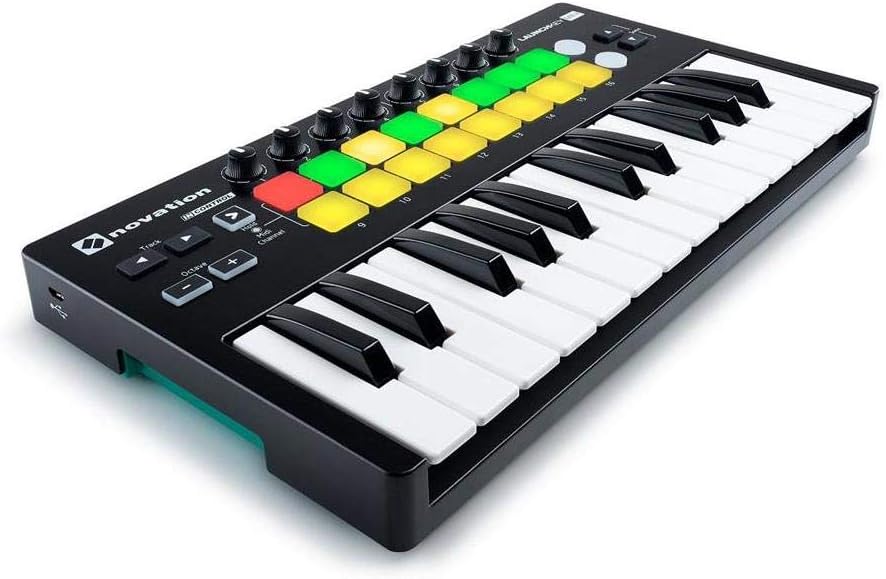
ചിത്രം 4.1: വിശദമായ മുകളിൽ നിന്ന് താഴേക്ക് view of the Launchkey Mini MK2, showing the layout of keys, pads, knobs, and control buttons.
5. പരിപാലനം
To ensure the longevity and optimal performance of your Launchkey Mini (MK2), follow these maintenance guidelines:
- വൃത്തിയാക്കൽ: Use a soft, dry, lint-free cloth to wipe down the surface of the controller. For stubborn marks, a slightly damp വീര്യം കുറഞ്ഞ സോപ്പ് ഉള്ള തുണി ഉപയോഗിക്കാം, പക്ഷേ ദ്രാവകം ഉപകരണത്തിലേക്ക് പ്രവേശിക്കുന്നില്ലെന്ന് ഉറപ്പാക്കുക. അബ്രസിവ് ക്ലീനറുകളോ ലായകങ്ങളോ ഒഴിവാക്കുക.
- സംഭരണം: Store the device in a cool, dry place away from direct sunlight, extreme temperatures, and high humidity. When transporting, use a protective bag or case to prevent physical damage.
- കണക്റ്റിവിറ്റി: Always handle the USB cable and port with care. Avoid pulling the cable forcefully or bending the connector.
6. പ്രശ്നപരിഹാരം
If you encounter issues with your Launchkey Mini (MK2), consider the following troubleshooting steps:
- ഉപകരണം തിരിച്ചറിഞ്ഞിട്ടില്ല:
- Ensure the USB cable is securely connected to both the Launchkey Mini (MK2) and your computer/iPad.
- നിങ്ങളുടെ കമ്പ്യൂട്ടറിൽ മറ്റൊരു USB പോർട്ട് പരീക്ഷിക്കുക.
- If using a USB hub, try connecting directly to your computer.
- Restart your computer and the Launchkey Mini (unplug and replug).
- Check your operating system's device manager (Windows) or System Information (macOS) to see if the device is listed.
- ശബ്ദം/മിഡി ഔട്ട്പുട്ട് ഇല്ല:
- Verify that the Launchkey Mini (MK2) is selected as the MIDI input device within your DAW's preferences/settings.
- Ensure the correct instrument track is armed for recording or monitoring in your DAW.
- Check that the volume levels in your DAW and on your audio interface/speakers are not muted or too low.
- Confirm that the virtual instrument or software synthesizer is loaded and active.
- Pads/Keys Not Responding:
- Check the MIDI channel settings on the Launchkey Mini (MK2) and ensure it matches the MIDI channel of your instrument in the DAW.
- Ensure the "InControl" mode is correctly set for your DAW.
- If specific pads are not lighting up or responding, try restarting the device.
- സോഫ്റ്റ്വെയർ പ്രശ്നങ്ങൾ:
- Ensure your DAW and operating system are up to date.
- Visit the Novation support website for the latest drivers or firmware updates for your Launchkey Mini (MK2).
7 സ്പെസിഫിക്കേഷനുകൾ
| ഫീച്ചർ | വിശദാംശങ്ങൾ |
|---|---|
| മോഡലിൻ്റെ പേര് | Launchkey Mini [MK2] |
| ഇനം മോഡൽ നമ്പർ | AMS-LAUNCHKEY-MINI-MK2 |
| കീബോർഡ് കീകളുടെ എണ്ണം | 25 (Mini-keys) |
| പാഡുകൾ | 16 Multi-color backlit, velocity-sensitive drum pads |
| നോബ്സ് | 8 Assignable knobs |
| കണക്റ്റിവിറ്റി ടെക്നോളജി | USB |
| കണക്റ്റർ തരം | മൈക്രോ യുഎസ്ബി |
| ഹാർഡ്വെയർ ഇന്റർഫേസ് | USB 2.0 |
| ഹാർഡ്വെയർ പ്ലാറ്റ്ഫോം | PC/Mac/iOS |
| പിന്തുണയ്ക്കുന്ന സോഫ്റ്റ്വെയർ | Ableton Live, FL Studio, Pro Tools, Reason, Cubase, Logic, iOS music apps |
| ഇനത്തിൻ്റെ ഭാരം | 1.55 പൗണ്ട് (ഏകദേശം 0.7 കിലോഗ്രാം) |
| ഉൽപ്പന്ന അളവുകൾ (L x W x H) | 14.96 x 8.66 x 3.07 ഇഞ്ച് (ഏകദേശം 38 x 22 x 7.8 സെ.മീ) |
| പ്രത്യേക ഫീച്ചർ | Compact, Portable, Velocity Sensitive Keys/Pads, Bus-powered |
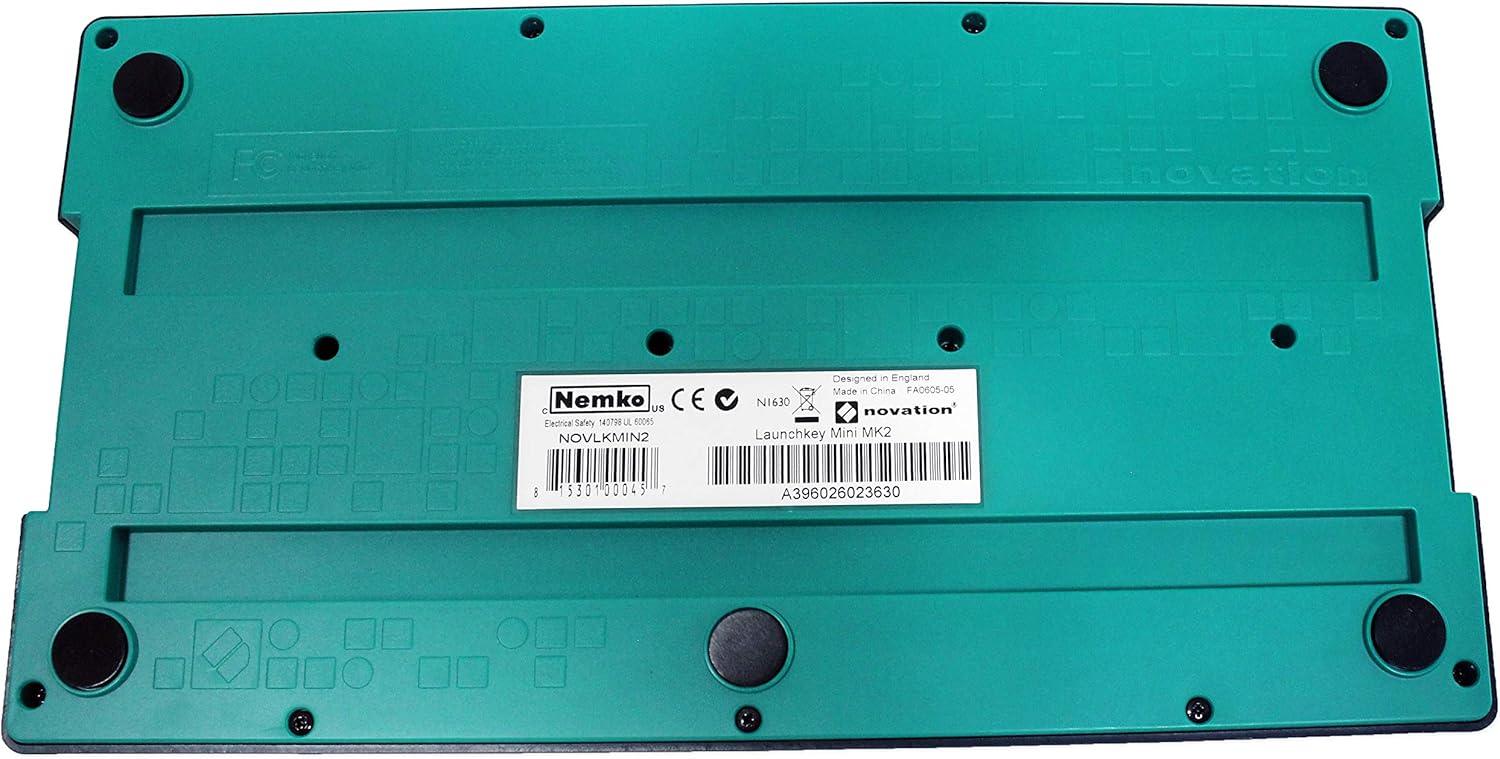
ചിത്രം 7.1: താഴെ view of the Launchkey Mini MK2, showing product information and rubber feet for stability.
8. വാറൻ്റിയും പിന്തുണയും
Novation offers a 3-Year Warranty on the Launchkey Mini (MK2) and all other Novation products. For detailed warranty terms, technical support, or to register your product, please visit the official Novation support website or the Focusrite Group website. Keeping your product registered can facilitate warranty claims and provide access to exclusive content and updates.
For further assistance, please refer to the comprehensive user manual available for download on the Novation webസൈറ്റിൽ പ്രവേശിക്കുക അല്ലെങ്കിൽ അവരുടെ ഉപഭോക്തൃ പിന്തുണയുമായി നേരിട്ട് ബന്ധപ്പെടുക.


