1. ആമുഖം
വാങ്ങിയതിന് നന്ദി.asing the VTech VM312-2 Video Baby Monitor. This manual provides essential information for setting up, operating, and maintaining your new baby monitor. Please read it thoroughly to ensure safe and optimal performance of the product.
2. പ്രധാന സുരക്ഷാ നിർദ്ദേശങ്ങൾ
- കഴുത്ത് ഞെരിച്ച് കൊല്ലുന്ന അപകടം: Keep all cords out of reach of children (more than 3 feet / 0.9 meters away). Never place the camera or cords within the crib or playpen.
- ശ്വാസംമുട്ടൽ അപകടം: This product contains small parts. Keep them away from children.
- ചൂട് എക്സ്പോഷർ: റേഡിയറുകൾ, ഹീറ്റ് രജിസ്റ്ററുകൾ, സ്റ്റൗകൾ അല്ലെങ്കിൽ താപം ഉൽപ്പാദിപ്പിക്കുന്ന മറ്റ് വീട്ടുപകരണങ്ങൾ തുടങ്ങിയ താപ സ്രോതസ്സുകൾക്ക് സമീപം ഉൽപ്പന്നം സ്ഥാപിക്കരുത്.
- ജലവും ഈർപ്പവും: Do not use the product near water, such as a bathtub, washbowl, kitchen sink, laundry tub, swimming pool, or in a wet basement.
- ഊർജ്ജ സ്രോതസ്സുകൾ: Use only the power adapters provided with the product. Using unauthorized adapters may damage the product and void the warranty.
- വെൻ്റിലേഷൻ: Slots and openings in the product are provided for ventilation. Do not block these openings.
- ബാറ്ററി സുരക്ഷ: The parent unit contains a rechargeable Lithium-ion battery. Use only the supplied battery. Do not dispose of batteries in a fire.
3. പാക്കേജ് ഉള്ളടക്കം
Your VTech VM312-2 package includes the following items:
- 1 x പേരന്റ് യൂണിറ്റ് (മോണിറ്റർ)
- 2 x ബേബി യൂണിറ്റുകൾ (ക്യാമറകൾ)
- 3 x Power Adapters (one for Parent Unit, two for Baby Units)
- 1 x റീചാർജ് ചെയ്യാവുന്ന ബാറ്ററി (പാരന്റ് യൂണിറ്റിൽ മുൻകൂട്ടി ഇൻസ്റ്റാൾ ചെയ്തത്)
- 1 x ഉപയോക്തൃ മാനുവൽ (ഈ പ്രമാണം)

Image: The VTech VM312-2 Video Baby Monitor set, including one parent unit and two baby units.
4. ഉൽപ്പന്നം കഴിഞ്ഞുview
4.1 പേരന്റ് യൂണിറ്റ്

ചിത്രം: മുൻഭാഗം view of the parent unit, showing the 2-inch color LCD screen and control buttons.
- 2-ഇഞ്ച് കളർ LCD സ്ക്രീൻ: Displays live video feed from the baby unit(s).
- Volume Buttons (VOL ▲ / ▼): കേൾക്കുന്ന ശബ്ദം ക്രമീകരിക്കുക.
- MENU/SELECT Button: Access the menu options or confirm a selection.
- TALK Button: ബേബി യൂണിറ്റ് വഴി നിങ്ങളുടെ കുഞ്ഞിനോട് സംസാരിക്കാൻ അമർത്തിപ്പിടിക്കുക.
- Power/Screen On/Off Button: സ്ക്രീൻ ഓണാക്കുകയോ ഓഫാക്കുകയോ ചെയ്യുന്നു.
- ആൻ്റിന: വയർലെസ് സിഗ്നൽ സ്വീകരണത്തിനായി.
- മൈക്രോഫോൺ: For two-way talk.
- സ്പീക്കർ: ഓഡിയോ ഔട്ട്പുട്ടിനായി.
- കിക്ക്സ്റ്റാൻഡ്: Allows the parent unit to stand upright.
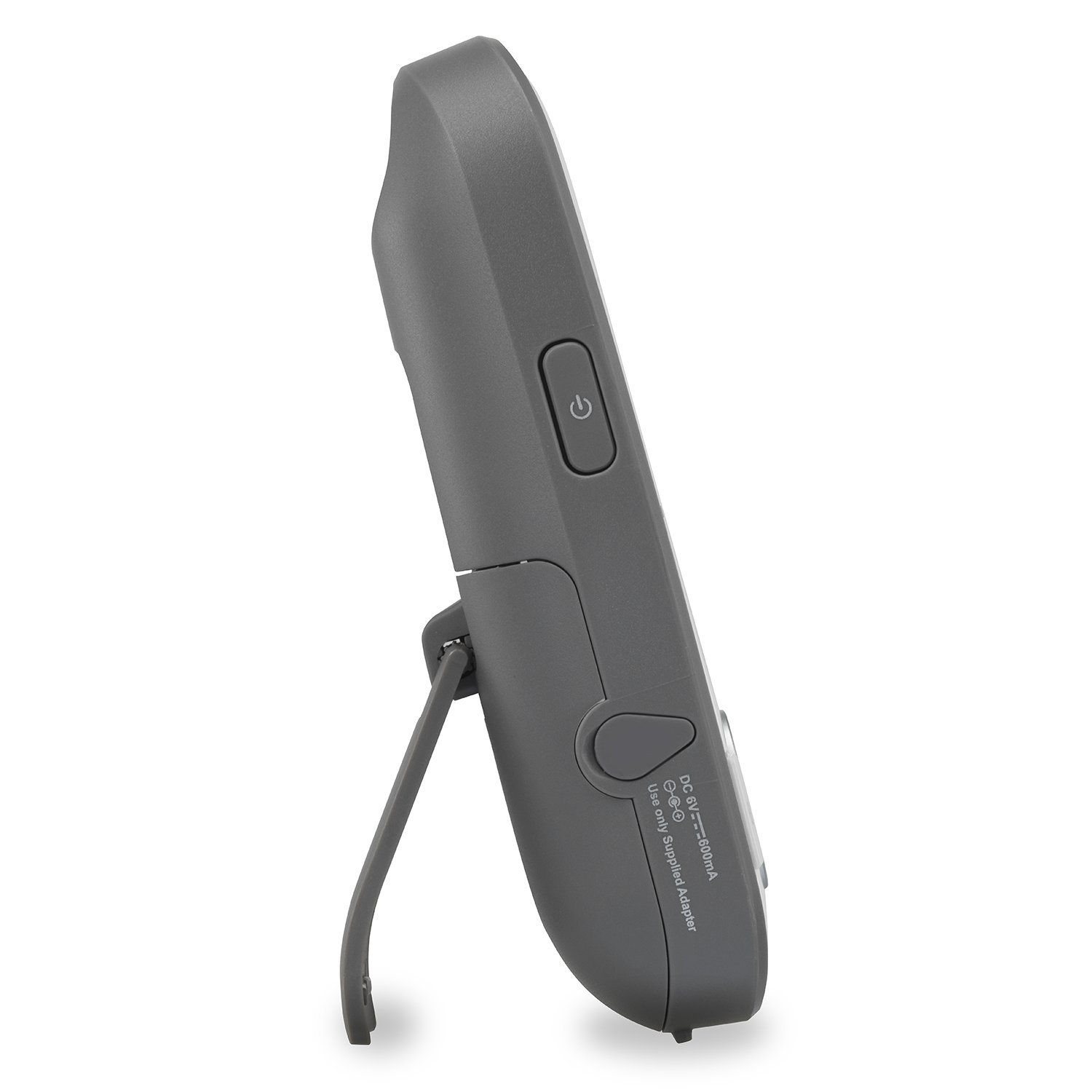
ചിത്രം: വശം view of the parent unit, showing the power input port and kickstand.
4.2 ബേബി യൂണിറ്റ് (ക്യാമറ)

ചിത്രം: മുൻഭാഗം view of a baby unit, showing the camera lens and control buttons.
- ക്യാമറ ലെൻസ്: വീഡിയോ ക്യാപ്ചർ ചെയ്യുന്നു.
- ഇൻഫ്രാറെഡ് LED-കൾ: For night vision.
- മൈക്രോഫോൺ: Picks up sounds from the baby's room.
- പവർ എൽഇഡി: പവർ സ്റ്റാറ്റസ് സൂചിപ്പിക്കുന്നു.
- Volume Buttons (VOL ▲ / ▼): Adjust the speaker volume on the baby unit.
- ജോടി ബട്ടൺ: Used for pairing with the parent unit if necessary.
- പവർ ഓൺ/ഓഫ് ബട്ടൺ: Turns the baby unit on or off.
- പവർ ജാക്ക്: പവർ അഡാപ്റ്ററുമായി ബന്ധിപ്പിക്കുന്നു.
- Wall Mount Holes: For mounting the camera on a wall.
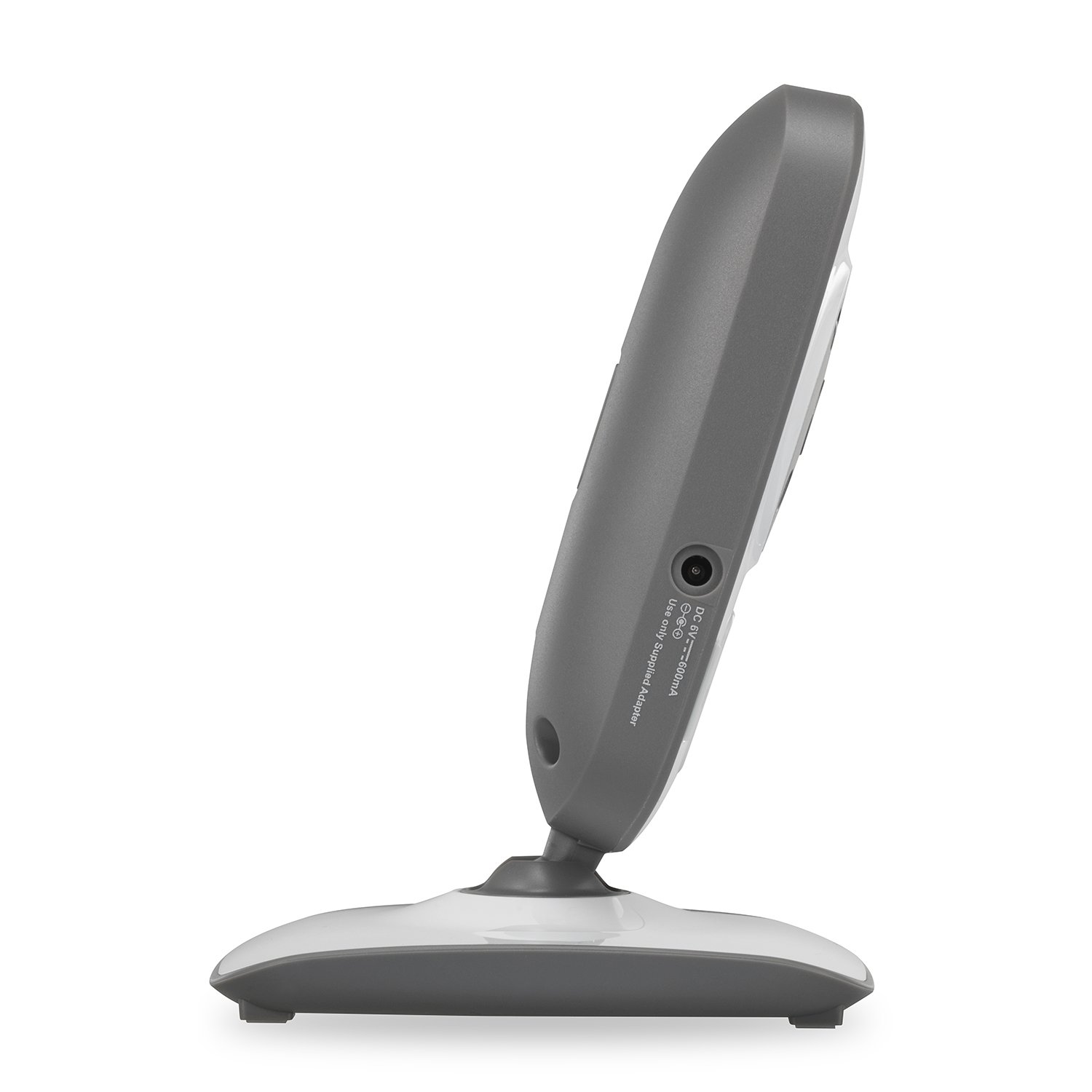
ചിത്രം: വശം view of a baby unit, showing the power input port.
5. സജ്ജീകരണം
5.1 പേരന്റ് യൂണിറ്റ് ചാർജ് ചെയ്യുന്നു
- പാരന്റ് യൂണിറ്റിന്റെ പവർ അഡാപ്റ്ററിന്റെ ചെറിയ അറ്റം പാരന്റ് യൂണിറ്റിന്റെ വശത്തുള്ള പവർ ജാക്കുമായി ബന്ധിപ്പിക്കുക.
- പവർ അഡാപ്റ്ററിന്റെ വലിയ അറ്റം ഒരു മതിൽ ഔട്ട്ലെറ്റിൽ പ്ലഗ് ചെയ്യുക.
- The battery icon on the screen will indicate charging status. For optimal battery performance, charge the parent unit for at least 12 hours before initial use.
5.2 Positioning the Baby Unit(s)
- Place the baby unit(s) in your baby's room, at least 3 feet (0.9 meters) away from the crib or playpen to avoid strangulation hazards from the power cord.
- Position the camera on a flat surface or mount it to a wall using the integrated wall mount holes. Ensure the camera provides a clear view നിങ്ങളുടെ കുഞ്ഞിൻറെ.
- ബേബി യൂണിറ്റിന്റെ പവർ അഡാപ്റ്ററിന്റെ ചെറിയ അറ്റം ബേബി യൂണിറ്റിന്റെ പിൻഭാഗത്തുള്ള പവർ ജാക്കുമായി ബന്ധിപ്പിക്കുക.
- പവർ അഡാപ്റ്ററിന്റെ വലിയ അറ്റം ഒരു മതിൽ ഔട്ട്ലെറ്റിൽ പ്ലഗ് ചെയ്യുക.
- The power LED on the baby unit will illuminate when powered on.

Image: Diagram illustrating the effective range of the baby monitor within a home environment, up to 1,000 feet.
5.3 പ്രാരംഭ പവർ ഓണും ജോടിയാക്കലും
The baby units and parent unit are pre-paired. If you experience issues or add new cameras, follow these steps to pair:
- Ensure both the parent unit and baby unit are powered on.
- On the parent unit, press the മെനു/തിരഞ്ഞെടുക്കുക ബട്ടൺ.
- Navigate to the 'Add Camera' or 'Pair' option in the menu and select it.
- 10 സെക്കൻഡിനുള്ളിൽ, അമർത്തുക ജോടിയാക്കുക button on the back of the baby unit.
- The parent unit will display 'Pairing successful' and show the video feed from the newly paired camera.
6. മോണിറ്റർ പ്രവർത്തിപ്പിക്കുക
6.1 Basic Monitoring
Once powered on and paired, the parent unit will automatically display the video feed from the baby unit. You can adjust the listening volume using the VOL ▲ / ▼ buttons on the parent unit.
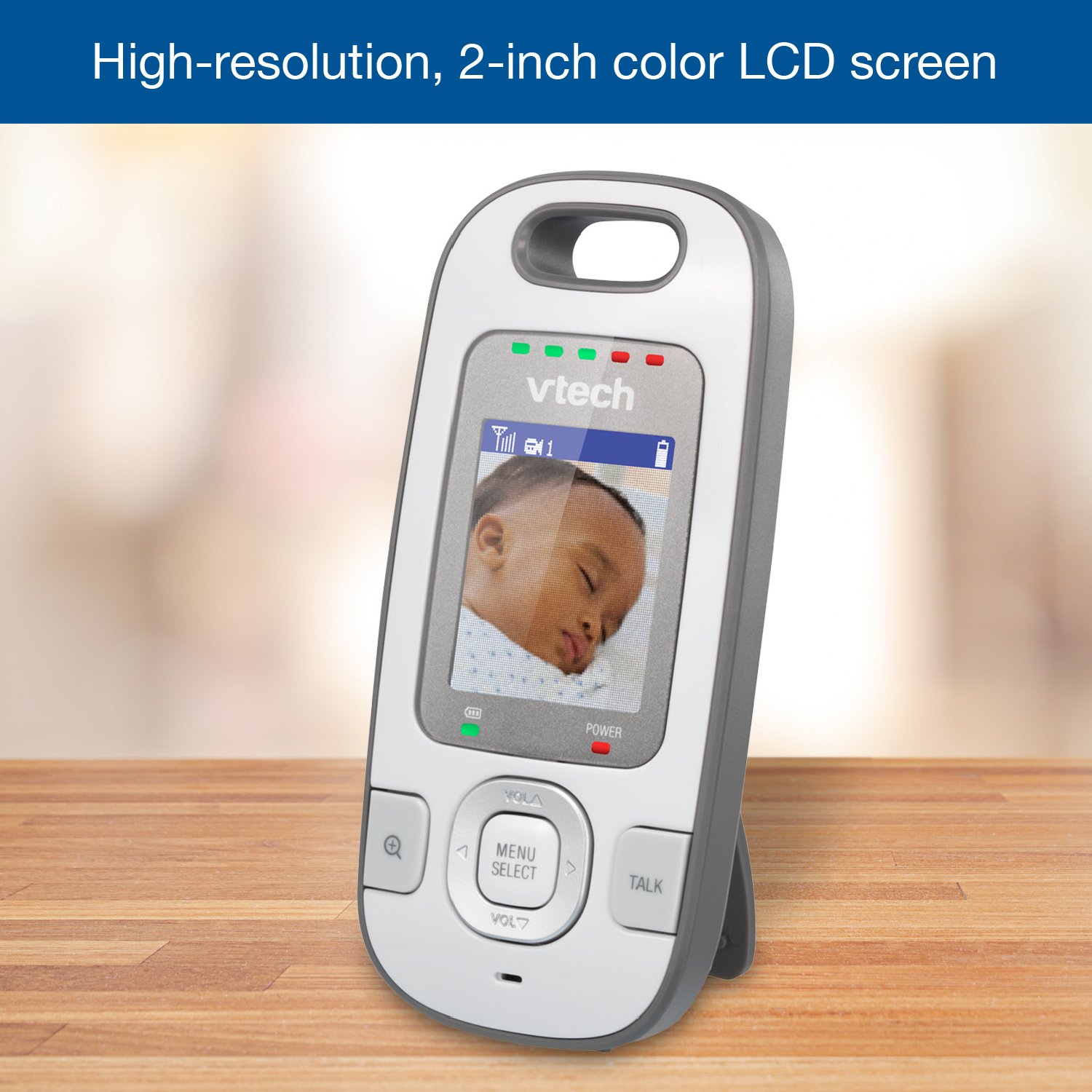
ചിത്രം: ഒരു ക്ലോസ്-അപ്പ് view of the parent unit's 2-inch color LCD screen, displaying a sleeping baby.
6.2 ടു-വേ ടോക്ക്-ബാക്ക് ഇന്റർകോം
നിങ്ങളുടെ കുഞ്ഞിനോട് സംസാരിക്കാൻ, അമർത്തിപ്പിടിക്കുക സംസാരിക്കുക button on the parent unit. Your voice will be transmitted through the baby unit's speaker. Release the button to resume listening.

Image: A parent comforting their child using the two-way talk-back intercom feature of the monitor.
6.3 നൈറ്റ് വിഷൻ
The baby unit is equipped with infrared LEDs that automatically activate in low-light conditions, providing a clear black-and-white video feed on the parent unit. This allows for continuous monitoring even in a dark room.
6.4 Patrol-Screen Viewing (Multiple Cameras)
If you have multiple baby units, you can switch between them manually or use the Patrol-Screen feature. To activate Patrol-Screen, navigate through the parent unit's menu to select the patrol mode. The monitor will automatically cycle through the video feeds of all connected cameras every few seconds.

ചിത്രം: ഒരു കൊളാഷ് ഷോasing various features including volume control, automatic infrared night vision, multiple viewing options, and a 5-level sound indicator.
6.5 Sound Indicator
The parent unit features a 5-level sound indicator. These LEDs light up to visually represent the sound level detected by the baby unit, even when the parent unit's volume is muted. More LEDs light up as the sound level increases.
6.6 വീഡിയോ ഓവർview
വീഡിയോ: ഒരു ഓവർview of the VTech VM312-2 Safe & Sound Video Baby Monitor, demonstrating its key features and benefits for parents.
Video: A demonstration of the VTech VM312-2 Video Baby Monitor's features, including Patrol-Screen Viewing, Night Vision, and Talk-Back Intercom.
7. പരിപാലനം
7.1 മോണിറ്റർ വൃത്തിയാക്കുന്നു
- മാതൃ യൂണിറ്റിന്റെയും ബേബി യൂണിറ്റുകളുടെയും പ്രതലങ്ങൾ മൃദുവായ, ഡി-ടൈപ്പ് ഉപയോഗിച്ച് തുടയ്ക്കുക.amp തുണി.
- ക്ലീനിംഗ് സ്പ്രേകളോ ലിക്വിഡ് ക്ലീനറുകളോ ഉപയോഗിക്കരുത്.
- Ensure the units are completely dry before reconnecting to power.
7.2 ബാറ്ററി കെയർ (പാരന്റ് യൂണിറ്റ്)
- To prolong battery life, fully charge the parent unit before first use and whenever the low battery indicator appears.
- Avoid extreme temperatures, as this can affect battery performance.
- If the product will not be used for an extended period, remove the battery from the parent unit.
8. പ്രശ്നപരിഹാരം
| പ്രശ്നം | സാധ്യമായ കാരണം | പരിഹാരം |
|---|---|---|
| No video/audio on parent unit | Baby unit or parent unit is off; Out of range; Not paired. | Ensure both units are on and connected to power. Move parent unit closer to baby unit. Re-pair units if necessary (see Section 5.3). |
| സ്റ്റാറ്റിക് അല്ലെങ്കിൽ ഇടപെടൽ | Other electronic devices nearby; Out of range. | Move the monitor away from other electronic devices (e.g., Wi-Fi routers, microwaves). Move parent unit closer to baby unit. |
| പാരന്റ് യൂണിറ്റ് ബാറ്ററി വേഗത്തിൽ തീർന്നു പോകുന്നു | ബാറ്ററി പൂർണ്ണമായും ചാർജ് ചെയ്തിട്ടില്ല; പഴയ ബാറ്ററി. | Ensure parent unit is fully charged (12 hours for first charge). Consider replacing the battery if it's old and no longer holds a charge. |
| രാത്രി കാഴ്ച പ്രവർത്തിക്കുന്നില്ല | Insufficient darkness for auto-activation. | Ensure the room is dark enough for the infrared LEDs to activate automatically. |
9 സ്പെസിഫിക്കേഷനുകൾ
| ഫീച്ചർ | വിശദാംശങ്ങൾ |
|---|---|
| മോഡൽ നമ്പർ | VM312-2 |
| സ്ക്രീൻ വലിപ്പം | 2 ഇഞ്ച് (എൽസിഡി) |
| വയർലെസ് ടെക്നോളജി | 2.4GHz FHSS |
| പരിധി | 1,000 അടി വരെ (കാഴ്ചയുടെ രേഖ) |
| നൈറ്റ് വിഷൻ | ഓട്ടോമാറ്റിക് ഇൻഫ്രാറെഡ് |
| ഇൻ്റർകോം | Two-Way Talk-Back |
| വിപുലീകരണക്ഷമത | Up to 4 cameras (additional cameras sold separately) |
| Power Source (Parent Unit) | റീചാർജ് ചെയ്യാവുന്ന ലിഥിയം-അയൺ ബാറ്ററി |
| Power Source (Baby Unit) | എസി പവർ അഡാപ്റ്റർ |
| Product Dimensions (Parent Unit) | 1.39 x 4.5 x 4.96 ഇഞ്ച് |
| ഇനത്തിൻ്റെ ഭാരം | 1.65 പൗണ്ട് |
10. വാറൻ്റി വിവരങ്ങൾ
VTech products are designed with quality and reliability in mind. For detailed warranty information, including coverage periods and terms, please refer to the warranty card included with your product or visit the official VTech Babycare webസൈറ്റ്.
11. പിന്തുണ
If you have any questions or require assistance with your VTech VM312-2 Video Baby Monitor, please contact VTech customer support:
- Webസൈറ്റ്: www.vtechbabycare.com
- ഇമെയിൽ: സപ്പോർട്ട്@vtechbabycare.com


