1. ആമുഖം
This manual provides comprehensive instructions for the installation, operation, and maintenance of the CP PLUS CP-UVR-0401E1S 4 Channel Digital Video Recorder (DVR). This device is designed for surveillance applications, offering reliable video recording and playback capabilities.
The CP-UVR-0401E1S is a 4-channel DVR with one audio input, featuring a user-friendly Graphical User Interface (GUI) for easy operation. It supports simultaneous VGA and TV output and offers dual-stream video compression for efficient data management.
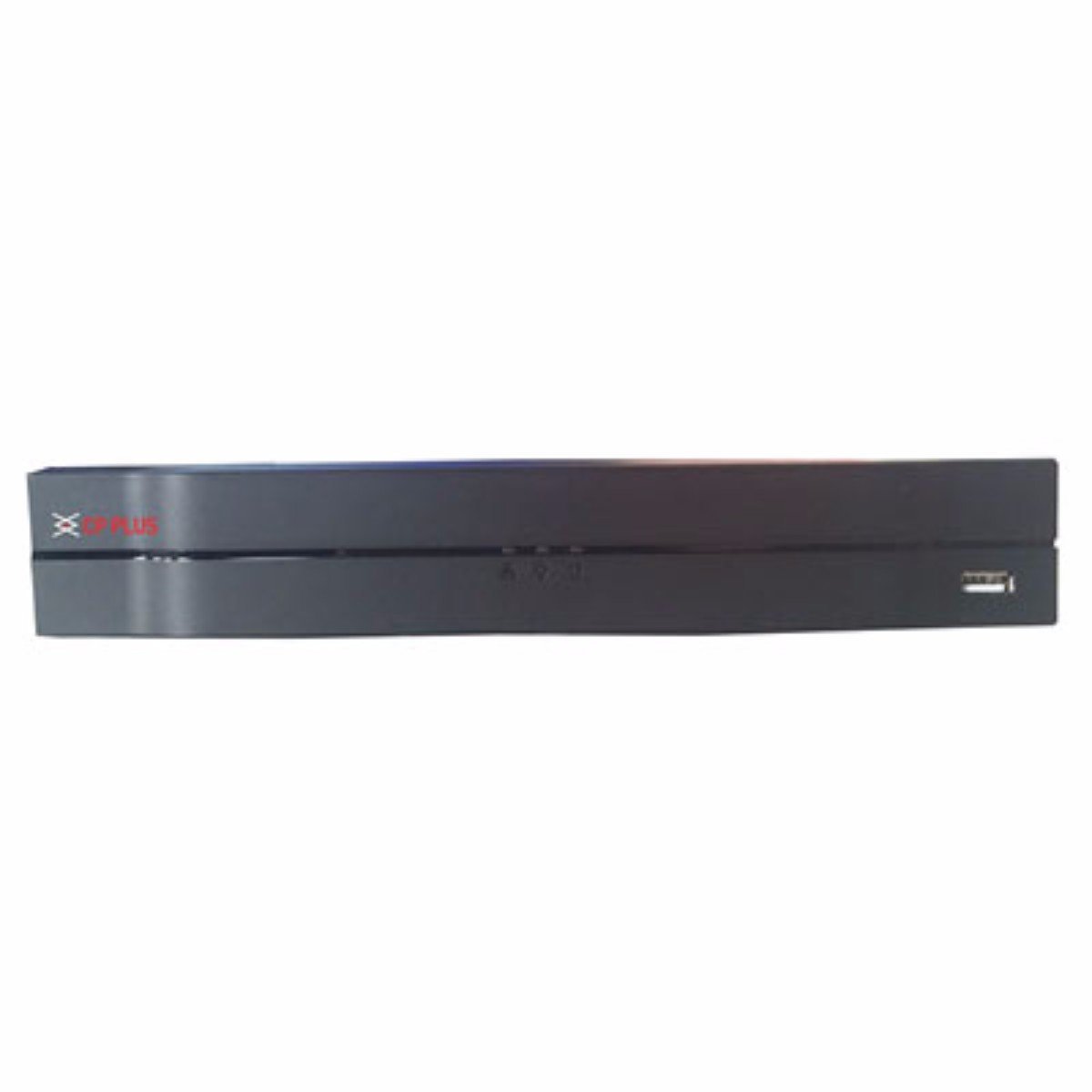
ചിത്രം 1: Front panel of the CP PLUS CP-UVR-0401E1S 4 Channel DVR. The device is black with the CP PLUS logo on the left and a USB port on the right. The design is sleek and compact.
2 പ്രധാന സവിശേഷതകൾ
- H.264 Dual-Stream Video Compression: Efficiently compresses video data for optimized storage and network transmission.
- സംഭരണ പിന്തുണ: Accommodates 1 SATA HDD up to 4TB for extensive recording capacity.
- USB കണക്റ്റിവിറ്റി: Equipped with 2 USB 2.0 ports for data backup and peripheral connections.
- Video Input Compatibility: Supports HDCVI, Analog, and IP video inputs for versatile camera integration.
- Real-time Recording: All channels support 720P real-time recording, ensuring smooth and detailed video capture.
- Simultaneous Video Output: Provides HDMI and VGA simultaneous video output for flexible display options.
3. സജ്ജീകരണ ഗൈഡ്
Follow these steps to set up your CP PLUS CP-UVR-0401E1S DVR:
- ഡിവിആർ അൺപാക്ക് ചെയ്യുക: പാക്കേജിംഗിൽ നിന്ന് DVR ഉം എല്ലാ അനുബന്ധ ഉപകരണങ്ങളും ശ്രദ്ധാപൂർവ്വം നീക്കം ചെയ്യുക.
- ഹാർഡ് ഡിസ്ക് ഡ്രൈവ് (HDD) ഇൻസ്റ്റാൾ ചെയ്യുക:
- Open the DVR casing.
- Mount the SATA HDD securely inside the DVR.
- Connect the SATA data and power cables from the DVR to the HDD.
- Close the DVR casing.
- ക്യാമറകൾ ബന്ധിപ്പിക്കുക: Connect your surveillance cameras to the video input ports on the rear panel of the DVR using appropriate cables (BNC for analog/HDCVI, Ethernet for IP cameras if supported via network switch).
- മോണിറ്റർ ബന്ധിപ്പിക്കുക: DVR-ന്റെ HDMI അല്ലെങ്കിൽ VGA ഔട്ട്പുട്ട് പോർട്ടിലേക്ക് ഒരു മോണിറ്റർ ബന്ധിപ്പിക്കുക.
- ഓഡിയോ ബന്ധിപ്പിക്കുക (ഓപ്ഷണൽ): If using an external microphone, connect it to the audio input port.
- നെറ്റ്വർക്ക് ബന്ധിപ്പിക്കുക (ഓപ്ഷണൽ): റിമോട്ടിന് viewing or network access, connect an Ethernet cable from the DVR's LAN port to your router or network switch.
- പവർ ബന്ധിപ്പിക്കുക: Connect the provided power adapter to the DVR and then plug it into a power outlet. The DVR will power on automatically.
- പ്രാരംഭ കോൺഫിഗറേഷൻ: Upon first boot, follow the on-screen wizard to set up basic parameters such as date/time, network settings, and password.
4. പ്രവർത്തന നിർദ്ദേശങ്ങൾ
The CP-UVR-0401E1S DVR features an intuitive Graphical User Interface (GUI) for easy navigation and control. Use a USB mouse connected to one of the DVR's USB ports to interact with the interface.
4.1 തത്സമയം View
After startup, the DVR will display the live view കണക്റ്റുചെയ്തിരിക്കുന്ന എല്ലാ ക്യാമറകളുടെയും. നിങ്ങൾക്ക് ഒറ്റ ക്യാമറകൾക്കിടയിൽ മാറാം view മൾട്ടി-ക്യാമറ ഗ്രിഡും view by right-clicking on the screen and selecting the desired layout.
4.2 റെക്കോർഡിംഗ്
- മാനുവൽ റെക്കോർഡിംഗ്: ലൈവിലെ റെക്കോർഡ് ഐക്കണിൽ ക്ലിക്ക് ചെയ്യുക view interface to start or stop manual recording for a specific channel.
- ഷെഡ്യൂൾഡ് റെക്കോർഡിംഗ്: Access the "Record" menu in the main GUI to configure recording schedules based on time or events (e.g., motion detection).
- മോഷൻ ഡിറ്റക്ഷൻ റെക്കോർഡിംഗ്: Enable motion detection for specific channels in the "Alarm" settings. The DVR will automatically record when motion is detected.
4.3 പ്ലേബാക്ക്
വീണ്ടുംview രേഖപ്പെടുത്തി footage:
- ലൈവിൽ റൈറ്റ് ക്ലിക്ക് ചെയ്യുക view screen and select "Playback" or access it from the main menu.
- Select the desired date and channel(s) for playback.
- Use the timeline and control buttons (play, pause, fast forward, rewind) to navigate through the recordings.
4.4 ബാക്കപ്പ്
To back up recorded video footage:
- Connect a USB flash drive or external hard drive to one of the DVR's USB ports.
- Access the "Backup" menu from the main GUI.
- Select the desired channels, time range, and file format for the backup.
- ബാക്കപ്പ് പ്രക്രിയ ആരംഭിക്കുക.
4.5 റിമോട്ട് ആക്സസ്
റിമോട്ടിന് viewing via mobile app or web browser, ensure the DVR is connected to the internet. Configure network settings (IP address, port forwarding, or P2P/Cloud service) in the DVR's network menu. Refer to the specific CP PLUS remote access application guide for detailed instructions.
5 സാങ്കേതിക സവിശേഷതകൾ
| ഫീച്ചർ | സ്പെസിഫിക്കേഷൻ |
|---|---|
| മോഡൽ നമ്പർ | CP-UVR-0401E1S |
| വീഡിയോ കംപ്രഷൻ | H.264 dual-stream |
| വീഡിയോ ഇൻപുട്ട് | 4 Channels (HDCVI/Analog/IP) |
| ഓഡിയോ ഇൻപുട്ട് | 1 ചാനൽ |
| റെക്കോഡിംഗ് റെസല്യൂഷൻ | 720P Realtime (all channels) |
| വീഡിയോ ഔട്ട്പുട്ട് | HDMI, VGA (Simultaneous) |
| HDD Support | 1TB വരെ 4 SATA HDD |
| USB പോർട്ടുകൾ | 2 x USB 2.0 |
| നെറ്റ്വർക്ക് ഇന്റർഫേസ് | ഇഥർനെറ്റ് (RJ-45) |
| അളവുകൾ (LxWxH) | 26 x 4 x 22 സെ.മീ |
| ഭാരം | 1.15 കി.ഗ്രാം |
| അനുയോജ്യമായ ഉപകരണങ്ങൾ | Television (for display) |
6. പ്രശ്നപരിഹാരം
This section addresses common issues you might encounter with your DVR.
6.1 വീഡിയോ ഡിസ്പ്ലേ ഇല്ല
- പവർ പരിശോധിക്കുക: Ensure the DVR is powered on and the power adapter is securely connected.
- മോണിറ്റർ കണക്ഷൻ: Verify that the HDMI or VGA cable is securely connected between the DVR and the monitor. Try a different cable or monitor if possible.
- ഇൻപുട്ട് ഉറവിടം: Ensure your monitor is set to the correct input source (HDMI/VGA).
- ക്യാമറ കണക്ഷൻ: Check if cameras are properly connected and receiving power.
6.2 റെക്കോർഡിംഗ് ഇല്ല
- HDD സ്റ്റാറ്റസ്: Check the HDD status in the DVR's menu. Ensure it is detected, initialized, and has sufficient free space.
- റെക്കോർഡിംഗ് ഷെഡ്യൂൾ: Verify that the recording schedule is correctly configured for the desired channels and times.
- ചലനം കണ്ടെത്തൽ: If using motion detection recording, ensure it is enabled and sensitivity settings are appropriate.
6.3 റിമോട്ട് ആക്സസ് പ്രശ്നങ്ങൾ
- നെറ്റ്വർക്ക് കണക്ഷൻ: DVR ഇന്റർനെറ്റുമായി ബന്ധിപ്പിച്ചിട്ടുണ്ടെന്നും സാധുവായ ഒരു IP വിലാസം ഉണ്ടെന്നും ഉറപ്പാക്കുക.
- നെറ്റ്വർക്ക് ക്രമീകരണങ്ങൾ: Check DVR network settings (IP address, gateway, DNS). Ensure port forwarding is correctly configured on your router if not using P2P/Cloud.
- ആപ്പ്/സോഫ്റ്റ്വെയർ: Ensure you are using the correct and updated mobile application or client software.
7. പരിപാലനം
- പതിവ് വൃത്തിയാക്കൽ: Keep the DVR free from dust. Use a soft, dry cloth to clean the exterior. Do not use liquid cleaners.
- ഫേംവെയർ അപ്ഡേറ്റുകൾ: Periodically check the CP PLUS official website for firmware updates. Updating firmware can improve performance and add new features. Follow update instructions carefully.
- ഡാറ്റ ബാക്കപ്പ്: Regularly back up important recorded footage to an external storage device to prevent data loss.
- പരിസ്ഥിതി വ്യവസ്ഥകൾ: Ensure the DVR is operated within recommended temperature and humidity ranges. Avoid direct sunlight and excessive heat.
8. വാറൻ്റിയും പിന്തുണയും
വാറന്റി വിവരങ്ങൾക്ക്, ദയവായി നിങ്ങളുടെ ഉൽപ്പന്നത്തിനൊപ്പം ഉൾപ്പെടുത്തിയിരിക്കുന്ന വാറന്റി കാർഡ് പരിശോധിക്കുകയോ ഔദ്യോഗിക CP PLUS സന്ദർശിക്കുകയോ ചെയ്യുക. website. For technical support, product inquiries, or service, please contact CP PLUS customer service through their official channels.
നിർമ്മാതാവ്: സിപി പ്ലസ്
മോഡൽ: CP-UVR-0401E1S


