വാങ്ങിയതിന് നന്ദി.asing the PROSCAN 37-Inch Bluetooth Sound Bar. This ultra-slim sound bar is designed to enhance your audio experience with your Smart TV, offering versatile connectivity options including Bluetooth, Optical Digital Audio Input, and Aux-In. This manual provides detailed instructions for setup, operation, maintenance, and troubleshooting to ensure optimal performance and longevity of your device.
പ്രധാനപ്പെട്ട സുരക്ഷാ വിവരങ്ങൾ
മുന്നറിയിപ്പ്: കാൻസറിനും ജനന വൈകല്യങ്ങൾക്കും അല്ലെങ്കിൽ മറ്റ് പ്രത്യുൽപാദന ദോഷങ്ങൾക്കും കാരണമാകുന്ന കാലിഫോർണിയ സംസ്ഥാനത്തിന് അറിയപ്പെടുന്ന രാസവസ്തുക്കൾ ഈ ഉൽപ്പന്നത്തിൽ അടങ്ങിയിരിക്കുന്നു.
ഉപകരണം പ്രവർത്തിപ്പിക്കുന്നതിന് മുമ്പ് എല്ലാ നിർദ്ദേശങ്ങളും വായിക്കുക.
ഭാവി റഫറൻസിനായി ഈ മാനുവൽ സൂക്ഷിക്കുക.
മഴയോ ഈർപ്പമോ യൂണിറ്റ് തുറന്നുകാട്ടരുത്.
വെൻ്റിലേഷൻ ഓപ്പണിംഗുകളൊന്നും തടയരുത്.
ശരിയായ വൈദ്യുതി വിതരണം വോളിയം ഉറപ്പാക്കുകtage as indicated on the unit.
മിന്നൽ കൊടുങ്കാറ്റുകളുടെ സമയത്തോ ദീർഘകാലത്തേക്ക് ഉപയോഗിക്കാത്ത സമയത്തോ യൂണിറ്റ് അൺപ്ലഗ് ചെയ്യുക.
എല്ലാ സേവനങ്ങളും യോഗ്യതയുള്ള സേവന ഉദ്യോഗസ്ഥർക്ക് റഫർ ചെയ്യുക.
ബോക്സിൽ എന്താണുള്ളത്
Image: Contents of the PROSCAN Sound Bar box, showing the sound bar, remote control, AC power adapter, stereo audio connection cable, RCA audio cable, and mount screws.
താഴെ പറയുന്ന എല്ലാ ഇനങ്ങളും നിങ്ങളുടെ പാക്കേജിൽ ഉൾപ്പെടുത്തിയിട്ടുണ്ടോ എന്ന് ദയവായി പരിശോധിക്കുക:
PROSCAN 37-Inch Bluetooth Sound Bar
റിമോട്ട് കൺട്രോൾ
എസി പവർ അഡാപ്റ്റർ
Stereo Audio Connection Cable
ആർസിഎ ഓഡിയോ കേബിൾ
Mount Screws (for wall mounting)
ഉപയോക്തൃ മാനുവൽ (ഈ പ്രമാണം)
ഉൽപ്പന്നം കഴിഞ്ഞുview
Image: The PROSCAN 37-Inch Bluetooth Sound Bar positioned in front of a curved television screen, with its remote control placed nearby. The sound bar is sleek and black.
The PROSCAN 37-Inch Bluetooth Sound Bar is designed for optimal audio performance and ease of use. It features a sleek, ultra-slim design that complements any home entertainment setup.
ഫ്രണ്ട് പാനൽ
ചിത്രം: ഒരു നേർരേഖ view of the PROSCAN 37-Inch Bluetooth Sound Bar, showcasing അതിന്റെ മിനിമലിസ്റ്റ് ഡിസൈനും സ്പീക്കർ ഗ്രില്ലും.
The front panel features the speaker grille and an LED indicator that shows the current input mode and status.
പിൻ പാനൽ (കണക്ഷനുകൾ)
The rear panel houses all the necessary input ports for connecting to your audio sources.
Optical Digital Audio Input: For high-quality digital audio connection from your TV or other devices.
AUX In (3.5mm): For connecting analog audio devices.
DC IN: പവർ ഇൻപുട്ട് പോർട്ട്.
റിമോട്ട് കൺട്രോൾ
The included remote control allows you to manage all functions of the sound bar conveniently.
The sound bar can be placed on a table stand or wall-mounted.
Image: The PROSCAN Sound Bar wall-mounted directly above a flat-screen television, demonstrating a clean and space-saving installation.
ടേബിൾ സ്റ്റാൻഡ്: Place the sound bar on a stable, flat surface in front of your TV. Ensure it does not block the TV's remote sensor.
വാൾ മൗണ്ട്: Use the included mount screws to securely attach the sound bar to a wall. Refer to the wall mounting template (if provided separately) for precise drilling locations. Ensure the wall can support the weight of the sound bar.
2. ഓഡിയോ ഉറവിടങ്ങൾ ബന്ധിപ്പിക്കുന്നു
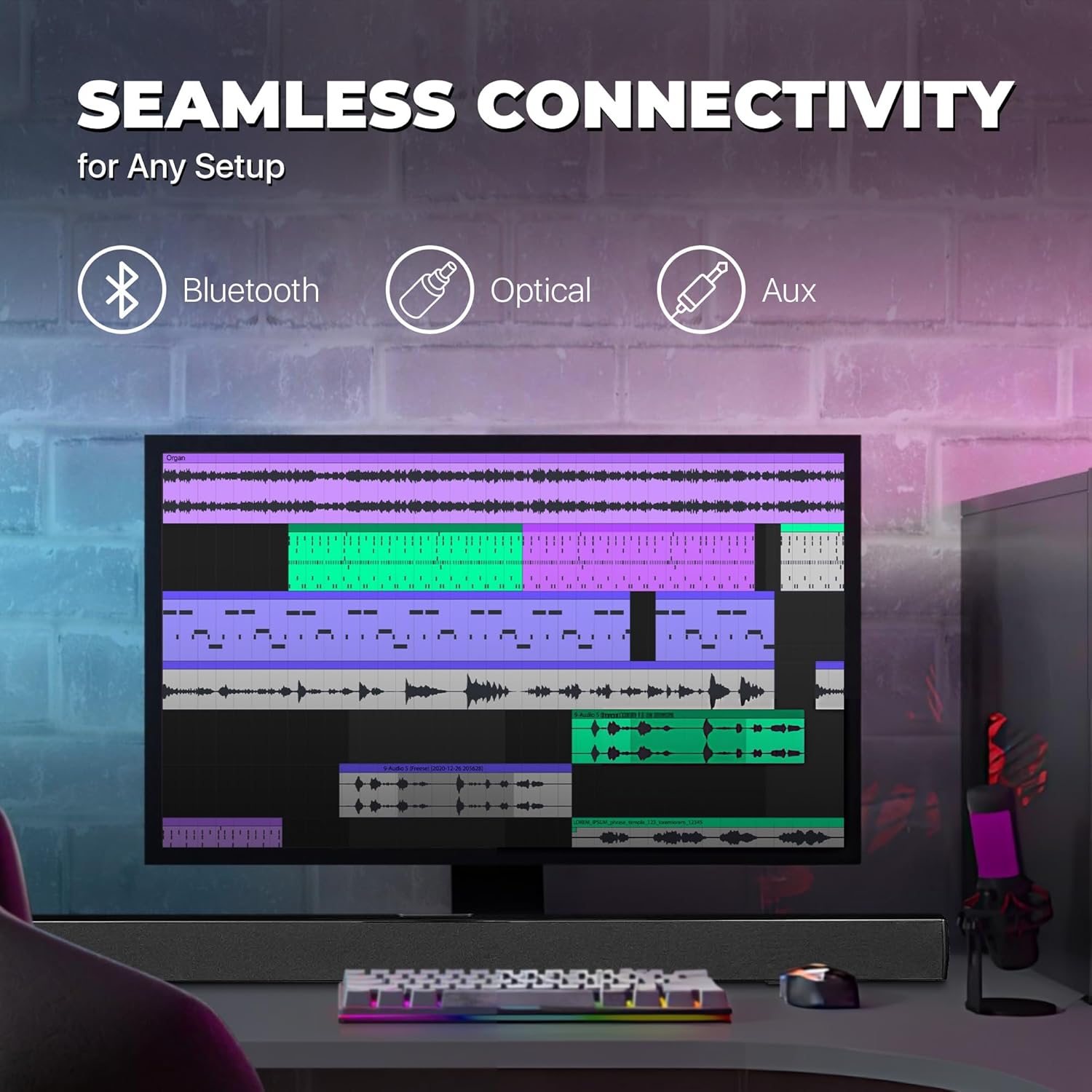
Image: A graphic illustrating the seamless connectivity options of the sound bar, including icons for Bluetooth, Optical, and Aux connections, with a sound bar placed below a computer monitor.
നിങ്ങളുടെ ഓഡിയോ ഉറവിടം ബന്ധിപ്പിക്കുന്നതിന് ഇനിപ്പറയുന്ന രീതികളിൽ ഒന്ന് തിരഞ്ഞെടുക്കുക:
Optical Digital Audio Connection:
Connect an optical cable (not included) from the OPTICAL OUT port on your TV or audio device to the OPTICAL IN port on the sound bar. This provides high-quality digital audio.
AUX (3.5mm) Connection:
Use the included 3.5mm audio cable to connect the AUX IN port on the sound bar to the headphone jack or audio output port on your device (e.g., TV, smartphone, MP3 player).
ബ്ലൂടൂത്ത് കണക്ഷൻ:
For wireless audio streaming from Bluetooth-enabled devices like smartphones, tablets, or laptops. (Detailed pairing instructions in the Operating section).
3. പവർ കണക്ഷൻ
Connect the included AC power adapter to the DC IN port on the sound bar, then plug the adapter into a standard wall outlet.
പ്രവർത്തന നിർദ്ദേശങ്ങൾ
പവർ ഓൺ/ഓഫ്
അമർത്തുക പവർ button on the remote control or on the sound bar to turn the unit on or off.
ഇൻപുട്ട് ഉറവിടം തിരഞ്ഞെടുക്കുന്നു
അമർത്തുക ഇൻപുട്ട് button on the remote control repeatedly to cycle through the available input sources: Bluetooth, Optical, AUX, FM. The LED indicator on the front panel will change to reflect the selected input.
വോളിയം നിയന്ത്രണം
ഉപയോഗിക്കുക VOL+ ഒപ്പം വോൾ- buttons on the remote control to adjust the volume. Press the നിശബ്ദമാക്കുക ഓഡിയോ താൽക്കാലികമായി നിശബ്ദമാക്കാൻ ബട്ടൺ.
ബ്ലൂടൂത്ത് ജോടിയാക്കൽ
Turn on the sound bar and select Bluetooth mode using the ഇൻപുട്ട് button. The LED indicator will flash, indicating it's in pairing mode.
Enable Bluetooth on your device (smartphone, tablet, etc.) and search for available devices.
Select "PSB3713-OP" from the list of found devices.
Once paired, the LED indicator will stop flashing and remain solid. You can now play audio from your device through the sound bar.
എഫ്എം റേഡിയോ ഓപ്പറേഷൻ
അന്തർനിർമ്മിത എഫ്എം റേഡിയോ ഉപയോഗിക്കുന്നതിന്:
Select FM mode using the ഇൻപുട്ട് ബട്ടൺ.
അമർത്തുക സ്കാൻ ചെയ്യുക button on the remote control to automatically scan and save available FM stations.
ഉപയോഗിക്കുക PREV ഒപ്പം അടുത്തത് സംരക്ഷിച്ച സ്റ്റേഷനുകളിലൂടെ നാവിഗേറ്റ് ചെയ്യുന്നതിനുള്ള ബട്ടണുകൾ.
മെയിൻ്റനൻസ്
വൃത്തിയാക്കൽ: Use a soft, dry cloth to clean the surface of the sound bar. Do not use liquid cleaners or aerosol sprays.
സംഭരണം: യൂണിറ്റ് ദീർഘനേരം സൂക്ഷിക്കുകയാണെങ്കിൽ, പവർ ഔട്ട്ലെറ്റിൽ നിന്ന് അത് അൺപ്ലഗ് ചെയ്ത് തണുത്തതും വരണ്ടതുമായ സ്ഥലത്ത് സൂക്ഷിക്കുക.
വെൻ്റിലേഷൻ: Ensure the sound bar has adequate ventilation and is not covered by cloths or other materials that could block airflow.
ട്രബിൾഷൂട്ടിംഗ്
പ്രശ്നം
സാധ്യമായ കാരണം
പരിഹാരം
ശക്തിയില്ല
പവർ അഡാപ്റ്റർ ബന്ധിപ്പിച്ചിട്ടില്ല അല്ലെങ്കിൽ ഔട്ട്ലെറ്റ് പ്രവർത്തിക്കുന്നില്ല.
Ensure the power adapter is securely connected to the sound bar and a working power outlet.
ശബ്ദമില്ല
തെറ്റായ ഇൻപുട്ട് ഉറവിടം തിരഞ്ഞെടുത്തു; ശബ്ദം വളരെ കുറവാണ്; ഓഡിയോ കേബിൾ ശരിയായി ബന്ധിപ്പിച്ചിട്ടില്ല.
Select the correct input source (Bluetooth, Optical, AUX). Increase the volume. Check all audio cable connections. Ensure TV audio output is set correctly (e.g., PCM for Optical).
ബ്ലൂടൂത്ത് ജോടിയാക്കൽ പരാജയപ്പെടുന്നു
Sound bar not in pairing mode; device too far; interference.
Ensure the sound bar is in Bluetooth pairing mode (flashing LED). Move your device closer to the sound bar. Turn off other Bluetooth devices to reduce interference.
റിമോട്ട് കൺട്രോൾ പ്രവർത്തിക്കുന്നില്ല
Batteries are dead or inserted incorrectly; obstacle between remote and sound bar.
Replace the remote control batteries. Ensure there is no obstruction between the remote and the sound bar's sensor.
മോശം എഫ്എം സ്വീകരണം
ദുർബലമായ സിഗ്നൽ.
Adjust the position of the sound bar or try rescanning for stations.
സ്പെസിഫിക്കേഷനുകൾ
ഫീച്ചർ
വിശദാംശങ്ങൾ
മോഡലിൻ്റെ പേര്
പി.എസ്.ബി3713-ഒ.പി.
സ്പീക്കർ തരം
സൗണ്ട്ബാർ
സ്പീക്കർ വലിപ്പം
37 ഇഞ്ച്
കണക്റ്റിവിറ്റി ടെക്നോളജി
Bluetooth, Auxiliary (3.5mm), Optical
വയർലെസ് കമ്മ്യൂണിക്കേഷൻ
ബ്ലൂടൂത്ത്, എഫ്എം റേഡിയോ
ഓഡിയോ put ട്ട്പുട്ട് മോഡ്
സ്റ്റീരിയോ, സറൗണ്ട് സൗണ്ട്
സ്പീക്കർ പരമാവധി ഔട്ട്പുട്ട് പവർ
40 വാട്ട്സ്
പ്രതിരോധം
4 ഓം
ഉൽപ്പന്ന അളവുകൾ (D x W x H)
3.25"D x 3.25"W x 41.5"H
ഇനത്തിൻ്റെ ഭാരം
4.55 പൗണ്ട്
നിറം
കറുപ്പ്
പവർ ഉറവിടം
കോർഡഡ് ഇലക്ട്രിക്
കൺട്രോളർ തരം
റിമോട്ട് കൺട്രോൾ
മൗണ്ടിംഗ് തരം
ബാർ മൗണ്ട്
വാറൻ്റിയും പിന്തുണയും
This PROSCAN product comes with a Limited Warranty. For specific warranty terms and conditions, please refer to the warranty card included in your product packaging or contact PROSCAN customer support.
For technical support, troubleshooting assistance, or service inquiries, please contact the manufacturer, Curtis International LTD, or visit the PROSCAN official webബന്ധപ്പെടാനുള്ള വിവരങ്ങൾക്കുള്ള സൈറ്റ്.
PROSCAN 37" സൗണ്ട് ബാർ സ്പീക്കർ യൂസർ മാനുവൽ | മോഡൽ PSB3713-B PROSCAN 37" സൗണ്ട് ബാർ സ്പീക്കറിനായുള്ള (മോഡൽ PSB3713-B) സമഗ്രമായ ഉപയോക്തൃ മാനുവൽ. സുരക്ഷാ നിർദ്ദേശങ്ങൾ, മൗണ്ടിംഗ്, ഉൽപ്പന്നം എന്നിവയെക്കുറിച്ച് കൂടുതലറിയുക.view, റിമോട്ട് കൺട്രോൾ, പവർ, സമയ ക്രമീകരണം, എഫ്എം റേഡിയോ, ഓക്സ് ഇൻപുട്ട്, ബ്ലൂടൂത്ത് കണക്റ്റിവിറ്റി, സ്പെസിഫിക്കേഷനുകൾ.
ProScan PSB3713-OP ബ്ലൂടൂത്ത് 37" സൗണ്ട്ബാർ യൂസർ മാനുവൽ ProScan PSB3713-OP ബ്ലൂടൂത്ത് 37" സൗണ്ട്ബാറിനായുള്ള ഔദ്യോഗിക ഉപയോക്തൃ മാനുവൽ. സുരക്ഷ, ഇൻസ്റ്റാളേഷൻ, പ്രവർത്തനം, കണക്റ്റിവിറ്റി (ബ്ലൂടൂത്ത്, AUX, ഒപ്റ്റിക്കൽ), ട്രബിൾഷൂട്ടിംഗ്, സ്പെസിഫിക്കേഷനുകൾ എന്നിവയെക്കുറിച്ചുള്ള വിശദമായ നിർദ്ദേശങ്ങൾ നൽകുന്നു.
പ്രോസ്കാൻ എലൈറ്റ് 13.3" സ്വിവൽ സ്ക്രീൻ പോർട്ടബിൾ ഡിവിഡി പ്ലെയർ യൂസർ മാനുവൽ ഈ ഉപയോക്തൃ മാനുവൽ പ്രോസ്കാൻ എലൈറ്റ് 13.3" സ്വിവൽ സ്ക്രീൻ പോർട്ടബിൾ ഡിവിഡി പ്ലെയറിനായുള്ള (മോഡൽ നമ്പർ: PEDVD1332) സമഗ്രമായ നിർദ്ദേശങ്ങൾ നൽകുന്നു, ഇത് സജ്ജീകരണം, പ്രവർത്തനം, സവിശേഷതകൾ, ട്രബിൾഷൂട്ടിംഗ്, വാറന്റി വിവരങ്ങൾ എന്നിവ ഉൾക്കൊള്ളുന്നു.
PROSCAN PLT7777G ടാബ്ലെറ്റ് ഉപയോക്തൃ മാനുവൽ PROSCAN PLT7777G ടാബ്ലെറ്റിനായുള്ള സമഗ്രമായ ഉപയോക്തൃ മാനുവൽ, സജ്ജീകരണം, സവിശേഷതകൾ, സിസ്റ്റം ക്രമീകരണങ്ങൾ, സ്പെസിഫിക്കേഷനുകൾ, പ്രധാന ശ്രദ്ധാകേന്ദ്രങ്ങൾ എന്നിവ ഉൾക്കൊള്ളുന്നു.