1. ആമുഖം
വാങ്ങിയതിന് നന്ദി.asing the Trust Gaming GXT 628 Tytan 2.1 PC Gaming Speaker System. This manual provides detailed instructions for setting up, operating, and maintaining your speaker system to ensure optimal performance and longevity. Please read this manual thoroughly before use.
2. പാക്കേജ് ഉള്ളടക്കം
താഴെ ലിസ്റ്റ് ചെയ്തിരിക്കുന്ന എല്ലാ ഇനങ്ങളും നിങ്ങളുടെ പാക്കേജിൽ ഉൾപ്പെടുത്തിയിട്ടുണ്ടെന്ന് ഉറപ്പാക്കുക:
- സബ് വൂഫർ
- 2 സാറ്റലൈറ്റ് സ്പീക്കറുകൾ
- വയർഡ് റിമോട്ട് കൺട്രോൾ
- Power Cable (UK Plug)
- Audio Cable (3.5mm Jack)
- ഉപയോക്തൃ ഗൈഡ് (ഈ മാനുവൽ)
- Gaming Sticker

Image: The Trust Gaming GXT 628 Tytan 2.1 Speaker System, showing the subwoofer, two satellite speakers, and the wired remote control.
3. ഉൽപ്പന്നം കഴിഞ്ഞുview
പ്രധാന ഘടകങ്ങളെയും അവയുടെ പ്രവർത്തനങ്ങളെയും കുറിച്ച് സ്വയം പരിചയപ്പെടുക.
3.1 സബ്വൂഫർ
The subwoofer provides deep bass frequencies and houses the main controls and connections.
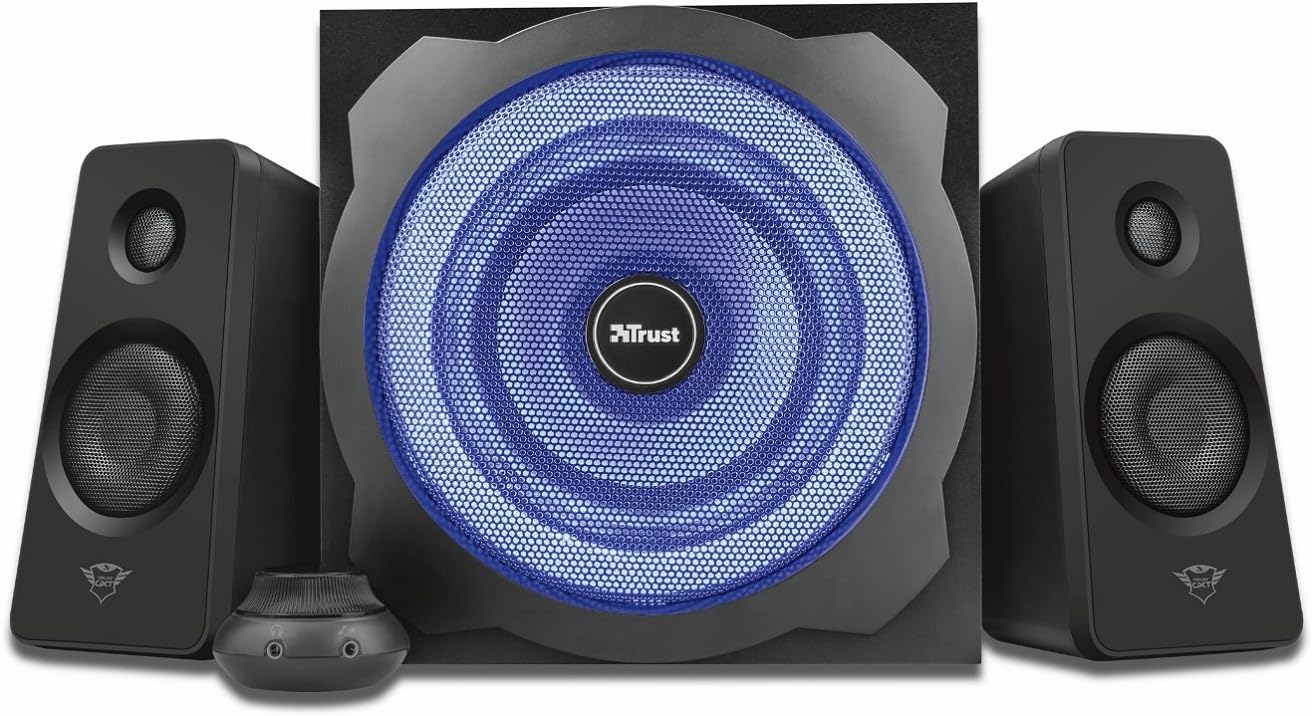
ചിത്രം: മുൻഭാഗം view of the subwoofer, highlighting the central speaker with blue LED illumination.
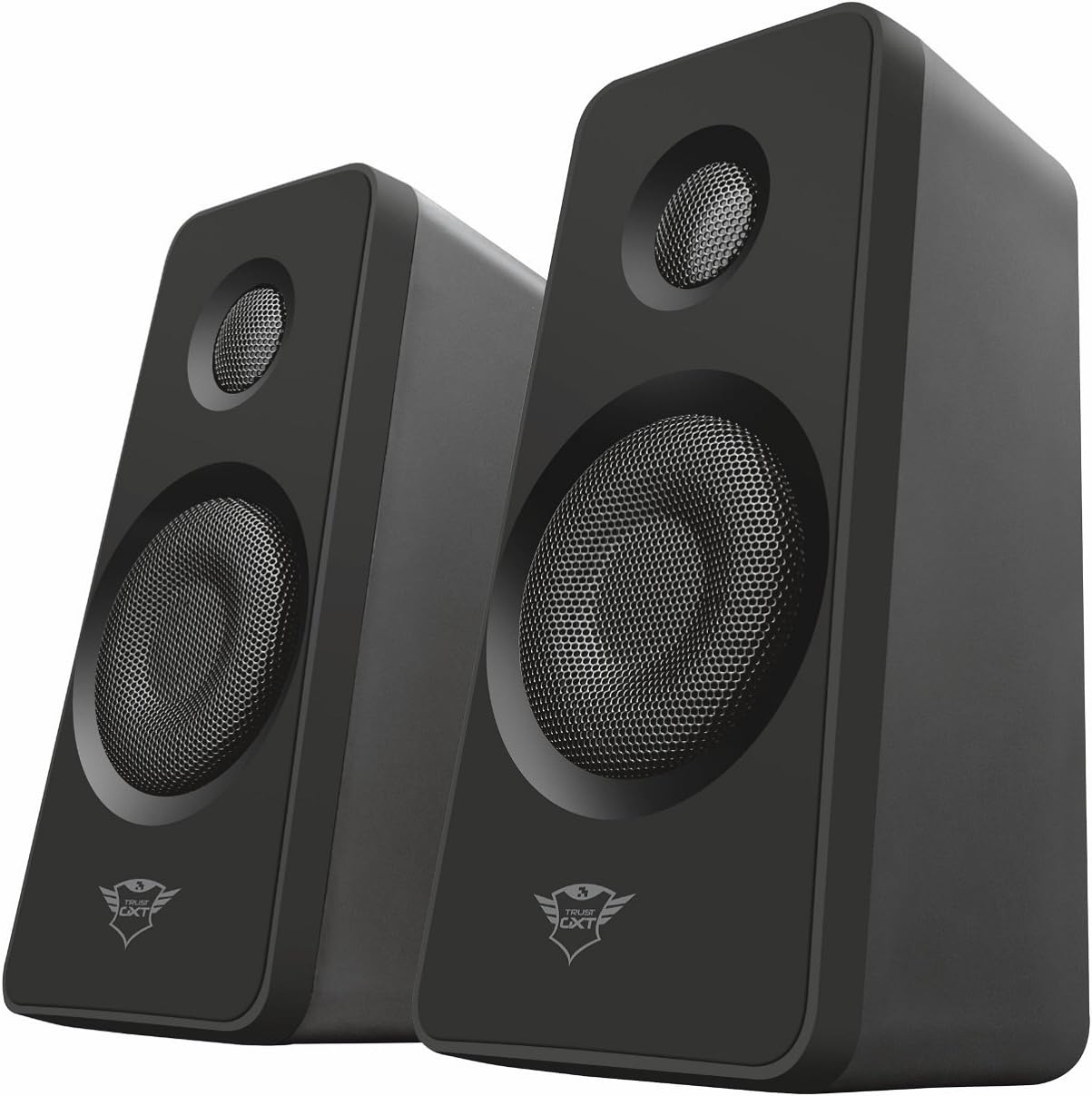
Image: Rear panel of the subwoofer, displaying the ECO mode switch, RCA inputs, volume and bass controls, power switch, and power input.
- ഫ്രണ്ട് പാനൽ: Features a 7-inch woofer with blue LED illumination.
- പിൻ പാനൽ: Includes RCA input jacks for satellite speakers, audio input, power switch, power cable input, and ECO mode switch.
- നിയന്ത്രണങ്ങൾ: Separate knobs for volume and bass adjustment.
3.2 സാറ്റലൈറ്റ് സ്പീക്കറുകൾ
The two satellite speakers provide clear mid-range and high-frequency audio.

Image: A pair of satellite speakers, showing their compact design and speaker grilles.
- Compact design for easy placement.
- Connect directly to the subwoofer via RCA cables.
3.3 Wired Remote Control
The wired remote provides convenient access to essential functions.
- വോളിയം നിയന്ത്രണം: Large dial for easy volume adjustment.
- ഹെഡ്ഫോൺ ജാക്ക്: സ്വകാര്യ ശ്രവണത്തിനായി.
- ലൈൻ-ഇൻ കണക്ഷൻ: Additional audio input for external devices.
4. സജ്ജീകരണ നിർദ്ദേശങ്ങൾ
Follow these steps to set up your Trust Gaming GXT 628 Tytan speaker system.
- പ്ലേസ്മെൻ്റ്:
- Place the subwoofer on the floor or a sturdy surface near your computer or gaming console.
- Position the satellite speakers on either side of your monitor or TV, ensuring they are equidistant from your listening position for optimal stereo sound.
- സാറ്റലൈറ്റ് സ്പീക്കറുകൾ ബന്ധിപ്പിക്കുക:
- Connect the RCA cables from the satellite speakers to the corresponding RCA output jacks on the rear panel of the subwoofer. Ensure the left speaker connects to the left output and the right speaker to the right output.
- ഓഡിയോ ഉറവിടം ബന്ധിപ്പിക്കുക:
- Connect the included 3.5mm audio cable from your computer, laptop, smart TV, smartphone, tablet, or gaming console to the 3.5mm audio input on the rear panel of the subwoofer. Alternatively, you can use the line-in connection on the wired remote control.
- വയർഡ് റിമോട്ട് കൺട്രോൾ ബന്ധിപ്പിക്കുക:
- സബ് വൂഫറിലെ ഡെഡിക്കേറ്റഡ് പോർട്ടിലേക്ക് വയർഡ് റിമോട്ട് കൺട്രോൾ കേബിൾ പ്ലഗ് ചെയ്യുക.
- പവർ കണക്ഷൻ:
- Connect the power cable to the power input on the rear of the subwoofer.
- പവർ കേബിൾ ഒരു മതിൽ ഔട്ട്ലെറ്റിലേക്ക് പ്ലഗ് ചെയ്യുക.
- പവർ ഓൺ:
- Flip the power switch on the rear of the subwoofer to the "ON" position. The blue LED illumination on the subwoofer will light up.

Image: The speaker system set up next to a computer monitor, demonstrating a typical usage scenario.
5. പ്രവർത്തന നിർദ്ദേശങ്ങൾ
5.1 അടിസ്ഥാന പ്രവർത്തനം
- വോളിയം ക്രമീകരണം: Use the large dial on the wired remote control to increase or decrease the overall volume.
- ബാസ് അഡ്ജസ്റ്റ്മെൻ്റ്: Use the dedicated bass knob on the rear of the subwoofer to adjust the bass level to your preference.
- ഹെഡ്ഫോൺ ഉപയോഗം: Plug your headphones into the headphone jack on the wired remote control for private listening. This will mute the speakers.
- Secondary Audio Input: Connect an additional audio device to the line-in connection on the wired remote control.
5.2 ECO Mode (Smart Power Management)
The GXT 628 Tytan features smart power management to conserve energy.
- Locate the "ECO mode" switch on the rear panel of the subwoofer.
- When enabled (switch in "ON" position), the speaker set will automatically enter standby mode after approximately one hour of inactivity (no audio input).
- To reactivate the speakers from standby, simply play audio from your connected device.
- If you prefer to keep the speakers active at all times, set the "ECO mode" switch to the "OFF" position.
6. പരിപാലനം
Proper care will extend the life of your speaker system.
- വൃത്തിയാക്കൽ: Use a soft, dry cloth to clean the surfaces of the speakers and subwoofer. Do not use liquid cleaners or abrasive materials.
- വെൻ്റിലേഷൻ: Ensure the subwoofer's rear panel and any ventilation ports are not obstructed to prevent overheating.
- പരിസ്ഥിതി: Avoid placing the speakers in direct sunlight, near heat sources, or in excessively humid environments.
- കൈകാര്യം ചെയ്യൽ: Handle the speakers and cables with care to prevent damage.
7. പ്രശ്നപരിഹാരം
നിങ്ങളുടെ സ്പീക്കർ സിസ്റ്റത്തിൽ പ്രശ്നങ്ങൾ നേരിടുകയാണെങ്കിൽ, ഇനിപ്പറയുന്ന പൊതുവായ പ്രശ്നങ്ങളും പരിഹാരങ്ങളും പരിശോധിക്കുക:
| പ്രശ്നം | സാധ്യമായ കാരണം | പരിഹാരം |
|---|---|---|
| ശബ്ദമില്ല |
|
|
| Distorted sound / Crackling |
|
|
| Subwoofer LED not lighting up |
|
|
| Speakers enter standby mode too quickly |
|
|
8 സ്പെസിഫിക്കേഷനുകൾ
| ഫീച്ചർ | വിശദാംശങ്ങൾ |
|---|---|
| മോഡലിൻ്റെ പേര് | ടൈറ്റൻ |
| മോഡൽ നമ്പർ | 21071 |
| സ്പീക്കർ തരം | 2.1 Speaker System with Subwoofer |
| മൊത്തം പീക്ക് പവർ | 120 വാട്ട്സ് |
| ആർഎംഎസ് പവർ | 60 വാട്ട്സ് |
| സബ് വൂഫർ വ്യാസം | 7 ഇഞ്ച് |
| കണക്റ്റിവിറ്റി ടെക്നോളജി | Wired (3.5mm audio input, RCA outputs) |
| അനുയോജ്യമായ ഉപകരണങ്ങൾ | Laptop, Television, Tablet, Smartphone, PC, Gaming Consoles |
| പവർ ഉറവിടം | Corded Electric (UK Plug) |
| മെറ്റീരിയൽ | Wood (subwoofer), Metal |
| നിറം | കറുപ്പ് |
| ഇനത്തിൻ്റെ ഭാരം | 5.3 കി.ഗ്രാം |
| പ്രത്യേക ഫീച്ചർ | LED Light (blue illumination on subwoofer) |
| മൗണ്ടിംഗ് തരം | ടേബിൾടോപ്പ് |
9. വാറൻ്റി വിവരങ്ങൾ
This product comes with a limited warranty. For detailed information regarding warranty terms and conditions, please refer to the warranty card included in your package or visit the official Trust Gaming webസൈറ്റ്.
വാറന്റി തരം: ലിമിറ്റഡ്
10. ഉപഭോക്തൃ പിന്തുണ
കൂടുതൽ സഹായത്തിനോ, സാങ്കേതിക പിന്തുണയ്ക്കോ, അല്ലെങ്കിൽ view frequently asked questions, please visit the official Trust Gaming support page:
Trust Gaming Support Webസൈറ്റ്
You can also refer to the brand's Amazon store for more information:


