1. ആമുഖം
The Razer Naga Hex V2 is a high-performance MOBA gaming mouse designed for precision and comfort during intense gaming sessions. It features a 7-button mechanical thumb grid, a highly adjustable 16,000 DPI optical sensor, and customizable Razer Chroma lighting.

Figure 1: Razer Naga Hex V2 MOBA Gaming Mouse
2. സജ്ജീകരണം
2.1 മൗസ് ബന്ധിപ്പിക്കൽ
- Connect the USB cable of the Razer Naga Hex V2 to an available USB port on your computer.
- The mouse will automatically be detected and basic drivers will install.
2.2 സോഫ്റ്റ്വെയർ ഇൻസ്റ്റാളേഷൻ (റേസർ സിനാപ്സ്)
For full customization and advanced features, install the Razer Synapse software:
- Download Razer Synapse from the official Razer webസൈറ്റ് (www.razer.com/synapse).
- ഇൻസ്റ്റാളേഷൻ പൂർത്തിയാക്കാൻ ഓൺ-സ്ക്രീൻ നിർദ്ദേശങ്ങൾ പാലിക്കുക.
- Once installed, launch Razer Synapse to configure your mouse settings.
3. മൗസ് പ്രവർത്തിപ്പിക്കൽ
3.1 എർഗണോമിക് ഡിസൈൻ
The Razer Naga Hex V2 features a new ergonomic form factor designed for comfort during extended gaming sessions, accommodating various grip styles and hand sizes.
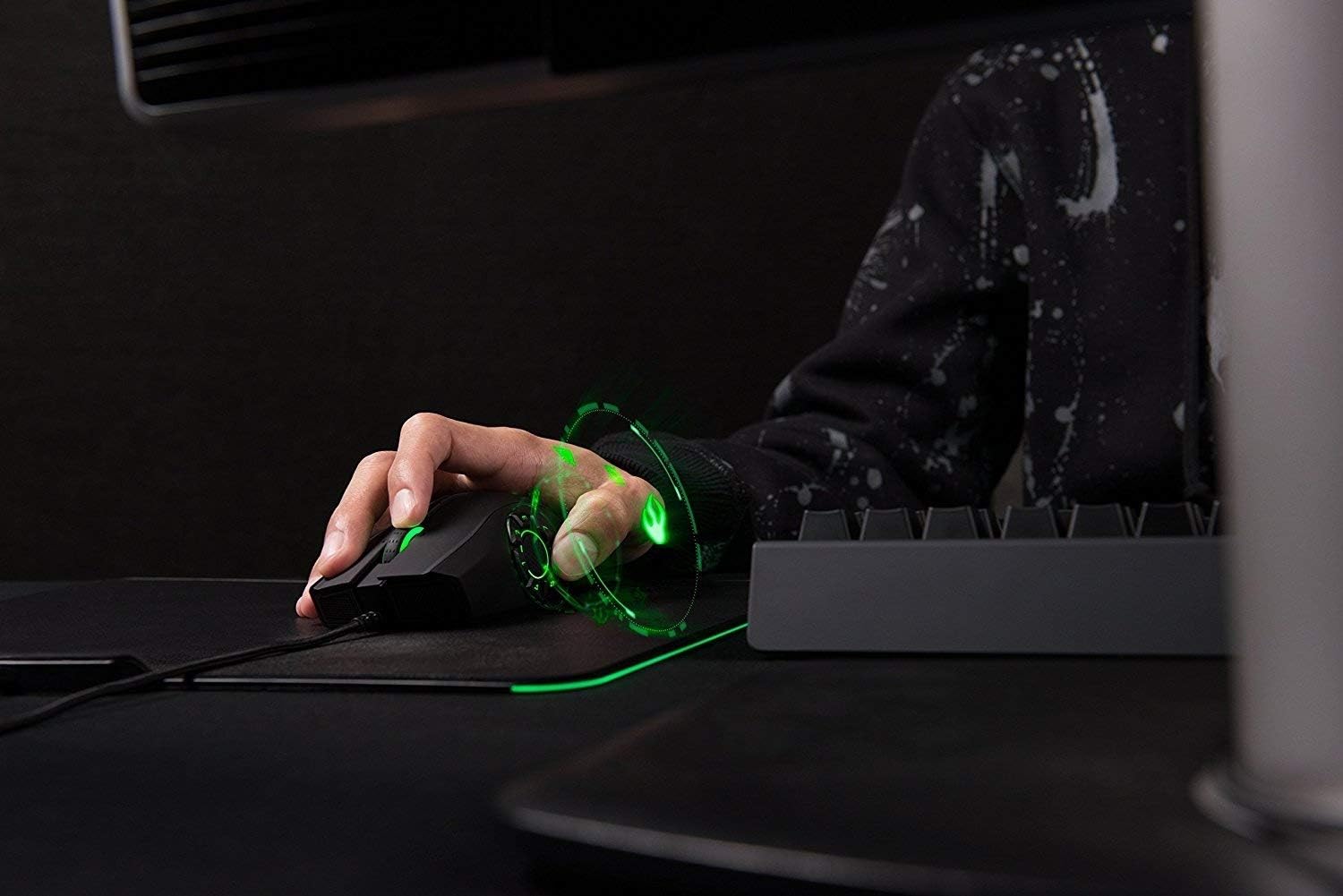
Figure 2: Ergonomic design for comfortable grip
3.2 7-Button Thumb Grid
The mouse is equipped with a 7-button mechanical thumb grid, specifically designed for MOBA games. These buttons are positioned to prevent misclicks and provide quick access to skills.

Figure 3: 7-Button Mechanical Thumb Grid
3.3 16,000 DPI Optical Sensor
Experience extreme precision with the 16,000 DPI optical sensor. DPI settings can be adjusted on-the-fly using dedicated buttons, allowing you to adapt to different in-game scenarios.

Figure 4: Top and side buttons for control
3.4 Razer Chroma Lighting
Personalize your mouse with Razer Chroma lighting, offering 16.8 million customizable color options and various lighting effects.
4. റേസർ സിനാപ്സ് ഉപയോഗിച്ചുള്ള ഇഷ്ടാനുസൃതമാക്കൽ
The Razer Synapse software unlocks the full potential of your Naga Hex V2, allowing for extensive customization.
4.1 Button Remapping
All 7 thumb grid buttons, as well as other mouse buttons, are programmable. You can assign macros, keyboard functions, or multimedia controls to any button.
4.2 DPI ക്രമീകരണങ്ങൾ
Within Razer Synapse, you can define multiple DPI stages and switch between them instantly. This allows for quick adjustments between high-speed movements and precise aiming.
4.3 ലൈറ്റിംഗ് ഇഷ്ടാനുസൃതമാക്കൽ
Customize the Razer Chroma lighting zones on your mouse. Choose from preset effects or create your own unique lighting patterns and colors.
Video 1: Official Razer Naga Hex V2 product overview, demonstrating features like the 7-button thumb grid, 16,000 DPI sensor, and customizable Chroma lighting.
5. പരിപാലനം
5.1 വൃത്തിയാക്കൽ
To maintain optimal performance, regularly clean your mouse. Use a soft, dry cloth to wipe down the surface. For the optical sensor, use a cotton swab lightly dampഐസോപ്രോപൈൽ ആൽക്കഹോൾ ഉപയോഗിച്ചാണ് നിർവഹിച്ചത്.
5.2 കേബിൾ കെയർ
Avoid sharp bends or kinks in the USB cable to prevent damage. Store the cable neatly when not in use.
6. പ്രശ്നപരിഹാരം
6.1 മൗസ് പ്രതികരിക്കുന്നില്ല
- യുഎസ്ബി കേബിൾ നിങ്ങളുടെ കമ്പ്യൂട്ടറിലേക്ക് സുരക്ഷിതമായി കണക്റ്റുചെയ്തിട്ടുണ്ടെന്ന് ഉറപ്പാക്കുക.
- മറ്റൊരു യുഎസ്ബി പോർട്ടിലേക്ക് മൗസ് ബന്ധിപ്പിക്കാൻ ശ്രമിക്കുക.
- നിങ്ങളുടെ കമ്പ്യൂട്ടർ പുനരാരംഭിക്കുക.
6.2 Software Issues (Razer Synapse)
- Ensure Razer Synapse is updated to the latest version.
- Try reinstalling Razer Synapse.
- Check Razer's official support website for known issues and solutions.
7 സ്പെസിഫിക്കേഷനുകൾ
| ഫീച്ചർ | വിശദാംശങ്ങൾ |
|---|---|
| ബ്രാൻഡ് | റേസർ |
| പരമ്പര | റേസർ നാഗ ഹെക്സ് വി 2 |
| ഇനം മോഡൽ നമ്പർ | RZ01-01600100-R3U1 |
| ഹാർഡ്വെയർ പ്ലാറ്റ്ഫോം | PC |
| ഇനത്തിൻ്റെ ഭാരം | 7 ഔൺസ് |
| ഉൽപ്പന്ന അളവുകൾ | 6.9 x 2.56 x 4.53 ഇഞ്ച് |
| നിറം | Black with Chroma Lighting |
| പവർ ഉറവിടം | കോർഡഡ് ഇലക്ട്രിക് |
| മൂവ്മെന്റ് ഡിറ്റക്ഷൻ ടെക്നോളജി | ലേസർ |
| പ്രത്യേക ഫീച്ചർ | എർഗണോമിക് ഡിസൈൻ |
8. വാറൻ്റിയും പിന്തുണയും
The Razer Naga Hex V2 comes with a limited manufacturer's warranty. For detailed warranty information, product support, or to contact customer service, please visit the official Razer support webസൈറ്റ് അല്ലെങ്കിൽ നിങ്ങളുടെ ഉൽപ്പന്ന പാക്കേജിംഗിൽ ഉൾപ്പെടുത്തിയിരിക്കുന്ന ഡോക്യുമെന്റേഷൻ കാണുക.


