1. ആമുഖം
The Hikvision DS-7104HGHI-F1 is a 4-channel Turbo HD Digital Video Recorder (DVR) designed for surveillance systems. This DVR supports 720P (1MP) resolution and offers versatile connectivity for both HD-TVI/analog and AHD cameras with adaptive access. It features H.264 video compression and dual-stream capabilities, ensuring efficient storage and transmission.
This manual provides essential information for the proper installation, operation, and maintenance of your Hikvision DS-7104HGHI-F1 DVR. Please read it thoroughly before using the device.
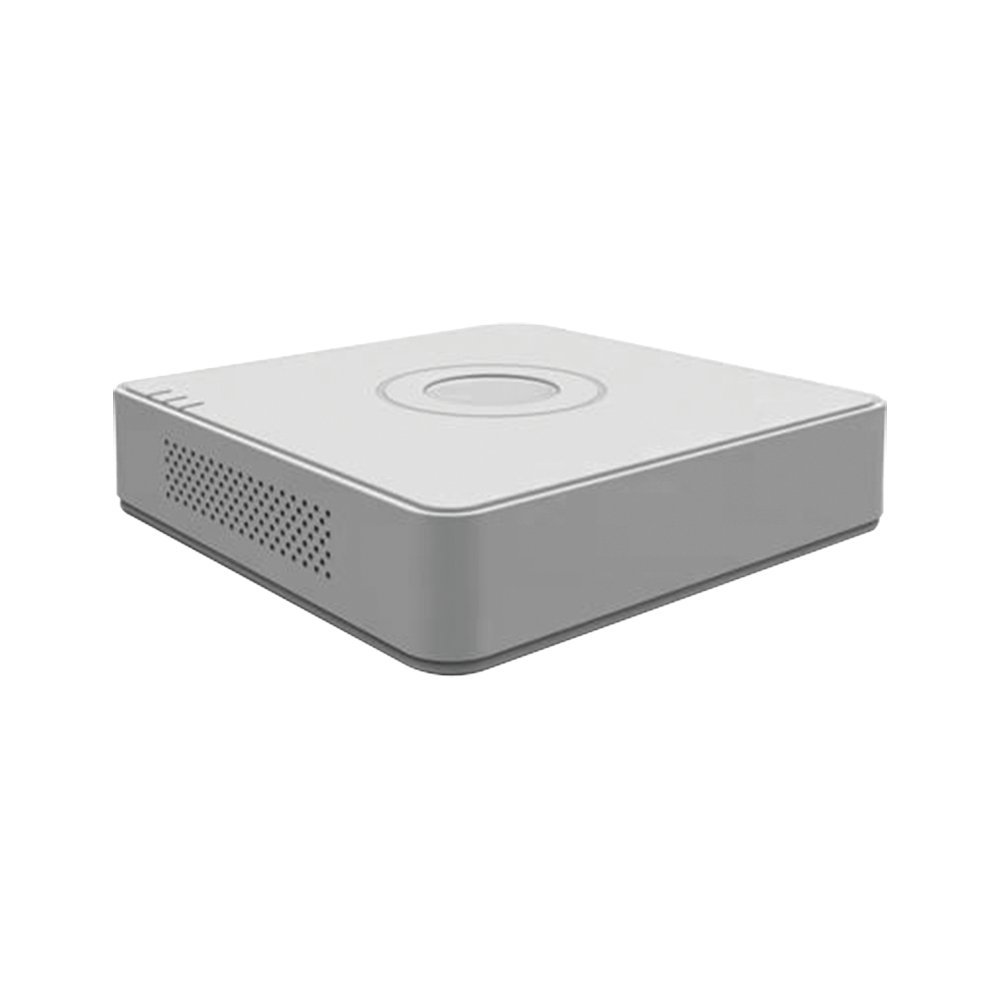
Figure 1: Hikvision DS-7104HGHI-F1 Turbo HD DVR
പ്രധാന സവിശേഷതകൾ:
- 4-channel 720P (1MP) Turbo HD DVR.
- Full channel@720P resolution non-real-time recording.
- HDMI and VGA output at up to 1920x1080P resolution.
- H.264 & Dual-stream video compression.
- Support for HD-TVI /analog and AHD cameras with adaptive access.
- Long transmission distance over coax cable.
- Support for 4-ch synchronous playback at 720P resolution.
- RJ45 Ethernet port and 2 USB ports.
- Supports up to 4TB HDD (Hard Disk Drive not included).
- In-built Free DDNS for mobile viewing (Android and Windows Phone compatible).
2. സജ്ജീകരണവും ഇൻസ്റ്റാളേഷനും
2.1 പാക്കേജ് ഉള്ളടക്കം
ഇൻസ്റ്റാളേഷനുമായി മുന്നോട്ടുപോകുന്നതിനുമുമ്പ്, എല്ലാ ഇനങ്ങളും പാക്കേജിൽ ഉണ്ടെന്ന് ഉറപ്പാക്കുക:
- Hikvision DS-7104HGHI-F1 DVR Unit
- പവർ അഡാപ്റ്റർ
- യുഎസ്ബി മൗസ്
- Screws for HDD installation
- ദ്രുത ആരംഭ ഗൈഡ്
Note: Hard Disk Drive (HDD) and cameras are not included and must be purchased separately.
2.2 ഹാർഡ്വെയർ ഇൻസ്റ്റലേഷൻ
- ഹാർഡ് ഡിസ്ക് ഡ്രൈവ് (HDD) ഇൻസ്റ്റാൾ ചെയ്യുക:
- DVR-ന്റെ മുകളിലെ കവർ അഴിച്ചുമാറ്റി നീക്കം ചെയ്യുക.
- Connect the SATA power and data cables from the DVR to the HDD.
- നൽകിയിരിക്കുന്ന സ്ക്രൂകൾ ഉപയോഗിച്ച് HDD DVR ചേസിസിൽ ഉറപ്പിക്കുക.
- മുകളിലെ കവർ മാറ്റി സ്ക്രൂകൾ ഉപയോഗിച്ച് ഉറപ്പിക്കുക.
- ക്യാമറകൾ ബന്ധിപ്പിക്കുക:
- Connect your HD-TVI, AHD, or analog cameras to the BNC video input ports on the rear panel of the DVR.
- മോണിറ്റർ ബന്ധിപ്പിക്കുക:
- Connect a monitor to the HDMI or VGA output port on the DVR using an appropriate cable.
- മൗസ് ബന്ധിപ്പിക്കുക:
- DVR-ലെ USB പോർട്ടുകളിൽ ഒന്നിലേക്ക് USB മൗസ് പ്ലഗ് ചെയ്യുക.
- നെറ്റ്വർക്ക് ബന്ധിപ്പിക്കുക (ഓപ്ഷണൽ):
- റിമോട്ടിന് viewing and network access, connect an Ethernet cable from the RJ45 port on the DVR to your router or network switch.
- പവർ ബന്ധിപ്പിക്കുക:
- Connect the power adapter to the DVR's power input and then plug it into a power outlet. The DVR will power on automatically.
2.3 പ്രാരംഭ കോൺഫിഗറേഷൻ
ആദ്യ ബൂട്ടിൽ തന്നെ, DVR നിങ്ങളെ ഒരു പ്രാരംഭ സജ്ജീകരണ വിസാർഡിലൂടെ നയിക്കും. ഓൺ-സ്ക്രീൻ നിർദ്ദേശങ്ങൾ പാലിക്കുക:
- അഡ്മിനിസ്ട്രേറ്റർ അക്കൗണ്ടിനായി ശക്തമായ ഒരു പാസ്വേഡ് സജ്ജമാക്കുക.
- തീയതിയും സമയവും ക്രമീകരണങ്ങൾ ക്രമീകരിക്കുക.
- Format the installed HDD for recording.
- Configure network settings (DHCP recommended for most home users).
3. പ്രവർത്തന നിർദ്ദേശങ്ങൾ
3.1 തത്സമയം View
പ്രാരംഭ സജ്ജീകരണത്തിനുശേഷം, DVR തത്സമയം പ്രദർശിപ്പിക്കും view മോണിറ്ററിലെ കണക്റ്റുചെയ്ത ക്യാമറകളിൽ നിന്ന്. നിങ്ങൾക്ക് ഒറ്റ ക്യാമറകൾക്കിടയിൽ മാറാം view മൾട്ടി-ക്യാമറ ഗ്രിഡും view ഓൺ-സ്ക്രീൻ നിയന്ത്രണങ്ങൾ അല്ലെങ്കിൽ മൗസ് ഉപയോഗിച്ച്.
3.2 റെക്കോർഡിംഗ്
The DVR is typically configured for continuous recording by default after HDD formatting. You can access the recording schedule settings via the main menu to configure motion-detection recording, scheduled recording, or alarm-triggered recording for individual channels.
3.3 പ്ലേബാക്ക്
വീണ്ടുംview രേഖപ്പെടുത്തി footage:
- ലൈവിൽ റൈറ്റ് ക്ലിക്ക് ചെയ്യുക view screen to open the main menu.
- Select "Playback".
- Choose the desired camera channel(s) and date/time range.
- foo-യിലൂടെ നാവിഗേറ്റ് ചെയ്യാൻ പ്ലേബാക്ക് നിയന്ത്രണങ്ങൾ (പ്ലേ ചെയ്യുക, താൽക്കാലികമായി നിർത്തുക, വേഗത്തിൽ മുന്നോട്ട് പോകുക, റിവൈൻഡ് ചെയ്യുക) ഉപയോഗിക്കുക.tage.

Figure 2: Video Resolution Comparison
3.4 മൊബൈൽ Viewing (Hik-Connect / DDNS)
ഡിവിആർ റിമോട്ട് പിന്തുണയ്ക്കുന്നു viewing via Hik-Connect P2P service or DDNS.
- DVR ഇന്റർനെറ്റുമായി ബന്ധിപ്പിച്ചിട്ടുണ്ടെന്ന് ഉറപ്പാക്കുക.
- Enable the Hik-Connect service or configure DDNS settings in the DVR's network menu.
- Download the Hik-Connect app on your Android or Windows Phone device.
- Register an account and add your DVR by scanning the QR code or entering the serial number.
- നിങ്ങൾക്ക് ഇപ്പോൾ കഴിയും view തത്സമയംtage, പ്ലേബാക്ക് റെക്കോർഡിംഗുകൾ വിദൂരമായി.

Figure 3: Hik-Connect P2P Service
4. പരിപാലനം
4.1 റെഗുലർ ക്ലീനിംഗ്
- Keep the DVR unit clean and free from dust. Use a soft, dry cloth for cleaning.
- അമിതമായി ചൂടാക്കുന്നത് തടയാൻ വെൻ്റിലേഷൻ ഓപ്പണിംഗുകൾ തടഞ്ഞിട്ടില്ലെന്ന് ഉറപ്പാക്കുക.
- Do not use liquid or aerosol cleaners directly on the unit.
4.2 ഫേംവെയർ അപ്ഡേറ്റുകൾ
ഔദ്യോഗിക Hikvision ഇടയ്ക്കിടെ പരിശോധിക്കുക website for firmware updates. Firmware updates can improve performance, add new features, and address security vulnerabilities. Follow the instructions provided by Hikvision carefully when performing firmware updates.
4.3 ഡാറ്റ ബാക്കപ്പ്
Regularly back up important recorded footage to an external USB drive or network storage. This ensures data retention in case of HDD failure or other unforeseen issues.
5. പ്രശ്നപരിഹാരം
| പ്രശ്നം | സാധ്യമായ കാരണം | പരിഹാരം |
|---|---|---|
| മോണിറ്ററിൽ വീഡിയോ ഔട്ട്പുട്ട് ഇല്ല. |
|
|
| ക്യാമറ ഇമേജ് ഇല്ല |
|
|
| DVR വിദൂരമായി ആക്സസ് ചെയ്യാൻ കഴിയില്ല |
|
|
| റെക്കോർഡിംഗ് ഇല്ല |
|
|
6 സ്പെസിഫിക്കേഷനുകൾ
| ഫീച്ചർ | വിശദാംശങ്ങൾ |
|---|---|
| മോഡൽ നമ്പർ | DS-7104HGHI-F1 |
| വീഡിയോ കംപ്രഷൻ | H.264 |
| വീഡിയോ ഇൻപുട്ട് | 4-ch BNC (HD-TVI, AHD, Analog adaptive access) |
| ഓഡിയോ ഇൻപുട്ട് | 1-ചാപ്റ്റർ ആർസിഎ |
| എച്ച്ഡിഎംഐ / വിജിഎ put ട്ട്പുട്ട് | 1-ch, 1920 × 1080P/60Hz, 1280 × 1024/60Hz, 1280 × 720/60Hz, 1024 × 768/60Hz |
| റെക്കോഡിംഗ് റെസല്യൂഷൻ | 720P (1MP) non-real-time |
| സിൻക്രണസ് പ്ലേബാക്ക് | 4-ch at 720P |
| HDD Support | 1 SATA ഇന്റർഫേസ്, 4 TB വരെ ശേഷി |
| നെറ്റ്വർക്ക് ഇന്റർഫേസ് | 1 RJ45 10M/100M സെൽഫ്-അഡാപ്റ്റീവ് ഇതർനെറ്റ് ഇന്റർഫേസ് |
| യുഎസ്ബി ഇൻ്റർഫേസ് | 2 USB 2.0 ഇൻ്റർഫേസുകൾ |
| അളവുകൾ (L x W x H) | 12 x 3.5 x 10 സെ.മീ |
| ഭാരം | 1.06 കി.ഗ്രാം (ഏകദേശം. 2.34 പൗണ്ട്) |

Figure 4: Turbo HD Technology Support
7. വാറൻ്റി വിവരങ്ങൾ
This Hikvision DS-7104HGHI-F1 DVR typically comes with a 2 വർഷത്തെ വാറൻ്റി വാങ്ങിയ തീയതി മുതൽ.
Please note that the warranty generally covers manufacturing defects. It does not cover physical damage or damage caused by burning. For specific terms and conditions, please refer to the warranty card included with your product or contact Hikvision customer support.
8. പിന്തുണയും സമ്പർക്കവും
For technical assistance, product inquiries, or warranty claims, please contact Hikvision customer support.
- ഉദ്യോഗസ്ഥൻ Webസൈറ്റ്: Visit the official Hikvision webപിന്തുണാ ഉറവിടങ്ങൾ, പതിവുചോദ്യങ്ങൾ, ബന്ധപ്പെടാനുള്ള വിവരങ്ങൾ എന്നിവയ്ക്കുള്ള സൈറ്റ്.
- ഓൺലൈൻ ഉറവിടങ്ങൾ: Check for updated manuals, firmware, and software tools on the Hikvision support portal.
Always refer to the latest documentation available from the manufacturer for the most accurate and up-to-date information.