1. ഉൽപ്പന്നം കഴിഞ്ഞുview
The TP-Link TL-PA9025P AV2000 Powerline Adapter Kit extends your internet connection using your home's existing electrical wiring. It provides high-speed data transfer rates up to 2000 Mbps, ideal for 4K video streaming and online gaming. Each adapter features two Gigabit Ethernet ports for wired connections and an integrated power socket, ensuring no electrical outlet is lost.

Image: Two TP-Link TL-PA9025P AV2000 Powerline adapters, showing the front with integrated power sockets and Ethernet ports.
2. പാക്കേജ് ഉള്ളടക്കം
നിങ്ങളുടെ പാക്കേജിൽ ഇനിപ്പറയുന്ന ഇനങ്ങൾ അടങ്ങിയിട്ടുണ്ടെന്ന് പരിശോധിക്കുക:
- 2 TL-PA9020P Powerline Adapters
- 2 Ethernet Cables (2 meters each)
- 1 Resource CD
- 1 ദ്രുത ഇൻസ്റ്റലേഷൻ ഗൈഡ്
3. സജ്ജീകരണ ഗൈഡ്
Setting up your TP-Link TL-PA9025P Powerline Adapter Kit is a simple plug-and-play process. No configuration is typically required.
- ആദ്യത്തെ അഡാപ്റ്റർ ബന്ധിപ്പിക്കുക: Plug one TL-PA9025P adapter directly into a wall outlet near your router. Connect it to your router using one of the provided Ethernet cables.
- രണ്ടാമത്തെ അഡാപ്റ്റർ ബന്ധിപ്പിക്കുക: Plug the second TL-PA9025P adapter directly into a wall outlet in another room where you need network access.
- നിങ്ങളുടെ ഉപകരണം ബന്ധിപ്പിക്കുക: Connect your internet-compatible device (e.g., PC, Smart TV, game console) to the second Powerline adapter using the other Ethernet cable.
The adapters should automatically pair and establish a network connection. The Powerline LED indicator on both adapters should turn solid green, indicating a successful connection.

Image: Diagram illustrating the three steps of Powerline adapter setup: 1) Connect one adapter to the router, 2) Plug the second adapter into a wall outlet, 3) Connect a device to the second adapter.
പ്രധാന കുറിപ്പ്: For optimal performance and to avoid interference, always plug Powerline adapters directly into a wall outlet. Avoid using power strips, extension cords, or surge protectors with Powerline adapters.

Image: Illustration showing how the integrated power socket on the Powerline adapter can be used to power other devices or power strips without losing an outlet.
4. പ്രവർത്തന നിർദ്ദേശങ്ങൾ
High-Speed Network Extension
The TL-PA9025P kit utilizes HomePlug AV2 standard with 2x2 MIMO technology, providing Powerline speeds up to 2000 Mbps. This ensures a stable and fast wired network connection for bandwidth-intensive activities.
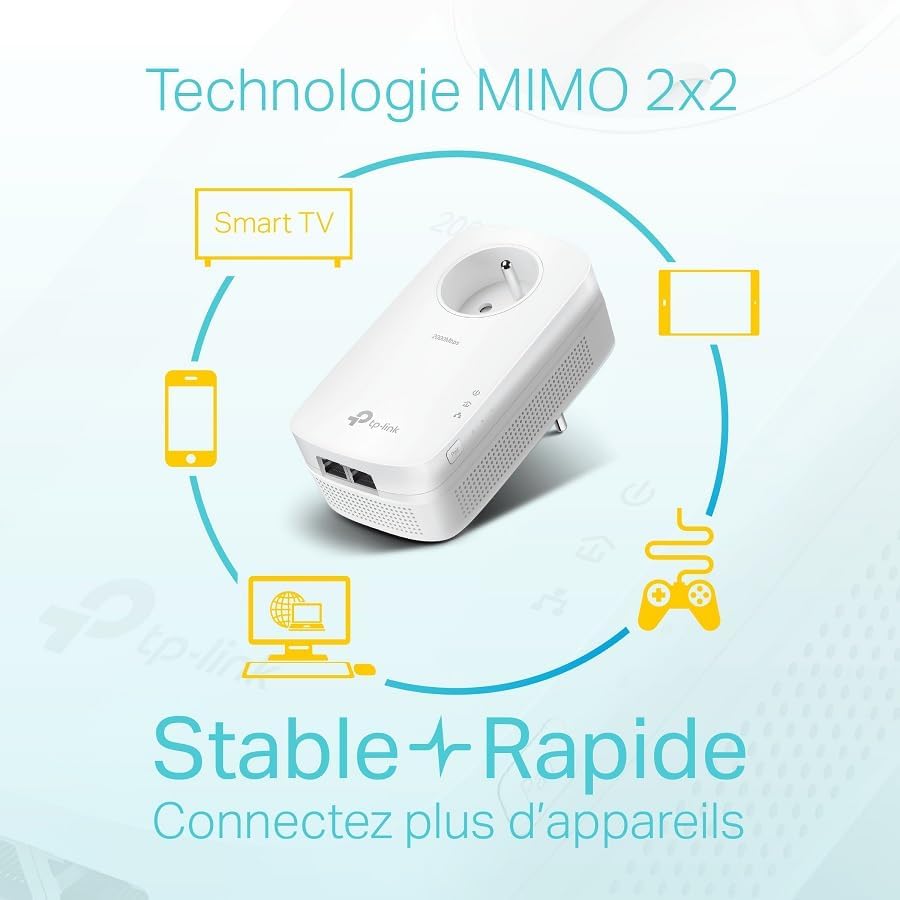
Image: Diagram illustrating MIMO 2x2 technology, showing how it improves range and performance over longer distances and in areas difficult to reach by traditional SISO transmission.
ഗിഗാബൈറ്റ് ഇഥർനെറ്റ് പോർട്ടുകൾ
Each adapter is equipped with two Gigabit Ethernet ports. These ports allow you to connect multiple wired devices such as PCs, Smart TVs, or game consoles, providing secure, high-speed connections with minimal latency and reduced interference.

ചിത്രം: ക്ലോസ്-അപ്പ് view of the two Gigabit Ethernet ports on a TP-Link Powerline adapter, with icons representing connected devices like a computer, laptop, and game console.
Integrated Power Socket
The integrated power socket on each adapter allows you to plug in another electrical device or power strip, effectively replacing the wall outlet used by the Powerline adapter. This ensures that no electrical outlet is wasted.
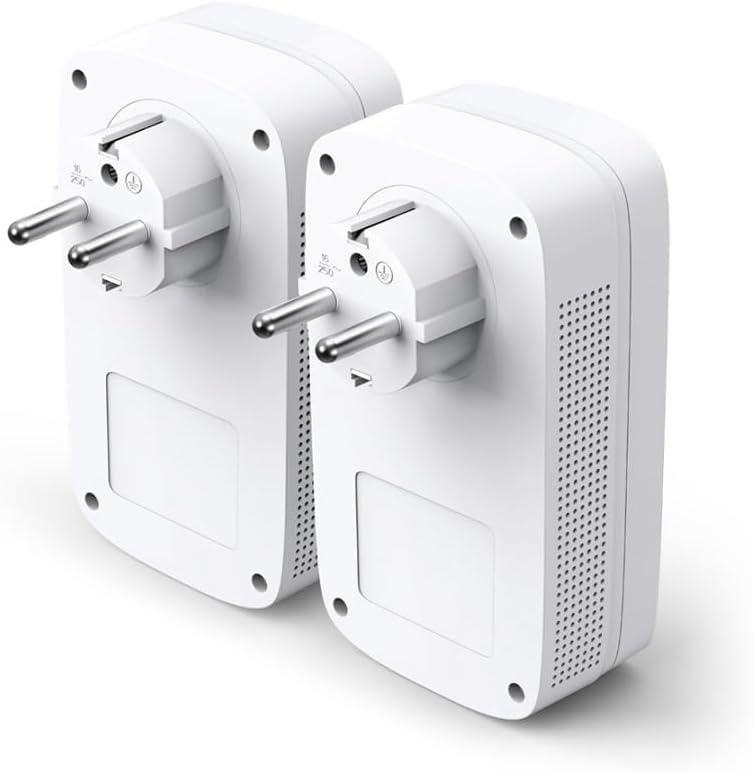
ചിത്രം: പിന്നിലേക്ക് view of two TP-Link TL-PA9025P Powerline adapters, showing the electrical prongs and the integrated power socket.
5. എനർജി സേവിംഗ് മോഡ്
The TL-PA9025P features a patented power-saving mode that automatically reduces power consumption by up to 85% when devices are not actively transmitting data. This helps to conserve energy and reduce operational costs.
6. പ്രശ്നപരിഹാരം
- No Powerline Connection: Ensure both adapters are plugged directly into wall outlets and not into power strips. Check that the Powerline LED on both adapters is solid green. If not, press the Pair button on one adapter for 1 second, then within 2 minutes, press the Pair button on the other adapter for 1 second.
- വേഗത കുറഞ്ഞ വേഗത: Powerline performance can be affected by electrical interference. Try plugging the adapters into different wall outlets. Avoid outlets on different electrical circuits if possible. Large appliances (e.g., washing machines, refrigerators) can also cause interference.
- അനുയോജ്യത: While HomePlug AV2 devices are generally compatible, mixing different generations or brands of Powerline adapters may result in reduced performance or connectivity issues. For best results, use adapters from the same kit or compatible TP-Link models.
- ഇൻ്റർനെറ്റ് ആക്സസ് ഇല്ല: Verify that your router is working correctly and providing internet access. Ensure the Ethernet cables are securely connected between the router and the first adapter, and between your device and the second adapter.
7 സ്പെസിഫിക്കേഷനുകൾ
| ഫീച്ചർ | വിശദാംശങ്ങൾ |
|---|---|
| ബ്രാൻഡ് | ടിപി-ലിങ്ക് |
| മോഡൽ നമ്പർ | TL-PA9025P KIT(FR) |
| ഇൻ്റർഫേസ് | 2 ജിഗാബൈറ്റ് ഇഥർനെറ്റ് പോർട്ടുകൾ |
| ഡാറ്റ കൈമാറ്റ നിരക്ക് | 2000 Mbps വരെ |
| Powerline Standard | ഹോംപ്ലഗ് AV2 |
| സാങ്കേതികവിദ്യ | 2x2 MIMO with Beamforming |
| Integrated Socket | Yes, Max 3680W/16A |
| അളവുകൾ (L x W x H) | 7.2 x 4.2 x 13.1 സെ.മീ |
| ഭാരം | 500 ഗ്രാം |
| അനുയോജ്യമായ OS | വിൻഡോസ് |
| സർട്ടിഫിക്കേഷൻ | CE |
8. വാറൻ്റിയും പിന്തുണയും
This product comes with a 2-year warranty. For technical assistance or any questions, please visit the TP-Link France Zoho Desk website to open a support ticket. You can search for "TP-Link France Zoho Desk" on your web ബ്രൗസർ.
9. ഉൽപ്പന്ന വീഡിയോ
വീഡിയോ: ഒരു ചെറിയ പ്രീview ഷോasing the TP-Link TL-PA9025P Powerline Adapter Kit, highlighting its design, features, and ease of installation. This video provides a visual overview of the product and its main benefits.


