Logitech M220 Silent Mouse User Manual
Your guide to a quiet and efficient computing experience.
ഉൽപ്പന്നം കഴിഞ്ഞുview
The Logitech M220 Silent Mouse is designed for quiet operation, offering 90% noise reduction compared to classic mice, while maintaining the familiar click feel. Its compact and ambidextrous design ensures comfort for extended use. With an 18-month battery life and a reliable 10-meter wireless range, this mouse provides seamless connectivity across various operating systems.

Figure 1: Logitech M220 Silent Mouse, Wireless Black.
പ്രധാന സവിശേഷതകൾ
- വളരെ നിശബ്ദമായ പ്രവർത്തനം: 90% reduced click sound for a distraction-free environment.
- Comfortable and compact design: Small enough for portability and an ambidextrous shape for natural hand positioning.
- Reliable wireless connectivity: Automatically connects via a tiny USB receiver with a 10-meter range.
- ദീർഘകാലം നിലനിൽക്കുന്ന ബാറ്ററി: Up to 18 months of battery life with auto-sleep function.
- വിപുലമായ ഒപ്റ്റിക്കൽ ട്രാക്കിംഗ്: Smooth and precise cursor control on almost any surface.
- സാർവത്രിക അനുയോജ്യത: Works with Windows, Mac, Chrome OS, and Linux.
സജ്ജമാക്കുക
ബോക്സിൽ എന്താണുള്ളത്
- Logitech M220 Silent Mouse
- USB റിസീവർ
- 1 AA ബാറ്ററി (മുൻകൂട്ടി ഇൻസ്റ്റാൾ ചെയ്തത്)
- ദ്രുത ആരംഭ ഗൈഡ്
പ്രാരംഭ സജ്ജീകരണം
- ബാറ്ററി കമ്പാർട്ട്മെൻ്റ് തുറക്കുക: Locate the battery compartment cover on the underside of the mouse and slide it open.
- Remove Battery Pull Tab: If present, gently pull the plastic tab to activate the pre-installed AA battery.
- USB റിസീവർ വീണ്ടെടുക്കുക: The tiny USB receiver is stored inside the battery compartment for convenience. Remove it carefully.
- ബാറ്ററി കമ്പാർട്ട്മെൻ്റ് അടയ്ക്കുക: ബാറ്ററി കമ്പാർട്ട്മെന്റ് കവർ സുരക്ഷിതമായി മാറ്റിസ്ഥാപിക്കുക.
- പ്ലഗ് ഇൻ റിസീവർ: നിങ്ങളുടെ കമ്പ്യൂട്ടറിൽ (ലാപ്ടോപ്പ് അല്ലെങ്കിൽ ഡെസ്ക്ടോപ്പ്) ലഭ്യമായ ഒരു USB പോർട്ടിലേക്ക് USB റിസീവർ ചേർക്കുക.
- മൗസ് പവർ ഓൺ ചെയ്യുക: Slide the On/Off switch on the bottom of the mouse to the 'On' position.
- യാന്ത്രിക കണക്ഷൻ: The mouse should automatically connect to your computer. No additional software or drivers are typically required.

Figure 2: Underside of the M220 mouse, highlighting the battery compartment and USB receiver slot.
Video 1: Official Logitech M220 Silent Wireless Mobile Mouse overview, demonstrating setup and key features.
നിങ്ങളുടെ മൗസ് പ്രവർത്തിപ്പിക്കൽ
Silent Click Technology
The M220 mouse features advanced silent click technology, reducing click sounds by over 90% compared to traditional mice. This allows for a quiet working environment, ideal for shared offices, libraries, or late-night use, without disturbing others.
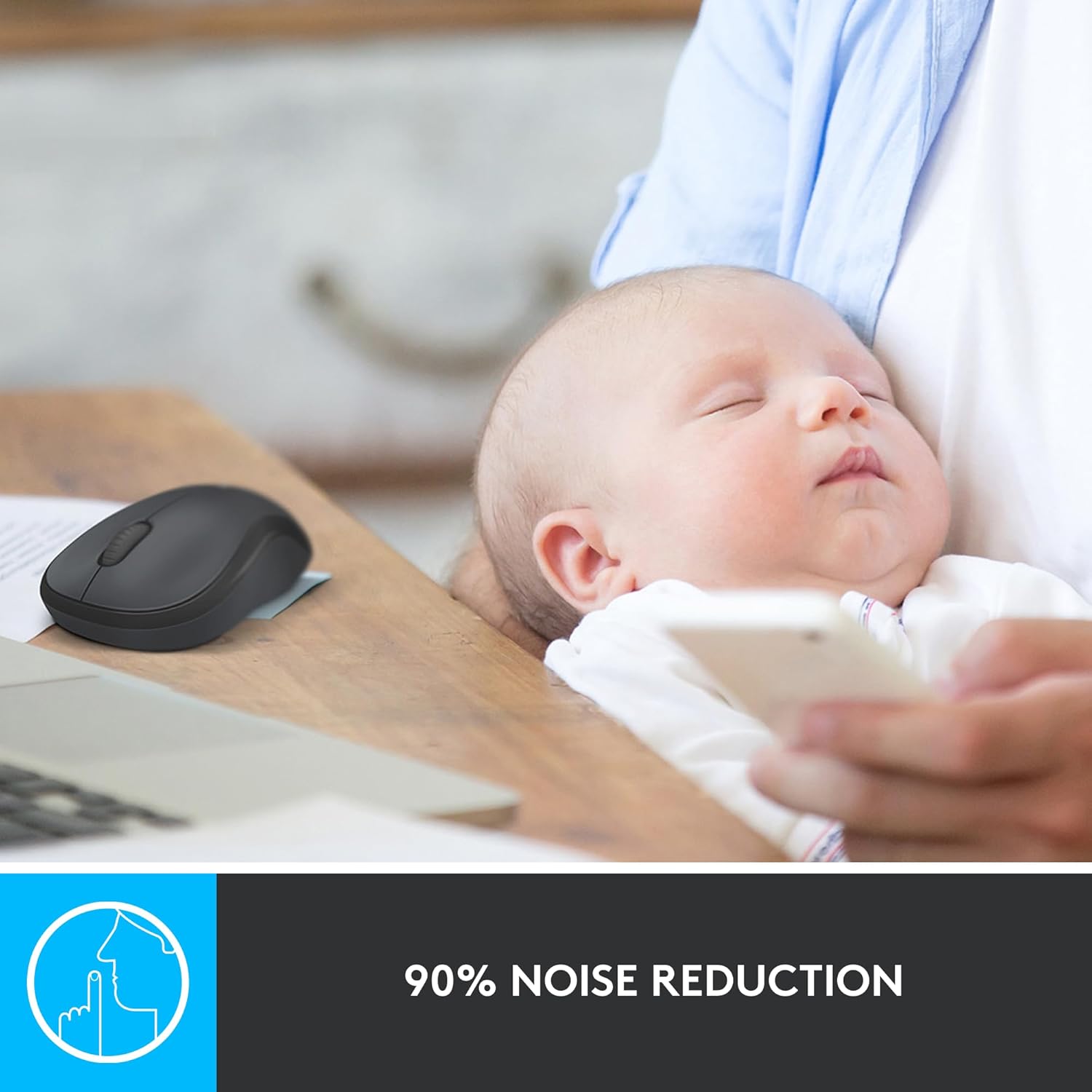
Figure 3: Visual representation of the 90% noise reduction feature of the M220 mouse.
ആംബിഡെക്സ്ട്രസ് ഡിസൈൻ
The mouse is designed to be comfortable for both left and right-handed users. Its sculpted shape guides either hand into a natural position, reducing strain during prolonged use.

Figure 4: The compact and comfortable design of the M220 mouse, fitting naturally in hand.
Wireless Connectivity and Tracking
The M220 offers a reliable wireless connection up to 10 meters (33 feet) away from your computer. Its advanced optical tracking ensures smooth and precise cursor control on various surfaces, including wood, mousepads, and even directly on a desk.

Figure 5: Universal compatibility of the M220 mouse across different operating systems.
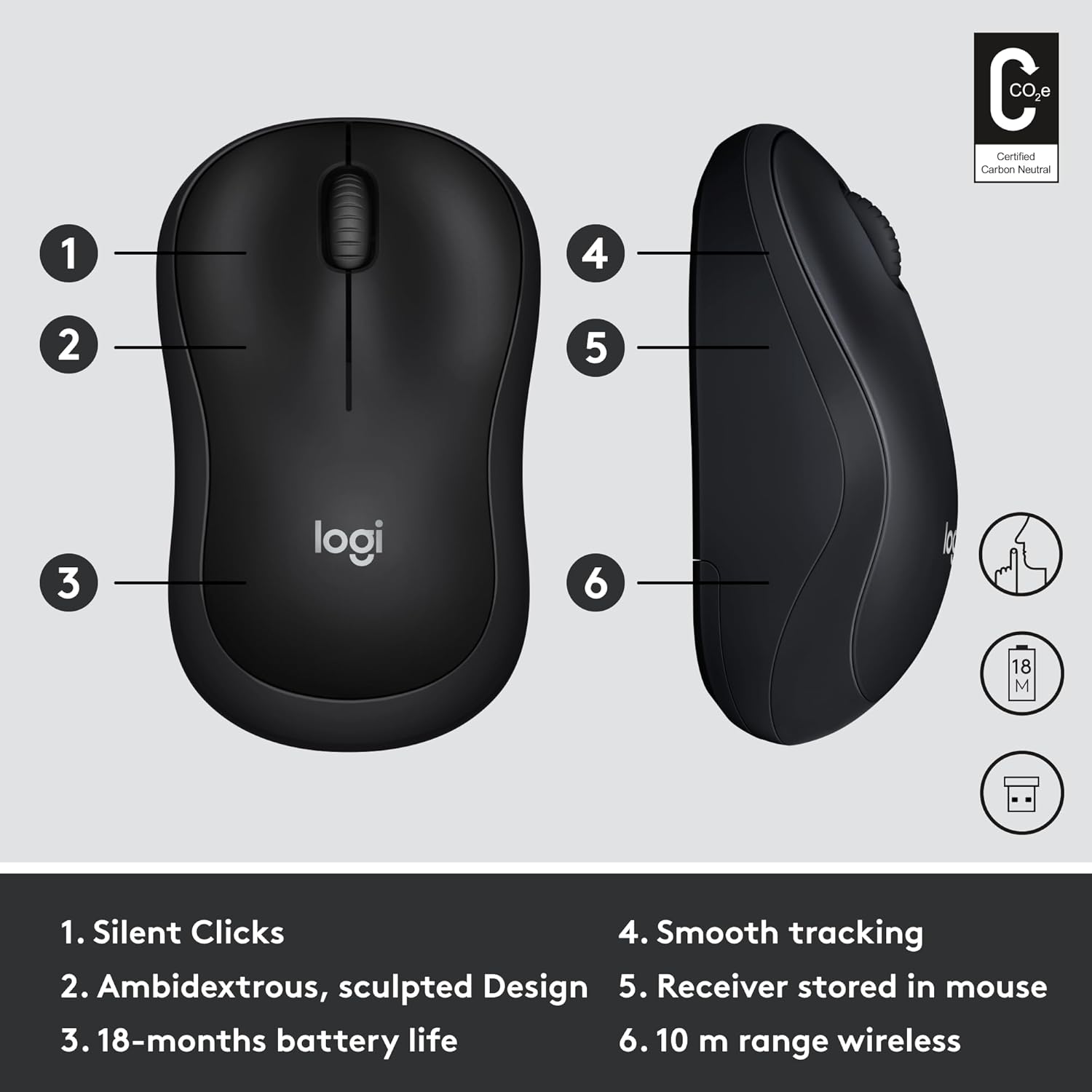
Figure 6: The M220 mouse is portable and can be used effectively in various work environments.
മെയിൻ്റനൻസ്
ബാറ്ററി മാറ്റിസ്ഥാപിക്കൽ
The Logitech M220 Silent Mouse uses one AA battery. To replace the battery, open the battery compartment cover on the underside of the mouse. Remove the old battery and insert a new AA battery, ensuring correct polarity. Close the cover securely.
Figure 7: The battery compartment is easily accessible for replacement.
വൃത്തിയാക്കൽ
നിങ്ങളുടെ മൗസ് വൃത്തിയാക്കാൻ, മൃദുവായ, ലിന്റ് രഹിത തുണി ഉപയോഗിക്കുക. കഠിനമായ അഴുക്കിന്, ചെറുതായി dampen the cloth with water or a mild cleaning solution. Avoid using harsh chemicals or abrasive materials, as these can damage the mouse's surface or internal components. Regularly clean the optical sensor on the bottom of the mouse to ensure optimal tracking performance.
ട്രബിൾഷൂട്ടിംഗ്
പൊതുവായ പ്രശ്നങ്ങളും പരിഹാരങ്ങളും
- മൗസ് പ്രതികരിക്കുന്നില്ല:
- മൗസ് ഓണാണെന്ന് ഉറപ്പാക്കുക.
- Check if the AA battery is correctly inserted and has sufficient charge. Replace if necessary.
- നിങ്ങളുടെ കമ്പ്യൂട്ടറിലെ പ്രവർത്തിക്കുന്ന ഒരു USB പോർട്ടിലേക്ക് USB റിസീവർ സുരക്ഷിതമായി പ്ലഗ് ചെയ്തിട്ടുണ്ടോയെന്ന് പരിശോധിക്കുക. മറ്റൊരു USB പോർട്ട് പരീക്ഷിക്കുക.
- നിങ്ങളുടെ കമ്പ്യൂട്ടർ പുനരാരംഭിക്കുക.
- ഇടയ്ക്കിടെയുള്ള കണക്ഷൻ അല്ലെങ്കിൽ കാലതാമസം:
- മൗസും യുഎസ്ബി റിസീവറും തമ്മിലുള്ള ദൂരം കുറയ്ക്കുക.
- Ensure there are no large metal objects or other electronic devices causing interference between the mouse and receiver.
- Try plugging the USB receiver into a different USB port, preferably one closer to the mouse.
- Inaccurate or jumpy cursor:
- Clean the optical sensor on the bottom of the mouse with a soft, lint-free cloth.
- Try using the mouse on a different surface. Highly reflective or uneven surfaces may affect tracking.
സ്പെസിഫിക്കേഷനുകൾ
| ഫീച്ചർ | വിശദാംശങ്ങൾ |
|---|---|
| ബ്രാൻഡ് | ലോജിടെക് |
| മോഡൽ | എം220 (910-004885) |
| കണക്റ്റിവിറ്റി ടെക്നോളജി | Wireless, USB (via receiver) |
| വയർലെസ് തരം | 2.4 GHz (802.11a) |
| വയർലെസ് ശ്രേണി | 10 മീറ്റർ (33 അടി) |
| മൂവ്മെന്റ് ഡിറ്റക്ഷൻ ടെക്നോളജി | ഒപ്റ്റിക്കൽ |
| ബാറ്ററി തരം | 1 AA ബാറ്ററി (ഉൾപ്പെട്ടിരിക്കുന്നു) |
| ശരാശരി ബാറ്ററി ലൈഫ് | 18 മാസം |
| ഓപ്പറേറ്റിംഗ് സിസ്റ്റം അനുയോജ്യത | വിൻഡോസ്, മാകോസ്, ക്രോം ഒഎസ്, ലിനക്സ് |
| നിറം | കറുപ്പും ചാരനിറവും |
| ഇനത്തിൻ്റെ ഭാരം | 1.76 ഔൺസ് |
| ഉൽപ്പന്ന അളവുകൾ (LxWxH) | 1.54 x 3.89 x 2.36 ഇഞ്ച് |
വാറൻ്റിയും പിന്തുണയും
The Logitech M220 Silent Mouse comes with a 3 വർഷത്തെ പരിമിതമായ ഹാർഡ്വെയർ വാറൻ്റി. For detailed warranty information and support, please refer to the official Logitech website or contact Logitech customer service.
For further assistance, visit the Logitech support page or consult the quick start guide included in your product packaging.