ആമുഖം
The Inateck FD2102 is a versatile dual-bay docking station designed for both 2.5-inch and 3.5-inch SATA I/II/III hard disk drives (HDDs) and solid-state drives (SSDs). It provides a convenient solution for data transfer, backup, and offline disk cloning without the need for a computer. Featuring USB 3.0 connectivity, it supports data transfer speeds up to 5Gbps and is compatible with various operating systems.
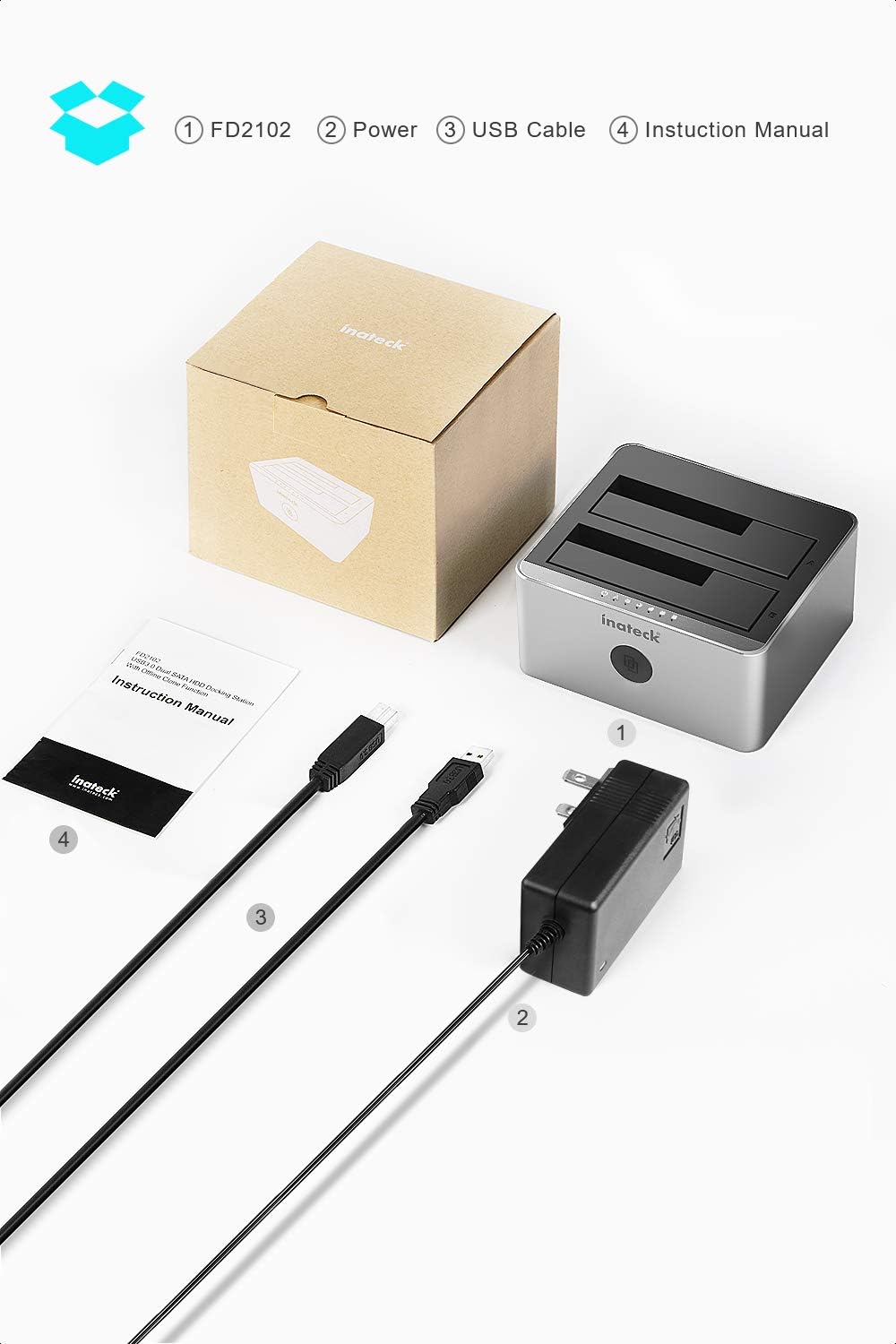
പാക്കേജ് ഉള്ളടക്കം
പാക്കേജിൽ എല്ലാ ഇനങ്ങളും ഉണ്ടെന്ന് ദയവായി പരിശോധിക്കുക:
- Inateck FD2102 Dual Bay Docking Station
- 12V/3A പവർ അഡാപ്റ്റർ
- USB 3.0 ഡാറ്റ കേബിൾ
- ഉപയോക്തൃ മാനുവൽ
സജ്ജീകരണ നിർദ്ദേശങ്ങൾ
- പവർ ബന്ധിപ്പിക്കുക: Connect the provided 12V/3A power adapter to the docking station's power input port and then plug it into a power outlet.
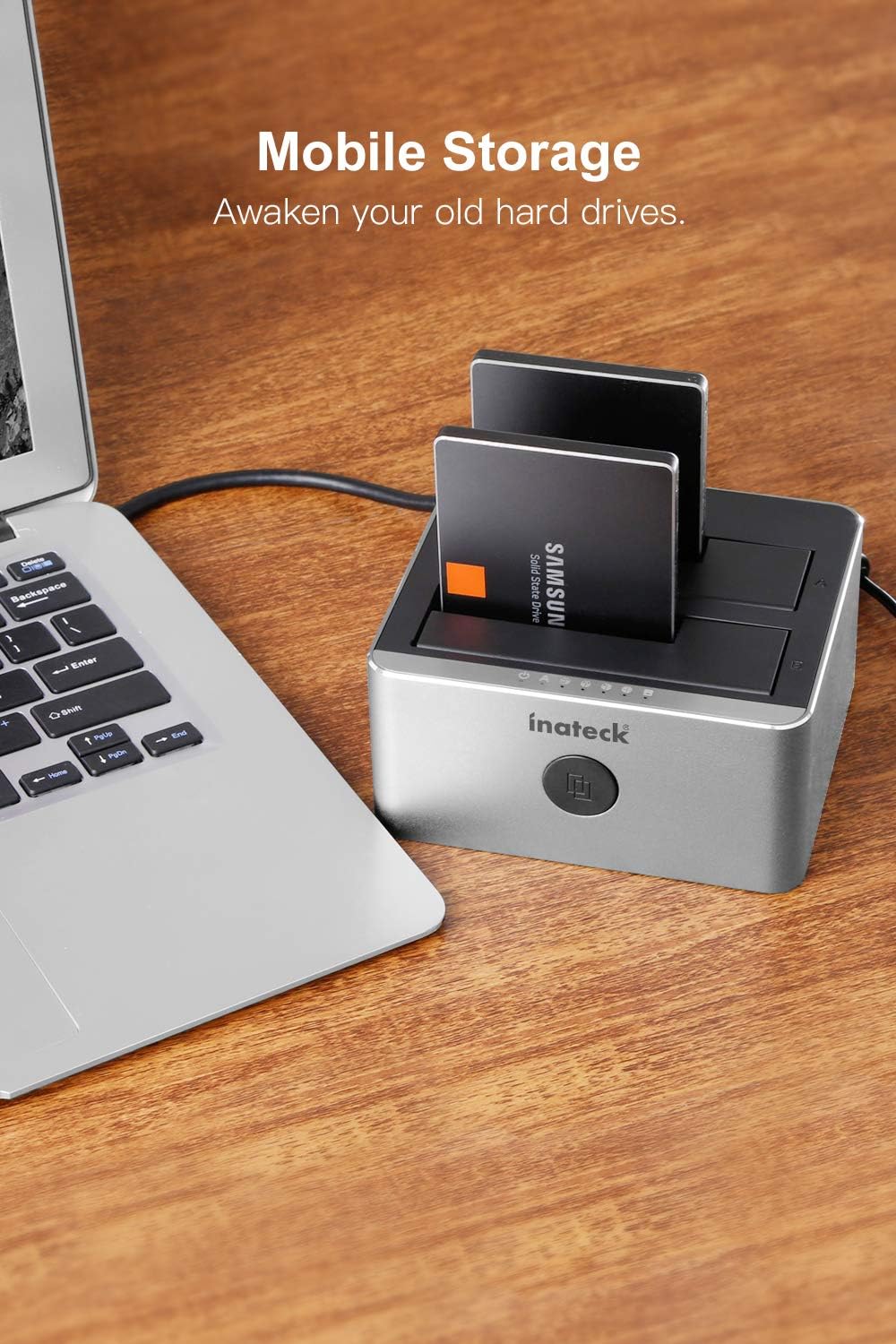
- ഹാർഡ് ഡ്രൈവുകൾ ചേർക്കുക: Gently insert your 2.5-inch or 3.5-inch SATA HDD/SSD into the drive bays (Slot A and Slot B). Ensure the drive is fully seated into the SATA connector. The docking station supports up to two drives simultaneously.
- Connect to Computer (for data transfer): Connect one end of the USB 3.0 data cable to the docking station's USB 3.0 port and the other end to an available USB 3.0 port on your computer.
- പവർ ഓൺ: Press the power button on the back of the docking station to turn it on. The power indicator LED will illuminate.
- ഡ്രൈവർ ഇൻസ്റ്റാളേഷൻ: The FD2102 is plug-and-play and typically does not require additional drivers for Windows XP/7/8/10, Linux, or Mac OS 9.1/10.8.4 and above. Your operating system should automatically detect and install the necessary drivers.
പ്രവർത്തന നിർദ്ദേശങ്ങൾ
ഡാറ്റ ട്രാൻസ്ഫർ മോഡ്
Once connected to your computer and powered on, the inserted hard drives will appear as removable storage devices. You can access, transfer, and manage files as you would with any other external drive. The docking station supports UASP (USB Attached SCSI Protocol) for faster data transfer speeds when connected to a UASP-enabled USB 3.0 port.
ഓഫ്ലൈൻ ക്ലോണിംഗ് പ്രവർത്തനം
The offline cloning function allows you to duplicate a hard drive directly without connecting to a computer. This is useful for creating backups or upgrading to a larger drive.
- ഡ്രൈവുകൾ തയ്യാറാക്കുക: Ensure the docking station is powered off and disconnected from your computer. Insert the source drive (നിങ്ങൾ പകർത്താൻ ആഗ്രഹിക്കുന്ന ഡ്രൈവ്) എന്നതിലേക്ക് സ്ലോട്ട് എ (HDD Source). Insert the ടാർഗെറ്റ് ഡ്രൈവ് (നിങ്ങൾ പകർത്താൻ ആഗ്രഹിക്കുന്ന ഡ്രൈവ്) എന്നതിലേക്ക് സ്ലോട്ട് ബി (HDD Target).
- പ്രധാന കുറിപ്പ്: The target drive (Slot B) must be equal to or larger in capacity than the source drive (Slot A). All data on the target drive will be overwritten during the cloning process.
- ക്ലോണിംഗ് ആരംഭിക്കുക: Power on the docking station. Press and hold the 'Clone' button on the front panel for approximately 3-5 seconds until the cloning progress indicator LEDs (25%, 50%, 75%, 100%) begin to flash.
- പുരോഗതി നിരീക്ഷിക്കുക: The LEDs will indicate the cloning progress:
- 25% LED flashes: Cloning started.
- 25% LED solid, 50% LED flashes: 25% complete.
- 50% LED solid, 75% LED flashes: 50% complete.
- 75% LED solid, 100% LED flashes: 75% complete.
- ക്ലോണിംഗ് പൂർത്തിയായി: When all four cloning progress LEDs (25%, 50%, 75%, 100%) become solid, the cloning process is complete.
- പവർ ഓഫ്: Safely power off the docking station and remove the drives.


Safe Removal of Drives
Before physically removing drives from the docking station, ensure that all data transfer operations are complete. If connected to a computer, safely eject the drives through your operating system's 'Safely Remove Hardware' or 'Eject' function. Then, power off the docking station before removing the drives.
മെയിൻ്റനൻസ്
- വൃത്തിയാക്കൽ: Use a soft, dry cloth to clean the exterior of the docking station. Avoid using liquid cleaners or solvents, as they may damage the device.
- സംഭരണം: ഉപയോഗത്തിലില്ലാത്തപ്പോൾ, ഡോക്കിംഗ് സ്റ്റേഷൻ നേരിട്ട് സൂര്യപ്രകാശം ഏൽക്കാത്തതും തീവ്രമായ താപനില ഏൽക്കാത്തതുമായ ഒരു തണുത്ത വരണ്ട സ്ഥലത്ത് സൂക്ഷിക്കുക.
- കൈകാര്യം ചെയ്യൽ: Handle the docking station and hard drives with care to prevent physical damage. Avoid dropping or subjecting the device to strong impacts.
ട്രബിൾഷൂട്ടിംഗ്
- Drive not recognized by computer:
- Ensure the docking station is powered on and the USB cable is securely connected to both the docking station and your computer.
- Try connecting the docking station to a different USB port on your computer, preferably a USB 3.0 port.
- Verify that the hard drive is properly seated in the bay.
- Check Disk Management (Windows) or Disk Utility (Mac) to see if the drive is detected but uninitialized or unformatted.
- If using a USB hub, try connecting the docking station directly to the computer. Some USB hubs may cause connectivity issues.
- Offline cloning fails or does not start:
- Ensure the source drive (Slot A) is inserted correctly.
- Ensure the target drive (Slot B) is inserted correctly and has a capacity equal to or greater than the source drive.
- Make sure the docking station is disconnected from the computer before initiating offline cloning.
- Press and hold the 'Clone' button for the required 3-5 seconds until the LEDs start flashing.
- കുറഞ്ഞ ഡാറ്റാ കൈമാറ്റ വേഗത:
- Ensure you are using a USB 3.0 port on your computer and the provided USB 3.0 cable.
- ഒപ്റ്റിമൽ പ്രകടനത്തിനായി നിങ്ങളുടെ ഓപ്പറേറ്റിംഗ് സിസ്റ്റവും ഡ്രൈവറുകളും UASP പിന്തുണയ്ക്കുന്നുണ്ടോ എന്ന് പരിശോധിക്കുക.
- ഹാർഡ് ഡ്രൈവിന്റെ പ്രകടനത്തെയും നിങ്ങളുടെ കമ്പ്യൂട്ടറിന്റെ സിസ്റ്റം കോൺഫിഗറേഷനെയും ആശ്രയിച്ച് യഥാർത്ഥ വേഗത വ്യത്യാസപ്പെടാം.
- Difficulty inserting drives:
- Ensure the drive is aligned correctly with the SATA connector. Apply gentle, even pressure. Avoid forcing the drive, as this can damage the connectors.
ഉൽപ്പന്ന സവിശേഷതകൾ
| ഫീച്ചർ | സ്പെസിഫിക്കേഷൻ |
|---|---|
| മോഡൽ നമ്പർ | FD2102 |
| അനുയോജ്യമായ ഡ്രൈവുകൾ | 2.5" and 3.5" SATA I/II/III HDD/SSD |
| ബേകളുടെ എണ്ണം | 2 (Dual Bay) |
| Max Drive Capacity | Up to 10TB per bay |
| ഇൻ്റർഫേസ് | USB 3.0 (യുഎസ്ബി 2.0-ന് പിന്നിലേക്ക് അനുയോജ്യം) |
| ഡാറ്റ കൈമാറ്റ നിരക്ക് | 5Gbps വരെ (USB 3.0) |
| ഓഫ്ലൈൻ ക്ലോൺ | Supported (no computer needed) |
| ഓപ്പറേറ്റിംഗ് സിസ്റ്റം അനുയോജ്യത | Windows XP/7/8/10, Linux, Mac OS 9.1/10.8.4 and above |
| പവർ അഡാപ്റ്റർ | 12V/3A |
| ഉൽപ്പന്ന അളവുകൾ (LxWxH) | 5.12 x 4.53 x 2.44 ഇഞ്ച് |
| ഇനത്തിൻ്റെ ഭാരം | 11.7 ഔൺസ് (0.73 പൗണ്ട്) |
വാറൻ്റി വിവരങ്ങൾ
Inateck products typically come with a manufacturer's warranty. Please refer to the warranty card included in your package or visit the official Inateck website for detailed warranty terms and conditions specific to the FD2102 model.
ഉപഭോക്തൃ പിന്തുണ
For technical assistance, troubleshooting, or further inquiries regarding your Inateck FD2102 docking station, please visit the official Inateck webസൈറ്റ്. നിങ്ങൾക്ക് സാധാരണയായി പതിവുചോദ്യങ്ങൾ, ഡ്രൈവർ ഡൗൺലോഡുകൾ, ഉപഭോക്തൃ സേവനത്തിനായുള്ള കോൺടാക്റ്റ് വിവരങ്ങൾ എന്നിവ അവിടെ കണ്ടെത്താൻ കഴിയും.
ഔദ്യോഗിക ഇനാടെക് Webസൈറ്റ്: www.inateck.com


