ആമുഖം
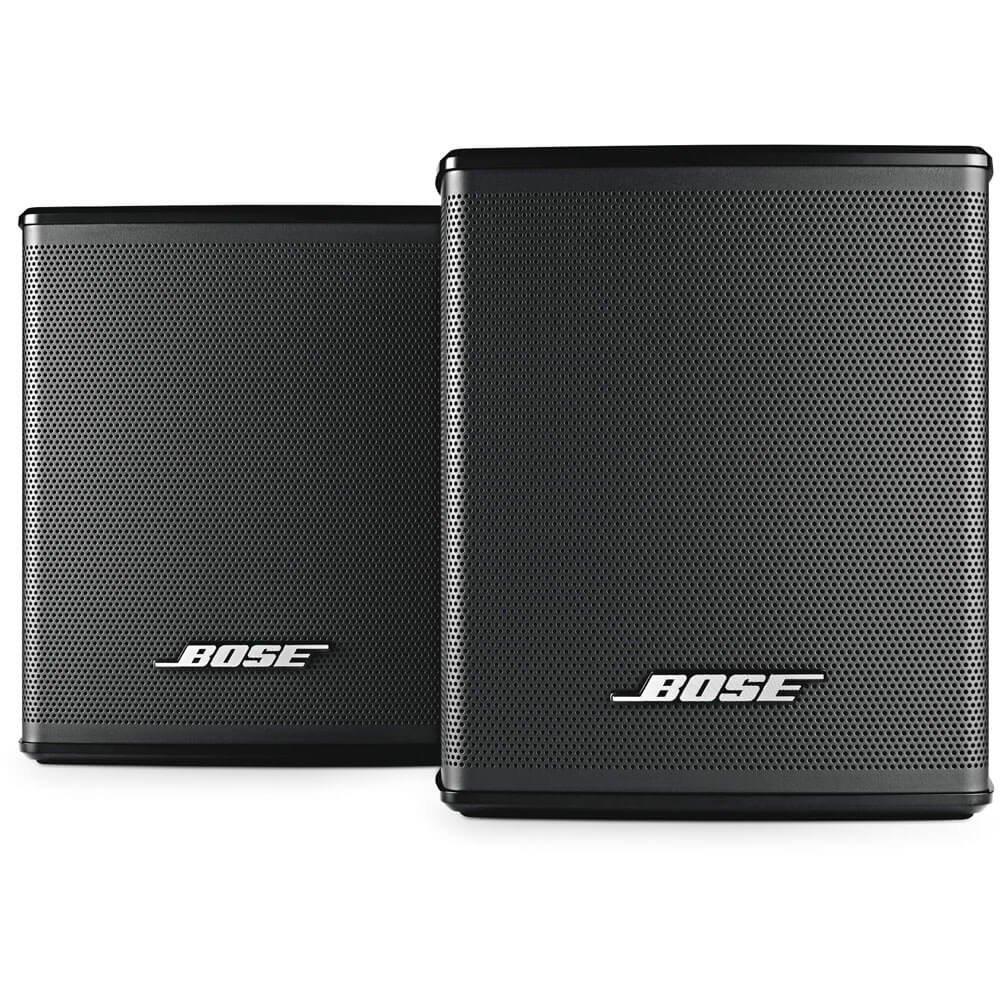
Image: Two black Bose Virtually Invisible 300 Wireless Surround Speakers, shown from the front at an angle, highlighting their compact design.
The Bose Virtually Invisible 300 Wireless Surround Speakers are designed to enhance your home entertainment experience by providing immersive surround sound. These compact speakers seamlessly integrate with your existing Bose SoundTouch 300 soundbar and Acoustic 300 wireless bass module, placing you at the center of the audio action. Their small size allows for discreet placement, ensuring your focus remains on your entertainment.
ബോക്സിൽ എന്താണുള്ളത്
- Virtually Invisible 300 speakers (2)
- വയർലെസ് സറൗണ്ട് സ്പീക്കർ റിസീവറുകൾ
- വൈദ്യുതി വിതരണം
- ആവശ്യമായ കേബിളുകൾ
സജ്ജമാക്കുക
Setting up your Bose Virtually Invisible 300 Wireless Surround Speakers is designed to be straightforward, allowing you to enjoy enhanced audio quickly. These speakers are intended to be paired with a compatible Bose soundbar, such as the SoundTouch 300, and optionally the Acoustic 300 wireless bass module.
പ്ലേസ്മെൻ്റ്
For optimal surround sound, position the speakers behind your primary listening area. The wireless connectivity allows for flexible placement without the need for long audio cables running across your room. Ensure each speaker's wireless receiver is within range of your soundbar and has access to a power outlet.
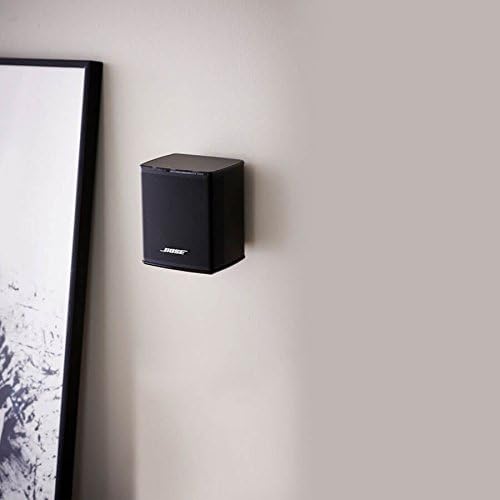
Image: A single black Bose Virtually Invisible 300 Wireless Surround Speaker mounted on a light-colored wall, demonstrating a typical placement option.
കണക്ഷൻ
- Connect each Virtually Invisible 300 speaker to its corresponding wireless surround speaker receiver using the provided cables.
- Plug the power supply for each receiver into a wall outlet.
- Ensure your Bose SoundTouch 300 soundbar (and Acoustic 300 bass module, if applicable) is powered on and connected to your home network.
- Follow the instructions in the Bose SoundTouch app to pair the surround speakers with your soundbar. The app will guide you through the wireless connection process and audio calibration.

Image: Two Bose Virtually Invisible 300 Wireless Surround Speakers, black, shown with their wireless receivers and cables, illustrating the components and connections.
Audio Calibration (ADAPTiQ)
After connecting, perform the ADAPTiQ audio calibration using the headset provided with your Bose soundbar. This process optimizes the sound performance for your specific room's acoustics and speaker placement, ensuring balanced and immersive surround sound. This step is crucial for the best audio experience.
നിങ്ങളുടെ സ്പീക്കറുകൾ പ്രവർത്തിപ്പിക്കുന്നു
Once set up, your Virtually Invisible 300 speakers operate seamlessly with your Bose soundbar. They automatically power on and off with the soundbar and adjust their volume in sync with the main system.
വോളിയം ക്രമീകരണം
The overall system volume, including the surround speakers, is controlled via your soundbar's remote control or the Bose SoundTouch app. Some users may find it beneficial to fine-tune the individual volume levels of the surround speakers through the app for a personalized listening experience, especially if the initial calibration results in perceived low sound from the rear speakers.
ഉറവിട തിരഞ്ഞെടുപ്പ്
The surround speakers will play audio from whatever source is selected on your Bose soundbar (e.g., TV, Bluetooth, Wi-Fi streaming). They are designed to provide a full, immersive soundstage for all your audio content.
മെയിൻ്റനൻസ്
To ensure the longevity and optimal performance of your Bose Virtually Invisible 300 Wireless Surround Speakers, follow these simple maintenance guidelines:
- വൃത്തിയാക്കൽ: Gently wipe the surfaces of the speakers and receivers with a soft, dry cloth. Avoid using liquid cleaners, solvents, or abrasive materials, as these can damage the finish.
- പ്ലേസ്മെൻ്റ്: Keep the speakers away from direct heat sources, excessive moisture, or extreme temperatures. Ensure adequate ventilation around the wireless receivers.
- കേബിളുകൾ: Periodically check all cable connections to ensure they are secure. Avoid bending or pinching cables, which can lead to damage.
- സോഫ്റ്റ്വെയർ അപ്ഡേറ്റുകൾ: Keep your Bose SoundTouch app and soundbar firmware updated to ensure compatibility and access to the latest features and performance improvements.
ട്രബിൾഷൂട്ടിംഗ്
| പ്രശ്നം | സാധ്യമായ പരിഹാരം |
|---|---|
| No sound from surround speakers |
|
| Low volume from surround speakers |
|
| Intermittent sound or disconnections |
|
സ്പെസിഫിക്കേഷനുകൾ
- മോഡലിൻ്റെ പേര്: Virtually Invisible 300
- ഇനം മോഡൽ നമ്പർ: 768973-1110
- സ്പീക്കർ തരം: സറൗണ്ട് സൗണ്ട്
- നിറം: കറുപ്പ്
- Product Dimensions (each speaker): 3.3"D x 3.2"W x 3.7"H
- Item Weight (each speaker): 1.2 lbs (speakers only), 2.2 lbs (total for pair)
- കണക്റ്റിവിറ്റി ടെക്നോളജി: വയർലെസ്
- ഊർജ്ജ സ്രോതസ്സ്: കോർഡഡ് ഇലക്ട്രിക്
- സ്പീക്കർ പരമാവധി ഔട്ട്പുട്ട് പവർ: 100 വാട്ട്സ്
- ഉൾപ്പെടുത്തിയ ഘടകങ്ങൾ: Virtually Invisible 300 speakers (2), wireless surround speaker receivers, power supply, necessary cables.
വാറൻ്റി & പിന്തുണ
The Bose Virtually Invisible 300 Wireless Surround Speakers come with a Limited Warranty. For detailed warranty information, product support, or to contact customer service, please visit the official Bose webസൈറ്റ് അല്ലെങ്കിൽ നിങ്ങളുടെ ഉൽപ്പന്നത്തിൽ ഉൾപ്പെടുത്തിയിരിക്കുന്ന ഡോക്യുമെന്റേഷൻ പരിശോധിക്കുക.
സന്ദർശിക്കുന്നതിലൂടെ നിങ്ങൾക്ക് അധിക പിന്തുണയും വിഭവങ്ങളും കണ്ടെത്താനാകും ആമസോണിലെ ബോസ് സ്റ്റോർ.


