ആമുഖം
Thank you for choosing the Nilight RGB LED Rock Lights Kit. This manual provides essential information for the proper installation, operation, and maintenance of your new rock lights. Designed for off-road vehicles, trucks, ATVs, UTVs, RZRs, and SUVs, these lights offer vibrant multicolor illumination with convenient Bluetooth app control.
പ്രധാന സവിശേഷതകൾ:
- Phone APP Controlled: Compatible with iPhone and Android devices for comprehensive control.
- Dynamic Lighting Modes: Includes timing function, music mode, and flashing function for customizable lighting effects.
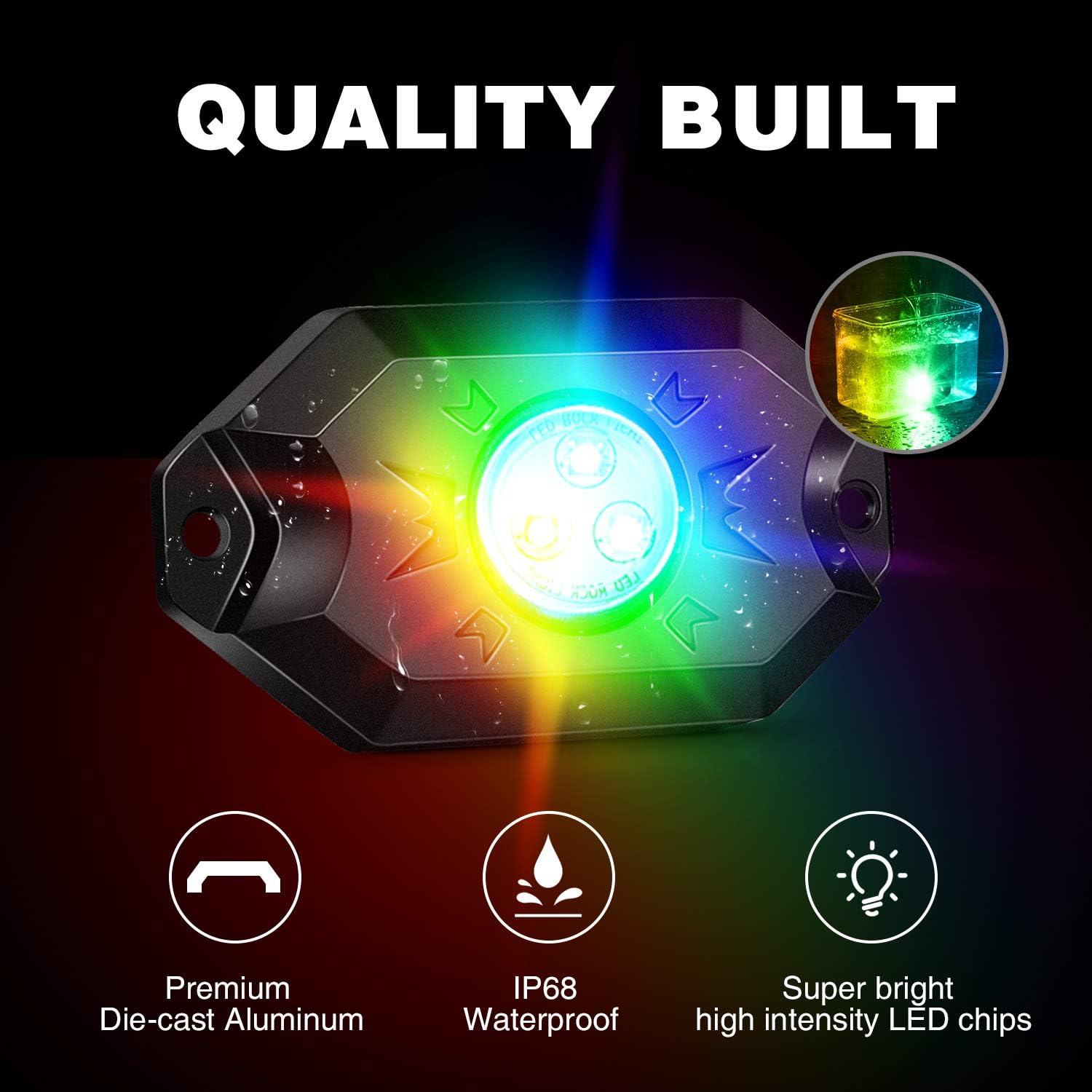
- Robust Construction: Features die-cast aluminum housing with toughened glass, ensuring durability.
- High Performance: 500 Lumens brightness with a flood beam (120 Degrees) and a 50,000-hour lifespan.
- Weatherproof Design: Waterproof, shockproof, dust-proof, and rust-proof for reliable outdoor use.
- Universal Fit: Suitable for a wide range of vehicles including off-road, Jeep, Motorcycle, Truck, Car, 4x4s, ATVs, UTVs, RZRs, SUVs, Tractors, and Boats.
പാക്കേജ് ഉള്ളടക്കം
താഴെ ലിസ്റ്റ് ചെയ്തിരിക്കുന്ന എല്ലാ ഇനങ്ങളും നിങ്ങളുടെ പാക്കേജിൽ ഉൾപ്പെടുത്തിയിട്ടുണ്ടെന്ന് ദയവായി പരിശോധിക്കുക:
- 4 x RGB LED Rock Lights
- 4 x റബ്ബർ പാഡുകൾ
- 4 x Connection Wiring Harnesses
- 1 x കണ്ട്രോളർ

The image above displays the complete package contents, including the four rock light pods, the necessary wiring harnesses, the central controller unit, and the rubber pads for mounting. Ensure all these parts are present before proceeding with installation.
സ്പെസിഫിക്കേഷനുകൾ
| ആട്രിബ്യൂട്ട് | മൂല്യം |
|---|---|
| ബ്രാൻഡ് | നൈലൈറ്റ് |
| മോഡൽ നമ്പർ | RGB-RL |
| നിറം | RGB (ചുവപ്പ്, പച്ച, നീല) |
| ആകൃതി | ദീർഘചതുരം |
| മെറ്റീരിയൽ | അലുമിനിയം |
| ഫിനിഷ് തരം | അലുമിനിയം |
| പ്രകാശ സ്രോതസ്സ് തരം | എൽഇഡി |
| പവർ ഉറവിടം | ബാറ്ററി പവർ (12 വോൾട്ട്) |
| തെളിച്ചം | 500 ല്യൂമെൻസ് |
| മൗണ്ടിംഗ് തരം | ഫ്ലഷ് മ .ണ്ട് |
| ബൾബ് സവിശേഷതകൾ | App Controlled, Timing Function, Music Mode, Flashing Function, Automatic Control |
| പ്രകാശ സ്രോതസ്സുകളുടെ എണ്ണം | 4 |
| ബീം ആംഗിൾ | 120 ഡിഗ്രി |
| ഇനത്തിൻ്റെ ഭാരം | 2.6 പൗണ്ട് |
| മാതൃരാജ്യം | ചൈന |
സജ്ജീകരണവും ഇൻസ്റ്റാളേഷനും
Follow these steps for proper installation of your Nilight RGB LED Rock Lights Kit:
- മൗണ്ടിംഗ് ലൊക്കേഷൻ തിരഞ്ഞെടുക്കുക: Select a suitable location on your vehicle's undercarriage, wheel wells, or other desired areas. Ensure the surface is clean and dry.
- റബ്ബർ പാഡുകൾ ഘടിപ്പിക്കുക: Each light pod comes with two types of rubber pads (flat and bull bar). Choose the appropriate pad for your mounting surface and seat the light pod onto it, ensuring the wire leads out from the side channel.
- വിളക്കുകൾ സ്ഥാപിക്കുക: Securely mount each light pod in position using the provided screws and nuts.
- വയറിംഗ് ഹാർനെസുകൾ ബന്ധിപ്പിക്കുക: Connect the wiring harness from each light pod to the 8-way splitter on the main controller wiring. Ensure all 4 rock lights are connected to the splitter before connecting the main power. This prevents strong current from damaging the lights.
- Connect Controller to Power: Connect the main controller box to your vehicle's 12V power source. It is recommended to connect to a switch first to avoid draining the battery when the vehicle is off.
- ആപ്പ് ഡൗൺലോഡ് ചെയ്ത് ബന്ധിപ്പിക്കുക:
- Scan the QR code provided on the controller or search for "Happy Lighting" in your device's app store.
- നിങ്ങളുടെ സ്മാർട്ട്ഫോണിൽ ബ്ലൂടൂത്ത് പ്രവർത്തനക്ഷമമാക്കുക.
- Open the "Happy Lighting" app and connect to the light device from the app menu.
- Once connected, you can turn on and control the lights via the app.

The diagram illustrates the physical installation process, from selecting the correct rubber pad to securing the light and connecting the wiring. Proper wiring is crucial for optimal performance and safety.

This image details the Bluetooth controller and the steps to connect it with your smartphone app, enabling smart control over your rock lights.
പ്രവർത്തന നിർദ്ദേശങ്ങൾ
Your Nilight RGB LED Rock Lights are primarily controlled via the "Happy Lighting" smartphone application. Once connected, you can access various functions:
- വർണ്ണ ക്രമീകരണം: Use the color wheel in the app to select any desired color from the RGB spectrum. You can also adjust brightness and speed for dynamic modes.
- സംഗീത മോഡ്: Sync your lights to music playing on your phone. The lights will change colors and patterns in response to the audio rhythm.
- Flashing Function: Choose from various pre-set flashing patterns and adjust their speed to create different visual effects.
- സമയ പ്രവർത്തനം: Set schedules for your lights to turn on or off automatically at specific times.
- Voice Responsive: The lights can react to voice commands or ambient sounds picked up by your phone's microphone.
The app interface provides intuitive controls for customizing your lighting experience, from simple color changes to complex dynamic patterns synchronized with music or sound.

This image demonstrates the versatile application of the rock lights on various vehicles, highlighting their ability to enhance both style and safety.
മെയിൻ്റനൻസ്
To ensure the longevity and optimal performance of your Nilight RGB LED Rock Lights, follow these maintenance guidelines:
- പതിവ് വൃത്തിയാക്കൽ: Periodically clean the light pods with a soft cloth and mild detergent to remove dirt, mud, and debris. Avoid abrasive cleaners that could scratch the toughened glass.
- വയറിംഗും കണക്ഷനുകളും പരിശോധിക്കുക: Regularly check all wiring harnesses and connections for any signs of wear, corrosion, or damage. Ensure connections remain secure and waterproof.
- മൗണ്ടിംഗ് പരിശോധിക്കുക: Verify that the light pods are still securely mounted and that the screws and nuts are tight. Re-tighten if necessary.
- വാട്ടർപ്രൂഫ് ഇന്റഗ്രിറ്റി: Although the lights are IP68 waterproof, avoid directing high-pressure water jets directly at the light pods or controller during washing, especially at close range.

The robust construction and IP68 waterproof rating ensure the lights can withstand harsh conditions, but regular inspection and cleaning will prolong their lifespan.
ട്രബിൾഷൂട്ടിംഗ്
If you encounter issues with your Nilight RGB LED Rock Lights Kit, refer to the following common problems and solutions:
| പ്രശ്നം | സാധ്യമായ കാരണം | പരിഹാരം |
|---|---|---|
| വിളക്കുകൾ തെളിയുന്നില്ല. | No power to the controller; loose wiring connection; faulty light pod. | Check power source and fuse. Ensure all connections are secure. Test individual light pods if possible. Verify all 4 pods are connected to the splitter before connecting to power. |
| ആപ്പിന് കൺട്രോളറുമായി കണക്റ്റ് ചെയ്യാൻ കഴിയുന്നില്ല. | Bluetooth is off; app not properly installed; controller issue. | Ensure Bluetooth is enabled on your device. Restart the app and try reconnecting. Restart your phone. Check if the controller has power. |
| നിറങ്ങൾ തെറ്റാണ് അല്ലെങ്കിൽ പൊരുത്തമില്ലാത്തതാണ്. | App setting error; partial light failure. | Verify color settings in the app. Check wiring for any damage or loose connections to individual light pods. |
| ലൈറ്റുകൾ മിന്നിമറയുന്നു അല്ലെങ്കിൽ മങ്ങുന്നു. | കുറഞ്ഞ വോളിയംtage; loose connection; damaged wiring. | വാഹന ബാറ്ററി വോളിയം പരിശോധിക്കുകtage. Inspect all wiring and connections for looseness or damage. |
If the problem persists after attempting these solutions, please contact Nilight customer support for further assistance.
വാറൻ്റിയും പിന്തുണയും
Nilight products are designed for durability and performance. For specific warranty information regarding your RGB LED Rock Lights Kit, please refer to the warranty card included with your product or visit the official Nilight webസൈറ്റ്.
For additional support, frequently asked questions, or to contact customer service, please visit the Nilight Store on Amazon or refer to the official User Manual PDF available online.
You can also find the official User Manual PDF ഇവിടെ.


