1. ആമുഖം
Thank you for choosing the Karlsson Flip Table Clock. This manual provides essential information for the proper setup, operation, and maintenance of your new clock. Please read this manual thoroughly before use and retain it for future reference.
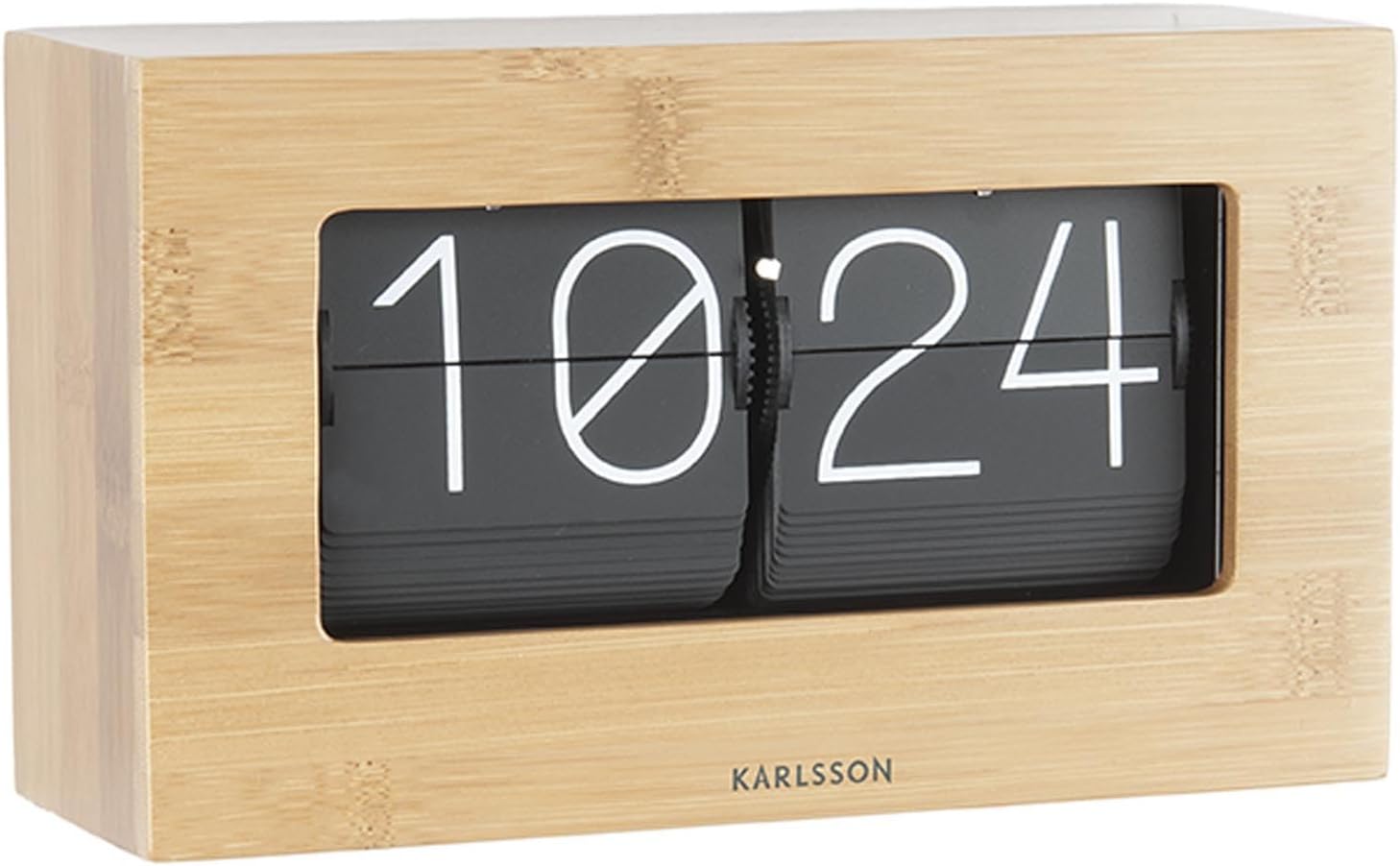
The Karlsson Flip Table Clock combines modern design with classic functionality, featuring a unique flip mechanism for displaying time. Its bamboo finish adds a natural and elegant touch to any space.
2 സുരക്ഷാ വിവരങ്ങൾ
- നേരിട്ടുള്ള സൂര്യപ്രകാശം, തീവ്രമായ താപനില, ഉയർന്ന ഈർപ്പം എന്നിവയിൽ നിന്ന് ക്ലോക്ക് അകറ്റി നിർത്തുക.
- Do not expose the clock to water or other liquids.
- Handle the clock with care. Avoid dropping or subjecting it to strong impacts.
- Do not attempt to disassemble or modify the clock. This may void the warranty and cause damage.
- Keep batteries out of reach of children and pets. Dispose of used batteries properly according to local regulations.
- നിർദ്ദിഷ്ട തരവും ബാറ്ററികളുടെ എണ്ണവും മാത്രം ഉപയോഗിക്കുക.
3. പാക്കേജ് ഉള്ളടക്കം
അൺബോക്സിംഗ് ചെയ്യുമ്പോൾ പാക്കേജ് ഉള്ളടക്കങ്ങൾ പരിശോധിക്കുക:
- Karlsson Flip Table Clock (Bamboo)
- ഉപയോക്തൃ മാനുവൽ (ഈ പ്രമാണം)
കുറിപ്പ്: ബാറ്ററികൾ ഉൾപ്പെടുത്തിയിട്ടില്ല, പ്രത്യേകം വാങ്ങണം.
4. സജ്ജീകരണം
4.1 അൺപാക്കിംഗ്
Carefully remove the clock from its packaging. Inspect the clock for any signs of damage during transit. If any damage is found, do not proceed with setup and contact customer support.
4.2 ബാറ്ററി ഇൻസ്റ്റാളേഷൻ
The Karlsson Flip Table Clock is battery-powered. It requires 1 x D battery (not included).
- ക്ലോക്കിന്റെ പിൻഭാഗത്തോ താഴെയോ ബാറ്ററി കമ്പാർട്ട്മെന്റ് കവർ കണ്ടെത്തുക.
- Remove the cover by sliding or gently prying it open.
- Insert one D battery, ensuring the positive (+) and negative (-) terminals align correctly with the markings inside the compartment.
- ബാറ്ററി കമ്പാർട്ട്മെന്റ് കവർ സുരക്ഷിതമായി മാറ്റിസ്ഥാപിക്കുക.
ചിത്രം: പിൻഭാഗം view of the Karlsson Flip Table Clock, highlighting its compact design and potential location for battery access.
4.3 പ്ലേസ്മെൻ്റ്
Place the clock on a stable, flat surface. Ensure it is not near strong magnetic fields or sources of vibration, which could affect its accuracy or mechanism. The clock is designed for indoor use, ideally in a bedroom or living area due to its silent operation.

Image: The Karlsson Flip Table Clock integrated into a home decor setting, demonstrating its aesthetic appeal on a shelf.
5. പ്രവർത്തന നിർദ്ദേശങ്ങൾ
5.1 സമയം ക്രമീകരിക്കുന്നു
To set the time on your Karlsson Flip Table Clock:
- Locate the time adjustment knob, usually found on the side or back of the clock.
- Gently turn the knob clockwise to advance the time. The minute and hour flaps will flip accordingly.
- Continue turning until the desired time is displayed. It is recommended to set the time a few minutes ahead and then let it catch up to the exact time for precise synchronization.

ചിത്രം: ക്ലോസ്-അപ്പ് ഫ്രണ്ട് view of the Karlsson Flip Table Clock, showing the clear digital display formed by the flipping number panels.
5.2 Understanding the Flip Mechanism
The clock operates using a mechanical flip mechanism. Every minute, the minute display will audibly click as it flips to the next number. Every hour, the hour display will also flip. This is a normal part of the clock's operation and indicates its proper functioning.
5.3 Silent Operation Feature
While the flip mechanism produces a subtle click, the clock is designed to be generally silent in its continuous operation, making it suitable for quiet environments like bedrooms or offices.
6. പരിപാലനം
6.1 വൃത്തിയാക്കൽ
To clean the clock, gently wipe its surface with a soft, dry cloth. Do not use abrasive cleaners, solvents, or chemical sprays, as these can damage the bamboo finish or the internal components. Avoid getting moisture into the clock's mechanism.
6.2 ബാറ്ററി മാറ്റിസ്ഥാപിക്കൽ
When the clock starts to lose time or the flip mechanism becomes sluggish, it is an indication that the battery needs to be replaced. Follow the battery installation steps in Section 4.2. Always replace with a fresh D battery.
6.3 സംഭരണം
If you plan to store the clock for an extended period, remove the battery to prevent leakage and potential damage to the clock's internal components.
7. പ്രശ്നപരിഹാരം
| പ്രശ്നം | സാധ്യമായ കാരണം | പരിഹാരം |
|---|---|---|
| Clock is not running or stops frequently. | നിർജ്ജീവമായ അല്ലെങ്കിൽ കുറഞ്ഞ ബാറ്ററി. ബാറ്ററി തെറ്റായി ചേർത്തു. | Replace with a fresh D battery. ബാറ്ററി പോളാരിറ്റി പരിശോധിക്കുക (+/-). |
| Time is inaccurate (running fast or slow). | കുറഞ്ഞ ബാറ്ററി. Environmental factors (extreme temperature). | ബാറ്ററി മാറ്റിസ്ഥാപിക്കുക. Ensure clock is in a stable room temperature environment. |
| Flaps are stuck or not flipping correctly. | മെക്കാനിസത്തിലെ തടസ്സം. കുറഞ്ഞ ബാറ്ററി. | Gently check for any visible obstructions. Do not force the flaps. Replace battery. If issue persists, contact support. |
| Unusual noise from the clock. | ആന്തരിക സംവിധാന പ്രശ്നം. | If the noise is not the normal minute click, discontinue use and contact customer support. |
8 സ്പെസിഫിക്കേഷനുകൾ
| ഫീച്ചർ | വിശദാംശങ്ങൾ |
|---|---|
| ബ്രാൻഡ് | കാൾസൺ |
| മോഡൽ നമ്പർ | കെഎ5620ഡബ്ല്യുഡി |
| ഉൽപ്പന്ന അളവുകൾ (L x W x H) | 43 x 3.81 x 22.6 സെ.മീ |
| ഉൽപ്പന്ന ഭാരം | 1.03 കി.ഗ്രാം |
| നിറം | Brown (Bamboo finish) |
| ഡിസ്പ്ലേ തരം | Digital (Flip mechanism) |
| പവർ ഉറവിടം | 1 x D Battery (not included) |
| പ്രത്യേക ഫീച്ചർ | Silent operation (minimal click per minute) |
| ശൈലി | ആധുനികം |
| മുറിയുടെ തരം | കിടപ്പുമുറി, സ്വീകരണമുറി, ഓഫീസ് |
| ആകൃതി | ദീർഘചതുരം |
9. വാറൻ്റിയും പിന്തുണയും
Karlsson products are manufactured to high-quality standards. For specific warranty terms and conditions, please refer to the warranty card included with your purchase or visit the official Karlsson webസൈറ്റ്. വാറന്റി ക്ലെയിമുകൾക്കായി നിങ്ങളുടെ വാങ്ങലിന്റെ തെളിവ് സൂക്ഷിക്കുക.
For technical support, troubleshooting assistance, or inquiries about replacement parts, please contact Karlsson customer service. Contact information can typically be found on the product packaging or the official brand webസൈറ്റ്.
അനുചിതമായ ഉപയോഗം, അനധികൃത അറ്റകുറ്റപ്പണികൾ, അല്ലെങ്കിൽ ഈ മാനുവലിലെ നിർദ്ദേശങ്ങൾ പാലിക്കുന്നതിൽ പരാജയപ്പെടുന്നത് എന്നിവ മൂലമുണ്ടാകുന്ന കേടുപാടുകൾ നിങ്ങളുടെ വാറന്റി അസാധുവാക്കിയേക്കാമെന്ന് ദയവായി ശ്രദ്ധിക്കുക.


