ആമുഖം
This manual provides detailed instructions for the setup, operation, and maintenance of your Spracht HS-2018 Zum Maestro DECT Wireless Headset. This headset is specifically designed for use with desktop phones only, offering a secure and stable wireless connection via DECT technology. Please read this manual thoroughly before using your headset.

Image: A comparison chart illustrating the differences between DECT and Bluetooth wireless technologies, highlighting DECT's 350-foot range, premium voice quality, and stable signal.
പാക്കേജ് ഉള്ളടക്കം
നിങ്ങളുടെ പാക്കേജിൽ എല്ലാ ഇനങ്ങളും ഉണ്ടെന്ന് ഉറപ്പാക്കുക:
- Spracht HS-2018 ZuM Maestro DECT Monaural Headset
- ബേസ് സ്റ്റേഷൻ
- എസി പവർ അഡാപ്റ്റർ
- ഉപയോക്തൃ ഗൈഡ് (ഈ പ്രമാണം)

Image: The Spracht HS-2018 Zum Maestro DECT Wireless Headset docked in its base station, with the AC power adapter shown alongside.
സജ്ജീകരണ നിർദ്ദേശങ്ങൾ
- ബേസ് സ്റ്റേഷൻ ബന്ധിപ്പിക്കുക:
Connect the AC Power Adapter to the base station and plug it into a power outlet. The base station will power on.
- പ്രാരംഭ ചാർജിംഗ്:
Place the headset onto the base station's charging cradle. Ensure it is seated correctly. The headset requires approximately 2.5 hours for a full charge, providing up to 21 hours of talk time and at least 50 hours of standby time.
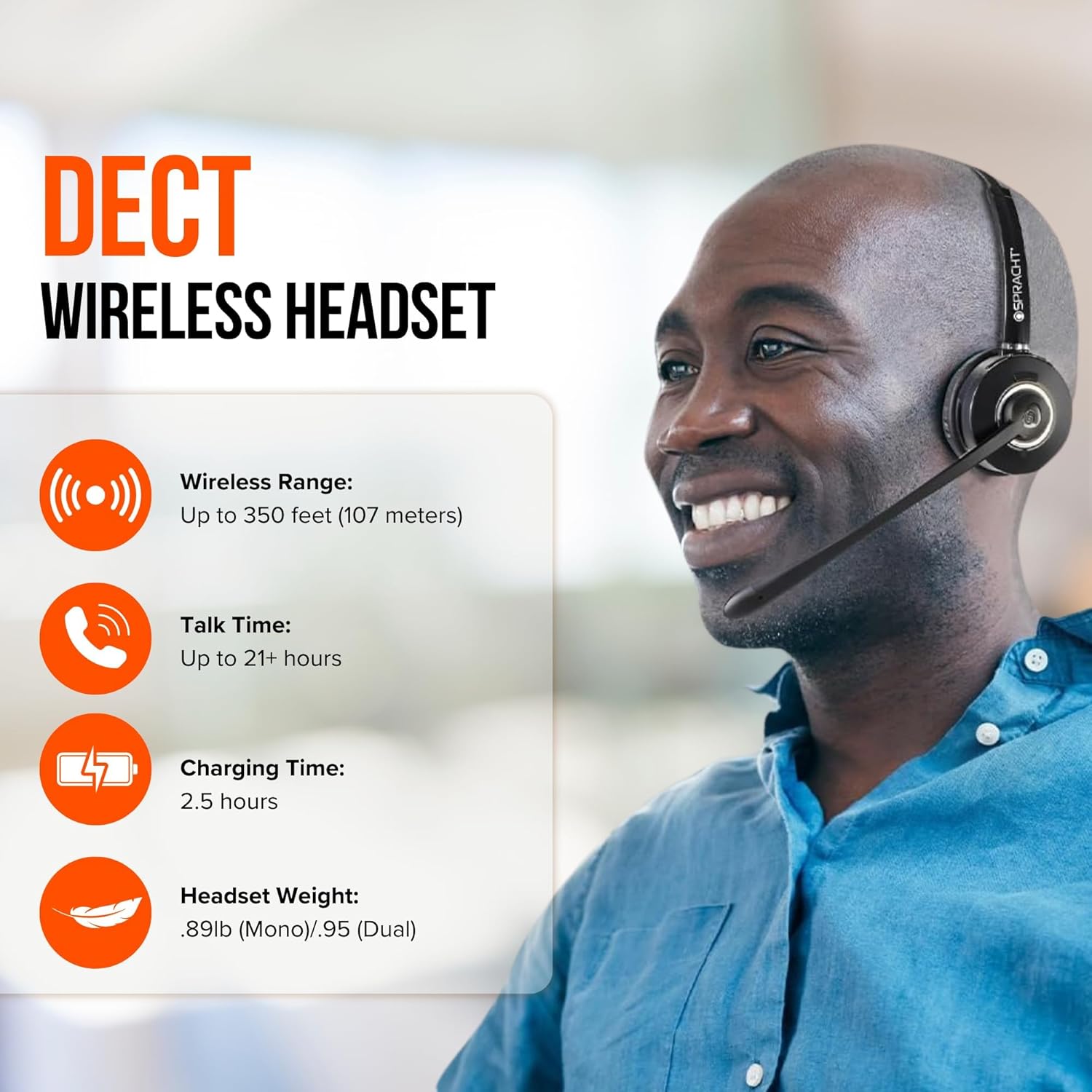
Image: Features of the DECT Wireless Headset, highlighting a wireless range of up to 350 feet, talk time of 21+ hours, charging time of 2.5 hours, and headset weight.
- Connect to Desktop Phone:
The base station connects to your desktop phone. Refer to your desktop phone's manual for specific connection ports (e.g., headset port, handset port). Typically, you will disconnect your phone's handset from its base and connect the headset base to the phone, then connect the handset to the headset base.

Image: The Spracht DECT Wireless Headset and base station positioned next to a desktop phone, emphasizing that the product is designed for desk phones only, with a clear icon indicating incompatibility with mobile phones.
- ജോടിയാക്കൽ (യാന്ത്രികം):
The headset and base station are typically pre-paired from the factory. Once powered on and charged, they should automatically establish a connection. If re-pairing is needed, consult the troubleshooting section or contact support.
പ്രവർത്തന നിർദ്ദേശങ്ങൾ
ഹെഡ്സെറ്റ് നിയന്ത്രണങ്ങൾ
- മൾട്ടി-ഫംഗ്ഷൻ ബട്ടൺ: Located on the headset, this button allows you to answer or end calls. You can also answer/end calls by simply docking or undocking the headset from the base station.
- വോളിയം നിയന്ത്രണം: Adjust the listening volume using the dedicated controls on the headset.
- Mute Indicator: An LED indicator on the headset or base station will show when the microphone is muted.
- Headset Status LED: Provides visual feedback on power, charging, and connection status.
കോളുകൾ ചെയ്യലും സ്വീകരിക്കലും
- ഒരു കോളിന് ഉത്തരം നൽകാൻ: When your desk phone rings, lift the headset from the base or press the multi-function button on the headset.
- ഒരു കോൾ അവസാനിപ്പിക്കാൻ: Place the headset back on the base station or press the multi-function button.
- ഒരു കോൾ ചെയ്യാൻ: Lift the headset from the base, dial the number on your desk phone, and speak into the microphone.
Microphone and Audio Features
- നോയ്സ്-റദ്ദാക്കൽ മൈക്രോഫോൺ: The integrated microphone features noise cancellation to reduce background distractions, ensuring clear voice transmission. It has a 270° swivel for optimal positioning.
- Wideband Speaker: Provides high-quality audio for clear communication.
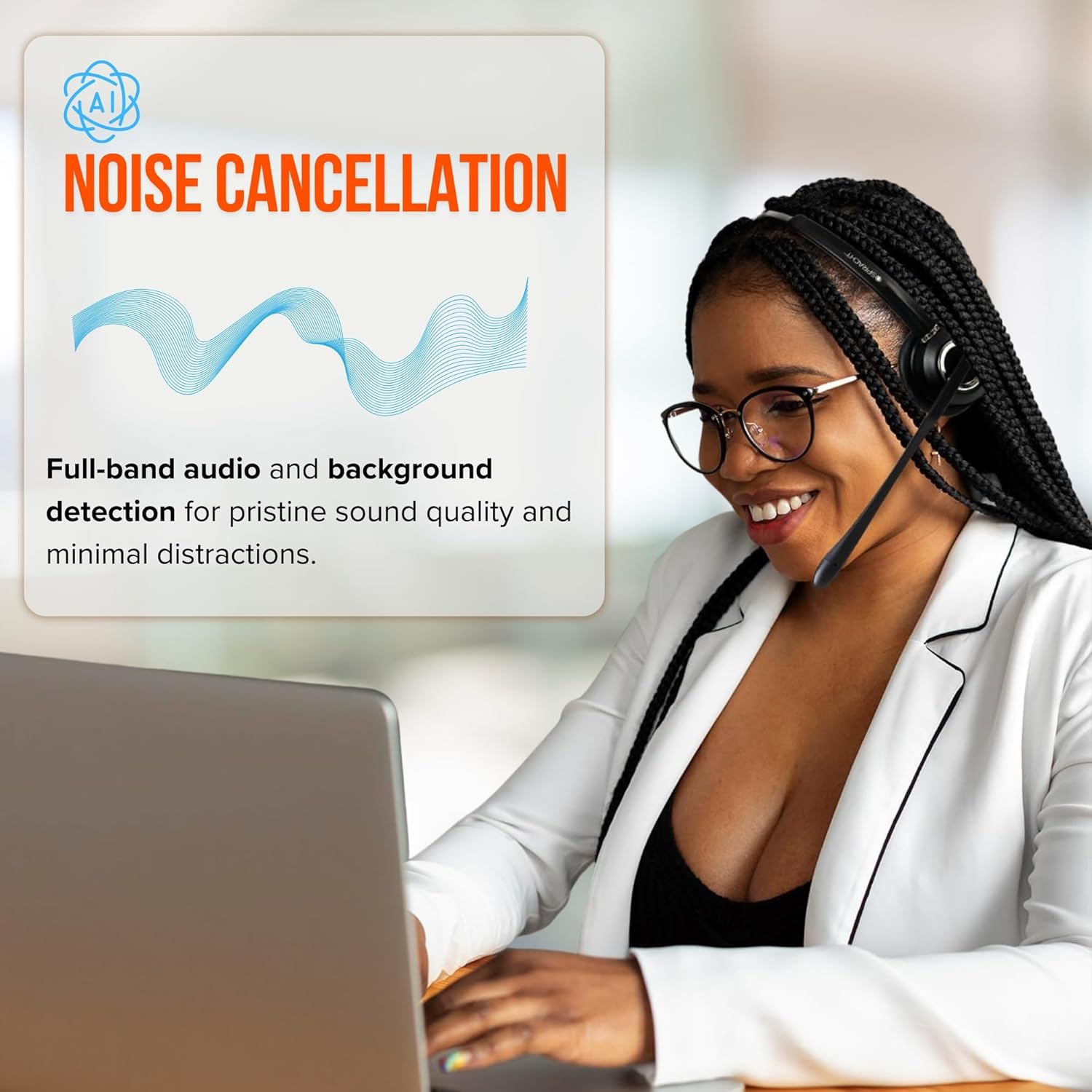
Image: A woman wearing the Spracht headset, demonstrating the noise cancellation feature for clear communication in an office environment.

Image: Detailed explanation of the noise-canceling microphone, designed to filter out background noise and focus on capturing the user's voice for natural and uninterrupted communication.
മെയിൻ്റനൻസ്
- വൃത്തിയാക്കൽ: Use a soft, dry cloth to clean the headset and base station. For ear cushions (premium vegan leather), a slightly damp cloth can be used, but ensure they are completely dry before use. Avoid harsh chemicals or abrasive cleaners.
- സംഭരണം: When not in use, store the headset on its base station to keep it charged and protected. Avoid extreme temperatures and direct sunlight.
- ബാറ്ററി കെയർ: To prolong battery life, avoid fully discharging the headset frequently. Charge it regularly.
ട്രബിൾഷൂട്ടിംഗ്
| പ്രശ്നം | സാധ്യമായ കാരണം | പരിഹാരം |
|---|---|---|
| ഓഡിയോ ഇല്ല അല്ലെങ്കിൽ മോശം ഓഡിയോ നിലവാരം. | Headset not powered on, out of range, low battery, or incorrect phone connection. | Ensure headset is charged and powered on. Check if it's within the 350-foot wireless range. Verify all cables between the base station and desktop phone are securely connected. |
| ഹെഡ്സെറ്റ് ചാർജ് ചെയ്യുന്നില്ല. | Headset not properly seated on the base, or power adapter issue. | Ensure the headset is correctly placed in the charging cradle. Check that the AC power adapter is securely connected to both the base station and the power outlet. |
| Cannot answer/end calls via headset. | Incorrect phone setup or headset not connected. | Verify the base station is correctly connected to your desktop phone's headset port. Ensure the headset is paired and within range. |
| Headset does not connect to mobile phone or computer. | This headset is designed exclusively for desktop phones. | The Spracht HS-2018 Zum Maestro is a DECT headset intended for desktop phones only and is not compatible with mobile phones or computers via Bluetooth or USB. |
സ്പെസിഫിക്കേഷനുകൾ
| ഫീച്ചർ | വിശദാംശങ്ങൾ |
|---|---|
| മോഡൽ | HS-2018 Zum Maestro |
| കണക്റ്റിവിറ്റി ടെക്നോളജി | വയർലെസ് (DECT) |
| അനുയോജ്യമായ ഉപകരണങ്ങൾ | Desktop Phones |
| വയർലെസ് ശ്രേണി | 350 അടി വരെ (107 മീറ്റർ) |
| ബാറ്ററി ലൈഫ് (സംവാദ സമയം) | 21 മണിക്കൂർ വരെ |
| ബാറ്ററി ലൈഫ് (സ്റ്റാൻഡ്ബൈ സമയം) | കുറഞ്ഞത് 50 മണിക്കൂർ |
| ചാർജിംഗ് സമയം | ഏകദേശം 2.5 മണിക്കൂർ |
| മൈക്രോഫോൺ | Noise-canceling, 270° swivel |
| സ്പീക്കർ | വൈഡ്ബാൻഡ് |
| ഇയർപീസ് ആകൃതി | Over-ear cup (Monaural) |
| ഇയർ മഫുകൾ | പ്രീമിയം വീഗൻ ലെതർ |
| ഫ്രീക്വൻസി റേഞ്ച് | 300-3,400Hz |
| ഇനത്തിൻ്റെ ഭാരം | 6.4 ഔൺസ് (0.4 പൗണ്ട്) |
| ഉൽപ്പന്ന അളവുകൾ (അടിസ്ഥാനം) | 3.5" L x 4.75" H x 2.75" W (89L x 121H x 70W mm) |
| ജല പ്രതിരോധ നില | വാട്ടർ റെസിസ്റ്റൻ്റ് അല്ല |
| യു.പി.സി | 800807320307 |

Image: The Spracht headset on a desk, highlighting its standby time of at least 50 hours, 270° swivel microphone with AI noise cancellation, and premium vegan leather ear muffs.

Image: Physical specifications including height from base with headset, base dimensions, weight, and packaging details.

Image: The Spracht headset, base station, AC power adapter, and connection cables, illustrating the product's long battery life with 21 hours of talk time and at least 50 hours of standby.
വാറൻ്റിയും പിന്തുണയും
For warranty information, please refer to the documentation included with your purchase or visit the official Spracht website. For technical support, troubleshooting assistance beyond this manual, or to inquire about warranty claims, please contact Spracht customer service.
കൂടുതൽ വിവരങ്ങളും ബന്ധപ്പെടാനുള്ള വിശദാംശങ്ങളും നിങ്ങൾക്ക് ഇവിടെ കണ്ടെത്താനാകും Spracht Store on Amazon.


