ആമുഖം
This manual provides detailed instructions for the ORICO 2.5 inch Hard Drive Enclosure (Model 2139C3-CR). This enclosure is designed to convert a 2.5-inch SATA HDD or SSD into an external USB 3.1 Type-C portable storage device. It supports UASP protocol for enhanced data transfer speeds and offers tool-free installation for convenience.
ഉൽപ്പന്ന സവിശേഷതകൾ
- USB 3.1 6Gbps High-Speed Transmission: Equipped with a high-performance master chip, this enclosure supports data transfer rates up to 6Gbps, significantly faster than traditional USB 3.0. It also supports the UASP protocol for optimized performance.
- സുതാര്യമായ ഡിസൈൻ: The clear PC board construction allows for easy monitoring of the hard drive's working status and identification of stored data without needing to open the enclosure.
- Intelligent Auto-Sleep: Features a 10-minute auto-sleep mode when inactive, reducing power consumption, extending the lifespan of the hard drive, and protecting data.
- ടൂൾ ഫ്രീ ഇൻസ്റ്റലേഷൻ: Designed for quick and easy setup without the need for any tools or screws. Simply slide the cover, insert your drive, and close.
- വിശാലമായ അനുയോജ്യത: Supports 2.5-inch SATA HDDs and SSDs with heights of 7-9.5mm, up to 6TB capacity. Compatible with various devices including PCs, laptops, gaming consoles (PS4, Xbox), and operating systems like Windows, Mac, and Linux.
- നീണ്ടുനിൽക്കുന്ന നിർമ്മാണം: Made from high-quality ABS+PC material for anti-shock and drop protection. Includes a sponge pad for secure drive placement.
പാക്കേജ് ഉള്ളടക്കം
The ORICO 2.5 inch Hard Drive Enclosure package typically includes:
- 1 x ORICO 2.5 inch Hard Drive Enclosure
- 1 x USB Type-C to USB-A Cable
- 1 x ഉപയോക്തൃ മാനുവൽ
- Sponge pads for drive stability

Image: The ORICO 2.5 inch Hard Drive Enclosure, showcasing its transparent chassis with a 2TB SSD installed, connected via a USB-C cable. The image highlights the product's visible internal components and sleek design.
സജ്ജീകരണ ഗൈഡ്
Follow these simple steps to install your 2.5-inch SATA HDD/SSD into the ORICO enclosure:
- എൻക്ലോഷർ തുറക്കുക: Gently push the top cover of the enclosure off to reveal the internal SATA connector.
- ഹാർഡ് ഡ്രൈവ് ചേർക്കുക: Align your 2.5-inch SATA HDD or SSD with the SATA connector inside the enclosure and firmly slide it in until it is securely connected. Ensure the drive is properly seated.
- Secure the Drive (Optional): If provided, place the included sponge pads on top of the drive to ensure a snug fit and prevent movement within the enclosure.
- എൻക്ലോഷർ അടയ്ക്കുക: Slide the top cover back onto the enclosure until it clicks into place, securing your hard drive.
- ഉപകരണത്തിലേക്ക് കണക്റ്റുചെയ്യുക: Use the provided USB Type-C to USB-A cable to connect the enclosure to your computer or other compatible device. For Mac devices with only USB-C ports, a USB-C to USB-C cable (not included) may be required.

Image: A visual guide demonstrating the tool-free installation process for the ORICO hard drive enclosure. It shows pushing off the cover, inserting a hard drive, closing the cover, and finally connecting the assembled enclosure to a laptop.
വീഡിയോ: ഒരു ദ്രുത ഓവർview of the ORICO SATA Drive Chassis USB Type C, demonstrating the unboxing, showing the transparent enclosure, and the simple process of inserting a 2.5-inch SSD and connecting it via USB-A.
പ്രവർത്തന നിർദ്ദേശങ്ങൾ
Once your hard drive is installed and connected, it will typically be recognized automatically by your operating system. You can then use it as an external storage device for various tasks:
- ഡാറ്റ കൈമാറ്റം: വലിച്ചിടുക files to and from the external drive. The USB 3.1 interface with UASP support ensures fast read and write speeds for efficient data management.
- ബാക്കപ്പ് സംഭരണം: Use the enclosure to create backups of important documents, photos, videos, and other files.
- സംഭരണം വികസിപ്പിക്കുക: Connect to devices like PCs, laptops, gaming consoles (PS4, Xbox), or smart TVs to expand their storage capacity.
- LED സൂചകം: The built-in LED indicator will illuminate to show power status and blink during data transfer activity.

Image: The ORICO 2.5 inch Hard Drive Enclosure connected to a laptop, highlighting its 6Gbps ultra-fast data transfer capability via USB 3.1 and UASP protocol, which is 18 times faster than USB 2.0.
Video: A product review and speed test of the ORICO 2.5 inch Hard Drive Enclosure, demonstrating its installation with an SSD and showcasing fast data transfer speeds when connected to a computer.
മെയിൻ്റനൻസ്
- ഓട്ടോ-സ്ലീപ്പ് ഫംഗ്ഷൻ: The enclosure automatically enters sleep mode after 10 minutes of inactivity. This feature helps conserve energy and prolong the life of your hard drive.
- ശാരീരിക സംരക്ഷണം: The durable ABS+PC material shell provides protection against minor impacts and drops. The internal sponge pad helps to keep the drive stable and absorb shocks.
- വൃത്തിയാക്കൽ: Use a soft, dry cloth to clean the transparent casing. അബ്രാസീവ് ക്ലീനറുകളോ ലായകങ്ങളോ ഒഴിവാക്കുക.
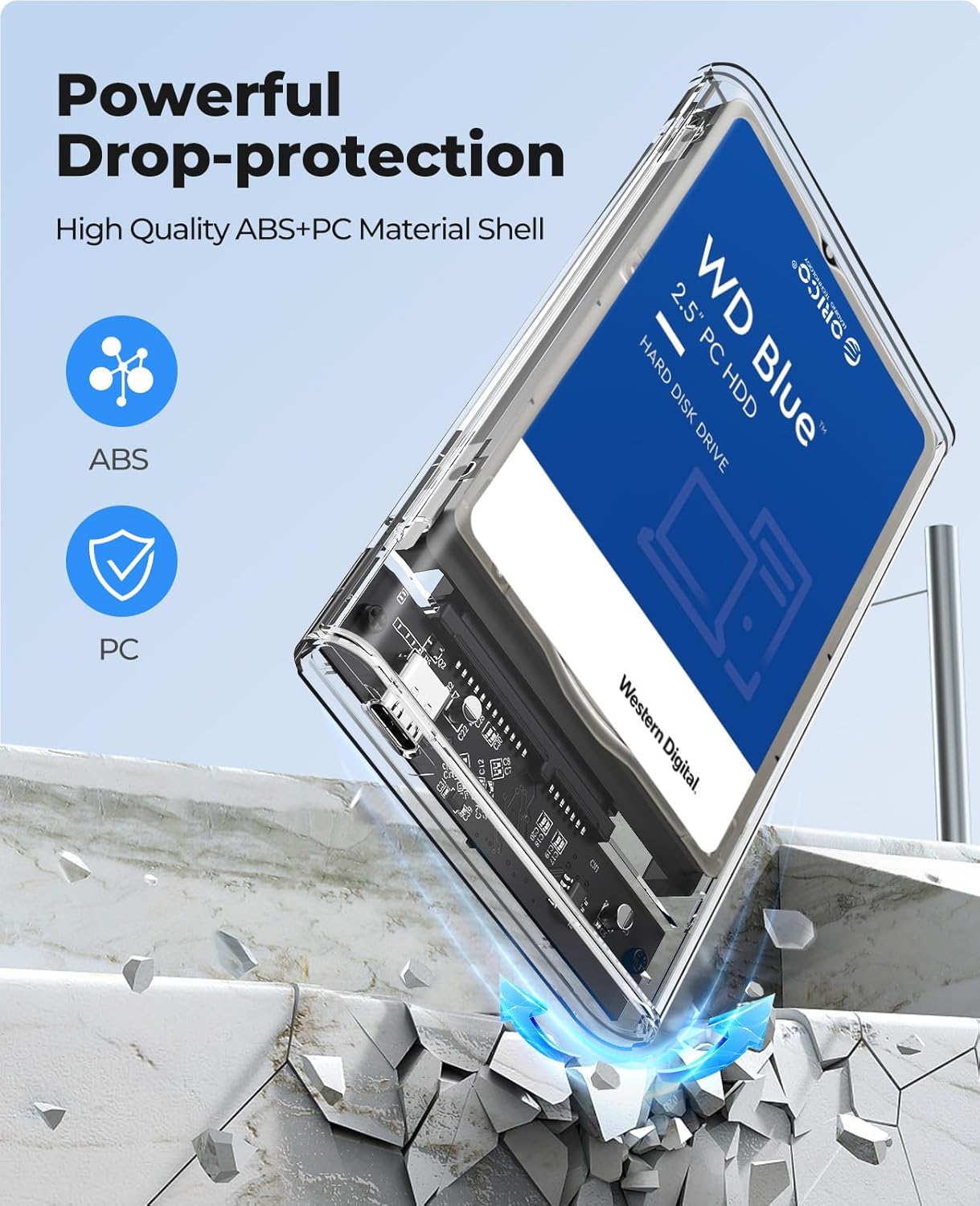
Image: The ORICO 2.5 inch Hard Drive Enclosure demonstrating its powerful drop-protection capabilities, emphasizing the use of high-quality ABS+PC material for its shell.
ട്രബിൾഷൂട്ടിംഗ്
- ഡ്രൈവ് കണ്ടെത്തിയില്ല:
- Ensure the hard drive is correctly seated and fully connected to the SATA interface inside the enclosure.
- നിങ്ങളുടെ കമ്പ്യൂട്ടറിലെ മറ്റൊരു USB പോർട്ടിലേക്ക് എൻക്ലോഷർ ബന്ധിപ്പിക്കാൻ ശ്രമിക്കുക.
- ലഭ്യമാണെങ്കിൽ മറ്റൊരു USB കേബിൾ ഉപയോഗിച്ച് പരീക്ഷിക്കുക.
- For new drives, ensure they are initialized and formatted in Disk Management (Windows) or Disk Utility (Mac) before use.
- മന്ദഗതിയിലുള്ള ട്രാൻസ്ഫർ വേഗത:
- Ensure you are connected to a USB 3.0 or USB 3.1 port on your computer. USB 2.0 ports will result in slower speeds.
- Verify that your operating system and device drivers support UASP.
- The performance of the hard drive itself can affect transfer speeds.
- Mac അനുയോജ്യത:
- This enclosure comes with a USB Type-C to USB-A cable. If your Mac only has USB-C ports, you will need a separate USB-C to USB-C cable (not included) for connection.
സ്പെസിഫിക്കേഷനുകൾ
| ഫീച്ചർ | വിശദാംശങ്ങൾ |
|---|---|
| മോഡൽ നമ്പർ | 2139C3-CR |
| മെറ്റീരിയൽ | ABS + PC (Transparent) |
| അനുയോജ്യമായ ഡ്രൈവുകൾ | 2.5 inch SATA HDD/SSD (7mm/9.5mm thickness) |
| പരമാവധി ശേഷി | 6TB വരെ |
| ഔട്ട്പുട്ട് ഇൻ്റർഫേസ് | യുഎസ്ബി 3.1 ടൈപ്പ്-സി |
| ഡാറ്റ കൈമാറ്റ നിരക്ക് | Up to 6Gbps (with UASP) |
| കണക്റ്റിവിറ്റി ടെക്നോളജി | USB |
| അനുയോജ്യമായ സിസ്റ്റങ്ങൾ | വിൻഡോസ്, മാക് ഒഎസ്, ലിനക്സ് |
| ഉൽപ്പന്ന അളവുകൾ | 4.92"L x 3.11"W x 0.51"H (12.5cm x 7.9cm x 1.3cm) |
| ഇനത്തിൻ്റെ ഭാരം | 3.2 ഔൺസ് (0.09 കി.ഗ്രാം) |

Image: The ORICO 2.5 inch Hard Drive Enclosure highlighting its universal compatibility with a range of devices such as laptops, TVs, routers, and PS5, and operating systems including Windows, Mac OS, and Linux.
വാറൻ്റിയും പിന്തുണയും
ORICO products are designed for reliability and performance. For any technical assistance, warranty claims, or product inquiries, please contact ORICO customer support through their official website or the retailer where the product was purchased. Please refer to your product packaging for specific warranty details.


