ഉൽപ്പന്നം കഴിഞ്ഞുview
The Oransi OV200 air purifier is designed to improve indoor air quality by effectively removing airborne particles and odors. Its compact and lightweight design makes it suitable for various rooms, including bedrooms, offices, and living rooms. The unit incorporates advanced filtration technology to ensure cleaner and fresher air.
പ്രധാന സവിശേഷതകൾ
- വലിയ മുറി കവറേജ്: Effectively purifies air in rooms up to 400 sq. ft., ideal for various living spaces.
- വിപുലമായ ഫിൽട്ടറേഷൻ: Features a HEPA filter for capturing dust, pollen, mold, and pet dander, and an activated carbon filter for odor removal.
- ശാന്തമായ പ്രവർത്തനം: Designed for ultra-quiet performance, with noise levels as low as 30 dB, ensuring peaceful sleep.
- ഉപയോക്തൃ സൗഹൃദ നിയന്ത്രണങ്ങൾ: Equipped with electronic controls, a remote control, and an indicator for filter replacement.
- ഊർജ്ജ കാര്യക്ഷമത: Operates at a low wattage of 60 watts, minimizing energy consumption.
- സുരക്ഷാ സാക്ഷ്യപ്പെടുത്തിയത്: ETL certified and approved by the California Air Resources Board, ensuring safe operation without ionizers or ozone.

ഫ്രണ്ട് view of the Oransi OV200 Air Purifier, showcasing അതിന്റെ ഒതുക്കമുള്ളതും ആധുനികവുമായ രൂപകൽപ്പന.
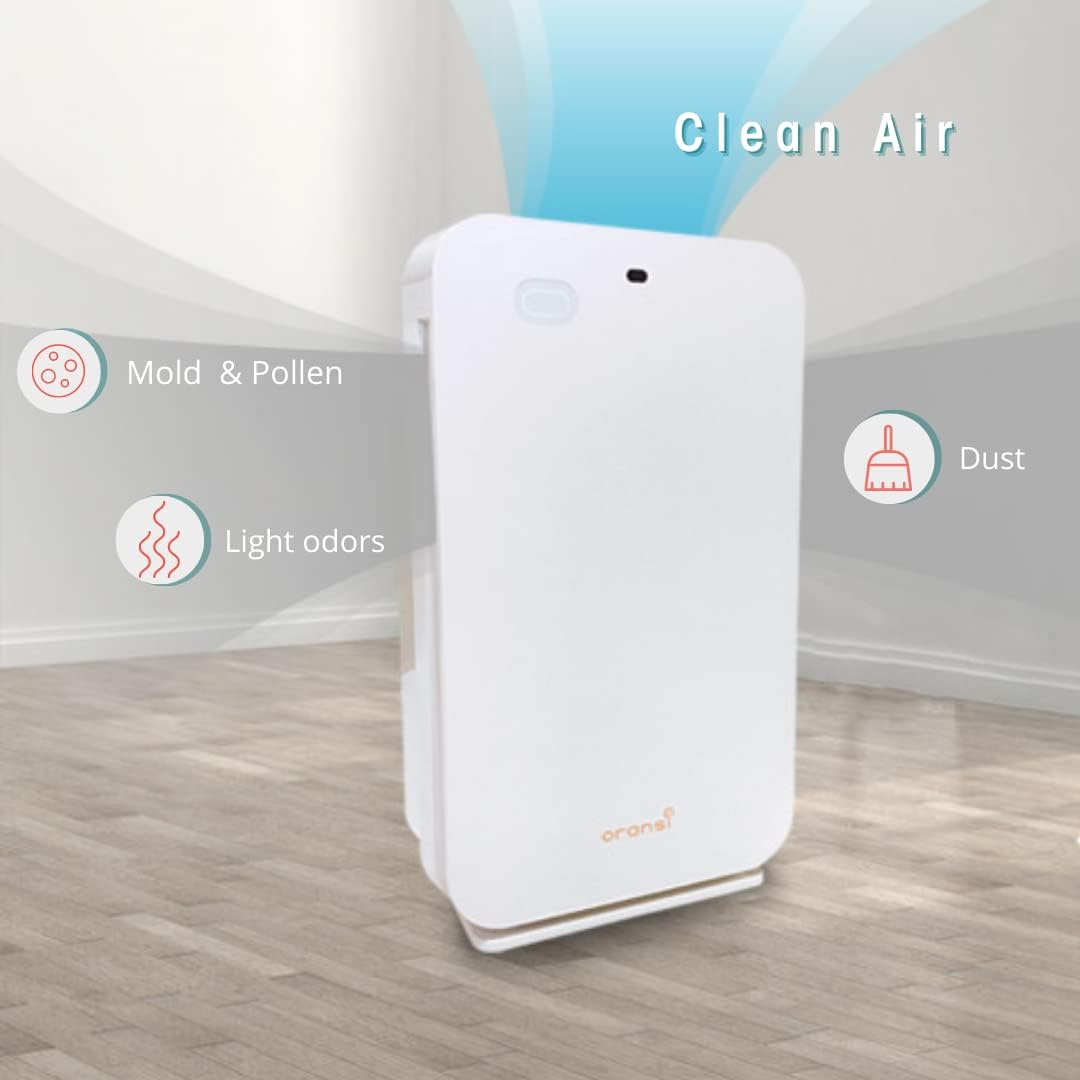
Visual representation of the Oransi OV200's ability to deliver clean air by removing mold, pollen, light odors, and dust.
സജ്ജീകരണവും ഇൻസ്റ്റാളേഷനും
Follow these steps to set up your Oransi OV200 Air Purifier for the first time:
- യൂണിറ്റ് അൺപാക്ക് ചെയ്യുക: Carefully remove the air purifier and all accessories from the packaging. Retain packaging for future storage or transport.
- ഒരു ലൊക്കേഷൻ തിരഞ്ഞെടുക്കുക: Place the unit on a firm, level surface. Ensure there is at least 6 inches (15 cm) of clear space around all sides of the air purifier for optimal airflow. Avoid placing it directly against walls or furniture.
- ഫിൽട്ടറുകൾ പരിശോധിക്കുക: Before first use, ensure all protective packaging is removed from the filters and they are correctly installed inside the unit. Refer to the 'Filter Replacement' section for details on filter orientation.
- പവർ ബന്ധിപ്പിക്കുക: Plug the power cord securely into a standard electrical outlet.

Diagram illustrating the recommended coverage area of up to 400 sq. ft. and ideal placement locations such as bedrooms, offices, and living rooms.
പ്രവർത്തന നിർദ്ദേശങ്ങൾ
നിയന്ത്രണ പാനലും റിമോട്ടും
The Oransi OV200 can be operated using the touch controls on the top panel of the unit or via the included remote control.

Visual representation of the control features including Timer settings (1, 2, 4, 8 hours), 3-speed fan control, Night Mode for quiet operation, and Child Lock function.
പവർ ഓൺ/ഓഫ്
അമർത്തുക പവർ ബട്ടൺ യൂണിറ്റ് ഓണാക്കാനോ ഓഫാക്കാനോ.
ഫാൻ സ്പീഡ് അഡ്ജസ്റ്റ്മെന്റ്
അമർത്തുക ഫാൻ സ്പീഡ് ബട്ടൺ repeatedly to cycle through the 3 available fan speeds: Low, Medium, and High. Higher speeds provide faster air purification.
രാത്രി മോഡ്
സജീവമാക്കുക രാത്രി മോഡ് to reduce the fan speed to the quietest level and dim the display lights, ideal for undisturbed sleep.
ടൈമർ പ്രവർത്തനം
ഉപയോഗിക്കുക ടൈമർ ബട്ടൺ to set the operational duration for 1, 2, 4, or 8 hours. The air purifier will automatically shut off once the set time has elapsed.
ചൈൽഡ് ലോക്ക്
To prevent accidental changes to settings, press the ടൈമർ ഒപ്പം വേഗത buttons simultaneously (or use the remote) to activate the ചൈൽഡ് ലോക്ക്. Repeat the action to unlock.
മെയിൻ്റനൻസ്
ഫിൽട്ടർ മാറ്റിസ്ഥാപിക്കൽ
The Oransi OV200 utilizes a multi-stage filtration system, including a pre-filter, HEPA filter, and activated carbon filter. Regular filter replacement is crucial for maintaining optimal air purification performance.

Detailed diagram illustrating the multi-stage filtration process, including the pre-filter, HEPA filter, and carbon filter, and the types of airborne particles they capture.
ഫിൽട്ടറുകൾ എപ്പോൾ മാറ്റിസ്ഥാപിക്കണം
The HEPA filter should be replaced every 6-12 months, depending on usage frequency and indoor air quality. The unit features a filter indicator light that will illuminate when it is time to replace the filters.
ഫിൽട്ടറുകൾ എങ്ങനെ മാറ്റിസ്ഥാപിക്കാം
- Turn off and unplug the air purifier from the power outlet.
- Locate and open the filter compartment cover.
- Carefully remove the old filters. Dispose of them according to local regulations.
- Insert the new filters, ensuring they are correctly oriented as indicated by arrows or labels on the filters and unit.
- ഫിൽട്ടർ കമ്പാർട്ട്മെന്റ് കവർ സുരക്ഷിതമായി അടയ്ക്കുക.
- Plug in the unit. Reset the filter indicator by pressing and holding the appropriate button (refer to the full user manual for specific button details if needed).
യൂണിറ്റ് വൃത്തിയാക്കൽ
Wipe the exterior surfaces of the air purifier with a soft, dry cloth. Do not use abrasive cleaners, solvents, or harsh chemicals, as these may damage the unit. Ensure no liquid enters the air intake or outlet vents.
ട്രബിൾഷൂട്ടിംഗ്
If you encounter issues with your Oransi OV200 Air Purifier, consult the table below for common problems and their solutions.
| പ്രശ്നം | സാധ്യമായ കാരണം | പരിഹാരം |
|---|---|---|
| യൂണിറ്റ് ഓണാക്കുന്നില്ല | പ്ലഗ് ഇൻ ചെയ്തിട്ടില്ല; പവർ ഓtage; Power button not pressed | Ensure power cord is securely plugged into a working outlet; Check household circuit breaker; Press the power button firmly |
| കുറഞ്ഞ വായുസഞ്ചാരം അല്ലെങ്കിൽ ശുദ്ധീകരണം | Clogged filters; Obstruction of air intake/outlet; Incorrect filter installation | Replace filters as indicated; Clear any obstructions around vents; Reinstall filters correctly |
| അസാധാരണമായ ശബ്ദം അല്ലെങ്കിൽ വൈബ്രേഷൻ | Filter not installed correctly; Foreign object inside; Unit not on a stable surface | Reinstall filters properly; Turn off and unplug, then carefully inspect for and remove any foreign objects; Place unit on a flat, stable surface |
| Odor persists or is not removed | Carbon filter saturated; Room size exceeds coverage; Source of odor is continuous | Replace carbon filter; Ensure unit is appropriate for room size; Address the source of the odor |
For further assistance or issues not listed here, please refer to the full user manual or contact Oransi customer support.
സ്പെസിഫിക്കേഷനുകൾ
Detailed technical specifications for the Oransi OV200 Air Purifier:
| ഫീച്ചർ | വിശദാംശങ്ങൾ |
|---|---|
| മോഡൽ | OV200 |
| അളവുകൾ (D x W x H) | 7"D x 15"W x 24"H |
| ഭാരം | 10 പൗണ്ട് |
| കവറേജ് ഏരിയ | Up to 400 sq. ft. (CADR rated) |
| ശബ്ദ നില | 24 dB (കുറഞ്ഞത്) |
| വാട്ട്tage | 60 വാട്ട്സ് |
| ഫിൽട്ടറേഷൻ തരം | HEPA, സജീവമാക്കിയ കാർബൺ |
| കൺട്രോളർ തരം | Electronic Controls, Remote Control |
| സർട്ടിഫിക്കേഷനുകൾ | ETL Certified, California Air Resources Board |
| ഉൾപ്പെടുത്തിയ ഘടകങ്ങൾ | Air purifier, Remote control, User manual |
വാറൻ്റിയും പിന്തുണയും
വാറൻ്റി വിവരങ്ങൾ
The Oransi OV200 Air Purifier comes with a 10 വർഷത്തെ വാറൻ്റി. This warranty covers defects in materials and workmanship under normal use. For detailed warranty terms and conditions, including limitations and exclusions, please refer to the official Oransi webസൈറ്റ് അല്ലെങ്കിൽ പൂർണ്ണ ഉപയോക്തൃ മാനുവൽ.
ഉപഭോക്തൃ പിന്തുണ
For technical assistance, troubleshooting not covered in this manual, or warranty claims, please contact Oransi customer support. You can find contact information and additional resources on the official Oransi Store Page.
A comprehensive user manual in PDF format is also available for download for more detailed instructions and information: ഉപയോക്തൃ മാനുവൽ (PDF) ഡൗൺലോഡ് ചെയ്യുക.


