1. ഉൽപ്പന്നം കഴിഞ്ഞുview
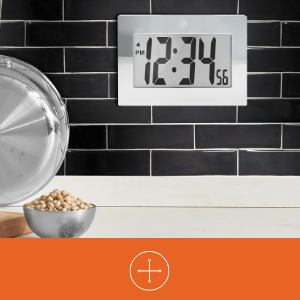
The MARATHON Large Digital Wall Clock (Model CL030064-BK-00-NA) is designed for clear time display with its high-contrast 7.5-inch LCD screen and large digits. This versatile clock can be used as a wall-mounted or desktop unit, suitable for various indoor environments such as offices, classrooms, labs, or homes. It includes an alarm function with snooze capability.

2 സുരക്ഷാ വിവരങ്ങൾ
- ക്ലോക്കിനെ തീവ്രമായ താപനിലയിലോ, നേരിട്ടുള്ള സൂര്യപ്രകാശത്തിലോ, ഉയർന്ന ആർദ്രതയിലോ തുറന്നുകാട്ടരുത്.
- ക്ലോക്ക് താഴെയിടുകയോ ശക്തമായ ആഘാതങ്ങൾക്ക് വിധേയമാക്കുകയോ ചെയ്യുന്നത് ഒഴിവാക്കുക.
- ബാറ്ററികൾ കുട്ടികൾക്ക് ലഭ്യമാകാതെ സൂക്ഷിക്കുക. വിഴുങ്ങിയാൽ ഉടൻ വൈദ്യസഹായം തേടുക.
- Dispose of used batteries according to local regulations. Do not mix old and new batteries or different types of batteries.
- മൃദുവായതും ഉണങ്ങിയതുമായ തുണി ഉപയോഗിച്ച് ക്ലോക്ക് വൃത്തിയാക്കുക. അബ്രസീവ് ക്ലീനറുകളോ ലായകങ്ങളോ ഉപയോഗിക്കരുത്.
3. പാക്കേജ് ഉള്ളടക്കം
- MARATHON Large Digital Wall Clock (Model CL030064-BK-00-NA)
- 3 x AAA ബാറ്ററികൾ (മുൻകൂട്ടി ഇൻസ്റ്റാൾ ചെയ്തതോ പ്രത്യേകം ഉൾപ്പെടുത്തിയതോ)
4. ഉൽപ്പന്ന സവിശേഷതകൾ
- വലിയ ഡിജിറ്റൽ ഡിസ്പ്ലേ: High-contrast 7.5-inch LCD with 3.5-inch digits for easy readability.
- ബഹുമുഖ പ്ലെയ്സ്മെന്റ്: Integrated keyholes for wall mounting and a fold-out stand for desktop use.
- സ്നൂസുള്ള അലാറം: Features a loud, easy-to-set alarm with a snooze function.
- ബാറ്ററി പ്രവർത്തിപ്പിക്കുന്നത്: 3 AAA ബാറ്ററികൾ ആവശ്യമാണ് (ഉൾപ്പെടുത്തിയിരിക്കുന്നു).

5. സജ്ജീകരണം
5.1 ബാറ്ററി ഇൻസ്റ്റാളേഷൻ
- ക്ലോക്കിന്റെ പിൻഭാഗത്ത് ബാറ്ററി കമ്പാർട്ട്മെന്റ് കവർ കണ്ടെത്തുക.
- കവർ താഴേക്ക് നീക്കിയോ ഉയർത്തിയോ നീക്കം ചെയ്യുക.
- കമ്പാർട്ടുമെന്റിനുള്ളിൽ സൂചിപ്പിച്ചിരിക്കുന്നതുപോലെ ശരിയായ പോളാരിറ്റി (+ ഉം - ഉം) ഉറപ്പാക്കിക്കൊണ്ട് 3 പുതിയ AAA ബാറ്ററികൾ ഇടുക.
- ബാറ്ററി കമ്പാർട്ട്മെൻ്റ് കവർ മാറ്റിസ്ഥാപിക്കുക.
5.2 Identifying Control Buttons
On the back of the clock, you will find the following buttons:
- വഴികൾ: Used to switch between time display, alarm setting, and other modes.
- ALARM ON/OFF (Bell Icon): അലാറം സജീവമാക്കുന്നു അല്ലെങ്കിൽ നിർജ്ജീവമാക്കുന്നു.
- UP (Triangle Up): Increases values during setting.
- DOWN (Triangle Down): സജ്ജീകരണ സമയത്ത് മൂല്യങ്ങൾ കുറയ്ക്കുന്നു.
- സ്നൂസ്: Located on the top or front, used to temporarily silence the alarm.
5.3 സമയം ക്രമീകരിക്കുന്നു
- അമർത്തുക മോഡ് button once to enter time setting mode. The hour digits will flash.
- ഉപയോഗിക്കുക UP or താഴേക്ക് buttons to adjust the hour. Pay attention to AM/PM indicators.
- അമർത്തുക മോഡ് വീണ്ടും. മിനിറ്റുകണക്കുകൾ മിന്നിമറയും.
- ഉപയോഗിക്കുക UP or താഴേക്ക് മിനിറ്റ് ക്രമീകരിക്കാൻ ബട്ടണുകൾ.
- അമർത്തുക മോഡ് a third time to confirm the time setting and return to normal display.
5.4 അലാറം സജ്ജമാക്കുന്നു
- സാധാരണ സമയ ഡിസ്പ്ലേയിൽ നിന്ന്, അമർത്തുക മോഡ് button twice to enter alarm setting mode. The alarm hour digits will flash, and an alarm icon (bell) may appear.
- ഉപയോഗിക്കുക UP or താഴേക്ക് അലാറം സമയം ക്രമീകരിക്കാനുള്ള ബട്ടണുകൾ.
- അമർത്തുക മോഡ് again. The alarm minute digits will flash.
- ഉപയോഗിക്കുക UP or താഴേക്ക് അലാറം മിനിറ്റ് ക്രമീകരിക്കാനുള്ള ബട്ടണുകൾ.
- അമർത്തുക മോഡ് a third time to confirm the alarm setting.
- അലാറം സജീവമാക്കാൻ, അമർത്തുക അലാറം ഓൺ / ഓഫ് ചെയ്യുക button. The alarm icon will remain visible on the display. Press it again to deactivate.
5.5 മൗണ്ടിംഗ് ഓപ്ഷനുകൾ
The clock offers two convenient placement options:
- വാൾ മൗണ്ട്: Use the integrated keyholes on the back of the clock to hang it securely on a wall hook or screw.
- ഡെസ്ക്ടോപ്പ് പ്ലേസ്മെന്റ്: Extend the fold-out stand located on the back of the clock to place it on any flat surface.

6. പ്രവർത്തന നിർദ്ദേശങ്ങൾ
6.1 Using the Alarm and Snooze
- അലാറം മുഴങ്ങുമ്പോൾ, അമർത്തുക സ്നൂസ് ചെയ്യുക button (usually located on the top of the clock) to temporarily silence it. The alarm will sound again after a few minutes (typically 5-10 minutes).
- അലാറം പൂർണ്ണമായും ഓഫാക്കാൻ, അമർത്തുക അലാറം ഓൺ / ഓഫ് ചെയ്യുക ക്ലോക്കിന്റെ പിൻഭാഗത്തുള്ള ബട്ടൺ. ഡിസ്പ്ലേയിൽ നിന്ന് അലാറം ഐക്കൺ അപ്രത്യക്ഷമാകും.
7. പരിപാലനം
7.1 ബാറ്ററി മാറ്റിസ്ഥാപിക്കൽ
When the display becomes dim or the clock stops functioning, it is time to replace the batteries. Follow the battery installation steps in Section 5.1.
7.2 വൃത്തിയാക്കൽ
Wipe the clock's surface with a soft, dry, or slightly damp cloth. Do not use chemical cleaners, as they may damage the finish or display.
8. പ്രശ്നപരിഹാരം
| പ്രശ്നം | സാധ്യമായ കാരണം | പരിഹാരം |
|---|---|---|
| ഡിസ്പ്ലേ ശൂന്യമോ മങ്ങിയതോ ആണ്. | ബാറ്ററികൾ കുറവാണ് അല്ലെങ്കിൽ ഡെഡ് ആണ്. തെറ്റായ ബാറ്ററി ഇൻസ്റ്റാളേഷൻ. | ബാറ്ററികൾ പുതിയ AAA ബാറ്ററികൾ ഉപയോഗിച്ച് മാറ്റിസ്ഥാപിക്കുക, ശരിയായ പോളാരിറ്റി ഉറപ്പാക്കുക. |
| സമയം തെറ്റാണ്. | Time was not set correctly. | Refer to Section 5.3 to reset the time. |
| അലാറം മുഴങ്ങുന്നില്ല. | അലാറം സജീവമാക്കിയിട്ടില്ല. അലാറം സമയം തെറ്റാണ്. | Ensure the alarm icon is visible on the display (press ALARM ON/OFF button). Verify the alarm time setting (Section 5.4). |
| Snooze function not working. | Snooze button not pressed during alarm. | Press the SNOOZE button when the alarm is actively sounding. |
9 സ്പെസിഫിക്കേഷനുകൾ
| ഫീച്ചർ | വിശദാംശങ്ങൾ |
|---|---|
| ബ്രാൻഡ് | മാരത്തൺ |
| മോഡൽ നമ്പർ | CL030064-BK-00-NA |
| ഡിസ്പ്ലേ തരം | ഡിജിറ്റൽ എൽസിഡി |
| ഡിസ്പ്ലേ വലിപ്പം | 7.5-ഇഞ്ച് (ഡയഗണൽ) |
| അക്ക ഉയരം | 3.5 ഇഞ്ച് (9 സെ.മീ) |
| ഉൽപ്പന്ന അളവുകൾ (പ x അടി) | 9 ഇഞ്ച് x 6.5 ഇഞ്ച് (23 സെ.മീ x 16.5 സെ.മീ) |
| പവർ ഉറവിടം | 3 x AAA ബാറ്ററികൾ (ഉൾപ്പെട്ടിരിക്കുന്നു) |
| മൗണ്ടിംഗ് തരം | Wall Mount, Desk Clock |
| പ്രത്യേക സവിശേഷതകൾ | Alarm with Snooze, Integrated Keyholes, Fold-out Stand |
| ഫ്രെയിം മെറ്റീരിയൽ | അക്രിലോണിട്രൈൽ ബ്യൂട്ടാഡൈൻ സ്റ്റൈറൈൻ |
| നിറം | കറുപ്പ് |
| ഇൻഡോർ/ഔട്ട്ഡോർ ഉപയോഗം | ഇൻഡോർ |
| ഇനത്തിൻ്റെ ഭാരം | 11.2 ഔൺസ് (318 ഗ്രാം) |

10. വാറൻ്റിയും പിന്തുണയും
10.1 വാറൻ്റി വിവരങ്ങൾ
This MARATHON product comes with a Limited Warranty. For specific details regarding the warranty period and coverage, please refer to the warranty card included with your purchase or contact MARATHON customer support.
10.2 ഉപഭോക്തൃ പിന്തുണ
If you encounter any issues or have questions about your MARATHON Large Digital Wall Clock that are not addressed in this manual, please contact MARATHON customer support. Contact information can typically be found on the product packaging or the official MARATHON webസൈറ്റ്.


