1. ആമുഖം
The StarTech.com HB30A3A1CFB is a 4-port USB 3.0 hub designed to expand the connectivity of your laptop or computer. It converts a single USB-A port into three USB-A ports and one USB-C port, allowing for the connection of various peripherals. This hub is bus-powered, making it suitable for mobile use without requiring an external power adapter.

ചിത്രം 1.1: കഴിഞ്ഞുview of the StarTech.com 4-Port USB 3.0 Hub.
2. ഉൽപ്പന്ന സവിശേഷതകൾ
- Expands one USB-A host port into three USB-A ports and one USB-C port.
- Supports USB 3.0 SuperSpeed data transfer rates up to 5Gbps.
- Backward compatible with USB 2.0 and 1.1 devices.
- Bus-powered design, drawing power directly from the host USB port (up to 4.5W shared).
- പോർട്ടബിലിറ്റിക്ക് ഒതുക്കമുള്ളതും ഭാരം കുറഞ്ഞതുമാണ്.
- Driverless setup, compatible with Windows, macOS, Linux, iPadOS, Chrome OS, and Android.
3. പാക്കേജ് ഉള്ളടക്കം
പാക്കേജിൽ എല്ലാ ഇനങ്ങളും ഉണ്ടെന്ന് ഉറപ്പാക്കുക:
- 1x 4-Port USB 3.0 Hub (HB30A3A1CFB)

Image 3.1: The 4-Port USB 3.0 Hub as packaged.
4. സിസ്റ്റം ആവശ്യകതകൾ
- A computer with an available USB Type-A port.
- Compatible Operating Systems: Windows, macOS, Linux, iPadOS, Chrome OS, Android.
5. സജ്ജീകരണ നിർദ്ദേശങ്ങൾ
- Locate an available USB Type-A port on your computer or laptop.
- Connect the integrated USB-A host cable of the HB30A3A1CFB hub into the available USB Type-A port on your computer.
- ഓപ്പറേറ്റിംഗ് സിസ്റ്റം ആവശ്യമായ ഡ്രൈവറുകൾ സ്വയമേവ കണ്ടെത്തി ഇൻസ്റ്റാൾ ചെയ്യും. ഡ്രൈവർ സ്വമേധയാ ഇൻസ്റ്റാൾ ചെയ്യേണ്ട ആവശ്യമില്ല.
- Once installed, the hub is ready for use.
6. പ്രവർത്തന നിർദ്ദേശങ്ങൾ
USB ഉപകരണങ്ങൾ ബന്ധിപ്പിക്കുന്നു:
- To connect USB-A devices (e.g., flash drives, keyboards, mice), insert them into any of the three USB-A ports on the hub.

Image 6.1: The three USB-A ports on the hub.
- To connect a USB-C device, insert it into the single USB-C port on the hub.
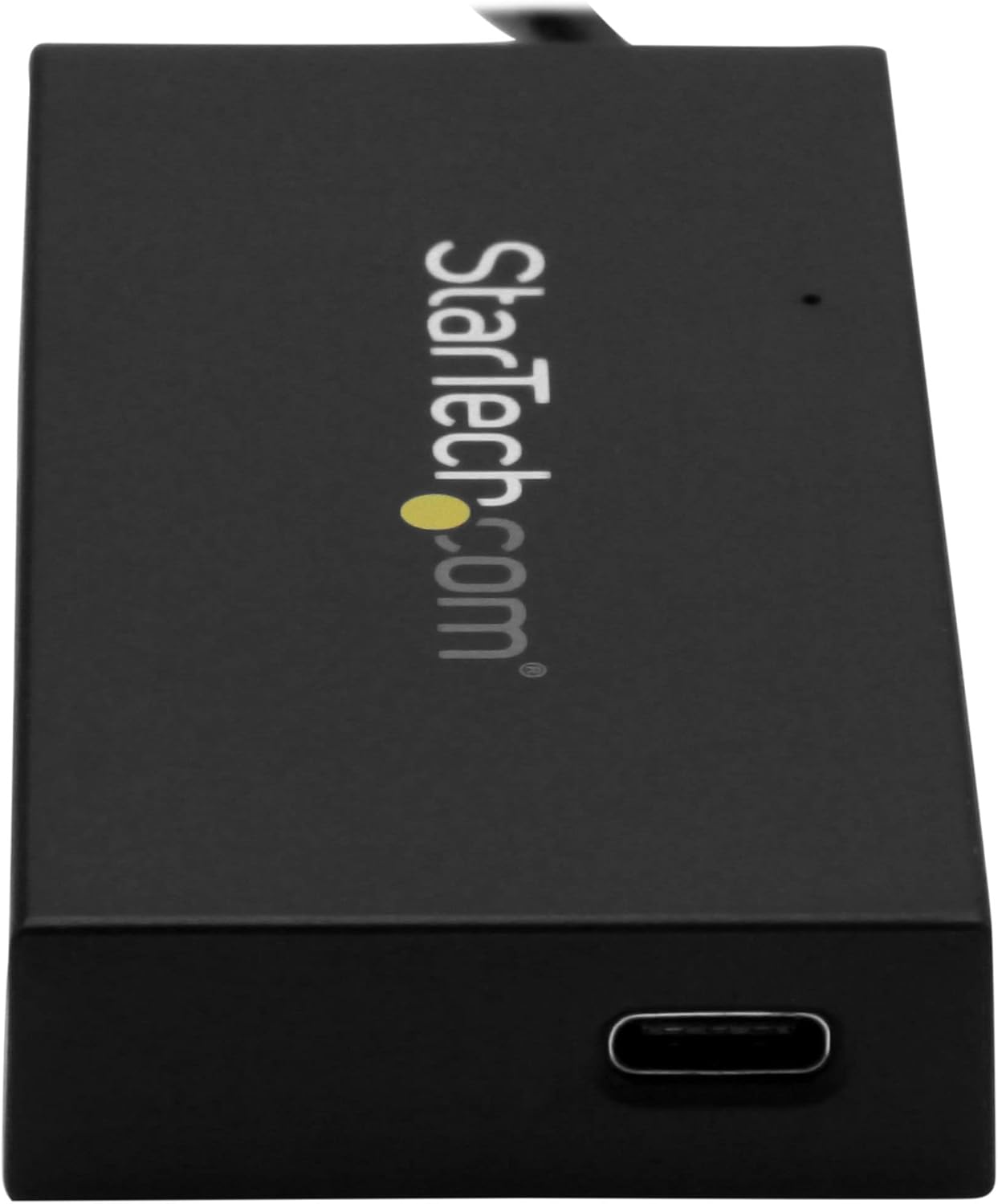
Image 6.2: The single USB-C port on the hub.
ഡാറ്റ കൈമാറ്റം: The hub supports USB 3.0 SuperSpeed, allowing for data transfer speeds up to 5Gbps. Actual speeds may vary based on the connected devices and host system.
പവർ പരിഗണനകൾ: This hub is bus-powered, meaning it draws power from the host USB port. The total power available for all connected devices is 4.5W (5V/0.9A). Ensure that the combined power requirements of your connected devices do not exceed this limit to ensure stable operation. High-power devices may require an externally powered hub.
7. പരിപാലനം
- Keep the hub clean by wiping it with a soft, dry cloth.
- ഹബ്ബിൽ തീവ്രമായ താപനില, ഈർപ്പം അല്ലെങ്കിൽ നേരിട്ടുള്ള സൂര്യപ്രകാശം ഏൽക്കുന്നത് ഒഴിവാക്കുക.
- Do not attempt to disassemble or modify the hub, as this will void the warranty.
8. പ്രശ്നപരിഹാരം
ഉപകരണം തിരിച്ചറിഞ്ഞിട്ടില്ല:
- Ensure the hub's USB-A host cable is securely connected to your computer's USB-A port.
- Try connecting the hub to a different USB-A port on your computer.
- Ensure the connected USB device is functioning correctly by testing it directly with your computer.
- നിങ്ങളുടെ കമ്പ്യൂട്ടർ പുനരാരംഭിക്കുക.
മന്ദഗതിയിലുള്ള ഡാറ്റാ ട്രാൻസ്ഫർ വേഗത:
- Verify that both the hub and the connected device support USB 3.0 for optimal speeds. If a USB 2.0 device is connected, speeds will be limited to USB 2.0.
- Ensure the host computer's USB port is a USB 3.0 port.
- Avoid connecting multiple high-bandwidth devices simultaneously, as the 5Gbps bandwidth is shared among all ports.
Connected Device Not Receiving Enough Power:
- The hub provides a shared maximum of 4.5W (5V/0.9A). If you are connecting power-intensive devices (e.g., external hard drives without their own power supply), they may not function correctly.
- Consider using a self-powered USB hub for devices with higher power requirements.
9 സ്പെസിഫിക്കേഷനുകൾ
| മോഡൽ | HB30A3A1CFB |
| ഹോസ്റ്റ് കണക്റ്റർ | 1x USB Type-A (Male) |
| ഡ st ൺസ്ട്രീം തുറമുഖങ്ങൾ | 3x USB Type-A (Female), 1x USB Type-C (Female) |
| യുഎസ്ബി സ്റ്റാൻഡേർഡ് | USB 3.0 (also known as USB 3.1 Gen 1 / USB 3.2 Gen 1) |
| ഡാറ്റ കൈമാറ്റ നിരക്ക് | 5 Gbps വരെ |
| ശക്തി | Bus-powered (4.5W shared, 5V/0.9A) |
| അളവുകൾ (L x W x H) | 2.95 x 1.57 x 0.51 ഇഞ്ച് (75 x 40 x 13 മിമി) |
| ഭാരം | 1.44 ഔൺസ് (40.8 ഗ്രാം) |
| കേബിൾ നീളം | 5.5 inches (14 cm) attached host cable |
| ഹൗസിംഗ് മെറ്റീരിയൽ | പ്ലാസ്റ്റിക് |
| നിറം | കറുപ്പ് |
10. വാറൻ്റിയും പിന്തുണയും
വാറൻ്റി: This product is backed by a 2-year warranty from StarTech.com.
റിട്ടേണുകൾ: Amazon's return policy allows for returns within 30 days of purchase.
സാങ്കേതിക സഹായം: For technical assistance, visit the official StarTech.com webസൈറ്റ് അല്ലെങ്കിൽ അവരുടെ ഉപഭോക്തൃ പിന്തുണയുമായി ബന്ധപ്പെടുക.


