1. ഉൽപ്പന്നം കഴിഞ്ഞുview
The Hama 207-54 Glitter Mix Midi Beads set provides a creative outlet for individuals aged 5 and above. This package contains 3 bags, each with 1000 midi-sized beads, totaling 3000 pieces. These beads are designed to be placed on a pegboard and then fused together with heat, creating various designs and figures. The activity promotes fine motor skills and encourages imaginative play.
പ്രധാന സവിശേഷതകളിൽ ഇവ ഉൾപ്പെടുന്നു:
- 3000 glitter mix midi beads (3 x 1000 pieces).
- Encourages creativity and imaginative design.
- മികച്ച മോട്ടോർ കഴിവുകളും കൈ-കണ്ണുകളുടെ ഏകോപനവും വികസിപ്പിക്കുന്നു.
- Suitable for mess-free play when used correctly.
- Recommended for ages 5 years and older.
2 സുരക്ഷാ വിവരങ്ങൾ
ഈ ഉൽപ്പന്നം ഉപയോഗിക്കുന്നതിന് മുമ്പ് ദയവായി എല്ലാ സുരക്ഷാ മുന്നറിയിപ്പുകളും വായിച്ച് മനസ്സിലാക്കുക.
- മുന്നറിയിപ്പ്: ശ്വാസംമുട്ടൽ അപകടം - ചെറിയ ഭാഗങ്ങൾ. 3 വയസ്സിന് താഴെയുള്ള കുട്ടികൾക്ക് അനുയോജ്യമല്ല.
- 5 വയസും അതിൽ കൂടുതലുമുള്ള കുട്ടികൾക്ക് ഈ ഉൽപ്പന്നം ശുപാർശ ചെയ്യുന്നു.
- Adult supervision is required during the ironing process to prevent burns and ensure proper bead fusion.
- Keep beads away from infants and toddlers to avoid accidental ingestion.
- Do not ingest beads.
- Ensure adequate ventilation when ironing beads.
3. സജ്ജീകരണവും പ്രവർത്തനവും
To begin creating with Hama Midi Beads, you will need a Hama pegboard (sold separately) and ironing paper (included in most Hama sets or sold separately), in addition to the beads themselves. An iron is also required for the fusing process.
ഘട്ടം ഘട്ടമായുള്ള നിർദ്ദേശങ്ങൾ:
-
Place Beads on Pegboard: Arrange the Hama Midi Beads on a Hama pegboard according to your desired design. Ensure each bead is firmly seated on a peg.
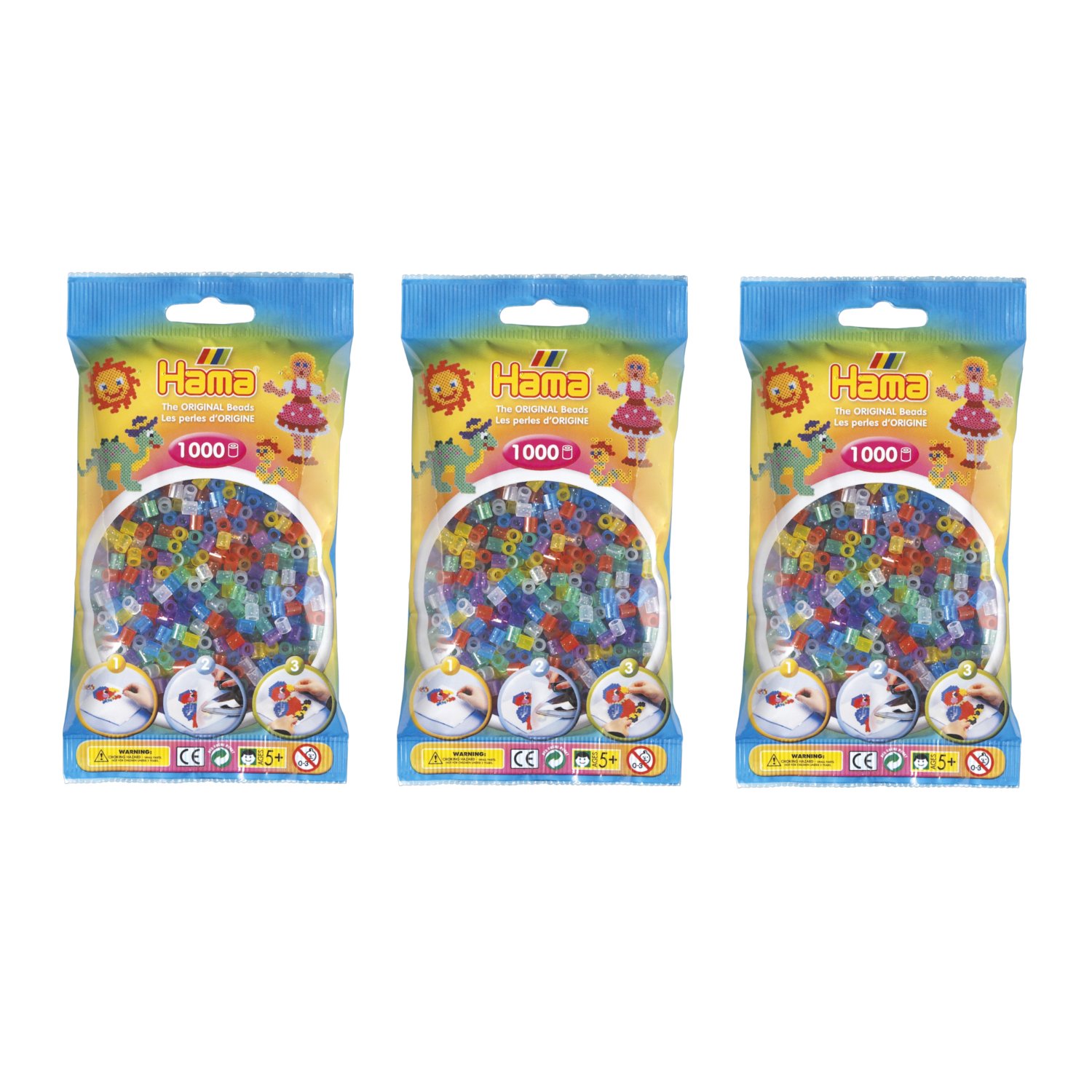
Image showing a hand carefully placing individual Hama beads onto a pegboard to create a colorful pattern. This illustrates the initial design phase.
-
Iron the Design (Adult Supervision Required): Once your design is complete on the pegboard, place a sheet of Hama ironing paper over the beads. Using a household iron set to a medium-hot temperature (no steam), gently iron the beads in a circular motion for a few seconds. The heat will fuse the beads together. Continue ironing until the beads are visibly fused.
Image depicting an iron being used over ironing paper placed on top of Hama beads on a pegboard. This shows the fusing process.
-
പെഗ്ബോർഡിൽ നിന്ന് നീക്കം ചെയ്യുക: Carefully remove the ironing paper. Allow the fused design to cool completely before gently peeling it off the pegboard. If the design is still warm, it may warp or break. For best results, place a heavy object on the design while it cools to ensure it remains flat.
Image illustrating a hand carefully lifting a completed and fused Hama bead design from the pegboard, revealing the finished craft.
നുറുങ്ങ്: You can iron both sides of the design for extra durability, but ensure the first side is fully cooled before flipping.
4. പരിപാലനം
- സംഭരണം: Store Hama beads in their original packaging or in sealed containers to prevent mixing and loss. Keep them in a cool, dry place away from direct sunlight.
- Cleaning Pegboards: Pegboards can be cleaned with a damp cloth if they become dusty or dirty. Avoid harsh chemicals that may damage the plastic.
- Ironing Paper: Ironing paper can be reused multiple times until it becomes too worn or discolored. Replace it when necessary to ensure proper bead fusion and prevent sticking.
5. പ്രശ്നപരിഹാരം
- സംയോജിപ്പിക്കാത്ത മുത്തുകൾ: Ensure the iron is hot enough and you are applying even pressure. Iron for a slightly longer duration. Make sure the ironing paper is correctly placed.
- Design warping/breaking: Allow the design to cool completely before removing it from the pegboard. Placing a heavy book on top while cooling can help keep it flat. Ensure beads are sufficiently fused.
- Beads sticking to ironing paper: The iron might be too hot, or the ironing paper might be worn out. Reduce iron temperature or replace the paper.
- Pegboard melting: This indicates the iron is too hot or has been held in one spot for too long. Reduce iron temperature and keep the iron moving.
6 സ്പെസിഫിക്കേഷനുകൾ
| ബ്രാൻഡ്: | ഹമാ |
| മോഡൽ നമ്പർ: | 207-54 |
| ഉൽപ്പന്ന അളവുകൾ: | 20.8 x 18.5 x 5.79 സെ.മീ |
| ഭാരം: | 180 ഗ്രാം |
| മെറ്റീരിയൽ: | Plastic (Beads) |
| അളവ്: | 3000 beads (3 x 1000 pcs) |
| Bead Size: | മിഡി |
| Bead Shape: | വൃത്താകൃതി |
| പ്രായം ശുപാർശ: | 5 വയസ്സും അതിനുമുകളിലും |
7. വാറൻ്റിയും പിന്തുണയും
Hama products are manufactured to high-quality standards. For specific warranty information or customer support, please refer to the official Hama webസൈറ്റിൽ ബന്ധപ്പെടുക അല്ലെങ്കിൽ നിങ്ങളുടെ റീട്ടെയിലറെ ബന്ധപ്പെടുക. ഏതെങ്കിലും വാറന്റി ക്ലെയിമുകൾക്കായി നിങ്ങളുടെ വാങ്ങിയതിന്റെ തെളിവ് സൂക്ഷിക്കുക.
കൂടുതൽ സഹായത്തിന്, നിങ്ങൾക്ക് സന്ദർശിക്കാവുന്നതാണ് Hama official webസൈറ്റ്.


