1. ആമുഖം
The FLIR ONE Thermal Imaging Camera (Gen 3) for Android USB-C transforms your compatible Android phone or tablet into a powerful thermal imager. This device allows you to visualize temperature differences, enabling you to detect issues such as invisible energy leaks, moisture problems, electrical hot spots, and more. It operates by capturing infrared radiation, providing a visual representation of heat energy that is otherwise undetectable to the human eye. The FLIR ONE is designed for ease of use, integrating seamlessly with your mobile device to offer advanced thermal imaging capabilities for various applications around the home or workplace.

Figure 1: FLIR ONE Thermal Imaging Camera connected to an Android smartphone.
2. ബോക്സിൽ എന്താണുള്ളത്?
പാക്കേജിംഗിൽ എല്ലാ ഇനങ്ങളും ഉണ്ടെന്ന് ഉറപ്പാക്കുക:
- FLIR ONE Thermal Imager for Android devices
- സംരക്ഷണ കേസ്
- USB-C മുതൽ USB-A ചാർജ് കേബിൾ വരെ
- ദ്രുത ആരംഭ ഗൈഡ്

Figure 2: Included components: FLIR ONE camera, protective case, and charging cable.
3. സജ്ജീകരണം
- Charge the FLIR ONE: Before initial use, fully charge your FLIR ONE device using the provided USB-C to USB-A cable. Connect the USB-C end to the FLIR ONE and the USB-A end to a standard USB power adapter (not included) or a computer USB port. The charging indicator light will show the charging status.
- Download the FLIR ONE App: ഇതിനായി തിരയുക and download the official "FLIR ONE" application from the Google Play Store on your Android device.
- ആപ്പ് ഇൻസ്റ്റാൾ ചെയ്യുക: Follow the on-screen instructions to install the FLIR ONE app. An initial internet connection may be required for app registration and updates.
- Connect the FLIR ONE: Carefully plug the FLIR ONE camera into the USB-C port of your Android smartphone or tablet. Ensure a secure connection. The adjustable OneFit connector allows for compatibility with various phone cases.
- ആപ്പ് സമാരംഭിക്കുക: Open the FLIR ONE app. The app should automatically detect the connected camera and display the thermal feed.
Video 1: Official FLIR ONE product overview, demonstrating various uses and features.
4. പ്രവർത്തന നിർദ്ദേശങ്ങൾ
4.1 അടിസ്ഥാന പ്രവർത്തനം
- Once connected and the app is open, the thermal image will appear on your device's screen.
- Point the FLIR ONE at the area you wish to inspect.
- Use the app's interface to capture thermal images or videos.
4.2 MSX Technology
The FLIR ONE utilizes exclusive MSX (Multi-Spectral Dynamic Imaging) technology. This feature blends the thermal image with visual details from your phone's camera, enhancing clarity and making it easier to identify the context of thermal patterns. This results in sharper, more detailed thermal images.
4.3 അപേക്ഷകൾ
The FLIR ONE can be used for a variety of tasks:
- വീട് പരിശോധന: Identify insulation gaps, drafts around windows and doors, and potential moisture intrusion.
- ഇലക്ട്രിക്കൽ ട്രബിൾഷൂട്ടിംഗ്: Detect overheating circuits, loose connections, or overloaded components in electrical panels.
- പ്ലംബിംഗ്: Locate hidden leaks or clogs by observing temperature differences in pipes.
- HVAC: Check for proper airflow, duct leaks, and efficiency of heating and cooling systems.
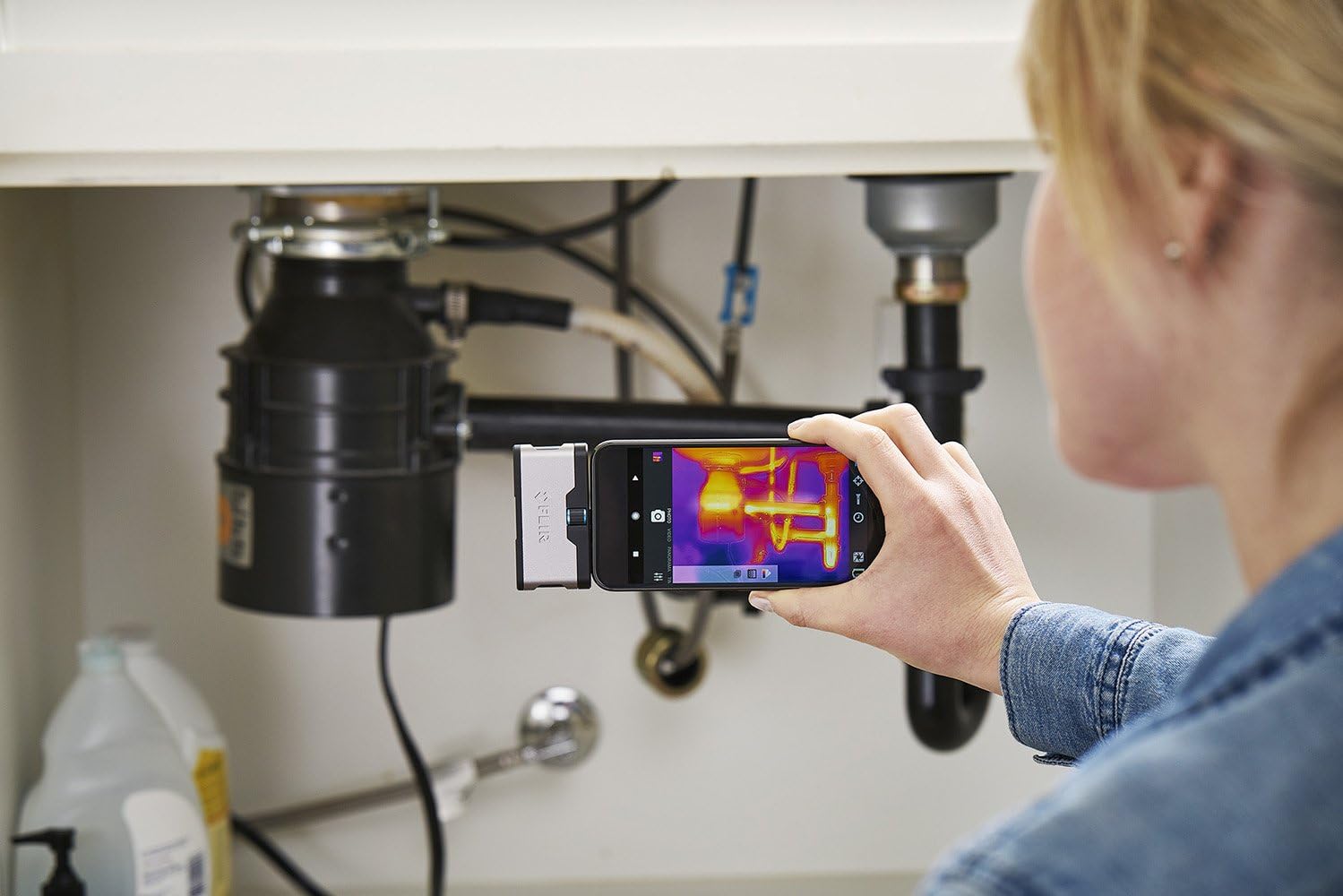
Figure 3: Inspecting plumbing under a sink with the FLIR ONE.
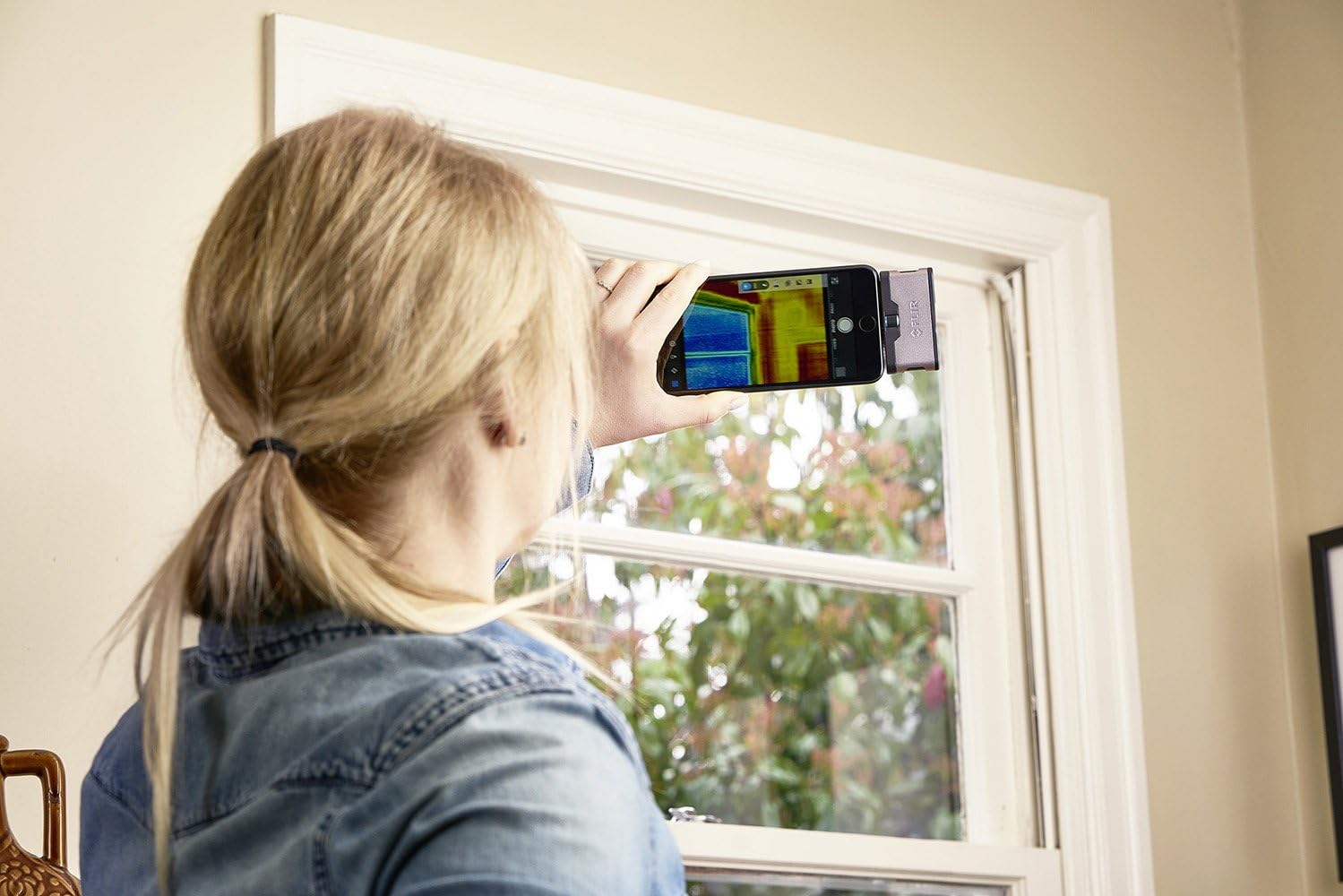
Figure 4: Checking a window for heat loss using the FLIR ONE.
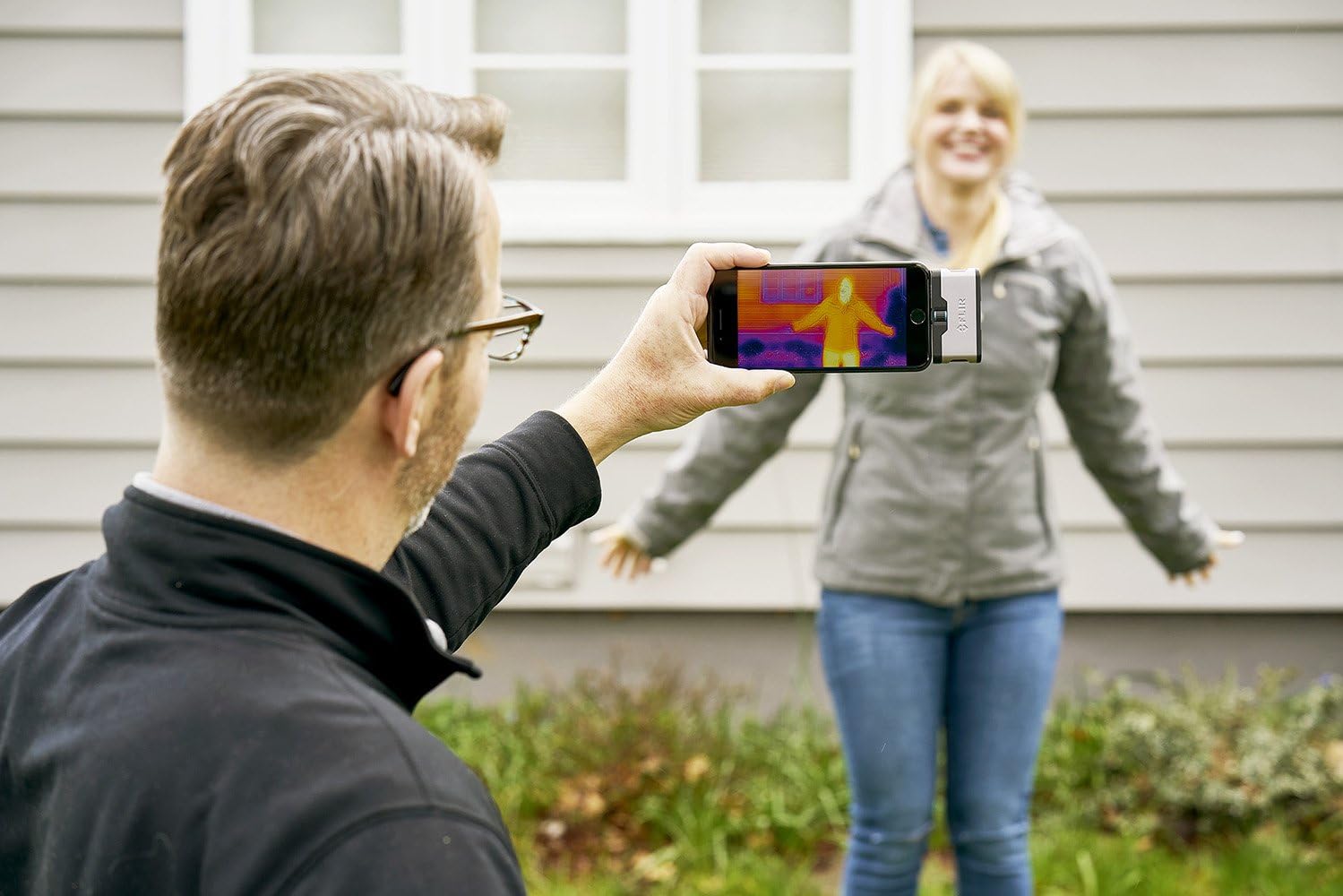
Figure 5: Observing thermal signatures with the FLIR ONE.
5. പരിപാലനം
- വൃത്തിയാക്കൽ: Gently wipe the camera lenses with a soft, lint-free cloth. Avoid abrasive materials or harsh chemicals that could damage the optics.
- സംഭരണം: Store the FLIR ONE in its protective case when not in use to prevent scratches and damage. Keep it in a cool, dry place away from extreme temperatures.
- ബാറ്ററി കെയർ: For optimal battery life, avoid fully discharging the device frequently. Charge it regularly, even if not in constant use.
6. പ്രശ്നപരിഹാരം
6.1 Device Not Detected by App
- Ensure the FLIR ONE is fully charged.
- Verify that the FLIR ONE is securely connected to your Android device's USB-C port.
- Restart the FLIR ONE app and/or your Android device.
- ഗൂഗിൾ പ്ലേ സ്റ്റോറിൽ ആപ്പ് അപ്ഡേറ്റുകൾക്കായി പരിശോധിക്കുക.
- Confirm your Android device supports USB On-The-Go (OTG) functionality.
6.2 മോശം ഇമേജ് നിലവാരം
- Clean both the thermal and visible light lenses on the FLIR ONE.
- ക്യാമറയ്ക്കും ലക്ഷ്യത്തിനും ഇടയിൽ തടസ്സങ്ങളൊന്നുമില്ലെന്ന് ഉറപ്പാക്കുക.
- Allow the camera a few moments to calibrate after connecting.
6.3 ബാറ്ററി പെട്ടെന്ന് തീർന്നു പോകുന്നു
- The FLIR ONE has its own internal battery. Ensure it is fully charged before use.
- Prolonged use of thermal imaging can consume power. Close the app when not actively using the camera.
7 സ്പെസിഫിക്കേഷനുകൾ
| മോഡൽ നമ്പർ | 435-0005-02 |
| ഉൽപ്പന്ന അളവുകൾ | 2.7 x 0.6 x 1.4 ഇഞ്ച് |
| ഇനത്തിൻ്റെ ഭാരം | 1.28 ഔൺസ് |
| ബാറ്ററികൾ | 1 ലിഥിയം അയോൺ ബാറ്ററി (ഉൾപ്പെടുത്തിയിരിക്കുന്നു) |
| ഫോട്ടോ സെൻസർ ടെക്നോളജി | താപ സെൻസർ |
| വീഡിയോ ക്യാപ്ചർ റെസല്യൂഷൻ | 1080p |
| പരമാവധി അപ്പേർച്ചർ | 2 എഫ് |
| ഫ്ലാഷ് മെമ്മറി തരം | Micro SD (via phone) |
| കണക്റ്റിവിറ്റി ടെക്നോളജി | USB-C |
| നിറം | വെള്ളി |
8. വാറണ്ടിയും പിന്തുണയും
FLIR products are designed for reliability and performance. For detailed warranty information, please refer to the warranty card included with your product or visit the official FLIR website. For technical support, product registration, or service inquiries, please contact FLIR customer service through their official channels. Keep your purchase receipt and product serial number handy when contacting support.


