1. ആമുഖം
The Fosmon 24-Hour Dual Plug-in Mechanical Outlet Timer is designed to provide convenient and automatic control over your electrical devices. This timer allows you to set specific on/off times for lamps, indoor lights, small appliances, and more, enhancing energy efficiency and home security. Its robust design and simple mechanical operation make it a reliable solution for various applications.
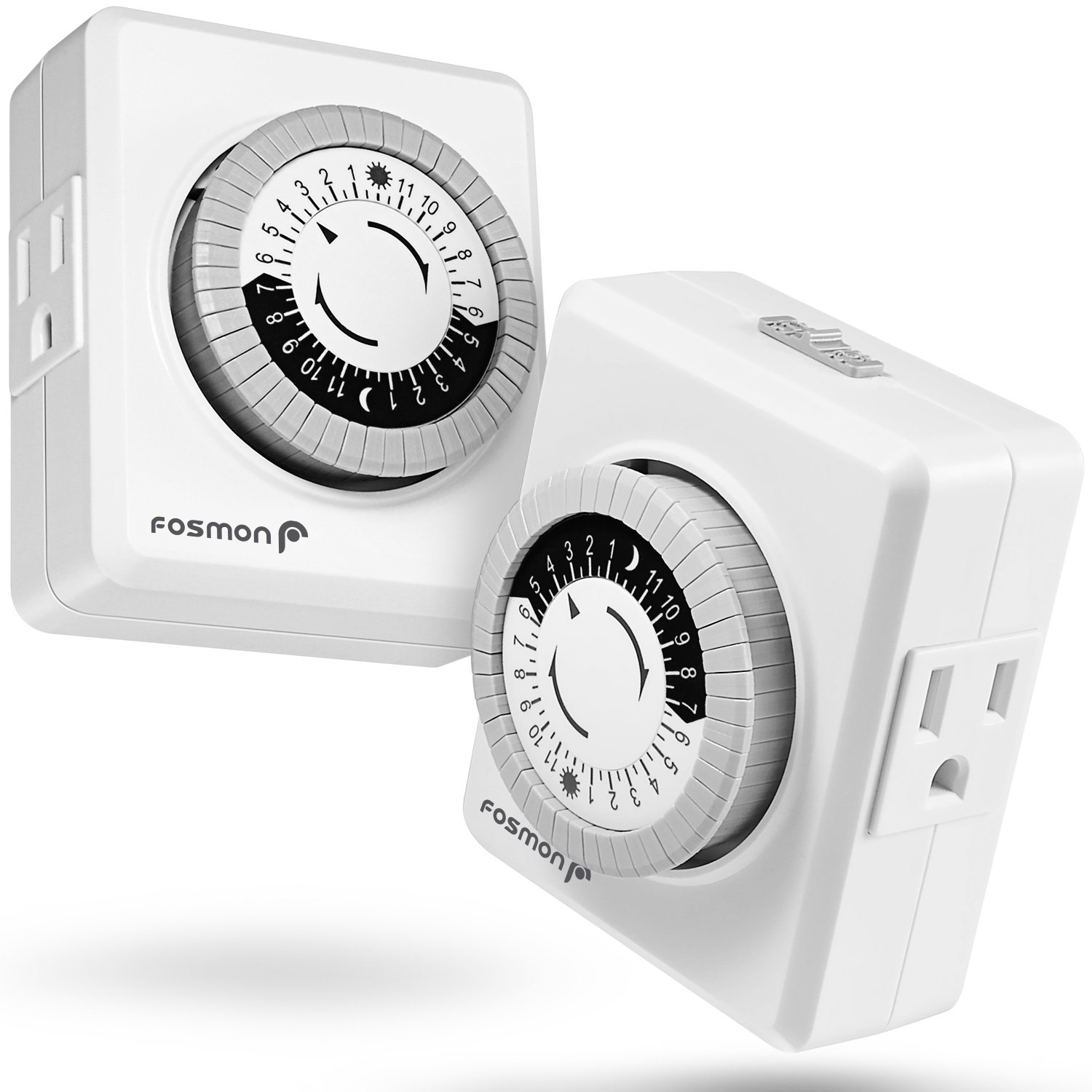
Image: Two Fosmon 24-Hour Mechanical Outlet Timers, showcasing their compact design and dual outlets.
2 സുരക്ഷാ വിവരങ്ങൾ
ഈ ഉൽപ്പന്നം ഉപയോഗിക്കുന്നതിന് മുമ്പ് എല്ലാ സുരക്ഷാ നിർദ്ദേശങ്ങളും വായിച്ച് മനസ്സിലാക്കുക. ഈ നിർദ്ദേശങ്ങൾ പാലിക്കുന്നതിൽ പരാജയപ്പെടുന്നത് വൈദ്യുതാഘാതം, തീപിടുത്തം അല്ലെങ്കിൽ ഗുരുതരമായ പരിക്കിന് കാരണമായേക്കാം.
- പട്ടികപ്പെടുത്തിയ ETL: This product is ETL listed, ensuring it meets recognized safety standards.
- ഇലക്ട്രിക്കൽ റേറ്റിംഗുകൾ: 125VAC, 60Hz, 15A, 1875W, 10A Tungsten, 3/4HP. Do not exceed these ratings.
- ഇൻഡോർ ഉപയോഗത്തിന് മാത്രം: This timer is designed for indoor use in dry locations. Do not expose to water or moisture.
- ഗ്രൗണ്ടഡ് ഔട്ട്ലെറ്റുകൾ: ശരിയായി ഗ്രൗണ്ട് ചെയ്ത 3-പ്രോംഗ് ഔട്ട്ലെറ്റിലേക്ക് ടൈമർ പ്ലഗ് ചെയ്തിട്ടുണ്ടെന്ന് ഉറപ്പാക്കുക.
- ഉപയോഗത്തിലില്ലാത്തപ്പോൾ അൺപ്ലഗ് ചെയ്യുക: Disconnect the timer from the power outlet when not in use or before cleaning.
- നിർദ്ദേശം 65 മുന്നറിയിപ്പ്: ഈ ഉൽപ്പന്നത്തിൽ കാൻസർ, ജനന വൈകല്യങ്ങൾ അല്ലെങ്കിൽ മറ്റ് പ്രത്യുൽപാദന ഹൃദ്രോഗങ്ങൾ എന്നിവ ഉണ്ടാക്കാൻ കാലിഫോർണിയ സ്റ്റേറ്റിന് അറിയപ്പെടുന്ന രാസവസ്തുക്കൾ അടങ്ങിയിരിക്കാം.

Image: The back of the Fosmon timer, displaying its ETL listing and detailed electrical specifications, confirming safety compliance.
3. പാക്കേജ് ഉള്ളടക്കം
Each package includes:
- 2 x Fosmon 24-Hour Dual Plug-in Mechanical Outlet Timers
4. ഉൽപ്പന്ന സവിശേഷതകൾ
- പൂർണ്ണമായും പ്രോഗ്രാം ചെയ്യാവുന്നത്: Design your own schedule with up to 24 on/off settings per day.
- 30-Minute Increments: Program devices to auto on/off in as small as 30-minute intervals.
- Daily Repetition: Settings will repeat daily once programmed and plugged in.
- ഇരട്ട ഔട്ട്ലെറ്റുകൾ: Equipped with two grounded outlets, allowing you to power two devices simultaneously.
- മാനുവൽ ഓവർറൈഡ് സ്വിച്ച്: A convenient switch is located on the top for manual operation, bypassing the timer settings.
- ഊർജ്ജ സംരക്ഷണം: Helps reduce energy consumption and utility costs by automating device operation.
- വിശാലമായ അനുയോജ്യത: Compatible with various devices including lamps, indoor lights, reptile lights, small appliances, Christmas trees, aquarium fish tanks, grow lights, and LED/CFL bulbs.

Image: Close-up of the timer dial, illustrating how to set ON (pins down) and OFF (pins up) times for full programmability.

Image: Two timers viewed from the side, highlighting their dual outlet design for connecting two devices.

Image: A diagram illustrating the timer's universal compatibility with various household items like lamps, fans, coffee makers, and holiday lights.

Image: The timer shown with different bulb types (CFL, Incandescent, LED), indicating its broad compatibility with various lighting technologies.
5. സജ്ജീകരണ നിർദ്ദേശങ്ങൾ
Follow these steps to set up your Fosmon mechanical outlet timer:
- Reset Pins: Pull ALL the pins around the dial to the UP position. The timer comes with all pins pressed down by default.
- നിലവിലെ സമയം സജ്ജമാക്കുക: Turn the dial clockwise until the arrow points to the CURRENT time. Note that the black half of the dial represents PM hours and the white half represents AM hours. Align as closely as possible, as exact minute precision is not required for mechanical timers.
- പ്രോഗ്രാം ഓൺ ടൈംസ്: Push the pins താഴേക്ക് for the periods you want the connected device to be ON. Each pin represents a 30-minute interval.
- കണക്റ്റുചെയ്ത് പവർ ഓണാക്കുക: Plug your device(s) into the timer's outlets, then plug the timer into a wall outlet.
- Check Override Switch: Ensure the manual override switch (located on top) is in the 'Timer' position (usually indicated by a clock icon or 'ON' for timer function, not 'Always ON' or 'OFF').
To test the timer, plug it into a lamp, push down one pin close to the current time, and observe. The light should turn on when the dial reaches that pin and turn off when it passes it. Remember to pull the test pin back up after verification.

Image: The Fosmon timer positioned in a snowy outdoor scene, emphasizing its 24-hour functionality for various settings.
6. ഓപ്പറേഷൻ
Once set up, the timer will automatically cycle through its programmed ON/OFF periods every 24 hours. The internal clock mechanism will continuously rotate the dial.
- യാന്ത്രിക പ്രവർത്തനം: The timer will activate and deactivate connected devices according to the pins you have pushed down.
- മാനുവൽ അസാധുവാക്കൽ: Use the switch on the top of the timer to manually turn the connected devices ON or OFF, overriding the programmed schedule. This is useful if you need to temporarily keep a device on or off outside of its set times.

Image: The timer plugged into a wall outlet, connected to holiday lights, demonstrating its use for seasonal decorations.
7. പരിപാലനം
The Fosmon mechanical outlet timer requires minimal maintenance.
- വൃത്തിയാക്കൽ: വൃത്തിയാക്കുന്നതിന് മുമ്പ് വാൾ ഔട്ട്ലെറ്റിൽ നിന്ന് ടൈമർ ഊരിമാറ്റുക. മൃദുവായതും ഉണങ്ങിയതുമായ തുണി ഉപയോഗിച്ച് പുറംഭാഗം തുടയ്ക്കുക. ലിക്വിഡ് ക്ലീനറുകളോ ഉരച്ചിലുകളുള്ള വസ്തുക്കളോ ഉപയോഗിക്കരുത്.
- സംഭരണം: ഉപയോഗത്തിലില്ലാത്തപ്പോൾ തണുത്തതും വരണ്ടതുമായ സ്ഥലത്ത് ടൈമർ സൂക്ഷിക്കുക.
- പതിവ് പരിശോധന: Periodically check the pins to ensure they are correctly set and have not shifted.
8. പ്രശ്നപരിഹാരം
| പ്രശ്നം | സാധ്യമായ കാരണം | പരിഹാരം |
|---|---|---|
| നിശ്ചിത സമയങ്ങളിൽ ഉപകരണം ഓൺ/ഓഫ് ചെയ്യുന്നില്ല. | Pins are not correctly set (all up or all down). Manual override switch is in the wrong position. നിലവിലെ സമയം ശരിയായി സജ്ജീകരിച്ചിട്ടില്ല. പവർ യൂtage. | ഓൺ സമയത്തേക്ക് പിന്നുകൾ താഴേക്കും ഓഫ് സമയത്തേക്ക് മുകളിലേക്കും അമർത്തുന്നുവെന്ന് ഉറപ്പാക്കുക. Check the manual override switch is in the 'Timer' position. Rotate the dial to set the current time accurately. Reset the current time after a power outage. |
| Timer makes a buzzing or grinding noise. | Normal operation for some mechanical timers. ആന്തരിക സംവിധാന പ്രശ്നം. | A slight hum is normal. If the noise is excessive or new, contact customer support. |
| Pins or switch feel stuck/malfunctioning. | Mechanical defect. | Do not force. Contact customer support for assistance or replacement. |
9 സ്പെസിഫിക്കേഷനുകൾ
- മോഡൽ നമ്പർ: സി-10682
- ഉൽപ്പന്ന അളവുകൾ: 3.9"D x 4.8"W x 3.1"H
- ഇനത്തിൻ്റെ ഭാരം: 10.3 ഔൺസ്
- ഇലക്ട്രിക്കൽ റേറ്റിംഗ്: 125VAC, 60Hz, 15A, 1875W, 10A Tungsten, 3/4HP
- മെറ്റീരിയൽ: Plastic with 2 Grounded Outlets
- നിറം: വെള്ള
- സർട്ടിഫിക്കേഷനുകൾ: ETL ലിസ്റ്റുചെയ്തിരിക്കുന്നു
10. വാറൻ്റിയും പിന്തുണയും
Fosmon products are backed by a limited lifetime warranty. For detailed warranty information, please visit the official Fosmon webസൈറ്റ് അല്ലെങ്കിൽ ഉപഭോക്തൃ പിന്തുണയുമായി ബന്ധപ്പെടുക.
Fosmon offers 24/7 free customer support. If you encounter any issues or have questions regarding your product, please do not hesitate to reach out to our support team. Contact information can be found on the Fosmon webസൈറ്റ് അല്ലെങ്കിൽ നിങ്ങളുടെ വാങ്ങൽ പ്ലാറ്റ്ഫോം വഴി.


