പ്രധാനപ്പെട്ട സുരക്ഷാ നിർദ്ദേശങ്ങൾ
അസംബ്ലി ചെയ്യുന്നതിനും ഉപയോഗിക്കുന്നതിനും മുമ്പ് ദയവായി എല്ലാ നിർദ്ദേശങ്ങളും ശ്രദ്ധാപൂർവ്വം വായിക്കുക. ഭാവി റഫറൻസിനായി ഈ മാനുവൽ സൂക്ഷിക്കുക.
- പരമാവധി ഭാര ശേഷി 125 പൗണ്ട് (56.7 കിലോഗ്രാം) കവിയരുത്.
- Ensure your TV's VESA mounting pattern is compatible with this stand (200x100mm to 800x400mm).
- Verify that the TV size is within the recommended range of 27-55 inches.
- പോറലുകൾ ഉണ്ടാകാതിരിക്കാൻ മൃദുവും വൃത്തിയുള്ളതുമായ ഒരു പ്രതലത്തിൽ സ്റ്റാൻഡ് കൂട്ടിച്ചേർക്കുക.
- നൽകിയിരിക്കുന്ന ഹാർഡ്വെയർ എപ്പോഴും ഉപയോഗിക്കുക. ഏതെങ്കിലും ഭാഗങ്ങൾ നഷ്ടപ്പെട്ടാലോ കേടുപാടുകൾ സംഭവിച്ചാലോ, ഉപഭോക്തൃ പിന്തുണയുമായി ബന്ധപ്പെടുക.
- Do not overtighten screws, as this may cause damage.
- സ്റ്റാൻഡ് വളയുന്നത് തടയാൻ സ്ഥിരതയുള്ളതും നിരപ്പായതുമായ ഒരു പ്രതലത്തിലാണ് സ്ഥാപിച്ചിരിക്കുന്നതെന്ന് ഉറപ്പാക്കുക.
- അസംബ്ലി സമയത്ത് കുട്ടികളെയും വളർത്തുമൃഗങ്ങളെയും അകറ്റി നിർത്തുക.
പാക്കേജ് ഉള്ളടക്കം
അസംബ്ലി ആരംഭിക്കുന്നതിന് മുമ്പ് എല്ലാ ഘടകങ്ങളും ഉണ്ടെന്ന് ഉറപ്പാക്കുക.
- 2 x TV Stand Legs (Left and Right)
- മൗണ്ടിംഗ് ബ്രാക്കറ്റുകൾ
- Various TV Screws (M4, M6, M8)
- Spacers and Washers
- Assembly Tools (Wrench, Hex Key)
- ഇൻസ്ട്രക്ഷൻ മാനുവൽ
ആവശ്യമായ ഉപകരണങ്ങൾ
- ഫിലിപ്സ് ഹെഡ് സ്ക്രൂഡ്രൈവർ (ഉൾപ്പെടുത്തിയിട്ടില്ല)
- Included Hex Key
- ഉൾപ്പെടുത്തിയ റെഞ്ച്
സജ്ജീകരണവും അസംബ്ലി നിർദ്ദേശങ്ങളും
Follow these steps carefully to assemble your Hemudu Universal Table Top TV Stand.
Step 1: Verify TV Compatibility and VESA Pattern
Before assembly, confirm your TV's VESA mounting pattern and size. This stand supports VESA patterns from 200x100mm to 800x400mm and TVs from 27 to 55 inches.

Image: Back of TV with VESA pattern measurements (Length x Width) and a selection of included TV lock screws, spacers, and washers. This diagram helps identify the correct mounting hardware for your television.
Step 2: Assemble the Stand Legs
Attach the vertical support arms to the base feet using the provided screws and hex key. Ensure the non-slip pads are correctly positioned on the bottom of the feet.

Image: Detailed dimensions of the stand components, illustrating the height of the vertical support (26.1 inches) and the length of the base (13.8 inches), along with the adjustable height mechanism.
Step 3: Attach Mounting Brackets to TV
Carefully place your TV face down on a soft, clean surface. Identify the correct size screws (M4, M6, or M8) and spacers for your TV's VESA holes. Attach the mounting brackets to the back of your TV. Ensure they are securely fastened but do not overtighten.
Step 4: Mount TV to Stand Legs
With assistance, carefully lift the TV and hook the attached mounting brackets onto the vertical support arms of the stand legs. Secure the TV to the stand using the provided locking screws or bolts.

Image: A 27-55 inch television displayed on the assembled Hemudu TV stand, demonstrating its application on a table top.
പ്രവർത്തന നിർദ്ദേശങ്ങൾ
ഉയരം ക്രമീകരിക്കൽ
The stand offers 3 levels of height adjustment. To adjust the height, loosen the screws securing the mounting brackets to the vertical support arms, slide the TV to the desired height, and re-tighten the screws securely. Always ensure both sides are adjusted evenly.
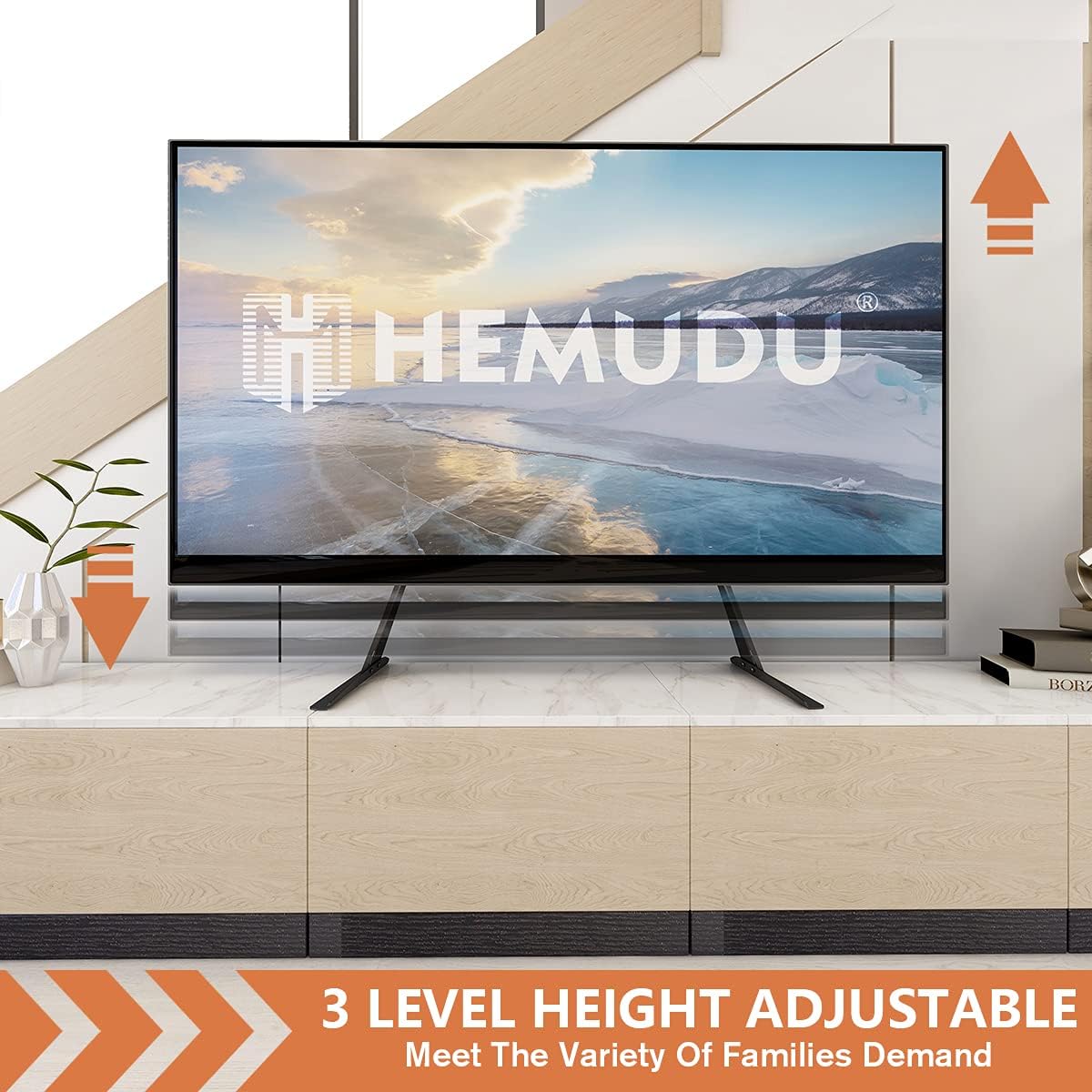
Image: Visual representation of the 3-level height adjustment capability, allowing users to customize the TV's viewing ഉയരം.
ആംഗിൾ അഡ്ജസ്റ്റ്മെൻ്റ്
The stand allows for a 5-degree forward tilt, vertical, or 5-degree backward tilt. To adjust the angle, loosen the tilt mechanism screws on the mounting brackets, set the TV to the desired angle, and re-tighten the screws firmly.

Image: Illustration of the angle adjustment feature, demonstrating the ability to tilt the TV 5 degrees backward, keep it vertical, or tilt it 5 degrees forward for optimal viewing.
കേബിൾ മാനേജ്മെൻ്റ്
Utilize the integrated cable management clips or channels on the stand legs to route and organize your TV cables. This helps maintain a tidy appearance and prevents cable clutter.

Image: A visual comparison demonstrating the effectiveness of the integrated cable management system, transforming a cluttered cable area into a clean and organized setup.
മെയിൻ്റനൻസ്
- വൃത്തിയാക്കൽ: മൃദുവായതും ഉണങ്ങിയതുമായ തുണി ഉപയോഗിച്ച് സ്റ്റാൻഡ് തുടയ്ക്കുക. ഫിനിഷിന് കേടുവരുത്തുന്ന ഉരച്ചിലുകൾ ഉണ്ടാക്കുന്ന ക്ലീനറുകളോ ലായകങ്ങളോ ഉപയോഗിക്കരുത്.
- ആനുകാലിക പരിശോധനകൾ: Regularly inspect all screws and connections to ensure they remain tight and secure. Re-tighten if necessary.
- സ്ഥിരത: Ensure the stand remains on a stable and level surface.
ട്രബിൾഷൂട്ടിംഗ്
TV is not stable / wobbles
- Ensure all screws are securely tightened, especially those connecting the mounting brackets to the TV and the stand legs.
- Verify the stand is placed on a flat, level, and sturdy surface.
- Check that the TV's weight does not exceed the stand's maximum capacity of 125 lbs.
Cannot attach mounting brackets to TV
- Confirm your TV's VESA pattern is within the supported range (200x100mm to 800x400mm).
- Ensure you are using the correct size screws (M4, M6, or M8) and appropriate spacers for your TV model. Refer to your TV's manual for VESA screw specifications.
TV is too low/high after adjustment
- Re-adjust the height by loosening the bracket screws, sliding the TV to the desired position, and re-tightening. Ensure both legs are adjusted symmetrically.
സ്പെസിഫിക്കേഷനുകൾ
| ഫീച്ചർ | സ്പെസിഫിക്കേഷൻ |
|---|---|
| മോഡൽ നമ്പർ | HT01B-001 |
| അനുയോജ്യമായ ടിവി വലുപ്പങ്ങൾ | 27-55 ഇഞ്ച് |
| പരമാവധി ഭാരം ശേഷി | 125 പൗണ്ട് (56.7 കി.ഗ്രാം) |
| VESA അനുയോജ്യത | 200x100mm മുതൽ 800x400mm വരെ |
| ഉയരം ക്രമീകരിക്കൽ | 3 ലെവലുകൾ |
| ടിൽറ്റ് ആംഗിൾ | 5 degrees forward, vertical, 5 degrees back |
| മെറ്റീരിയൽ | അലോയ് സ്റ്റീൽ |
| ഉൽപ്പന്ന അളവുകൾ | 17.33 x 5.12 x 2.48 ഇഞ്ച് (പാക്കേജുചെയ്തത്) |
| ഇനത്തിൻ്റെ ഭാരം | 4.77 പൗണ്ട് |
വാറന്റി, പിന്തുണാ വിവരങ്ങൾ
Hemudu products are designed for durability and performance. For specific warranty details, please refer to the warranty card included with your purchase or visit the official Hemudu webസൈറ്റ്.
If you encounter any issues or have questions regarding the assembly or operation of your TV stand, please contact Hemudu customer support. Our team is available to assist you.
ഉപഭോക്തൃ പിന്തുണ: ദയവായി നിങ്ങളുടെ വാങ്ങൽ ഡോക്യുമെന്റേഷൻ അല്ലെങ്കിൽ നിർമ്മാതാവിന്റെ webബന്ധപ്പെടാനുള്ള വിവരങ്ങൾക്കുള്ള സൈറ്റ്.


